约 7,211 个插件,本页 24 个。这里最多翻 40 页,词更具体会更快。

WPC Estimated Delivery Date for WooCommerce
WPClever
WPC Estimated Delivery Date allows you to establish and personalize delivery times for each product available in your store on several levels.

Animated Floating Chat Button
HABIBUR (Adnan Habib)
Adds an animated floating chat button to the WordPress site, making communication easier.

Pagination Styler for WooCommerce
BeRocket
With Pagination Styler for WooCommerce You can customize pagination as You want without code.

Advanced Post Block – Display Your Posts Exactly How You Want
bPlugins
Advanced Post Block lets you add dynamic post grids, lists, sliders, and tickers. Filter content by category, tag, author, or custom post type.

WP Popups – WordPress Popup builder
Damian
WP Popups is the best popup maker for WordPress. Easy but powerful plugin with display filters, scroll-triggered popups, and Gutenberg block editor.

Admin Columns for ACF Fields
Florian Eickhorst
Show your Advanced Custom Fields (ACF) in columns for posts, pages, taxonomies, and users in the Wordpress admin backend.

CMB2
Justin Sternberg
CMB2 is a metabox, custom fields, and forms library for WordPress that will blow your mind.

SALERT – Social Proof Notifications & Live Sales Popup
wpoperations
Boost trust and conversions with beautiful sales notification popups. Show recent purchases as social proof, with or without WooCommerce.

WP Sticky Button – Click to Chat
farazify
Display the beautiful WhatsApp Sticky Button on the WordPress frontend.

Gutenslider – Image & Video Slider Block
eedee
A slider and carousel block for images, videos and any blocks on top: hero sliders, content carousels and fullscreen background sliders.

HashBar – Announcement, Notification Bar & Popup Campaign
DevItems
Create Announcement Bars, Notification Bars & Popup Campaigns with countdown timers, A/B testing, smart targeting & analytics.

Block Animations, Motion & Scroll Effects – Ghost Kit
nK
Animate WordPress blocks with reveal, scroll, mouse and loop effects, set in the block settings.

FancyBox for WordPress
colorlibplugins
Seamlessly integrates FancyBox lightbox into your WordPress blog: Upload, activate, and you're done. Additional configuration optional.

Széchenyi 2020 Logo
Földesi, Mihály
This WordPress plugin places a Széchenyi 2020 logo on the frontend at any position.

Sticky Header Effects for Elementor
POSIMYTH
The original Elementor sticky header & sticky menu plugin. Transparent, fixed & scroll effects (blur, shrink, hide) on Elementor Free or Pro.

Number of Products per Page – Pagination Manager for WooCommerce
WPFactory
Products per page selector for WooCommerce.

Combine Social Photos | Still BE
Daisuke Yamamoto
Provides Instagram embedding functionality exclusively for WP Block Editor. Your feeds, other Pro accounts' feeds and posts related to hashtags.

PDF Embedder – PDF Viewer & Embed PDF Files for WordPress
Syed Balkhi
Embed PDF files in WordPress posts and pages with a responsive PDF viewer block, live Block Editor preview, and no third-party services.

YITH WooCommerce Product Gallery & Image Zoom
YITHEMES
YITH WooCommerce Product Gallery & Image Zoom add zoom effect to product images and a customizable image slider.

Product Gallery Slider, Additional Variation Images for WooCommerce
Niloy - Codeixer
Enhance your customers' shopping experience and boost sales instantly with this WooCommerce Product Gallery Slider! 🚀

Before After Image Comparison – Visual Comparison for Two Images
bPlugins
Easily showcase visual differences between two images with an interactive before-and-after slider – no coding required!
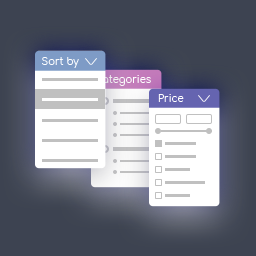
Product Filter for WooCommerce by WBW
WBW Plugins
Free WooCommerce filter: fast on 100,000 products, any theme or builder, right on phones, found by Google and AI answers. One click setup.

WPC Smart Compare for WooCommerce
WPClever
It helps customers compare products with mighty AJAX, doesn't require opening a new page or iframe, and allows drag-and-drop functionality.

Ultimate Post List
Kybernetik Services
Make up custom-tailored preview lists of the contents easily and place them in widget areas and post contents.