

Combine Social Photos | Still BE
v0.21.0Daisuke Yamamoto · 2022年4月9日 上架
Provides Instagram embedding functionality exclusively for WP Block Editor. Your feeds, other Pro accounts' feeds and posts related to hashtags.
- 正在使用
- 700+
- 评分
- 5.0 / 5
- 累计下载
- 1.5 万
- 最近更新
- 2026年7月26日
贡献者
 Daisuke Yamamoto
截图


Add blocks where you can embed instagram feed. Provides embedding optimized for Block Editor.
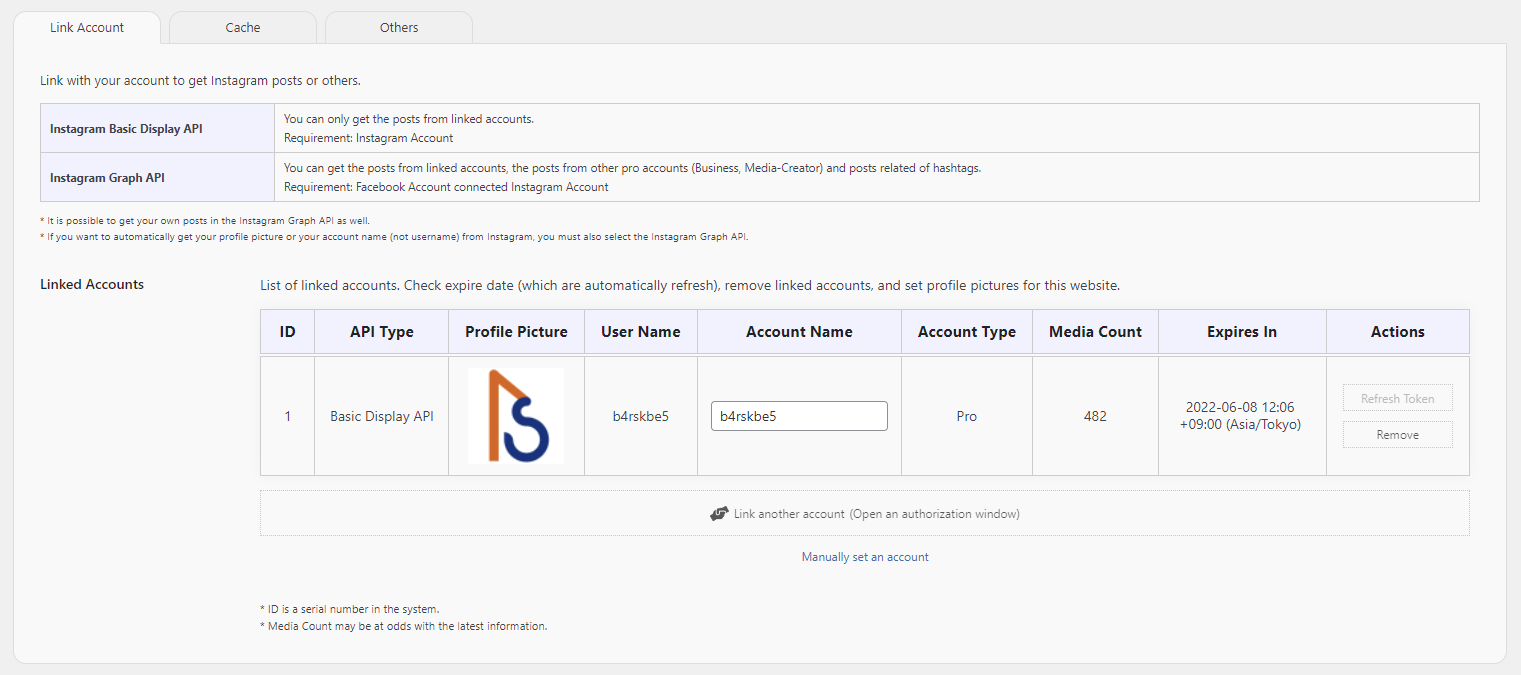
Multiple accounts can be managed at a site.
You can be done on the block editor for all visual editing, making it possible to achieve the desired layout more comfortably, flexibility and speedy.
You can embed your own feeds, other Pro accounts’ feeds and posts related to hashtags.
Getting feeds from other Pro accounts (Business Discovery) or posts related to hashtags requires authentication with the Instagram Graph API.
Data got from Instagram is cached for faster display.
When the cache expires, it is automatically got data in the background and updated when the reacquisition is complete. This ensures that a valid cache is always available.
Blocks ; Common Options
All blocks have the following options.
- Advanced Getting Posts
- Type of Getting Posts
- Other User’s Username
- Hashtag
- Video Option
- Displaying Video
- Instagram Post Where to Open
- Post Caption
- Show / Hidden
- Lines
- Post Author
- Show / Hidden
- Post Time
- Show / Hidden
- Hover Effect
- Frosted Glass Effect
- Tilt Effect
- Footer
- Show / Hidden
- Position (Left / Center / Right)
- Like / Comments Count
- Show / Hidden
- Position (hover on image / below the image)
Block; Simple Grid
A block of posts placed on a grid.
The following customizations are available.
- Outline Gap (PC / Tablet / SP)
- Layout (PC / Tablet / SP)
- Columns
- Rows
- Aspect Ratio
- Gap
- Highlight
- Size
- Position (Left / Top)
- Header
- Show / Hidden
- Position (Left / Center / Right)
- Follows Count
- Show / Hidden
- Followers Count
- Show / Hidden
Block; Simple Slider
A block can slide horizontally.
The following customizations are available.
- Layout
- Base Width
- Min Width
- Min Columns
- Columns
- Rows
- Aspect Ratio
- Gap (between columns / rows)
- Scrolling
- Duration Time
- Easing Function (Linear / InOutSine / InOutQuad / InOutCubic / OutBounce / Cubic-bezier)
- Exclude Navigation Buttons
Block; Masonry Grid (Beta)
A block of posts placed on a masonry layout.
The following customizations are available.
- Outline Gap (PC / Tablet / SP)
- Layout
- Media Count
- Column Max Width
- Gap
- Loading Effect
- Header
- Show / Hidden
- Position (Left / Center / Right)
- Follows Count
- Show / Hidden
- Followers Count
- Show / Hidden
Modal Window
Selecting a modal window allows user to view the details of Instagram posts without leaving your website.
You can also put a CTA (Call to Action) within the modal window.
Link with Instagram Account
Easily link to your Instagram accounts.
Multiple accounts can be managed, and the account to be used can be selected individually when put a block.
3rd party resources
Font Awesome
WebSite: https://fontawesome.com/
License: https://fontawesome.com/license/free