Product Filter for WooCommerce by WBW
v4.0.0WBW Plugins · 2018年6月21日 上架
Free WooCommerce filter: fast on 100,000 products, any theme or builder, right on phones, found by Google and AI answers. One click setup.
- 正在使用
- 5 万+
- 评分
- 4.8 / 5
- 累计下载
- 295 万
- 最近更新
- 2026年11月17日
贡献者
 WBW Plugins
截图
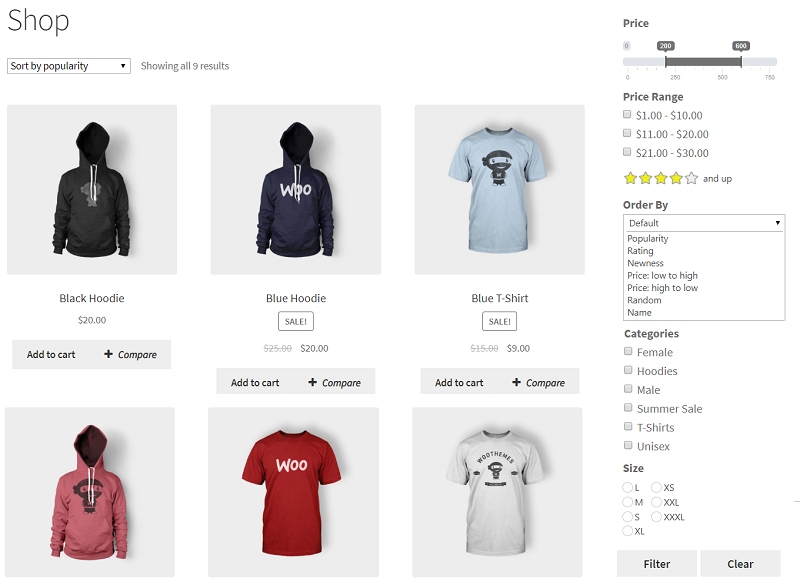
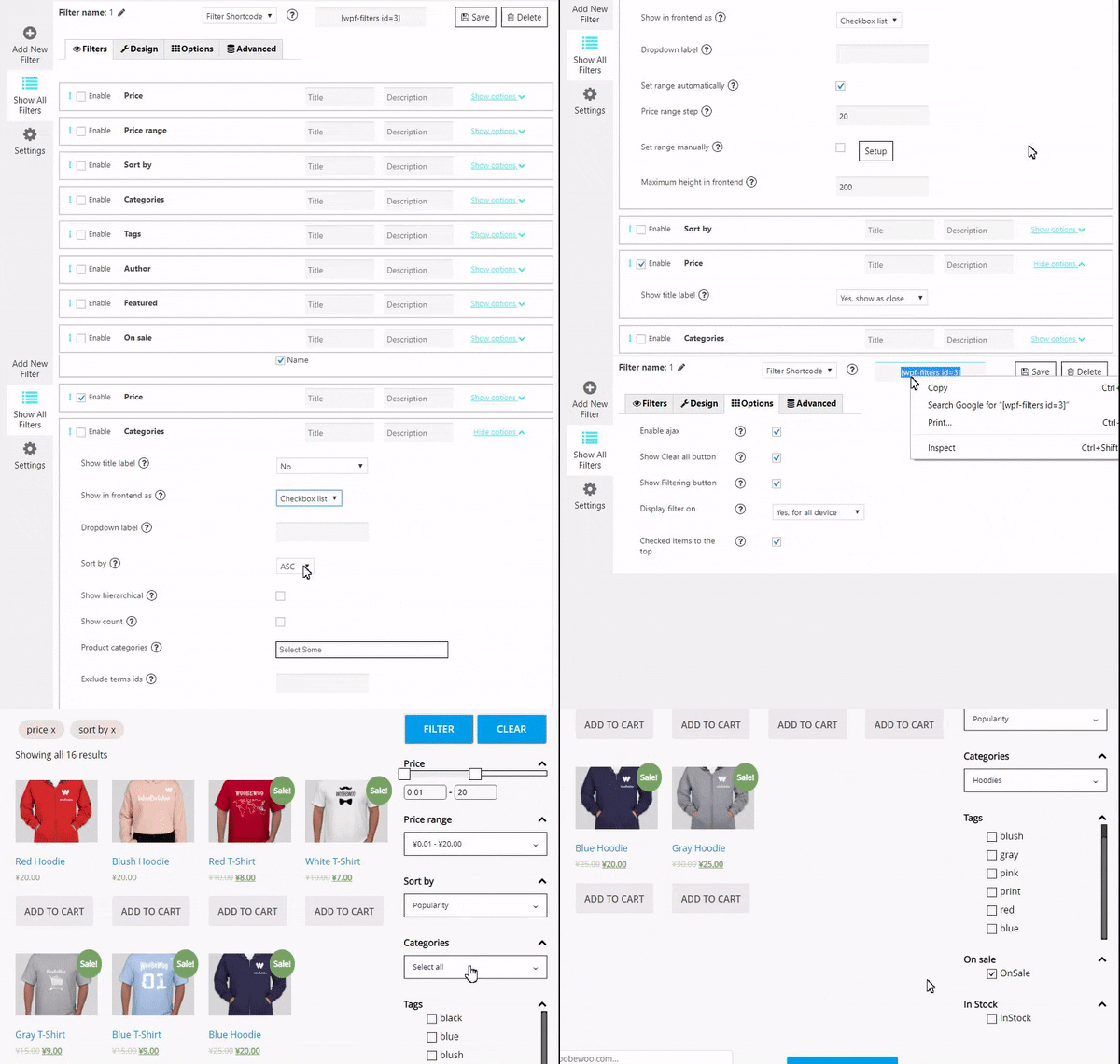
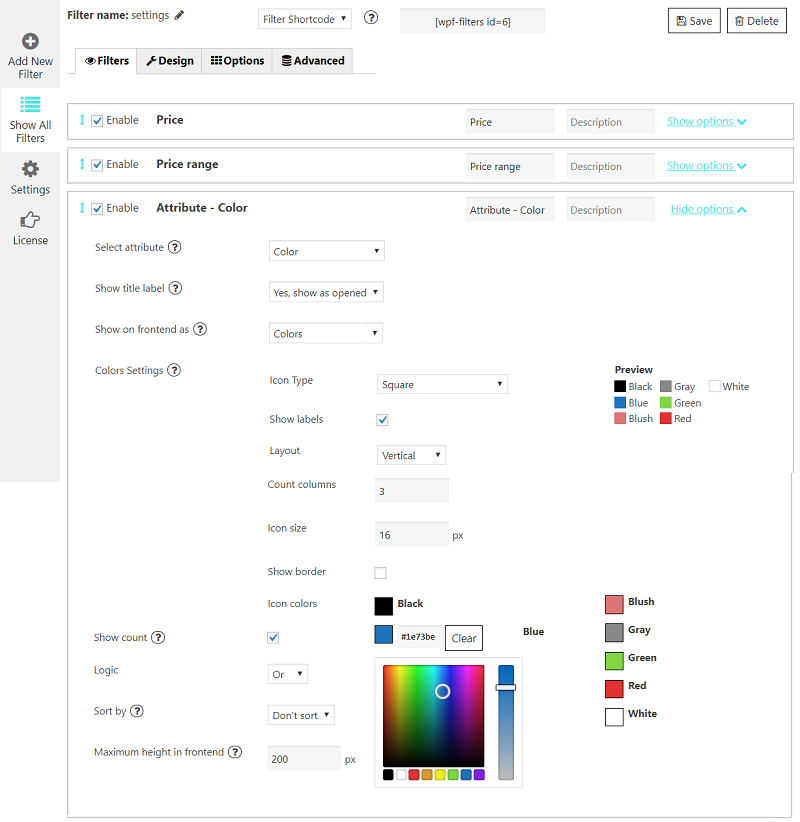
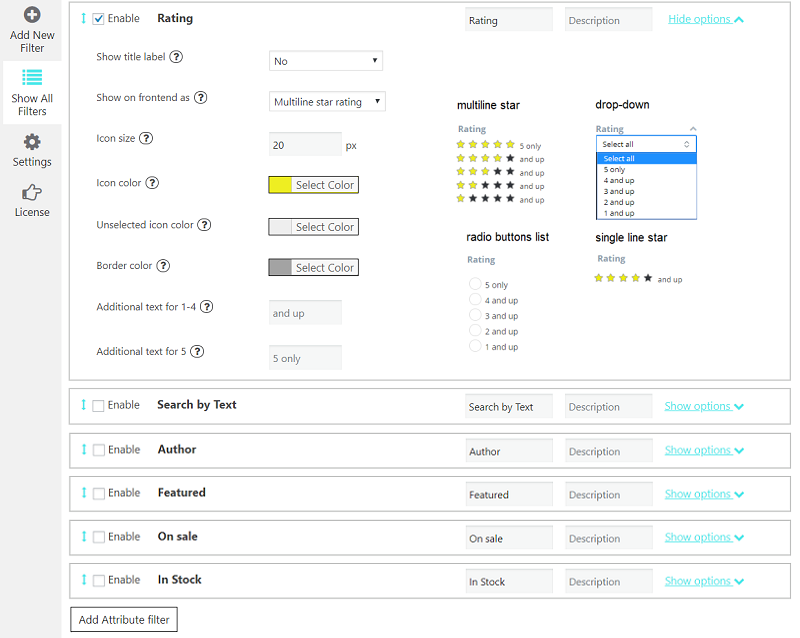
The free core block is the floor. We are the ceiling.
What is new in 4.0
- One click smart setup. The plugin looks at your products (counts, attributes, fill rates, prices, stock, ratings, brands), guesses your kind of store, and suggests the filters stores like yours use, with a plain “why”, a “watch out” and a benchmark percent for each. You see the draft on your real shop page, desktop and phone, before you publish.
- Mobile drawer. Under 768px the filter opens as a bottom sheet from a sticky “Filters (3)” button, with the picked choices as chips, a “Show 128 results” button, focus trap, Escape to close, and a “Use your last filters again?” chip. Off for existing filters until you turn it on in the Phone group.
- Fast at 100,000 products. A facet index (one row per product and per variation, prices per currency) answers every result and every count. Filters combine with AND between blocks and OR or AND inside a block, know which variation matches (size 42 and red only when one variation has both), see stock per variation, and are cached by index version. No temporary tables, no sessions, full page caches work. Real numbers from the build machine are in
benchmarks/RESULTS.md. - Storefront rebuilt. Plain JavaScript (no jQuery, no jQuery UI, no Font Awesome), semantic markup, keyboard swatches and squares, a price slider on native range inputs, live counts, chips, pretty links with a Back button that never reloads, page numbers, “Show more” or infinite scroll, look presets and an accent colour. Checked with axe-core; a
[wpf-a11y-badge]shortcode shows “Filter tested to WCAG 2.2 AA” when the built in report passes. - Step by step finder. One question per step (“Which size do you wear?”, “How much do you want to spend?”) with counts per answer, progress segments, back and “skip to all products”.
- Variations as products. Result cards show the matching variation’s picture, price and stock, open at that variation and say “Only 2 left in 42”.
- Swatches in Free. A colour or a picture per term on the term screens, found automatically from the name (English, German, French, Spanish, Italian) or from the first product picture, and squares for sizes.
- Version history and undo. Every save keeps a copy (the last 30 per filter). Restore any version with one click from the Filters screen or the builder.
- Plain words. The most confusing labels now say what they do: “Where the filter shows”, “Update results without reloading”, “Shoppers can pick more than one”.
- New admin. Filters as cards, a builder in three columns (blocks, plain word groups, live preview), picture cards for display modes, and a calmer look.
- Speed and SEO screen. Index health with one click rebuild, a counts cache, clean links, canonical and noindex on filtered pages, a bot speed limit with an allow list for AI shoppers, and robots.txt rules.
- Help screen. Diagnostics export (JSON), a compatibility self test, docs and support.
- Pretty links and short links. Filtered pages get readable addresses such as
/shop/size-42,43/colour-red/price-50-120/on the shop, category, tag and brand pages; old query string links redirect to them when “Clean links” is on. A Share button copies a short link (/shop/f/red-shoes-42/) and shows a QR code. - Found by Google, quoted by AI. Filtered pages print CollectionPage, ItemList, Product offers and BreadcrumbList structured data, send Last-Modified and ETag headers from the index, and an AI shopping readiness score (
wpf/v1/readiness) tells you what to fix, with a one click llms.txt. - Used by AI shoppers. The abilities
woobewoo/facets-listandwoobewoo/products-filterare registered with the WordPress Abilities API and mirrored as RESTwpf/v1/facetsandwpf/v1/products, documented by an OpenAPI 3.1 file (wpf/v1/openapi). The WooCommerce Store API products endpoint honours the samewpf_*parameters and carries the facets with counts. - Works with your builder. A
woobewoo/product-filterblock with a filter picker and a block theme mode, plus elements for Bricks, Breakdance, Oxygen, Divi, WPBakery, Avada and Beaver Builder (Elementor as before). - Brands in Free. The WooCommerce Brands block (with logos as a list or as tiles) no longer needs Pro.
- For developers.
wp wpfWP-CLI commands,docs/HOOKS.md,docs/REST.md,docs/JS-EVENTS.md,docs/CLI.mdand a Postman collection; settings stored as JSON; utf8mb4 tables; full clean up on uninstall when you switch it on.
The WooCommerce Product Filter plugin enhances your store by allowing customers to refine their searches by price, categories, tags, taxonomy, attributes and more.
It’s fully customizable and 100% compatible with Elementor, giving you full control over filtering options.
WooCommerce Product Filter Key Features
Comprehensive Filtering
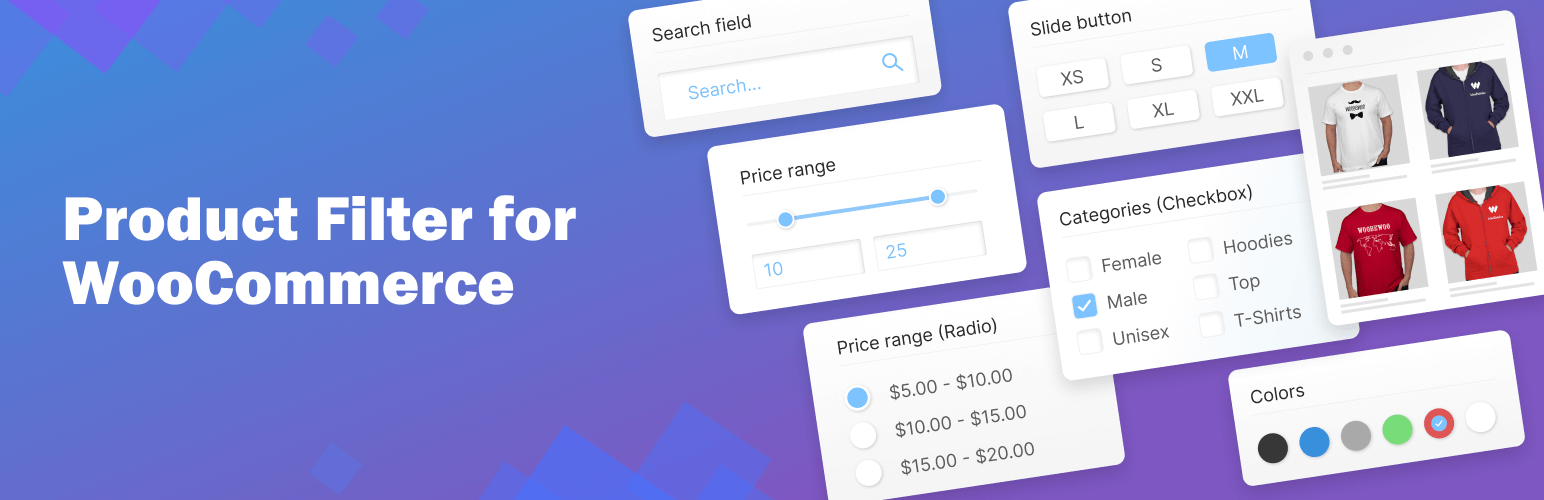
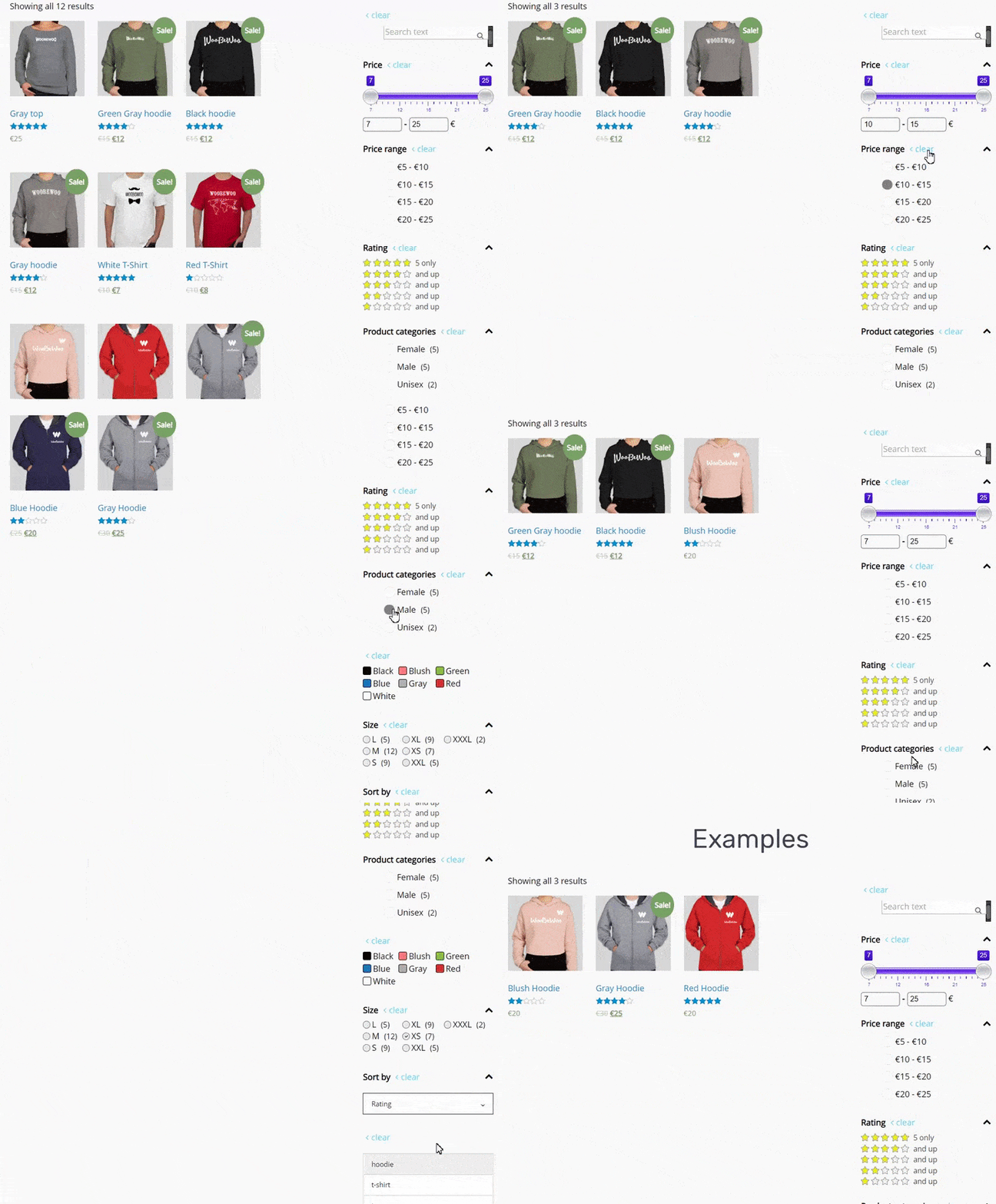
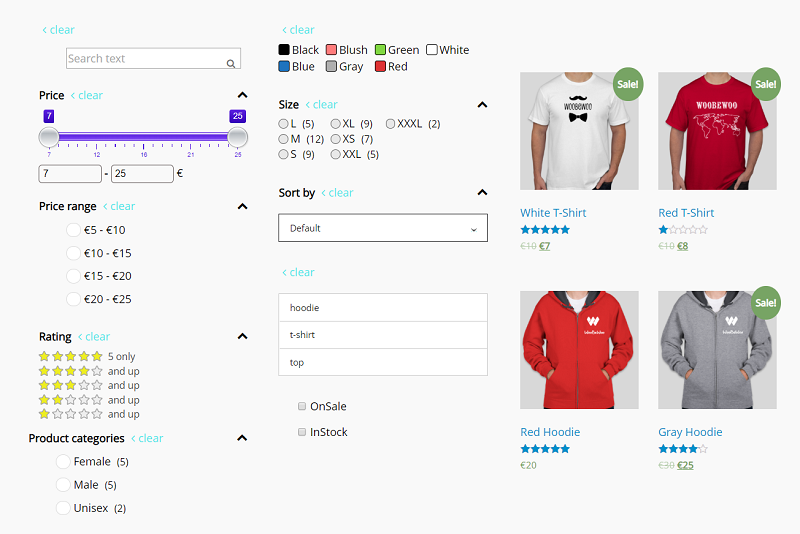
let customers filter products by: Price, Price range, Categories, Tags, Author, Featured, On Sale, In Stock, Rating, Search by text**, Attribute filters.
Flexible Display Options
present the filters in various formats to suit your storefront’s design and user preferences. Options include: radio button list (single select) dropdown (single select), checkbox list (multi-select)** and icons** for attribute filters (colour, size, rating).
AJAX live search
Enable instant results without page reloads for a faster shopping with AJAX live search. AJAX search provides instant filtering results without the need to reload the page. This feature can be configured to activate immediately after a user selects their desired filter options and clicks the filter button, making product searches faster and more intuitive.
Elementor Integration
WooCommerce Product Filter compatible with Elementor. Seamlessly create and customize filters using Elementor’s interface.
All features of the WooCommerce Product Filter by WBW are accessible within the Elementor tab, providing a streamlined workflow for page building.
To help you get started, there’s a comprehensive video tutorial available that guides you through the process of setting up the WooCommerce Product Filter by WBW, ensuring you can make the most of its features to improve your online store’s functionality and user experience.
Product filters are the key things that allow your customers to view the products in a particular way and easily find the necessary items.
Statistics
Product Filter by WBW comes with a detailed filter statistics section to make it easier to collect, analyze data and subsequently support global business growth. Gather information about filtering and searching for products by your buyer and convert them into business solutions.
Live preview
With Live Preview, the results will appear in the panel right at the moment you make changes to settings.
Variety of options for sorting products
The product search plugin for WooCommerce allows sorting your products by popularity, rating, price, newness, alphabetical ascender, or descender.
Create new product filters in a few clicks
Easy to customize and set up. Just add a filter to every page using a widget or shortcodes.
Price filter design
Variation of skins: default, flat, big, modern, sharp, round, square. Custom setting for its design: color, symbol position, currency code or symbol, input fields.
Automatic price range settings with fixed step values
Adjust them manually and specify the exact value of every step as well.
Show Count and Recount products by selected filter
Recount the products by selected filters and display the exact number of products matching the filter results.
Fully responsive
The filter looks and works properly on different devices particularly mobile phones and tablets as well as desktops and laptops.
Support and suggestions for WooCommerce Product Filter Plugin
Ask your questions in the support forum, or contact us directly
Usage data (opt-in)
Product Filter asks you once, on its own screens, whether you want to share anonymous feature usage with WooBeWoo. Nothing is sent unless you click “Yes, share usage”. When you agree, the plugin sends a short report once a week to https://woobewoo.com: plugin, WordPress, WooCommerce and PHP versions, the theme name, a product count range, how many filters use each feature, block type and look, which store-wide switches and Pro modules are on, and how often shoppers pick each block type (sampled). It never sends products, orders, customers, e-mail addresses or your site address; the store is identified by a one-way hash. You can turn it off any time from the Plugins screen (“Usage sharing: on (turn off)”).