约 1 万 个插件,本页 24 个。这里最多翻 40 页,词更具体会更快。

Easy Accordion Block – Accordion, FAQ & Collapsible Content for the Block Editor
Binsaifullah
Build fast, accessible accordions and FAQ sections in the WordPress block editor.

Classic Editor and Classic Widgets
WP Grim
Disables Gutenberg editor totally everywhere and enables Classic Editor and Classic Widgets.

Gutenberg Essential Blocks – Page Builder for Gutenberg Blocks & Patterns
WPDeveloper
Gutenberg block editor with AI. 70+ Gutenberg blocks, patterns, WooCommerce blocks, post grid, gallery, menu with Gutenberg block library.

Disable Block Editor FullScreen mode
Ankit Panchal
Open the block editor with the WordPress admin menu in view, instead of fullscreen. No settings: activate it and you're done.

Otter Blocks – Gutenberg Blocks, Page Builder for Gutenberg Editor & FSE
Themeisle
Quickly create WordPress pages with 20+ blocks, 100+ ready-to-import designs, and advanced editor extensions. It’s website building, Lego-style!

Snow Monkey Editor
Takashi Kitajima
The Snow Monkey Editor is a plugin that extends the block editor.

All in One SEO – AI SEO Plugin to Boost SEO Rankings & Traffic (Schema, Local SEO, Sitemap & SEO Insights)
Syed Balkhi
AIOSEO is the WordPress SEO plugin. Boost SEO rankings with AI SEO tools, schema, meta descriptions, XML sitemaps & rank tracking.

TablePress – Tables in WordPress made easy
Tobias Bäthge
Embed beautiful, accessible, and interactive tables into your WordPress website’s posts and pages, without having to write code!

Block Editor: Reverse Columns on Mobile
Mickaël Larguier
Adds a "Reverse on Mobile" option to the Columns, Row, Stack and Media & Text blocks in Gutenberg.

Resizable Sidebar for the Gutenberg Block Editor
Toast Plugins
An intuitive solution to make the default WordPress Gutenberg sidebar resizable.

SVG Block
Phi Phan
Display an SVG image as a block, which can be used for displaying images, icons, dividers, buttons

Easy Tabs Block – Smart, Lightweight & Responsive Tabs for the Block Editor
Easy Tabs Block
Responsive Gutenberg tabs — vertical tabs, tabbed content & WooCommerce product tabs. 100+ patterns, lightweight & accessible.

Block Enhancements – Extended styling for the Block Editor
Phi Phan
Add icon, responsive spacing, typography, alignment, shadow, transform, transition, color, hover style to blocks. Lightweight, fast, and clean.

PublishPress Blocks – Block Controls, Block Visibility, Block Permissions
PublishPress
PublishPress Blocks is the complete solution for the WordPress block editor. Control block permissions, styles, conditional visibility and usage.

Search and Replace for Block Editor
badasswp
Search and Replace text within the WordPress Block Editor just like Microsoft Word or Google Docs. It's super fast, easy & just works!

Tabs Block – Responsive Gutenberg Tabs for Block Editor
lubus
Tabs Block for Gutenberg – create responsive, accessible tabs using the WordPress Interactivity API.

Blocks for ACF Fields — Display Custom Fields in the Block Editor
gamaup
The easiest way to load ACF & SCF fields in WordPress blocks. Add your custom fields to the block editor instantly — no coding required!

Polylang
Chouby
Go multilingual in a simple and efficient way. Keep writing posts and taxonomy terms as usual while defining their languages all at once.

Blocks CSS: CSS Editor for Gutenberg Blocks
Hardeep Asrani
Blocks CSS allows you add custom CSS to your Blocks straight from the Block Editor (Gutenberg).

Light Modal Block
David Jensen
Lightweight, customizable modal block for the WordPress block editor

Elementor Agent Ready Website Builder
Elementor
The Elementor Website Builder has it all: drag and drop page builder, Atomic Editor, pixel perfect design, global and reusable style systems, mobile r …

Disable Gutenberg
Jeff Starr
Disable Gutenberg Block Editor and restore the Classic Editor and original Edit Post screen (TinyMCE, meta boxes, etc.).
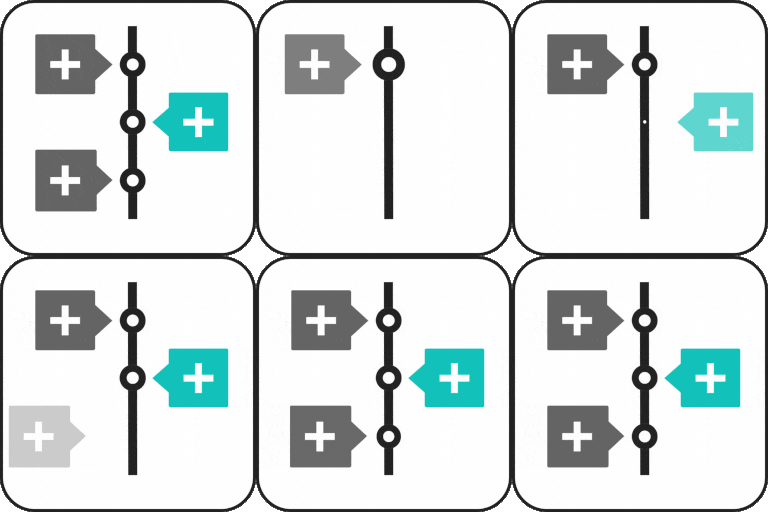
Timeline Block For Gutenberg
Cool Plugins
Showcase your company history, process steps, milestones, and roadmap inside Gutenberg using the powerful Timeline Block
Abbreviation Button for the Block Editor
Jb Audras
Add an abbreviation format button to the formatting toolbar in the block editor.