约 737 个插件,本页 24 个

CMS Tree Page View – Reorder Pages with a Drag-and-Drop Tree
Pär Thernström
See every page as a drag-and-drop tree. Reorder your site structure in seconds — then edit, add and search right there.
F4 Post Tree
FAKTOR VIER
This plugin adds a neat and easy to use sidebar tree view to your posts and pages backend.

Simple Custom Post Order
colorlibplugins
Easily reorder posts, pages, custom post types, and taxonomies with intuitive drag-and-drop sorting in the WordPress admin.

Admin Menu Tree Page View
Pär Thernström
Get a tree view of all your pages directly in the admin menu. Search, add, edit, view, re-order – all is just one click away!

Genealogical Tree – Family Tree & Ancestry for WordPress
akdevs
Build interactive family trees, create ancestor profiles, and display your genealogy data beautifully on any WordPress site.

Folders – Unlimited Folders to Organize Media Library Folder, Pages, Posts, File Manager
Premio
Create unlimited folders with the Folders WordPress plugin, organize & manage your Media Library files, Pages & Posts in folders 📁

Category AJAX Filter – Posts, Custom Post Types & Product Filter
Trusty Plugins
AJAX filter & WooCommerce product filter. Filter posts, CPTs & products by category, taxonomy, attribute & price. Build with drag & drop or AI (MCP).

FileBird – WordPress Media Library Folders & File Manager
Ninja Team
Organize thousands of WordPress media files in folders / categories with ease.

Post Grid & Post Slider – Carousel, Filter Tabs & Related Posts
Nks
Display posts in a responsive grid or slider. Category filter tabs, related posts, Gutenberg block and shortcode. No coding needed.

Wicked Folders – Folder Organizer for Pages, Posts, and Custom Post Types
wickedplugins
Organize your pages, posts, and custom post types into folders. Upgrade to pro for media library folders, WooCommerce integration, and more.

Nested Pages
Hook & Filter
Nested Pages provides a drag and drop interface for managing pages & posts in the WordPress admin, while maintaining quick edit functionality.

Post My CF7 Form
Aurovrata Venet
This plugin enables the mapping of your CF7 forms to custom posts, including featured images, files, meta-fields and taxonomies

Carousel, Recent Post Slider and Banner Slider
spicethemes
Display your blog posts with a responsive, customizable slider that works smoothly on all devices.

Foldara – Media Library Folder Tree
ngocuct0912
Managing folders and files in the Media Library: left-hand folder tree, drag and drop, folder upload.

Page-list
webvitalii
[pagelist], [subpages], [siblings] and [pagelist_ext] shortcodes
Post/Page Specific Custom Code
Łukasz Nowicki
Add custom CSS to individual posts, pages, or WooCommerce products, with optional archive support and a dedicated code editor.

Download Manager
Shahjada
This File Management & Digital Store plugin will help you to control file downloads & sell digital products from your WP site.
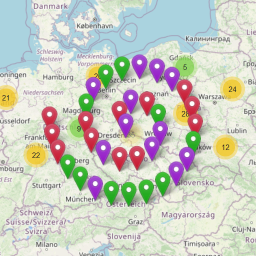
Extensions for Leaflet Map
hupe13
Extends the WordPress Plugin Leaflet Map with Leaflet Plugins and other functions.

ECS – Ele Custom Skin for Elementor
dudaster
Seven free modules for Elementor: dark mode, container layouts, mobile menu, editorial text, style presets, JSON editor — all modular, all free.

Prime Slider – Hero Slider, Carousel, WooCommerce & Post Slider Elementor Addons
bdthemes
Create responsive Elementor sliders for hero sections, posts, products and more with powerful Elementor addons and ready-to-use Elementor templates.

Auto Refresh Post & Page
Aasim Ghaffar
Auto refresh posts and pages on a schedule — full reloads or seamless AJAX updates, countdown timers, role exclusions and smart pausing.

Simple Download Monitor
mra13 / Team Tips and Tricks HQ
Easily manage downloadable files and monitor downloads of your digital files from your WordPress site.

WP-dTree
ulfben
Legacy collapsible navigation trees for WordPress. For a modern alternative with native blocks, see Content Trees.

WP Better Permalinks
Mateusz Gbiorczyk
Set custom friendly permalinks structure: Custom Post Type > Taxonomy > Post and Custom Post Type > Taxonomy instead of default WordPress structure.