约 1 万 个插件,本页 24 个。这里最多翻 40 页,词更具体会更快。

WP ULike – Like Buttons, Voting & Engagement Analytics
Alimir
Add like buttons to posts, comments and WooCommerce products, then see what your readers love in a built-in stats dashboard. Free, no vote limits.

Like Button Rating ♥ LikeBtn
LikeBtn
Add Like button to posts, pages, comments, WooCommerce, BuddyPress, bbPress, UM, custom posts! Sort content by likes! Get instant stats and insights!

Simple Social Media Share Buttons – Social Sharing for Everyone
Adnan
This Social Share Plugin adds advanced social media sharing buttons to your WordPress sites, such as Facebook, WhatsApp, X, LinkedIn, & Pinterest.

Easy Social Like Box – Popup – Sidebar Widget
johnnash1975
WP Facebook Like Box Plugin enables you to display the facebook page likes in sidebar widget or popup. Display like button for the posts.

Posts Like Dislike
Happy Coders
Like Dislike for WordPress Posts | WordPress Page | Custom Post Types

Elementor Agent Ready Website Builder
Elementor
The Elementor Website Builder has it all: drag and drop page builder, Atomic Editor, pixel perfect design, global and reusable style systems, mobile r …

Comments Like Dislike
Happy Coders
Like Dislike for WordPress Comments

AddToAny Share Buttons
micropat
Share buttons for WordPress including the AddToAny button, Facebook, Bluesky, Mastodon, WhatsApp, Pinterest, Reddit, many more, and follow icons too.

Simple Share Buttons Adder
Simple Share
A simple plugin that enables you to add share buttons to all of your posts and/or pages.

Solid Post Likes
oacstudio
A like button for all post types. Solid and simple.

All-in-one Like Widget
Jeroen Peters
All-in-one Like Widget for your Facebook page. Quickly add a Like button, activity stream and/or a Fanbox in a widget.
Sticky Buttons – Floating Buttons Builder
Wow-Company
Increase user engagement by incorporating sticky buttons that highlight relevant information on your website.

I Recommend This – Love/Like Button for WordPress Posts
Harish Chouhan
Enable your visitors to easily like or recommend your posts with a single click, enhancing engagement without the need for comments.
ShareThis Share Buttons
ShareThis
Increase traffic and engagement with fast, responsive social share buttons for WordPress. No paid upgrades required.

MaxButtons – Create buttons
maxfoundry
Maxbuttons is the best and easiest button plugin for WordPress. Within minutes you can create beautiful buttons, share buttons and social icons.

WPZOOM Social Icons: Widget & Block, Share Buttons & Click to Chat
WPZOOM
Social media icons and share buttons: 2,400+ icons, block, widget & Elementor. Plus a Click to Chat button for WhatsApp, Telegram & Messenger.

Call Now Button – The Free Click to Call Button for WordPress
Jerry Rietveld
The click-to-call button for WordPress since 2013. Add a call button in under a minute. No code, mobile and desktop, with click tracking.

Social Like Box and Page by WpDevArt
smplug-in
WordPress Facebook Like box plugin will help you to display like box on your website, just add our plugin widget to your sidebar and use it.

Chatway Live Chat – AI Chatbot, Customer Support, FAQ & Helpdesk Customer Service & Chat Buttons
Chatway Live Chat
AI chatbot agent, MCP & human live chat for customer support. Unified chat inbox for website live chat, WhatsApp, Facebook Messenger, Instagram, email

ShareThis Reaction Buttons
ShareThis
Integrate ShareThis Reaction Buttons seamlessly into your WordPress site.
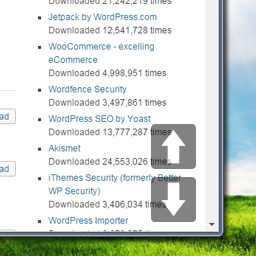
Smooth Page Scroll Up/Down Buttons
Senff - a11n
Smooth Scroll Page Up/Down Buttons adds buttons that enables your site visitors to easily scroll up or down one screen/page at a time.

Floating Chat Widget: Contact Chat Icons, Telegram Chat, Line Messenger, WeChat, Email, SMS, Call Button – Chaty
Premio
WhatsApp chat, Facebook Messenger, Telegram, TikTok, Instagram, Email, Line, WeChat Phone call, SMS, 20+ live chat icons & WhatsApp chat pop up 💬

PayPal Payment Buttons
PayPal
Accept payments with PayPal — create branded Buy Now buttons directly in the WordPress block editor.
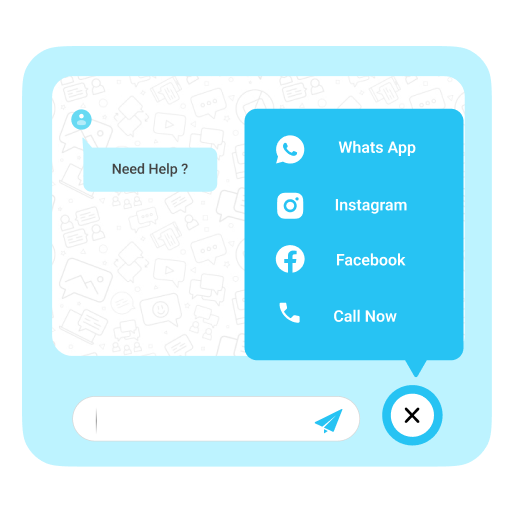
Floating Chat Buttons – Click to Call or Chat, Email
Narinder Singh
Elevate user engagement through Floating Chat Buttons, facilitating immediate connections via chat, email, callback, and additional channels.