约 4,053 个插件,本页 24 个。这里最多翻 40 页,词更具体会更快。

Kadence Blocks — Page Builder Toolkit for Gutenberg Editor
Nexcess
20+ Gutenberg Blocks with endless options, enabling top-notch efficiency for high-performance dynamic website creation.

Classic Editor +
Pieter Bos
The "Classic Editor +" plugin disables the block editor, removes enqueued scripts/styles and brings back classic Widgets.

Advanced Editor Tools
Andrew Ozz
Extends and enhances the block editor (Gutenberg) and the classic editor (TinyMCE).

HTML Editor Syntax Highlighter
Peter Mukhortov
Syntax highlighting for the Classic editor's Text tab and the block editor's Code Editor, shortcodes included, using CodeMirror.

BrikPanel: WooCommerce Dashboard & Analytics, Abandoned Cart Recovery, Order Export, Inventory Management & Bulk Editor
Brksoft
Free WooCommerce dashboard & sales report: recover abandoned carts, order export, Google Sheets sync, ROAS, bulk edit & inventory management
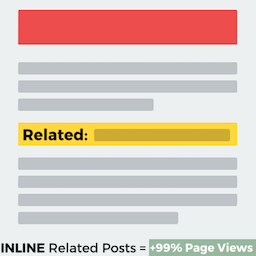
Inline Related Posts
Data443 Risk Mitigation, Inc.
Inline Related Posts AUTOMATICALLY inserts related posts INSIDE your content, capturing immediately the reader's attention.

FrontEdit – Live Frontend Block Editor
Pierce
Make content updates easier. Now supporting Custom Post Types. Clients and teams can update live pages safely with zero wp-admin training.

Spectra Blocks – AI Website Builder for the Block Editor
Brainstorm Force
Build a full website with AI, then edit every block natively in Gutenberg. No new editor to learn, no lock-in.

Inline Tooltips
Benedikt Ledl
Adds a customizable inline tooltip format to the WordPress editor, enhancing content with interactive tooltips.

LiteSpeed Cache
LiteSpeed Technologies
All-in-one unbeatable acceleration & PageSpeed improvement: caching, image/CSS/JS optimization...

GutenKit – Page Builder Blocks, Patterns, and Templates for Gutenberg Block Editor
Ataur R
GutenKit – Ultimate no-code Gutenberg blocks to design stunning web pages and visually stunning posts in WordPress block editor.

SVG Support
Benbodhi
Securely upload SVG files to your media library, with built-in sanitization and advanced features for styling and animation.

No Gutenberg? – Choose Where to Use the Block Editor or the Classic Editor
Fernando Tellado
Decide where the block editor stays and where the Classic Editor comes back. It also removes Global Styles, patterns, block widgets and block CSS.

Inline Image Upload for BBPress
BerryPress
Upload inline images to BBPress forum topics and replies.

Simple Custom CSS and JS
SilkyPress
Easily add Custom CSS or JS to your website with an awesome editor.

Inline Context – Footnotes, Tooltips & Glossary Notes
Joop Laan
Footnotes, tooltips and glossary notes for the block editor. Click a term to reveal context inline — no page jumps.
MrSeokar Inline Related Products for WooCommerce
MrSeokar
Show related WooCommerce products inside your blog posts, between headings, paragraphs or images. For online stores and affiliate sites.

Nexter Blocks – Gutenberg Blocks, Page Builder & AI Website Builder
POSIMYTH
90+ Gutenberg Blocks & AI Website Builder with 1000+ Templates. Complete Page Builder, Popup Builder, Mega Menu, Form Builder & More. No Code.

Frontend Product Editor for WooCommerce
WPVibes
Edit any WooCommerce product from your frontend — price, stock, variations, and more — without ever opening wp-admin.

Ultimate Blocks – 25+ Gutenberg Blocks for Block Editor
Ultimate Blocks
Create Better Content With The Block Editor. Custom Blocks for Bloggers and Content Marketers.

Block Editor Bootstrap Blocks
kubiq
Fully responsive Bootstrap 5 blocks, components and extends for Gutenberg

Maestro: The Inline Admin Menu Editor
Dan Knauss
Hide admin menu items per user role, rename them, reorder them, swap their icons — an inline admin menu editor you drive right on the menu itself.

Jamie's Visual HTML Editor
jamiemarsland
Edit text, images, links and backgrounds directly in the WordPress Custom HTML block, and give it Wide and Full width alignment.

Jamie's Front-End Editor for Content Teams
jamiemarsland
Let your content team edit text, links, buttons and images on the front end, and see every change across your site in one place.