约 364 个插件,本页 24 个

Syntax-highlighting Code Block (with Server-side Rendering)
Weston Ruter
Extending the Code block with syntax highlighting rendered on the server, thus being AMP-compatible and having faster frontend performance.

HTML Editor Syntax Highlighter
Peter Mukhortov
Syntax highlighting for the Classic editor's Text tab and the block editor's Code Editor, shortcodes included, using CodeMirror.

Simple Custom CSS and JS
SilkyPress
Easily add Custom CSS or JS to your website with an awesome editor.

Code Block Pro – Beautiful Syntax Highlighting
Kevin Batdorf
Code highlighting powered by the VS Code engine. Performance focused. No bloat.

Highlighting Code Block
LOOS
Add code block with syntax highlighting using prism.js. (Available for Gutenberg and Classic Editor)

Code Snippets
Code Snippets Pro
Manage custom WordPress code in one dashboard. Create PHP and HTML snippets, preview code, track snippet totals and reuse code across sites.

Elementor Agent Ready Website Builder
Elementor
The Elementor Website Builder has it all: drag and drop page builder, Atomic Editor, pixel perfect design, global and reusable style systems, mobile r …

Urvanov Syntax Highlighter
urvanov
Reincarnation of Crayon Syntax Highlighter. Syntax Highlighter supporting multiple languages, themes, fonts, highlighting from a URL, or post text.
Enlighter – Customizable Syntax Highlighter
Andi Dittrich
All-in-one Syntax Highlighting solution. Full Gutenberg and Classic Editor integration. Graphical theme customizer. Based on EnlighterJS.

Pods – Custom Content Types and Fields
Scott Kingsley Clark
Pods is a framework for creating, managing, and deploying customized content types and fields for any project.

Ads.txt Manager
10up
Create, manage, and validate your ads.txt and app-ads.txt from within WordPress, like any other content asset.

PrettyCode • Code syntax highlighting with CodeMirror
maximebj
A simple block to highlight code with 20+ languages and 50+ themes, for the WordPress editor.

CC-Syntax-Highlight
Clearcode
This plugin allows you very simply syntax highlight source code in your content using highlight.js or google-code-prettify libraries.

Ad Inserter – Ad Manager & AdSense Ads
Spacetime
Manage Google AdSense ads, banners, ad rotation, sticky widgets, AMP ads, ads.txt, tracking, header and footer code, PHP code, global custom fields

SyntaxHighlighter Evolved
Alex Mills
Easily post syntax-highlighted code to your site without having to modify the code at all. As seen on WordPress.com.

File Manager Pro – Filester
Ninja Team
Best WordPress file manager without FTP access. Edit code with built-in editor, upload files, download plugins, download themes, manage wp directory, …
Post/Page Specific Custom Code
Łukasz Nowicki
Add custom CSS to individual posts, pages, or WooCommerce products, with optional archive support and a dedicated code editor.

Custom Block Builder – Lazy Blocks
nK
Easily create custom blocks and custom meta fields for Gutenberg without hard coding.
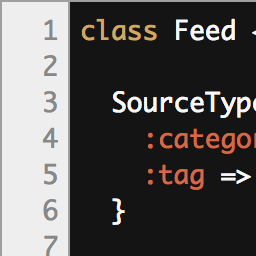
CodeColorer
Dmytro Shteflyuk
Syntax highlighting for code snippets in posts, comments, and RSS, with inline code, themes, and line numbers.

CodeKit – Custom Codes Editor
Bilal TAS
Your custom SASS, CSS, JS, PHP and HTML customizations in same directory.

Woody Code Snippets – Insert PHP, CSS, JS, and Header/Footer Scripts
Themeisle
Insert PHP, JavaScript, CSS, HTML, ads & tracking code into WordPress headers, footers, pages & content with conditional logic — no theme editing.

WP Editor
benjaminprojas
WP Editor is a plugin for WordPress that replaces the default plugin and theme editors as well as the page/post editor.

WPIDE – File Manager & Code Editor
XplodedThemes
Manage WordPress files, edit code and add PHP, CSS, JavaScript and HTML snippets from your dashboard.

Ads.txt File Manager By Magicbid
Magicbid.ai
Easily manage ads.txt and app-ads.txt files from your WordPress dashboard with editing, backup, and restore options.