约 6,122 个插件,本页 24 个。这里最多翻 40 页,词更具体会更快。
Bottom Admin Toolbar
M.Code
Stick the WordPress admin bar to the bottom of the screen. Hide it with SHIFT + Down Arrow keyboard shortcut.

ElementsKit Elementor Addons – Advanced Widgets & Templates Addons for Elementor
Roxnor
Join millions who empower their websites with ElementsKit Elementor Addons. Get templates, & 100+ widgets like header-footer, mega menu, custom widget

Hide Cart Functions
artiosmedia
Hide the product's price, add-to-cart button, quantity, and options on any product and order. Inject an optional message.

Admin Search
Andrew Stichbury
Admin Search adds a simple, easy-to-use interface to your WordPress admin site that gives you and your admin users the ability to search across multip …

WPC Admin Columns
WPClever
WPC Admin Columns offers a listing of columns in the admin dashboards for different post-types.
Simple Slideout Menu
Simple Plugins
Modern, mobile friendly slideout menus: off-canvas, hamburger and full-screen panels built from your WordPress menus, with a visual live editor.

Premium Addons for Elementor – AI-Ready Elementor Addons, Widgets & Templates
Leap13
90+ Elementor widgets & addons, 600+ templates, Mega Menu, WooCommerce, Display Conditions. The only Elementor addon AI agents can fully build with.

Maestro: The Inline Admin Menu Editor
Dan Knauss
Hide admin menu items per user role, rename them, reorder them, swap their icons — an inline admin menu editor you drive right on the menu itself.

White Label – WordPress Custom Admin, Custom Login Page, and Custom Dashboard
Link Software LLC
Our White Label WordPress plugin lets you make a custom admin experience. Create a custom login page, a custom dashboard, and much more.
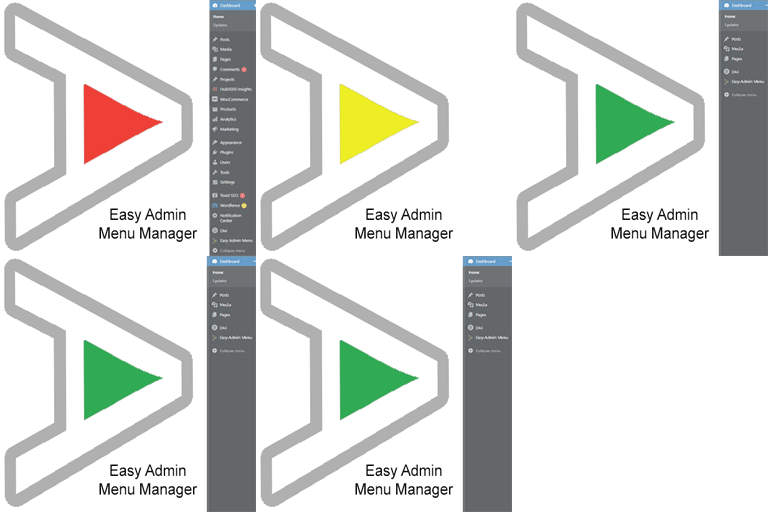
Easy Admin Menu Manager – Hide the dashboard clutter
Hub5050
Take control of your Dashboard Menu with the Easy Admin Menu Manager. Remove the clutter without losing any functionality.

F12 Floating Menu, sticky menu for WordPress
Forge12 Interactive GmbH
Easily add unlimited floating/sticky menus to your Website. The F12 Floating Menu comes with an easy-to-use interface, allowing you to have the full c …

Hide Price Until Login
cedcommerce
Hide product price until the correct password is entered or until login.

Admin Options Pages
Johannes van Poelgeest
Create options pages, menus and fields without code. Use the values with get_option(), a shortcode or a block.

Essential Addons for Elementor – Popular Elementor Templates & Widgets
WPDeveloper
Elementor addon: 120+ widgets & templates — Elementor Gallery, Mega Menu, Slider, Form, Post Grid, Accordion, Header Footer Builder & WooCommerce.

Admin Help Docs
PluginRx
Site developers and operators can easily create help documentation and notices for the admin area.

My WP Customize Admin/Frontend
gqevu6bsiz
Simply and easy-to-use the customize for Admin and Frontend. A lot of custom filters and actions, and included the developer tools.

Add Admin CSS
Scott Reilly
Easily define additional CSS (inline and/or by URL) to be added to all administration pages.

Simple Menu Order Column
chillcode
Expose menu order column on your dashboard listings.

Disable Gutenberg
Jeff Starr
Disable Gutenberg Block Editor and restore the Classic Editor and original Edit Post screen (TinyMCE, meta boxes, etc.).

Hide Category by User Role for WooCommerce
ThemeSupport
This plugin allows you to easily hide WooCommerce categories based on User Role.

Members – Membership & User Role Editor Plugin
Blair Williams
The best WordPress membership and user role editor plugin. Edit roles, restrict content, and now manage it all with an AI assistant.

Double Youpï Refined Admin Dashboard – Admin Theme with Dark Mode & Media Folders
Double Youpï
A free admin theme with dark mode for WordPress: every screen redrawn, a menu you can reorder, notices in one place, Refined Media Library built in.

Hide Any Page
Luis Reginaldo Medilo
Hide Any Page is a lightweight plugin that allows you to hide selected pages from your website's visitors and search engines such as Google.

Menu Image, Icons made easy
Rui Guerreiro
Adds an image or icon in the menu items. You can choose the position of the image (after, before, above, below) or even hide the menu item title.