约 5,527 个插件,本页 24 个。这里最多翻 40 页,词更具体会更快。
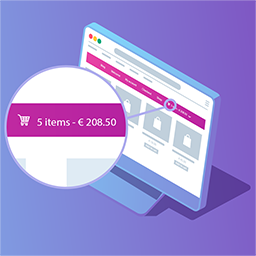
Menu Cart for WooCommerce
WP Overnight
Automatically displays a shopping cart in your menu bar. Works with WooCommerce and Easy Digital Downloads (EDD)

Ollie Menu Designer
Mike McAlister
Create custom dropdown & mobile menus using WordPress blocks. Design rich, responsive navigation with any block content in the block editor.

Simple Floating Menu
hashthemes
Floating buttons for calls, WhatsApp, email, social profiles and back to top, in the shape, colours and position you choose. No code needed.

Royal Addons for Elementor – Addons and Templates Kit for Elementor
WP Royal
Elementor templates, Header footer builder, Elementor Post Grid, Woocommerce Grid builder, Slider, Forms, Gallery, Nav menu addons, Elementor widgets.

Hide Admin Bar Based on User Roles – Disable the WordPress Toolbar by Role or Capability
Ankit Panchal
Hide the WordPress admin bar by user role, block wp-admin access, redirect after login, and tidy the admin menu and notices for each role.

WC Hide Shipping Methods
Saad Iqbal
This plugin automatically hides all other shipping methods when "Free Shipping" is available, while allowing you to retain "Local Picku …

All-In-One Security (AIOS) – Security and Firewall
David Anderson / Team Updraft
Protect your WordPress site with All-In-One Security (AIOS): easy-to-use login security, a powerful firewall, and much more.

Food Menu – Restaurant Menu & Online Ordering for WooCommerce
RadiusTheme
Restaurant menu plugin for WordPress with food menu display, online food ordering, free table reservation, tips and WooCommerce.

Product Visibility by User Role for WooCommerce
WP Wham
Display WooCommerce products by customer's user role.
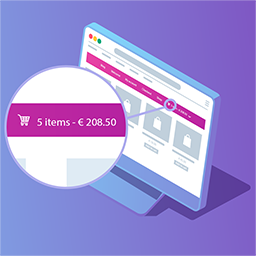
WP Menu Cart
WP Overnight
Automatically displays a shopping cart in your menu bar. Works with WooCommerce and Easy Digital Downloads (EDD)

Import Export Menu
yukyhendiawan
Import, export, and manage WordPress menus: duplicate, per-item visibility, and safe site-to-site migration.
Hide WP Admin Notifications
yodaofwp
Hides WordPress admin notices until you choose to show them again from Settings.

Admin Menu Tree Page View
Pär Thernström
Get a tree view of all your pages directly in the admin menu. Search, add, edit, view, re-order – all is just one click away!

Disable Admin Notices – Hide Dashboard Notifications
Themeisle
Disable admin notices and hide dashboard notifications from plugins, themes and core. Hide all notices, selected ones, or show them in a single line.

Hide Category by User Role for WooCommerce
ThemeSupport
This plugin allows you to easily hide WooCommerce categories based on User Role.
Hide Admin Bar from Non-Admins
Andrew Lima
Hides the WordPress toolbar (admin bar) for all non-admin users. Simple plugin with no settings to configure.

My Wp Brand – Hide menu & Hide Plugin
imw3
This plugin gives the facility for hiding and showing plugins and the admin menu, it also gives the options to customize WordPress branding.
Auto Hide Admin Bar
Marcel Bootsman
This plugin adds an auto-hide feature to the WordPress Admin Bar or Toolbar.

Hide Price and Add to Cart for WooCommerce
B2B Managers
Hide product prices and the Add to Cart button in WooCommerce with rule-based control. Perfect for B2B, wholesale, and catalog mode stores.

Menu Visibility Control
Davis Simiyu Wanyonyi
Control WordPress menu item visibility based on login status, user roles, device type, or specific pages — lightweight and theme-agnostic.
Hide Tooltips on Hover – Clean Up Title Attributes Without Losing Accessibility
Jose Mortellaro
Hide browser tooltips on hover while preserving accessibility for screen readers.

Hide Menu Items by Role
Mahfuzur Rahman
Hide or show WordPress menu items by user role and login status, item by item, without creating duplicate menus.

ElementsKit Elementor Addons – Advanced Widgets & Templates Addons for Elementor
Roxnor
Join millions who empower their websites with ElementsKit Elementor Addons. Get templates, & 100+ widgets like header-footer, mega menu, custom widget

Fullscreen Menu
Samuel Silva
Boost user engagement with a fullscreen menu on your website.