约 14 个插件,本页 14 个

Social Media Share Buttons & Social Sharing Icons
Inisev
Share buttons and pop up share icons for social media sharing

SiteSuperCharger
AnAdminer
Supercharges your website for the best SEO results.

Custom Social Media Widget
Vishit Shah
This plugin allows the end user social media share (facebook, twitter, linkedin, instagram, google +).

Yzahkin's Link in Bio Grid
Yzahkin
Upload an image for any post. Posts with an image show up in a grid that you can include by a shortcode [ylinb_image_grid] Link the page on Instagram

WP SlideYourNet
Bastien Ho
Insert posts from social media in pWordPress with this SlideYourNet connector.

AutoraLab Cart Share: Share Cart Links for WooCommerce
autoralab
Add a Share cart button to WooCommerce. Shoppers send their cart by WhatsApp, email or a link, and whoever opens it lands at checkout.

WP Chat button for Telegram Accounts
jeviwebstudio
Telegram for WordPress allows your customers to open a conversation from your website directly to your Telegram account. This plugin includes a button …

SocialMedia Gallery
sus1024
SocialMedia Gallery is easy to use gallery plugin for wordpress. It use shortcode to fetch photo from facebook album.
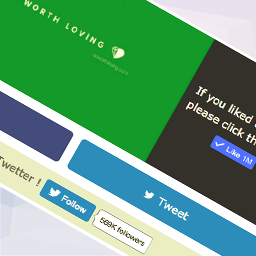
VA Social Buzz
kuck1u
It displays buttons at the end of every article for readers to "Like!" your recommended Facebook page, to share the article on SNS.

Fast & Easy Social Sharing
Michael Tieso
A simple and fast social media sharing plugin. The share buttons are loaded as fonts thus load fast and can scale as large as you want them to be.

Skype Addon
rajiv-jyasha
Skype Addon is a wordpress plugin to add a skype call/chat button integration to page, post or even include in

JC pinterest pin
rajiv-jyasha
Jc pinterest pin is the Social Plugin. It Shows the Pinterest Pin Widget in your WordPress Site When Visitors Press the Button.

FetenWeb image_src Metatag
aitor.delapuente
This plugin helps ensure your content has a relevant thumbnail when shared on social sites.

Twitter Friendly Links
Konstantin Kovshenin
Your very own TinyURL within your OWN domain! If you DO promote your blog posts in Twitter, then you MUST make your links look cool!