约 388 个插件,本页 24 个

About Author Box
WPKube
Display information about the post author automatically or using a shortcode.

Toolbar Cleanup for Divi
Jamie Dąbrowiecki
Removes the Divi-specific buttons that are added to the TinyMCE toolbar in the Classic Editor.

WP MyLinks
Walter Pinem
Easily build your own micro landing page showing all the links you want to share to engage your audience. Use your own brand, link it anywhere.

BuddyForms
Themekraft
Drag-and-drop form builder for contact, registration and front-end post forms. Pro adds any post type, file uploads, permissions and drafts.

Display FAQ – Responsive Accordion and Product FAQ For WooCommerce
Hossni Mubarak
Create and display responsive Accordions, FAQs in a webpage. Also create Product FAQ for WooCommerce and display them in a single product page.

PrimeKit Addons and Templates
Giant WP Solutions
The Elementor Custom Widgets plugin by PrimeKit offers a Theme Builder, Pop-Ups, Forms, and WooCommerce tools to enhance your website’s look and feel.

Modern Design Library
Ciprian Popescu
A Modern Design Library toolkit for blocks: separators, headings, marquees, call-to-action banners, and author boxes.

Multisite Author Bio
codeadapted
Multisite Author Bio allows you to easily manage unique user biographical information across each site in a WordPress Multisite network.

Fancy Post Grid – Ultimate Post Grid Builder
RSTheme
Build beautiful post grids, sliders, and complete news website layouts using Elementor, Gutenberg, or shortcodes — no coding needed.

QR Code Composer – QR Code Generator, Gutenberg QR Block, Elementor QR addon
Sharabindu Bakshi
Build QR codes with a Gutenberg blocks, shortcodes, and auto-generation. No external APIs or dependencies.

Smart Author Box
WPxon
Smart Author Box will show the author's biography below articles.

FICTBASE
fictbase09
Serialized fiction and web novel plugin for WordPress. Chapters, drip scheduling, reader bookmarks — self-hosted, no platform lock-in.

Table Addons for Elementor – Responsive Table Builder
PluginsCafe
A powerful Elementor table builder plugin. Create responsive data tables with search, sort, filter, pagination, CSV import, and more.

WP Author Profile Widget
B.M. Rafiul Alam
Add WP Author Profile Widget with easy way.

OG — Better Share on Social Media
iworks (Marcin Pietrzak)
The simple method to add Open Graph metadata to your entries so that they look great when shared on sites.

Bit Connect – Community, Discussion Forum, Feedback & Roadmap
Bit Apps
Build a community, forum, feedback portal and public roadmap with posts, profiles, votes, discussions, notifications and moderation.

News Element – Magazine Blocks, Theme Builder, Mega Menu & Starter Sites
webangon
Gutenberg blocks for news, magazine and blog sites, with a theme builder, mega menu, Global Kit and one-click starter sites.

Section Blocks – Landing Page Sections for the Block Editor
Technoleet
25 ready-made blocks for the block editor: hero, pricing, FAQ, testimonials, icon boxes, logo clouds and more. Free, lightweight, no account needed.

Studio Modules for Divi | Divi Studio Lite
DiviPress
Free Divi 5 modules — Team Member, Tooltip, Countdown Timer, Number Counter, carousels, Lottie, and more. Divi Studio Lite by DiviPress.

Employee Spotlight – Team Member Showcase & Meet the Team Plugin
emarket-design
Showcase your team with beautiful, responsive layouts: grid, carousel, cards, and more. Perfect for meet-the-team pages and employee highlights.

Tutor LMS Elementor Addons
Themeum
Get 35+ Elementor widgets to create an entire eLearning site with Tutor LMS and design custom course pages, course carousels, listings, and more.

Smart Author Box Widget
vinethemes
Smart Author Box Widget displays author bio box with an image, description, and social links—perfect for multi-author blogs and personal sites.

Ultimate Blocks – 25+ Gutenberg Blocks for Block Editor
Ultimate Blocks
Create Better Content With The Block Editor. Custom Blocks for Bloggers and Content Marketers.
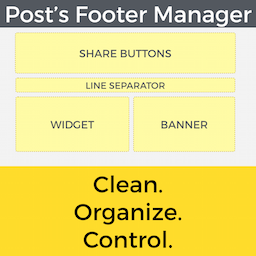
Posts Footer Manager
Data443 Risk Mitigation, Inc.
Clean the mess after your content! Organize your post's footer, insert what you want, order elements, create groups for specific categories.