

Zoom image simple script
v1.2gopiplus · 2021年4月13日 上架
Zoom image simple script is a simple wordpress plugin that overlays an big (high resolution) image directly on top of the small (thumbnail) image.
- 正在使用
- 20+
- 评分
- 暂无
- 累计下载
- 1,709
- 最近更新
- 2022年12月2日
 www.gopiplus.com
 gopiplus
截图
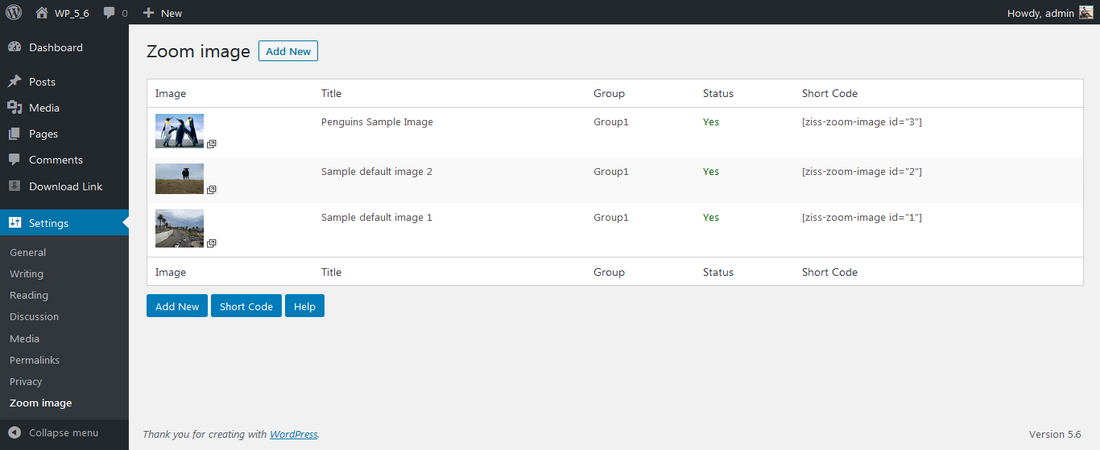

Zoom image simple script is a simple wordpress plugin that overlays an big (high resolution) image directly on top of the small (thumbnail) image. This feature help users to get a closer look at image.
Check official website for live demo http://www.gopiplus.com/work/2021/03/21/zoom-image-wordpress-plugin/
Users simply mouse over to get up the big (high resolution) image then be explored by moving the mouse all direction. On mobile devices, users tap the image to get up the big (high resolution) image then be dragged around. we have two option in this plugin. First option, takes the big (high resolution) image and show in the fixed dimensions (same as thumbnail size) when mouse over. Second option, takes the big (high resolution) image and show in the wider dimensions (bigger then thumbnail size) when mouse over.
How to configure
-
Install and activate the Zoom image simple script plugin.
-
During activation it create 2 default records in the plugin admin.
-
Go to Settings >> Zoom image >> Add New in your WordPress admin to add and update the details.
-
To add the Zoom image plugin in the page or post, copy the below given plugin short and use it in your post.
-
If you want to add in the widget, you can drag and drop the Zoom image widget in to your sidebar.