
Zeshan Login 2FA
v1.0.0zeshan495 · 2026年7月20日 上架
Add app-based two-factor authentication to your WordPress login. Scan a QR code, then enter a 6-digit code. Backup codes keep you from locking out.
- 正在使用
- 10 以下
- 评分
- 暂无
- 累计下载
- 298
- 最近更新
- 2026年7月20日
贡献者
 zeshan495
截图
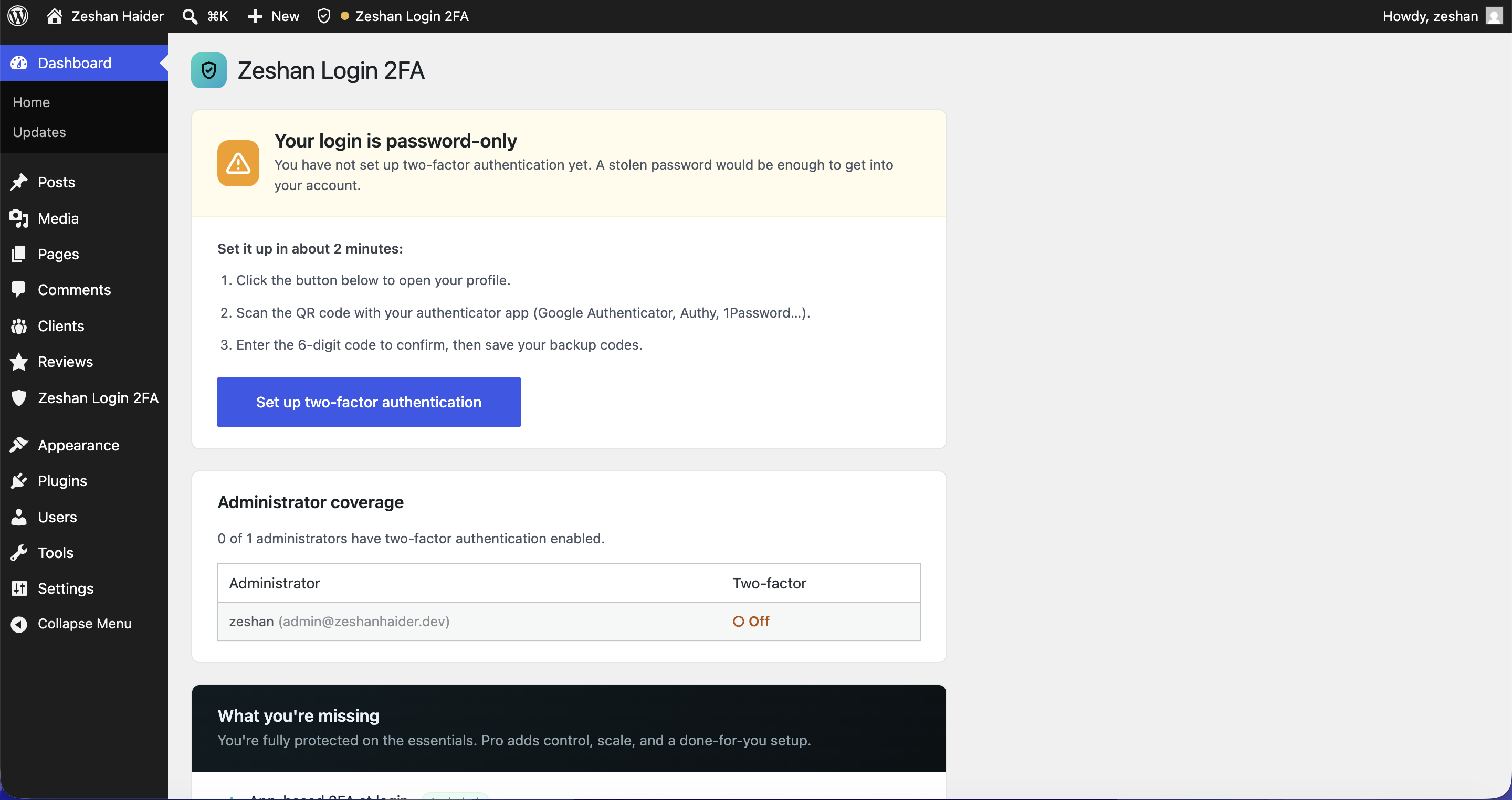
Zeshan Login 2FA adds real two-factor authentication (2FA) to your WordPress login. A password alone is no longer enough. Bots and leaked-password attacks target WordPress logins around the clock. With Zeshan Login 2FA, a second step (a 6-digit code from an authenticator app) stands between an attacker and your admin area.
It works with the authenticator apps you already know: Google Authenticator, Authy, Microsoft Authenticator, 1Password, and any other TOTP app.
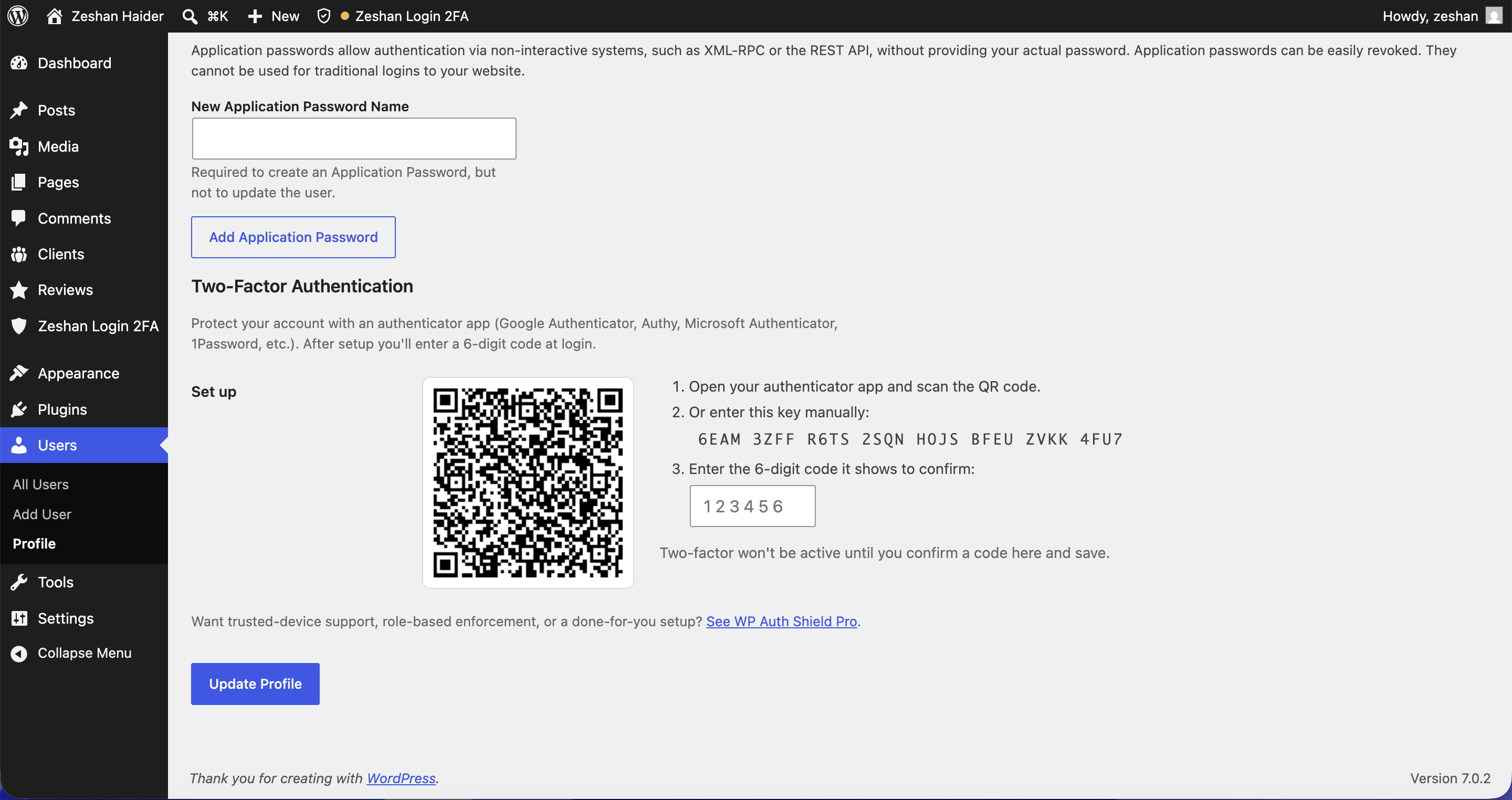
Setup takes about two minutes: open your profile, scan a QR code with your phone, confirm one code, and save your backup codes. That is it. Your login is protected.
What you get (free)
- App-based 2FA at login. Standard TOTP (RFC 6238), the same technology your bank uses.
- QR-code setup. Scan once from your user profile. Your secret is generated on your own server.
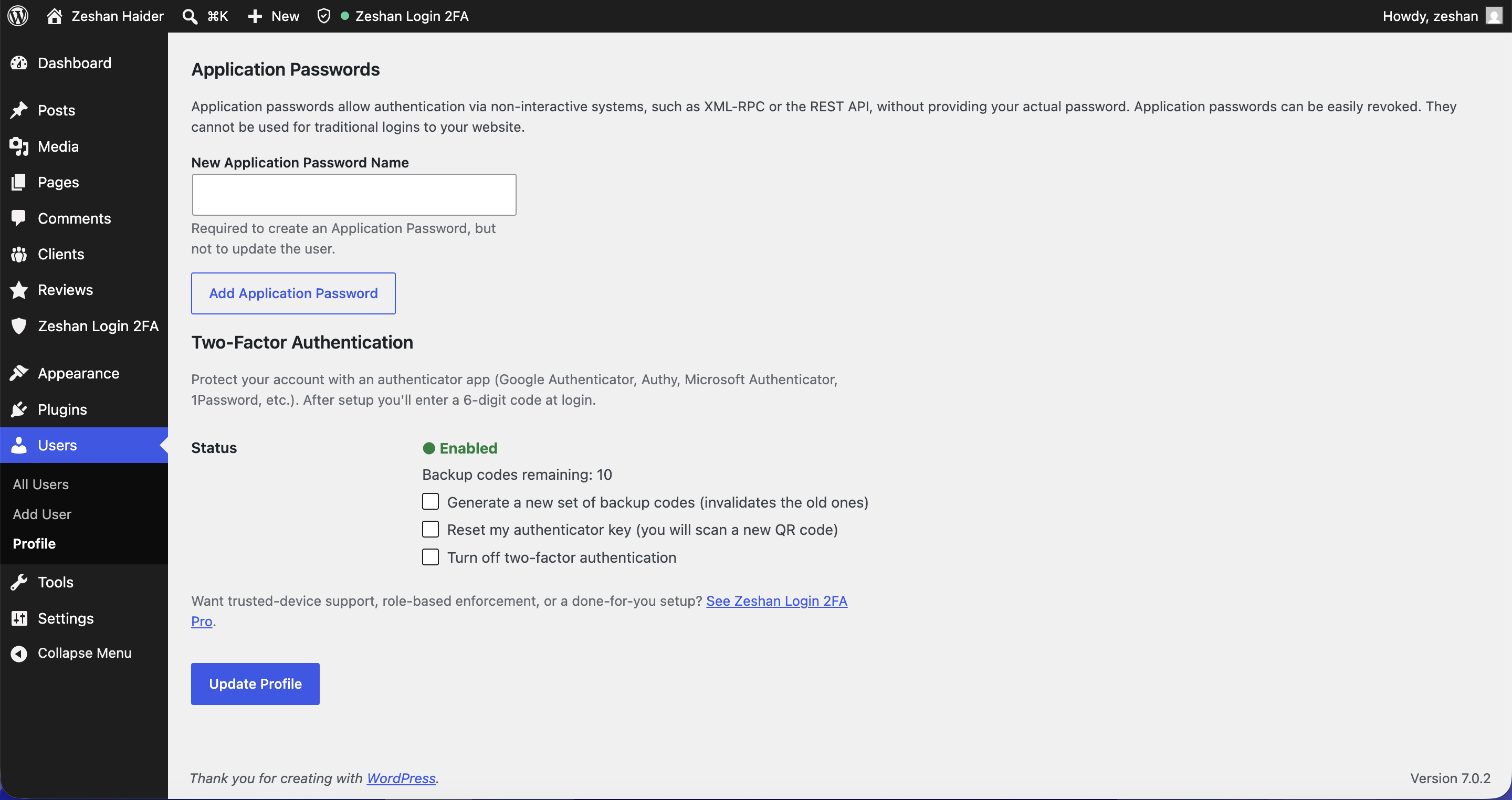
- 10 backup codes. One-time codes so you can always get in, even if you lose your phone.
- Enforced for Administrators by default. Protect the accounts that matter most.
- Lockout-safe. 2FA is only enforced for users who have finished setup, so enabling the plugin never locks anyone out before they opt in.
- Privacy-first. No accounts, no tracking, no phone-home. Everything stays on your site.
Why Zeshan Login 2FA
- Lightweight and focused. It does one thing (2FA) and does it well.
- No account, no signup, no external service required.
- Clean, standards-based TOTP that every authenticator app supports.
- Backup codes are stored hashed (never in plaintext) and are one-time use.
Going further (Pro & personal setup)
The free plugin fully protects your login on its own. If you want more control or a done-for-you setup, Zeshan Login 2FA Pro adds:
- Trusted-device management. Remember the devices you trust and skip the code for a set number of days.
- Role-based enforcement. Require 2FA for editors, authors, shop managers, or everyone, with an optional grace period.
- Malware attack shield. Brute-force login protection, malicious-request blocking, and file-editor lockdown.
- Personal setup and priority support. I set it up for you and help your team get onboarded.
Pro is a one-time purchase and includes personal setup. Learn more at zeshanhaider.dev/zeshan-login-2fa.
Credits & third-party libraries
This plugin bundles the following third-party library, used to draw the QR code in your browser:
- QRCode.js by Sangmin Shim (davidshimjs). Source: https://github.com/davidshimjs/qrcodejs (MIT License).
The library is included locally (not loaded from a third-party CDN) as required by the plugin directory guidelines. All other code is original work by the plugin author and licensed under GPLv2 or later.