
Conditional Cart Messages for WooCommerce – YourPlugins.com
v1.3.5YourPlugins · 2021年4月27日 上架
Show cart messages or notices in your WooCommerce cart by using conditional rules! Made with love by yourplugins.com
- 正在使用
- 40+
- 评分
- 5.0 / 5
- 累计下载
- 6,898
- 最近更新
- 2026年11月5日
4 条评价需要 WordPress 4.3.1+已测试到 7.1.5
贡献者
 YourPlugins
截图


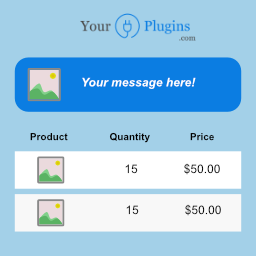
Show cart messages in WooCommerce cart based on conditional rules
Adding cart notices to your e-commerce cart? Very easy with Conditional Cart Messages.
A more dynamic way to show a message or a notice in your WooCommerce cart!
✅ NEW: Fully compatible with WooCommerce 8.3+ Block-based Cart & Checkout!
- You can set different rules to make the message appear, such as the total price of the cart or the product price.
- Combine the rules to make the message appear at specific conditions, for example: If the total price of the cart is greater than $ 100 and the quantity in the cart is less than 5 show the message.
- Use the AND or OR operators to combine rules. You can also create rule groups.
- Works with both classic WooCommerce templates and new Gutenberg blocks – no configuration needed!
- Future-proof: Automatically detects and adapts to your cart/checkout template type
You can find the official documentation here.
Looking for more features?
- Display a message also in the checkout, product, shop or any other page
- Get more conditions: Price, Products, Categories, User Roles, User Types, Billing and Shipping Country, Start and End Date, Product Quantity, Total Quantity, Total Amount, Total Net Amount, Total Taxes, Shipping Total, Total Coupon Discount Amount, Referrer URL
- Create unlimited message templates
- Add an icon to your message
- Add a button to your message
- Choose the background color (also on hover), the border color (also on hover), and the text color of your message
- Choose the background color, the border color, and the text color of your button
Check all the other premium features here.
A brief Markdown Example
- From your WordPress back-end click on “YourPlugins > WooCommerce Conditional Cart Notices”
- Click on “New Notice” and type in a “Name”
- Click on “Add rule” and set the following condition: “Price” “greater or equal” “100”
- Set “Show Notice In” = “Cart” and add a message inside the field “Notice Message”
- Click on “Save”.
- Create a WooCommerce Product with a price greater then 100.
- Add the created product to cart and check your cart: A message should appear.