Yet Another Tweaks Manager
v1.0.1Abhishek Deshpande · 2026年10月29日 上架
Keep the feature. Change the setting. Tune WordPress behaviour that core only exposes in code.
- 正在使用
- 10 以下
- 评分
- 暂无
- 累计下载
- 432
- 最近更新
- 2026年11月10日
 Abhishek Deshpande
 Abhishek Deshpande
截图
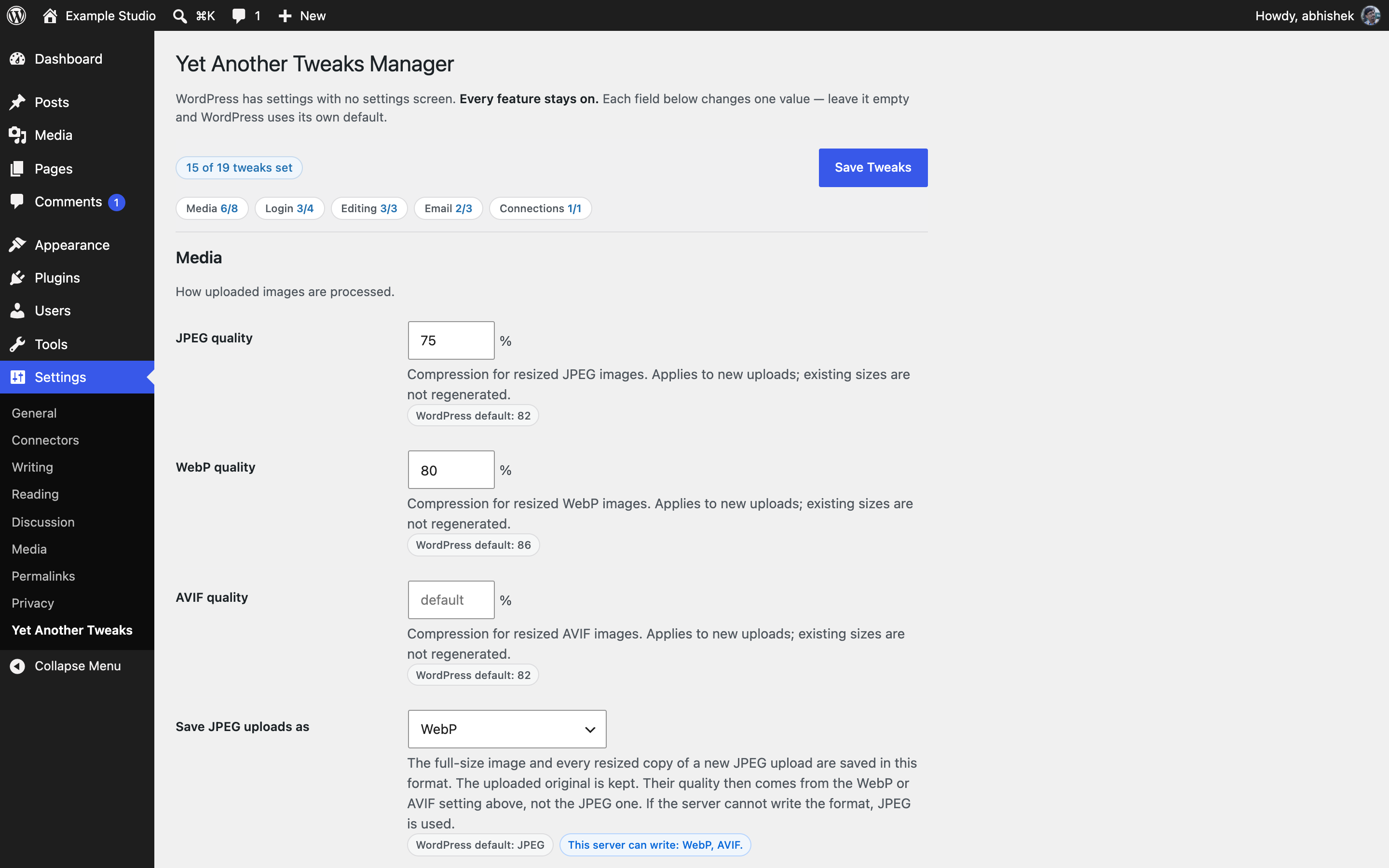

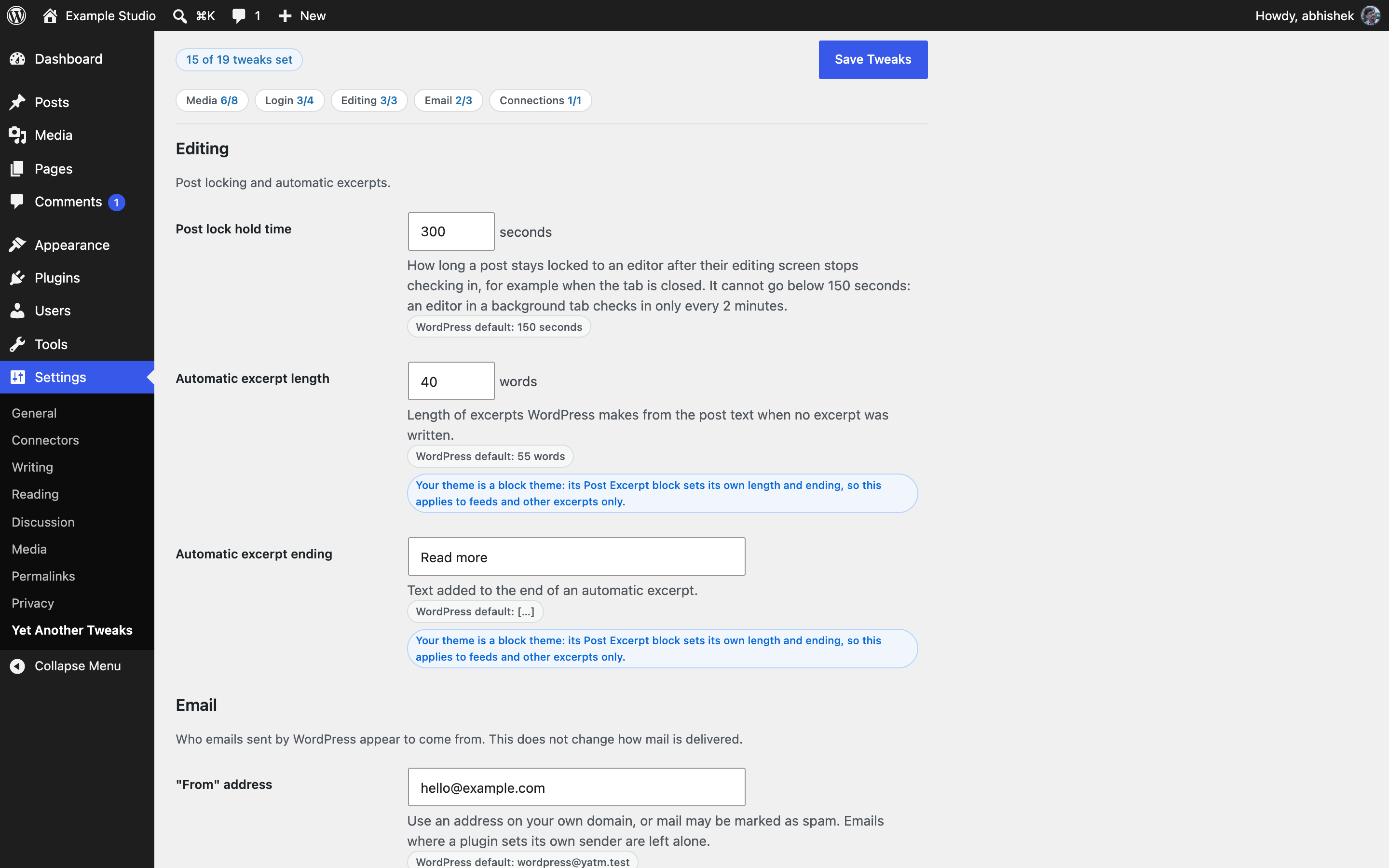

WordPress has settings with no settings screen: the quality and format images are saved in, how long a login lasts, who WordPress email comes from, how long it waits for other sites. Changing them normally means writing a filter.
Yet Another Tweaks Manager puts those dials in one place, under Settings Yet Another Tweaks. Every feature stays on; you choose how it behaves. Leave a field empty and WordPress uses its own default. An empty field adds no code at all.
Want to switch features off instead, or cap things like revisions, Heartbeat or trash? That’s The Off Switch. The two plugins never cover the same feature, so they work side by side.
Media
- JPEG, WebP and AVIF quality: 1–100 (defaults 82, 86 and 82), for new uploads.
- Save JPEG uploads as WebP or AVIF: the full-size image and every resized copy are saved in the modern format; the uploaded original is kept. Falls back to JPEG if your server can’t write the format — the settings page tells you what it supports.
- Image editor: prefer Imagick or GD, with the other kept as a fallback. Imagick keeps camera and copyright data (EXIF, IPTC, XMP) in resized images; GD removes it.
- Progressive JPEGs: resized JPEGs appear blurry first and sharpen as they load (WordPress 6.5+).
- Largest image width offered to browsers: 300–10000 pixels (default 2048).
- Maximum upload size: lower the server’s limit, in MB.
Login
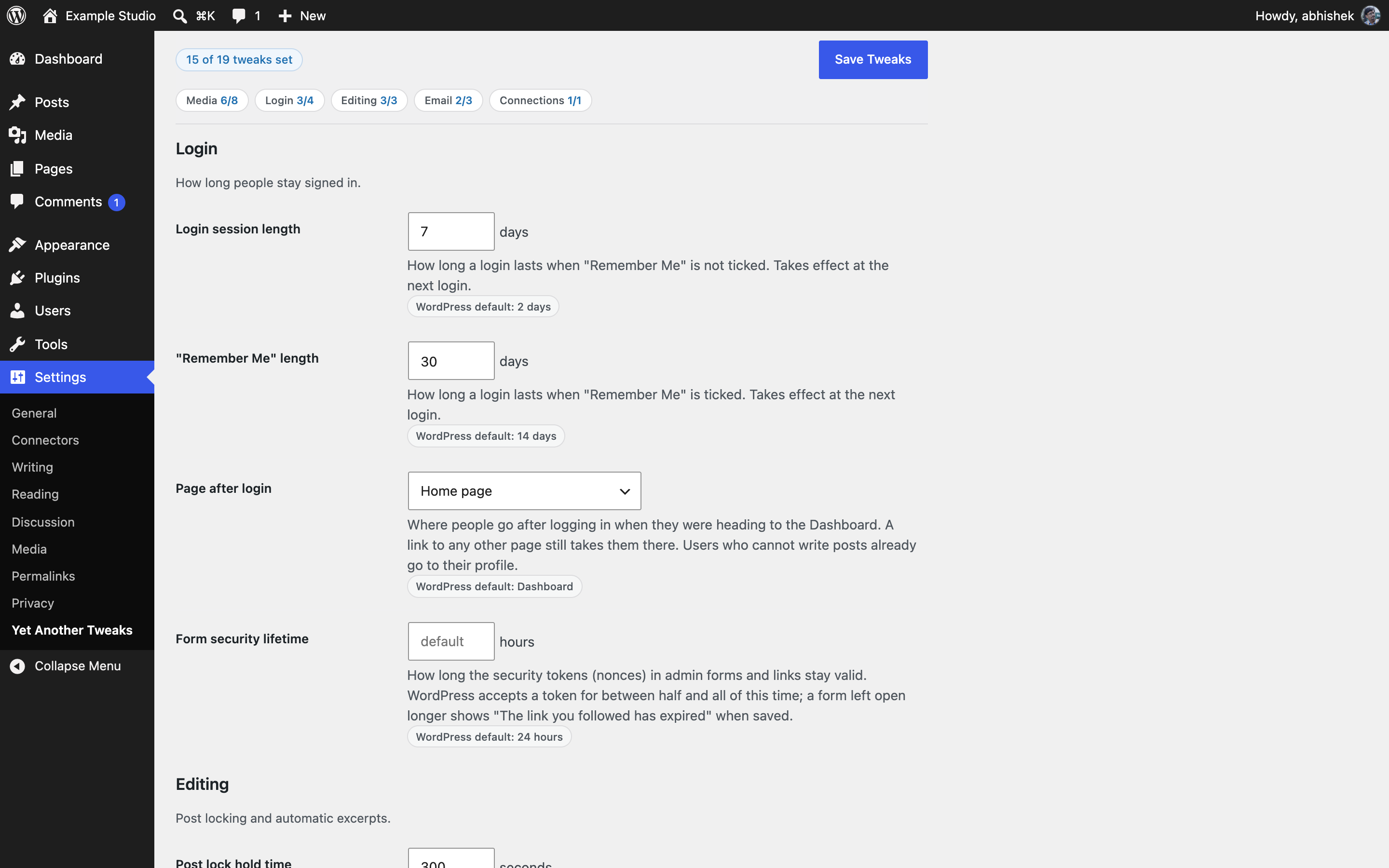
- Login session length: 1–365 days (default 2).
- “Remember Me” length: 1–365 days (default 14).
- Page after login: home page or profile instead of the Dashboard. A link to any other page still takes people there.
- Form security lifetime: how long nonces in admin forms and links stay valid, 2–168 hours (default 24).
Editing
- Post lock hold time: how long a post stays locked after its editor stops checking in, 150–3600 seconds (default 150).
- Automatic excerpt length and ending: words in an automatic excerpt (default 55) and the text after it (default “[…]”). On block themes the Post Excerpt block has its own controls, so these apply to feeds and other excerpts.
- “From” address and “From” name for email WordPress sends (defaults
wordpress@yourdomainand “WordPress”). Only the default sender is replaced: emails where a plugin sets its own sender, like a contact form, are left alone. This changes who mail appears to come from, not how it is delivered. - Recovery mode email interval: the shortest time between two “your site has a technical issue” emails, 1–720 hours (default 24).
Connections
- Request timeout: how long WordPress waits for another site to answer (default 5 seconds). Raise it if updates or the plugin directory fail on a slow connection.
No .htaccess writes, no minification, no upsell.