

Product Field for Elementor Forms
v1.0.2add-ons.org · 2026年8月19日 上架
Display WooCommerce products inside Elementor Forms and redirect customers to the checkout page with selected products.
- 正在使用
- 10 以下
- 评分
- 暂无
- 累计下载
- 342
- 最近更新
- 2026年9月28日
贡献者
 add-ons.org
截图
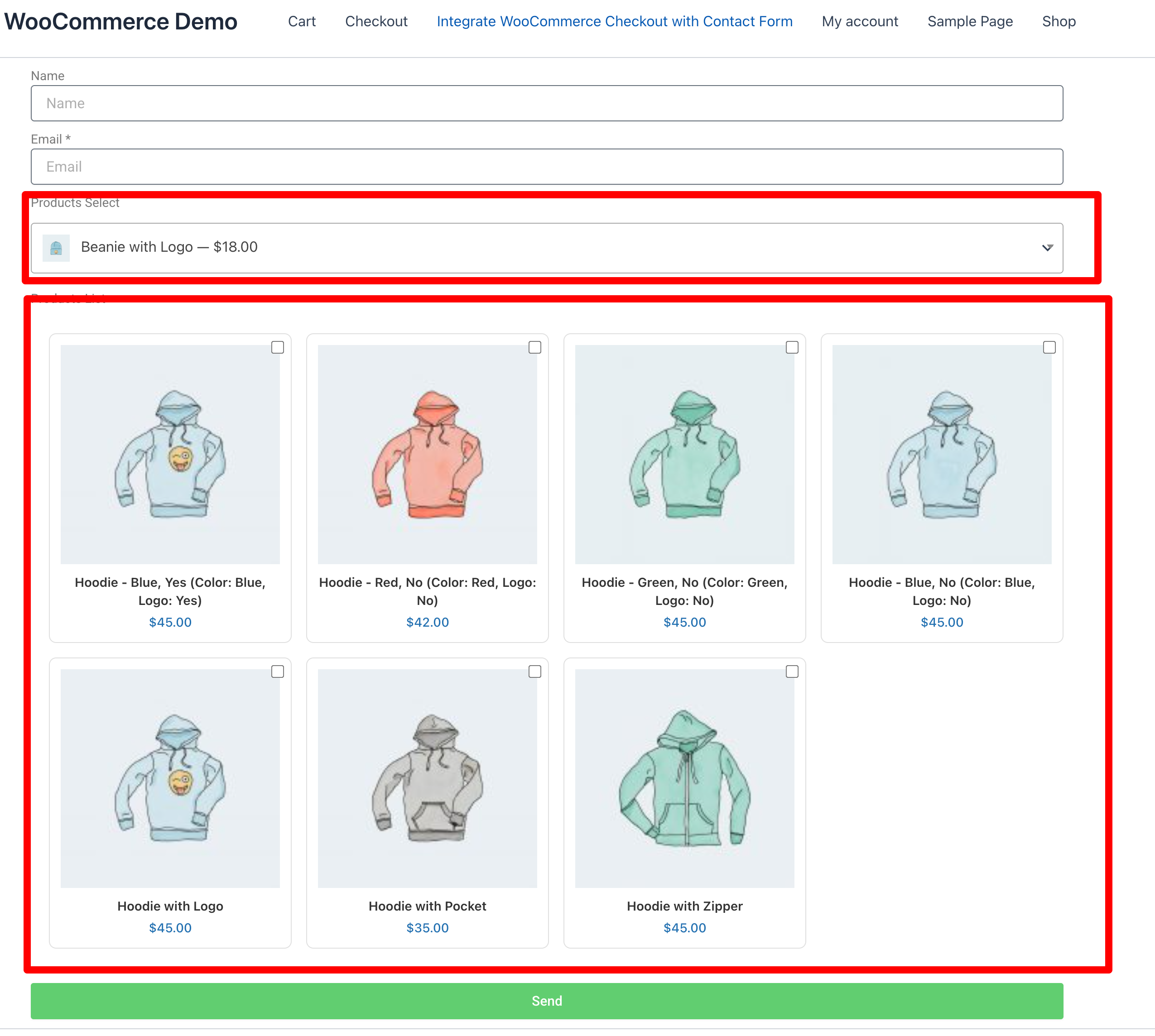
Product Selector for Elementor Forms adds a powerful product selection field to Elementor Pro Forms.
It allows you to display a list or grid of WooCommerce products directly inside your form, so users can select items and proceed to checkout instantly.
When the form is submitted, the plugin automatically adds the selected products to the WooCommerce cart and redirects the customer to the checkout page.
Demo: https://demo.add-ons.org/woocommerce-demo/integrate-woocommerce-checkout-with-contact-form/
Pro Version: https://add-ons.org/plugin/integrate-woocommerce-checkout-with-elementor-forms-pro/
Document: https://add-ons.org/document-integrate-woocommerce-checkout-with-elementor-forms/
Features
- Display WooCommerce products (simple or variable) inside Elementor Forms.
- Choose between List, Grid, or Image Picker layouts.
- Support Radio, Checkbox, and Select styles for product choice.
- Allow customers to select quantity and product variations.
- Automatically add selected items to WooCommerce cart.
- Redirect users to the standard WooCommerce Checkout page.
- Fully responsive and styled to match Elementor.
- Works with any WooCommerce theme or payment gateway.
Perfect For
- Quick order or pre-order forms.
- Booking or service request forms that include product choices.
- Donation or membership selection before checkout.
- Custom-designed “Buy Now” experiences inside Elementor.
Usage
- Edit your form with Elementor Pro.
- Add a field type: WooCommerce Product List (single or multiple select).
- Choose which products or categories to display.
- Optionally enable quantity selector and image layout.
- Publish the form anywhere (page, popup, section, etc).
- When the user submits the form the selected products are added to the WooCommerce cart, and the customer is redirected to the checkout page.