

Yatoon Restaurant Menu & Online Ordering
v4.1.3yatoon · 2026年4月21日 上架
Commission-free restaurant ordering: photo menus, pickup and delivery, card payments with Stripe, kitchen display and AI menu import.
- 正在使用
- 10 以下
- 评分
- 暂无
- 累计下载
- 3,005
- 最近更新
- 2026年11月22日
 yatoon
 Freemius
截图


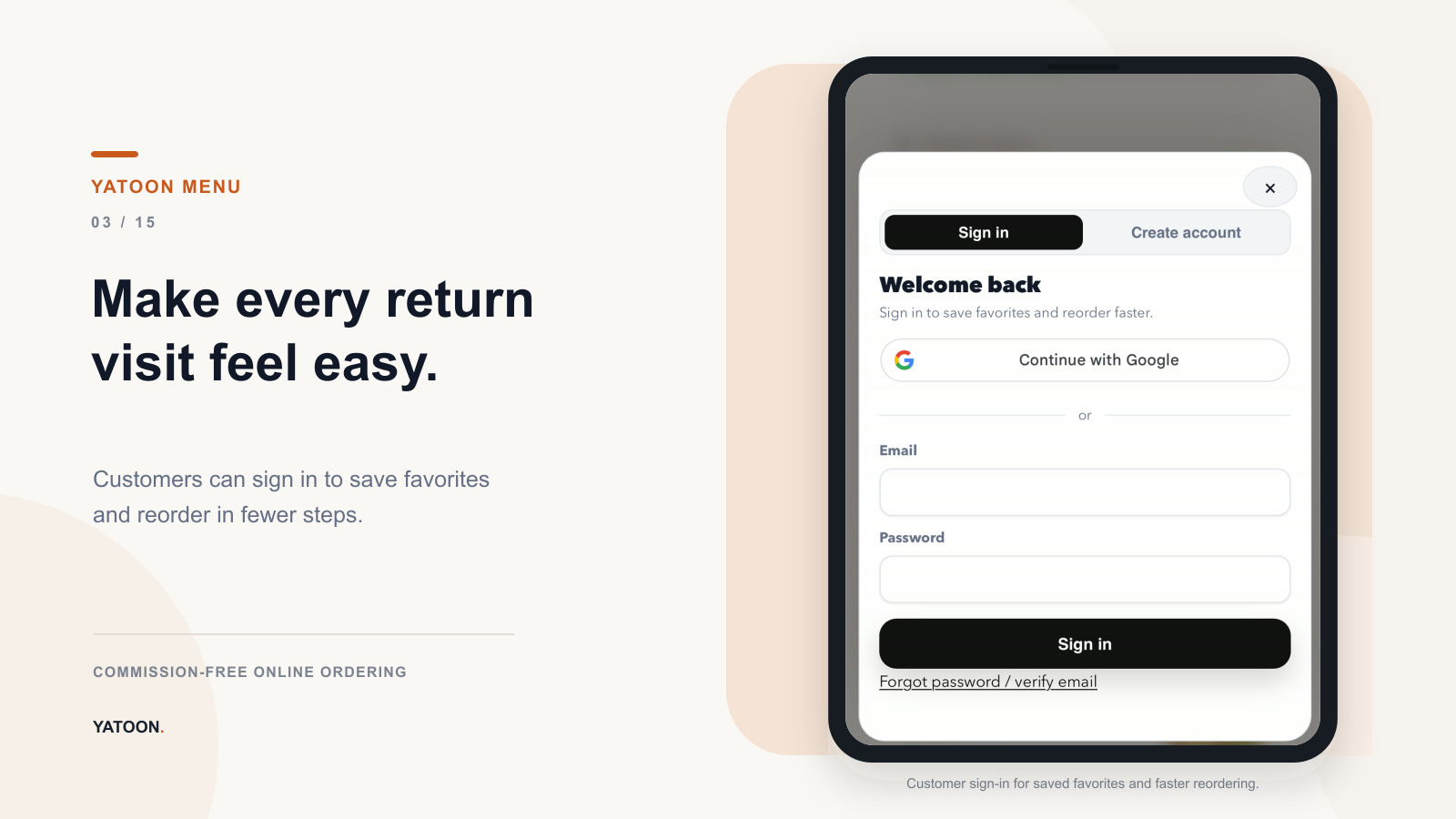
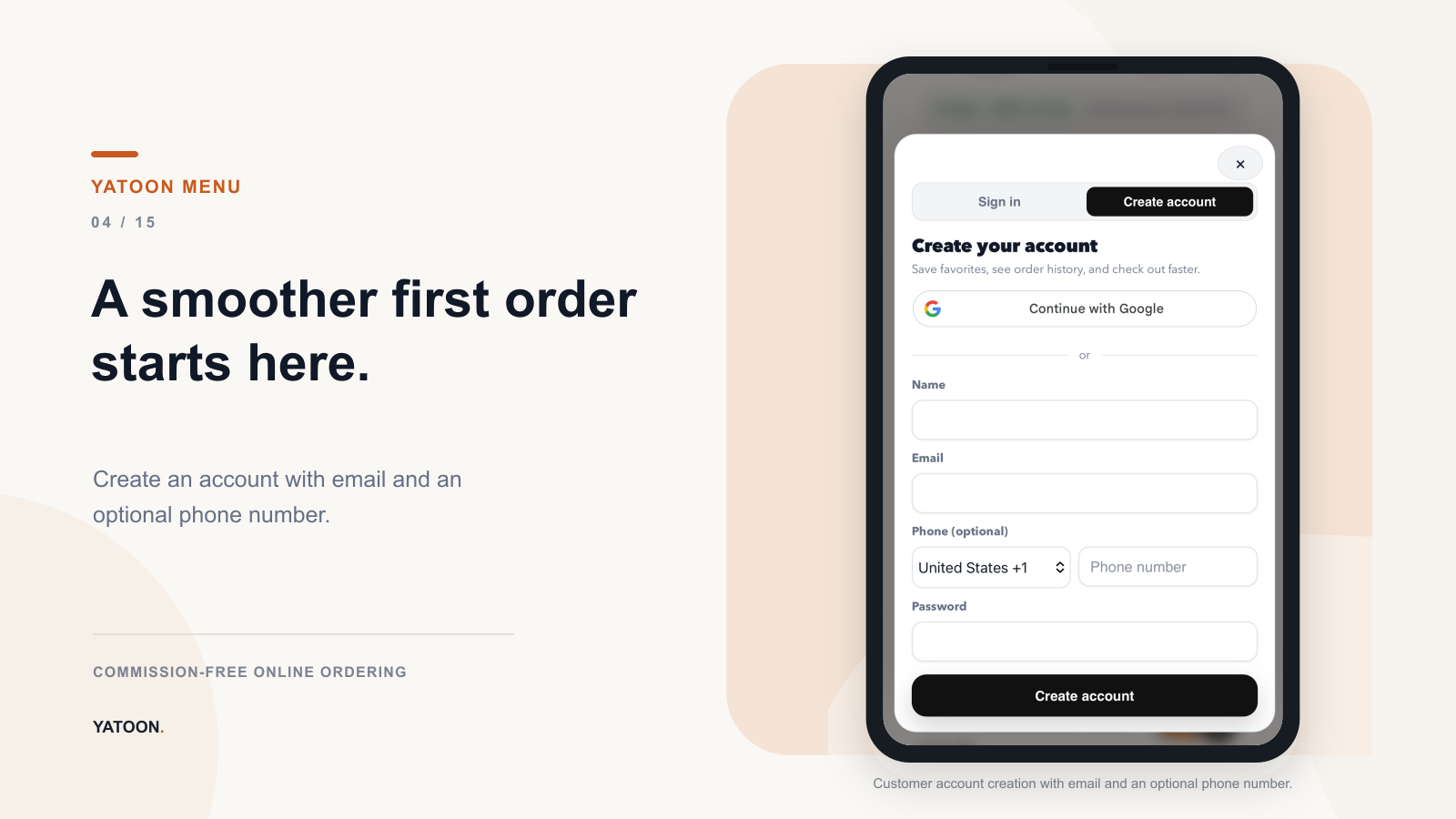
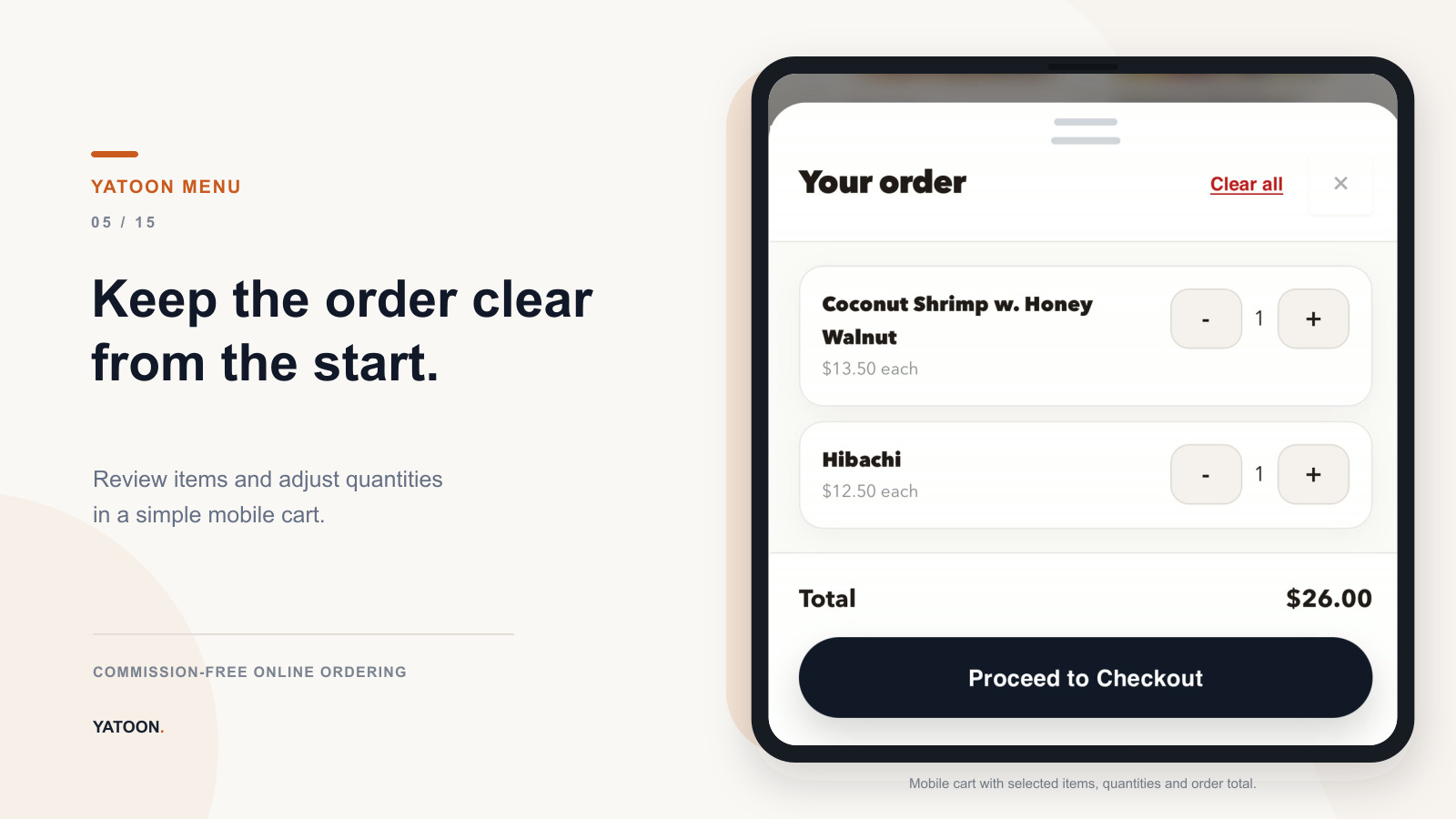


Take commission-free pickup and delivery orders on your own restaurant website. Customers browse a photo menu, pay by card with Stripe or pay in person, and the money goes straight to you. No WooCommerce, no per-order fees.
Live in three steps
- Activate the plugin. The setup guide opens on its own.
- Upload a photo or PDF of your menu and AI fills in dishes, prices and categories for you to check. You can also type dishes in or import a CSV.
- Click “Save & create my pages”, then place a test order from your phone.
Moving from GloriaFood? Oracle is retiring GloriaFood in 2027. Import your GloriaFood menu with a Fetch Menu key or JSON file, and your customer and order history from GloriaFood report CSVs, under Yatoon Menu > Import & migration. Menus exported from Orderable, WPCafe, WooCommerce and RestroPress import too. Imported dishes stay hidden until you review them.
Included free
- Photo menu with categories, options, allergen notes, stock limits and sold-out marks
- Pickup with ASAP or scheduled times, opening hours, holidays and kitchen capacity
- Delivery with a flat fee, minimum order and postal-code list
- Debit and credit cards with Stripe, plus pay in person
- Clear checkout totals: delivery fee and service fee on separate lines, standard and reduced tax rates, tax-free dishes and tax-inclusive pricing
- Kitchen Display with sound alerts, order tracking page and email notifications
- Customer accounts, coupons and table reservations
- Ordering in 8 languages, and an “add to home screen” option so regulars can keep your menu on their phone
- Privacy tools: customer data appears in WordPress’s Export and Erase Personal Data tools
Yatoon Pro adds Apple Pay and Google Pay, Square, PayPal, Alipay and WeChat Pay, SMS alerts, delivery pricing by distance, tips, dine-in and table QR ordering, multiple locations, sales reports, loyalty campaigns, gift cards, DoorDash and Uber courier delivery, cloud printing (Star and Epson), and refund and dispute tracking.
The optional AI Food Assistant suggests dishes from your menu when a WordPress AI provider is connected. Menu browsing and ordering never depend on AI.
Translation notes
Translations are provided as a convenience. Google Translate machine translation was used as a starting point for non-English catalogues. English (UK) adapts English (US) spelling and ordering terms; Mexican Spanish uses the Mexico locale, with common customer-facing ordering and checkout text reviewed. The catalogues have not received complete professional native-speaker review and may need local proofreading. Restaurant-written menu content is translated only after the owner configures and runs the translation service or enables automatic updates.
Shortcodes
- [yatoon_menu] – menu and checkout
- [yatoon_kitchen] – logged-in kitchen/operations staff only
- [yatoon_order_status] – customer tracking with the order’s private tracking key/contact
- [yatoon_reservations] – reservation requests
External Services
Stripe processes card payments when the restaurant turns on Online payments and adds its own Stripe keys. At checkout the customer’s browser loads Stripe.js from js.stripe.com to collect card details, and the site sends the order amount, currency and the customer’s email to api.stripe.com to create and confirm the payment. Card numbers never reach the restaurant’s site.
Terms: https://stripe.com/legal/ssa Privacy: https://stripe.com/privacy
The setup guide’s AI menu import sends the menu photo or PDF chosen by the administrator to the AI provider connected in WordPress Settings > Connectors (for example OpenAI, Google or Anthropic), only when the administrator uploads a file. The provider’s own terms and privacy policy apply.
Freemius provides optional account connection, licensing and updates. Its SDK controls the opt-in connection flow.
Terms: https://freemius.com/terms/ Privacy: https://freemius.com/privacy/
Optional Google sign-in loads Google Identity Services only when a client ID is configured. The identity token is sent to Google for verification.
Terms: https://policies.google.com/terms Privacy: https://policies.google.com/privacy
Optional Facebook login sends the login token to Meta to verify the app and retrieve the chosen profile/email.
Terms: https://www.facebook.com/terms.php Privacy: https://www.facebook.com/privacy/policy/
Optional Apple sign-in loads Apple’s web SDK and verifies the signed identity token against Apple’s public keys.
Terms: https://www.apple.com/legal/internet-services/terms/site.html Privacy: https://www.apple.com/legal/privacy/
The optional AI food assistant sends the customer’s request and available menu descriptions to the provider connected to the WordPress AI Client.
No AI provider keys are collected by this plugin. Provider selection is controlled by the WordPress connector and assistant settings.
Google terms/privacy: https://ai.google.dev/gemini-api/terms and https://policies.google.com/privacy
OpenAI terms/privacy: https://openai.com/policies/terms-of-use/ and https://openai.com/policies/privacy-policy/
Anthropic terms/privacy: https://www.anthropic.com/legal/commercial-terms and https://www.anthropic.com/legal/privacy
Optional translation: after the owner saves a Google Cloud Translation API key, explicit translation jobs and enabled automatic menu updates send dish names, descriptions, categories, option labels and fixed interface phrases to translation.googleapis.com. Tasks run through WordPress cron, continue after the browser closes, and retry on failure. Customer contact details and actual order records are not sent to this translation endpoint. The service may charge by translated character; the connection test translates one short phrase. A Google account sign-in does not automatically provision a billed Cloud project or API key.
Google Cloud terms/privacy: https://cloud.google.com/terms/ and https://policies.google.com/privacy
Optional GloriaFood menu import: when an administrator submits a Fetch Menu integration key, the plugin sends that key to GloriaFood’s API at pos.globalfoodsoft.com to retrieve the restaurant menu for a private preview. The key is used for that request and is not saved; customer and order records are not sent. This requires a GloriaFood account and Fetch Menu integration. Terms: https://www.gloriafood.com/terms-of-use Privacy: https://www.oracle.com/legal/privacy/
Optional order spam check: when a site owner enables Cloudflare Turnstile or hCaptcha in the plugin settings, the customer’s browser loads that provider’s script on the checkout, and the one-time check token plus the visitor’s IP address are sent to the provider by the server to verify it. Nothing is sent unless a provider and its keys are configured.
Cloudflare terms/privacy: https://www.cloudflare.com/website-terms/ and https://www.cloudflare.com/privacypolicy/
hCaptcha terms/privacy: https://www.hcaptcha.com/terms and https://www.hcaptcha.com/privacy
Order/contact information is stored in the site’s WordPress database and sent to the restaurant and customer through the site’s configured email service.
New email/password accounts must follow the emailed password setup link before signing in. The WordPress password reset flow also verifies these accounts.
Menu information and integrations
Confirm allergens while editing each dish. An empty allergen list means no information was supplied; it does not mean a dish is allergen-free. Customers should contact the restaurant about allergies and shared preparation areas.
Menu JSON-LD describes the public restaurant menu and prices. It does not guarantee a specific search result format. Sites using another menu schema provider may disable this output with the yatoon_menu_enable_schema filter.
Analytics & integrations offers an optional ecommerce event bridge for your existing Google Tag Manager/GA4 and Meta Pixel setup. It is off by default. No analytics scripts are installed. Forwarding requires explicit visitor consent through your consent manager and the documented YatoonAnalytics.setConsent interface. Customer contact details, addresses and notes are excluded. Configure the associated services and privacy disclosures before enabling this feature.
The Appearance screen offers everyday and seasonal menu themes, including Christmas. You can switch themes at any time; theme selection does not change prices or ordering settings.