
Xdebug Output Handler
v1.0zerotop · 2012年9月5日 上架
This WordPress Plugin collects the XDebug output and displayes it in the footer. Only use it with Xdebug extension for PHP activated
- 正在使用
- 10+
- 评分
- 暂无
- 累计下载
- 1,656
- 最近更新
- 2012年9月5日
贡献者
 zerotop
截图
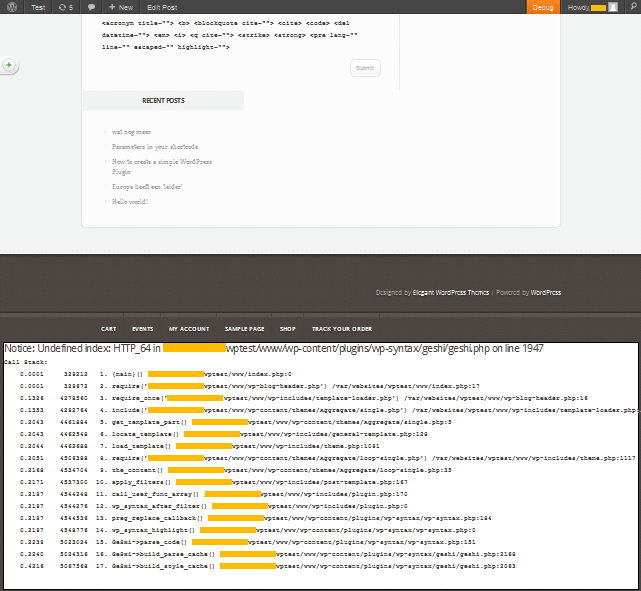
This WordPress Plugin collects the Xdebug output and displays it in the footer. It both works in the front end and in the administrator interface of WordPress
Please make sure that you comply to the following dependencies: * have the Xdebug extension for PHP activated (zend_extension=/[path to libraries]/xdebug.so) * have defined your ‘WP_DEBUG’ as true (in wp_config.php) to see also Notices
This plugin does nothing with the profiler output of Xdebug. When Xdebug is enabled on your webserver, outputted errors will be expanded with a Call Stack which shows which calls led to the error. This plugin takes care of displaying these errors in a nice way.