
WS Action Scheduler Cleaner
v1.3.2Winning Solutions · 2025年6月10日 上架
Optimize your WordPress database by efficiently managing the Action Scheduler tables used by popular plugins like WooCommerce.
- 正在使用
- 3,000+
- 评分
- 5.0 / 5
- 累计下载
- 2.3 万
- 最近更新
- 2026年11月12日
 Winning Solutions
截图

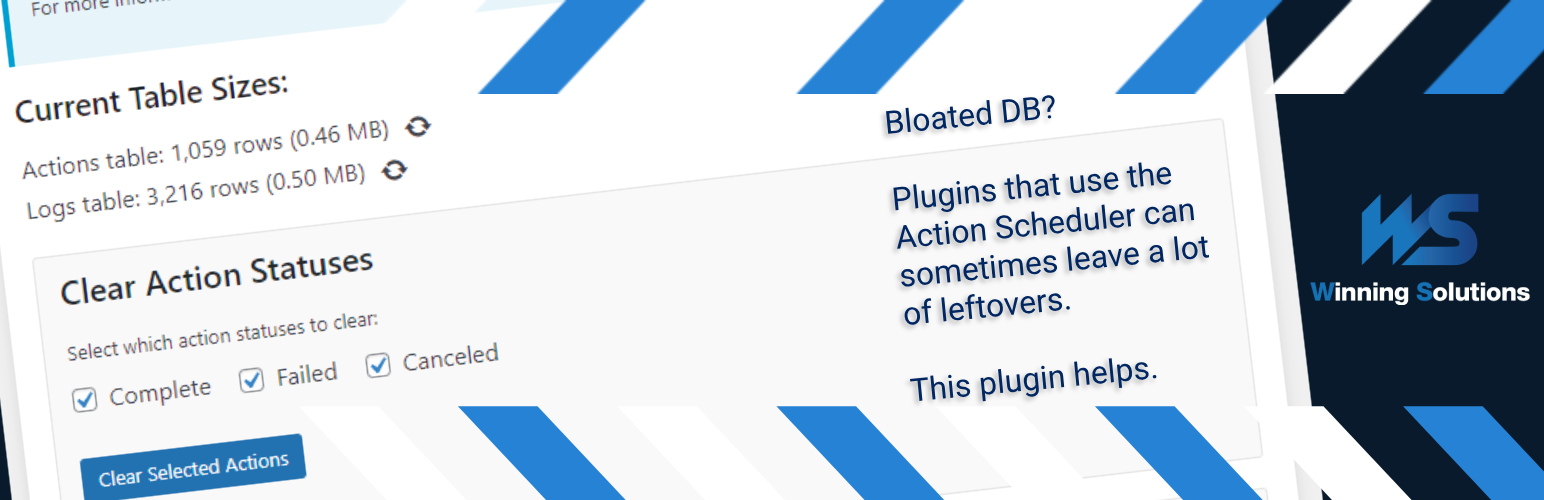
WS Action Scheduler Cleaner is a small tool designed to optimize your WordPress database by managing the Action Scheduler tables. Action Scheduler, a robust job queue and background processing library, is utilized by many popular plugins such as WooCommerce, WP Forms, and Jetpack to handle resource-intensive tasks asynchronously.
While Action Scheduler is crucial for the smooth operation of these plugins, its tables can grow significantly over time, potentially impacting your site’s performance. This is where WS Action Scheduler Cleaner comes in.
Key features:
- Easily clear completed, failed, or canceled actions from the Action Scheduler tables
- Set up automatic clearing schedules for efficient database maintenance
- Optimize the database tables to reclaim unused space and potentially improve performance
- Customize retention periods for logs and actions
- User-friendly interface integrated into the WordPress admin area
By regularly cleaning up unnecessary data from Action Scheduler tables, you can:
- Improve database query performance
- Reduce database size
- Enhance overall site speed and responsiveness
WS Action Scheduler Cleaner is an essential tool for any WordPress site using plugins that rely on Action Scheduler, especially high-traffic e-commerce sites or membership platforms that generate a large number of scheduled actions.
Usage
- In the WordPress admin panel, go to Tools > Action Scheduler Cleaner
- Select which action statuses you want to clear (completed, failed, canceled)
- Set up different automatic clearing schedules if desired
- Click “Clear Selected Actions” to manually clear actions – or let the automatic schedule handle it
- Optionally optimize the DB tables as well; this is your solution for when the size of the tables doesn’t seem to go down on simple clearing
For best results, we recommend setting up an automatic clearing schedule to maintain optimal database performance. Something like 7 days is usually sufficient. By default, Action Scheduler does this every 30 days, but only for completed and canceled actions, whereas you can control this aspect in the plugin. On deactivation of the plugin, the 30-day retention period as well as which actions get cleared will reset to their defaults.
Developer Information
Cleanup and optimization run in time-bounded chunks: each pass deletes up to batch_size rows per SQL statement and repeats until max_seconds elapses or no matching rows remain. Progress is saved between chunks so large tables can be processed without a single long request.
The following filters (since 1.3.0) let you tune behavior for your hosting environment. Add them in a custom plugin or your theme’s functions.php.
Manual cleanup (admin UI / AJAX)
wsacsc_ajax_cleanup_batch_size(default:10000) — Maximum rows deleted perDELETEstatement during manual clear operations initiated from the admin screen. Since 1.3.2, each job starts with smaller batches and adapts the size to the target time below, so this is an upper limit.wsacsc_ajax_cleanup_target_batch_seconds(default:1.0) — Target duration in seconds of oneDELETEstatement during manual clear operations. The batch size doubles while statements are faster than half this value and halves when they take more than twice this value.wsacsc_ajax_cleanup_sleep_us(default:5000) — Microseconds to pause between twoDELETEstatements during manual clear operations.wsacsc_ajax_cleanup_max_seconds(default:5) — Seconds of work per AJAX request before the plugin saves progress and returns. The admin UI polls for the next chunk while you keep the page open, so a lower value updates the progress text more often. Decrease if requests time out.
Scheduled cleanup (WP-Cron)
wsacsc_cron_cleanup_batch_size(default:1000) — Same as the AJAX batch size, but for automatic retention cleanup run on a schedule. Defaults are lower than manual cleanup to reduce impact on live traffic.wsacsc_cron_cleanup_target_batch_seconds(default:0.5) — Same as the AJAX target time, but for scheduled cleanup.wsacsc_cron_cleanup_sleep_us(default:25000) — Microseconds to pause between twoDELETEstatements during scheduled cleanup.wsacsc_cron_cleanup_max_seconds(default:45) — Seconds of work per cron run before the job pauses and schedules continuation (see below).
Background continuation
wsacsc_cleanup_use_background_continuation(default:true) — When a chunk ends before deletion is finished, schedule a single WP-Cron event to resume the job in the background. This is important for scheduled cleanup on large tables and when no admin session is polling progress. Manual cleanup in the browser also continues via AJAX polling; setting this filter tofalsedisables cron-based resumption only (unfinished scheduled jobs may stall unless something else triggers the next chunk). Since 1.3.2, only one process works on a job at a time: while the admin page polls a manual job, the background continuation waits, and it takes over about 25 seconds after the page stops polling.wsacsc_cleanup_continuation_delay(default:30) — Seconds until the background continuation runs. Clamped between15and120.wsacsc_cron_cleanup_cli_max_seconds(default:600) — When WP-Cron runs through WP-CLI (for examplewp cron event run --due-nowfrom a system cron job), a scheduled cleanup keeps running its next chunks in the same process, with the normal pause between chunks, instead of waiting for the next system cron run. After this many seconds, it starts no new chunk and leaves the rest to the next run.
Scheduled auto-optimize
After a scheduled retention pass deletes all matching rows for a table, the plugin may run OPTIMIZE TABLE automatically to reclaim disk space. Manual clear from the admin UI never auto-optimizes; use the Optimize button instead.
wsacsc_scheduled_auto_optimize_max_rows(default:100000) — Run auto-optimize only if the table’s total row count is at or below this value after cleanup. Prevents long, blocking optimize operations on tables that are still huge. Values below1000are raised to1000.wsacsc_scheduled_auto_optimize_delay_seconds(default:5) — Seconds to wait after the last delete batch before runningOPTIMIZE TABLE, giving the database a short breather. Clamped between0and60.
Resources and statistics
wsacsc_clear_actions_use_rebuild(default:true) — When “Clear Selected Actions” deletes almost all rows of a large table, the plugin copies the few rows to keep, empties the actions and logs tables withTRUNCATE TABLE, and copies the kept rows back with their original IDs. This takes seconds instead of minutes and frees the disk space at once. The tables are locked during the rebuild, so Action Scheduler waits briefly and loses nothing. The plugin falls back to deleting in batches when the conditions below are not met, when the database user lacks theCREATE,DROP,ALTERorLOCK TABLESprivilege, or when the tables are busy for more than 5 seconds. If a rebuild stops halfway, the plugin restores the kept rows on the next admin page load. Scheduled cleanup never uses the rebuild.wsacsc_rebuild_min_rows(default:100000) — Smallest number of rows to delete for which the rebuild is used.wsacsc_rebuild_max_kept_actions(default:10000) — Largest number of kept actions (for example pending actions) for which the rebuild is used. The lock time grows with this number.wsacsc_rebuild_max_kept_logs(default:40000) — Largest number of kept log entries for which the rebuild is used.wsacsc_clear_logs_use_truncate(default:true) — “Clear Logs” and a logs retention of 0 days empty the logs table withTRUNCATE TABLE, which takes under a second and frees the disk space at once. This needs the databaseDROPprivilege. Without it, or when this filter returnsfalse, the plugin deletes the log entries in batches.wsacsc_cleanup_memory_limit(default:512M) — Memory limit for cleanup and optimize requests. The plugin only raises the limit throughwp_raise_memory_limit()and never lowers it.wsacsc_exact_count_max_rows(default:1000000) — Row counts on the admin screen are exact up to this value. For a larger table, the screen shows the estimate of the database server with a~prefix. Values below1000are raised to1000.
Example (gentler cron, no background continuation):
add_filter( 'wsacsc_cron_cleanup_batch_size', function () { return 500; } );
add_filter( 'wsacsc_cron_cleanup_max_seconds', function () { return 30; } );
add_filter( 'wsacsc_cleanup_use_background_continuation', '__return_false' );
Author: Winning Solutions
Author URI: https://www.winning-solutions.de