

WP Telegram Widget and Join Link
v2.2.17WP Socio · 2018年2月19日 上架
Display the Telegram Public Channel or Group Feed in a WordPress widget or anywhere you want using a simple shortcode.
- 正在使用
- 3,000+
- 评分
- 4.9 / 5
- 累计下载
- 19 万
- 最近更新
- 2026年11月20日
贡献者
 WP Socio
 Irshad Ahmad
截图


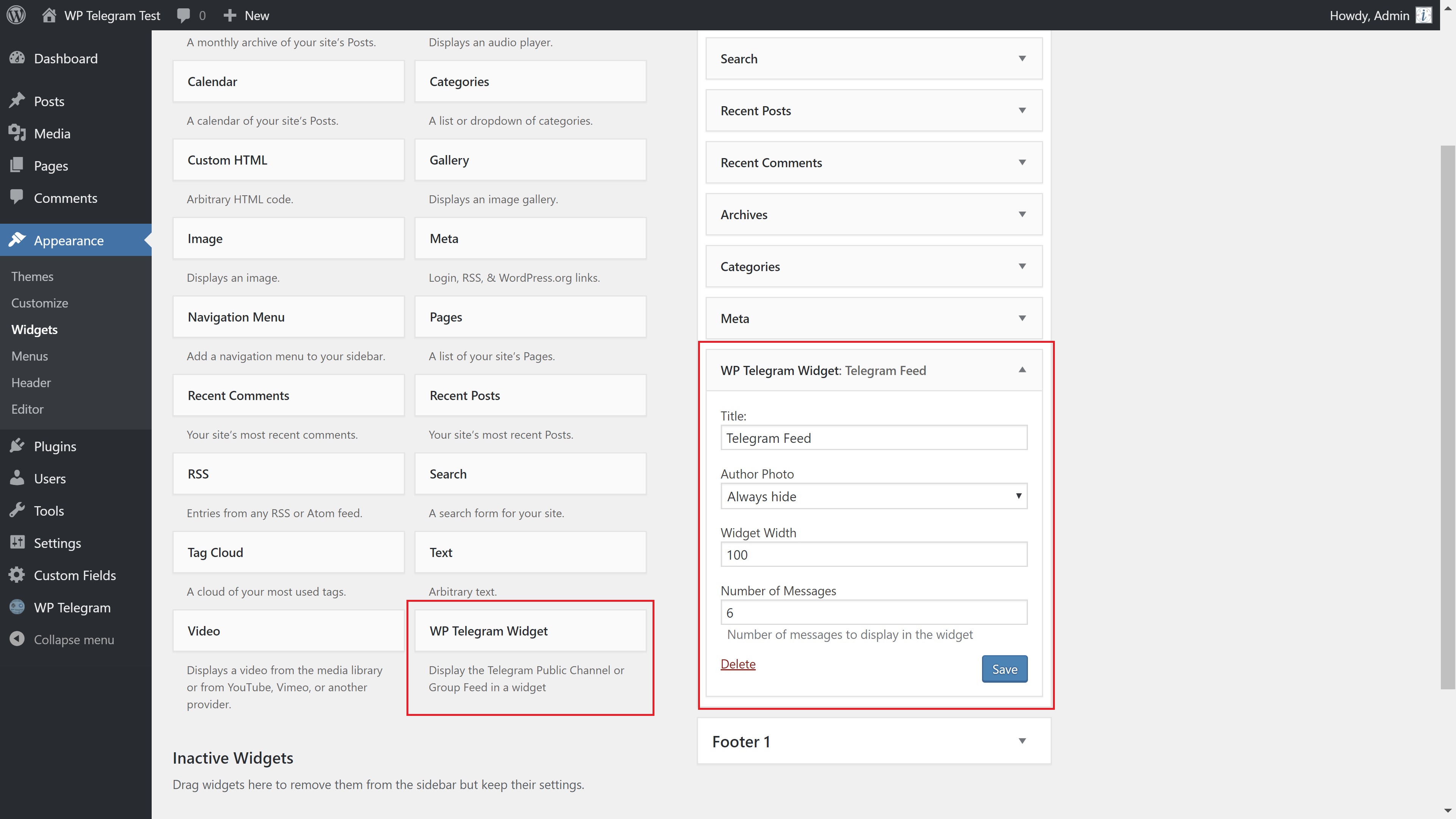
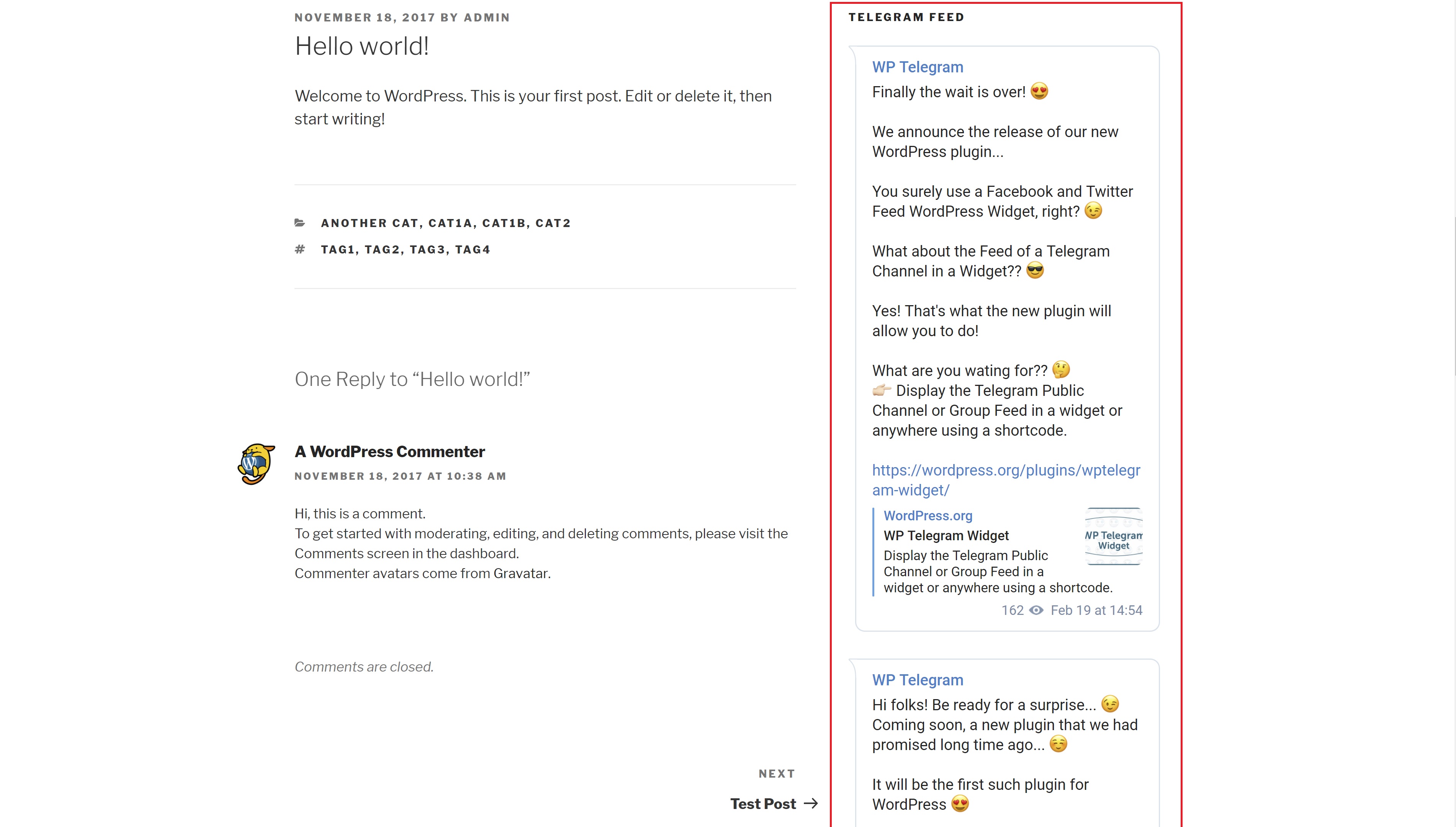

Display the Telegram Public Channel or Group Feed in a WordPress widget or anywhere you want using a simple shortcode.
Features
- Provides an ajax widget to display channel feed
- Ajax widget contains a Join Channel link
- A separate Join Channel Link/Button
- Pulls updates automatically from Telegram
- Uses a responsive widget to display the feed
- Fits anywhere you want it to be
- The received messages can be seen from /wp-admin
- Automatically removes deleted messages
- Can be displayed using a shortcode
- Available as a Gutengerg block
- Allows embedding of Telegram public channel messages
- Can be extended with custom code
Widget Info
Ajax Widget
Goto Appearance > Widgets and click/drag WP Telegram Ajax Widget and place it where you want it to be.
Alternately, you can use the below shortcode.
Inside page or post content:
[wptelegram-ajax-widget username="WPTelegram" width="100%" height="500px"]
Inside the theme templates
<?php
if ( function_exists( 'wptelegram_ajax_widget' ) ) {
    wptelegram_ajax_widget();
}
?>
or
<?php
    echo do_shortcode( '[wptelegram-ajax-widget width="98%" height="700px"]' );
?>
Legacy Widget
Goto Appearance > Widgets and click/drag WP Telegram Legacy Widget and place it where you want it to be.
Alternately, you can use the below shortcode.
Inside page or post content:
[wptelegram-widget num_messages="5" width="100%" author_photo="auto"]
Inside the theme templates
<?php
if ( function_exists( 'wptelegram_widget' ) ) {
    $args = array(
        // 'author_photo' => 'auto',
        // 'num_messages' => 5,
        // 'width'        => 100,
    );

    wptelegram_widget( $args );
}
?>
or
<?php
    echo do_shortcode( '[wptelegram-widget num_messages="5" width="100%" author_photo="always_show"]' );
?>
Join Link
Goto Appearance > Widgets and click/drag WP Telegram Join Channel and place it where you want it to be.
Alternately, you can use the below shortcode.
Inside page or post content:
[wptelegram-join-channel link="https://t.me/WPTelegram" text="Join @WPTelegram on Telegram"]
Inside the theme templates
<?php
if ( function_exists( 'wptelegram_join_channel' ) ) {
    $args = array(
        'link' => 'https://t.me/WPTelegram',
        'text' => 'Join @WPTelegram on Telegram',
    );
    wptelegram_join_channel( $args );
}
?>
or
Excellent Support
Join the Chat
We have a public group on Telegram to provide help setting up the plugin, discuss issues, features, translations etc. Join @WPTelegramChat
For rules, see the pinned message. No spam please.
Get in touch
- Website wpsocio.com
- Telegram @WPTelegram
- Facebook @WPTelegram
- Twitter @WPTelegram
Contribution
Development takes place in our Github monorepo, and all contributions welcome.