

WP Telegram Login & Register
v1.11.17WP Socio · 2018年4月16日 上架
Let your users login and register via Telegram, making it easier form them to get started on your website.
- 正在使用
- 800+
- 评分
- 4.9 / 5
- 累计下载
- 7.6 万
- 最近更新
- 2026年11月20日
贡献者
 WP Socio
 Irshad Ahmad
截图
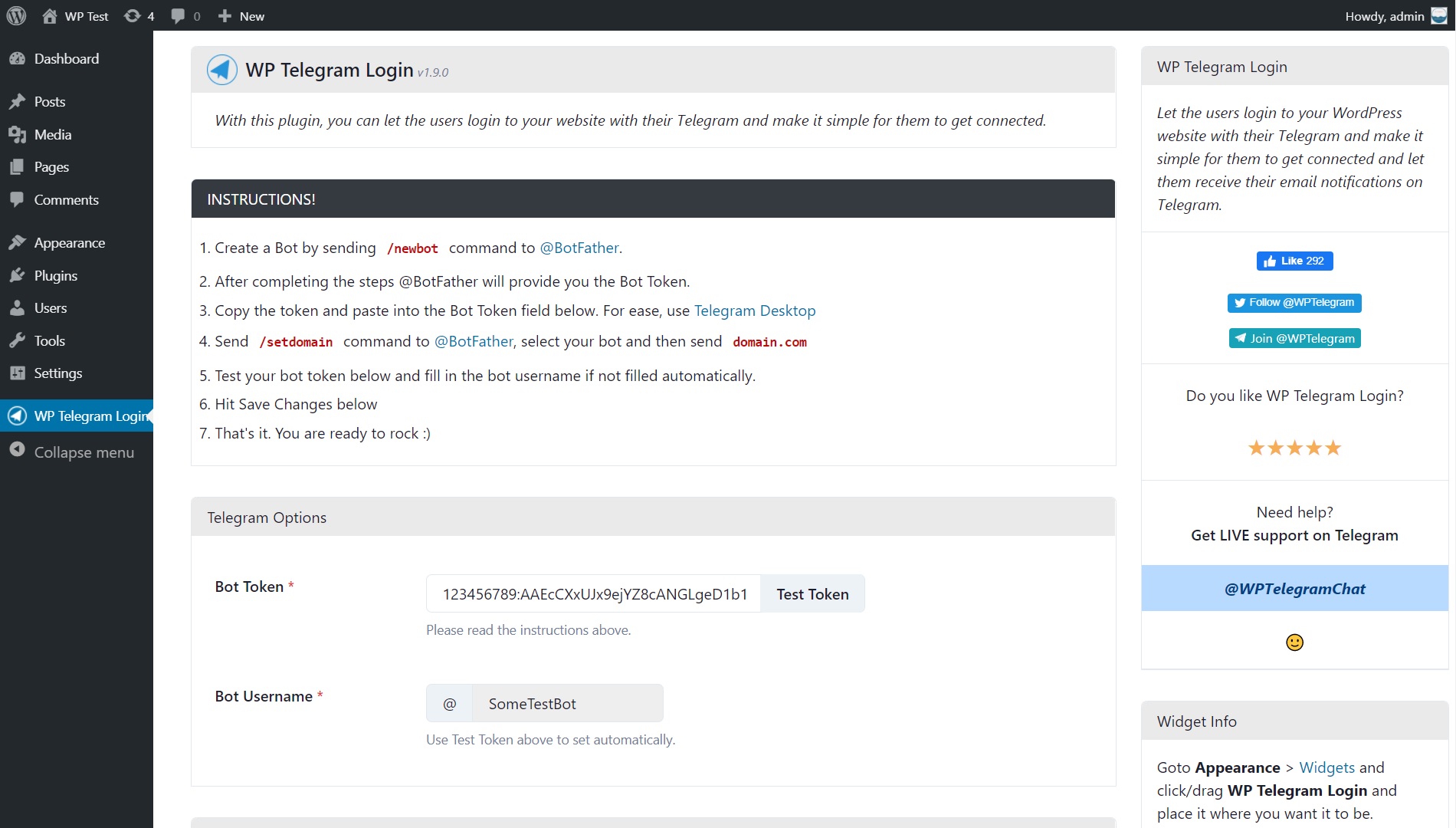
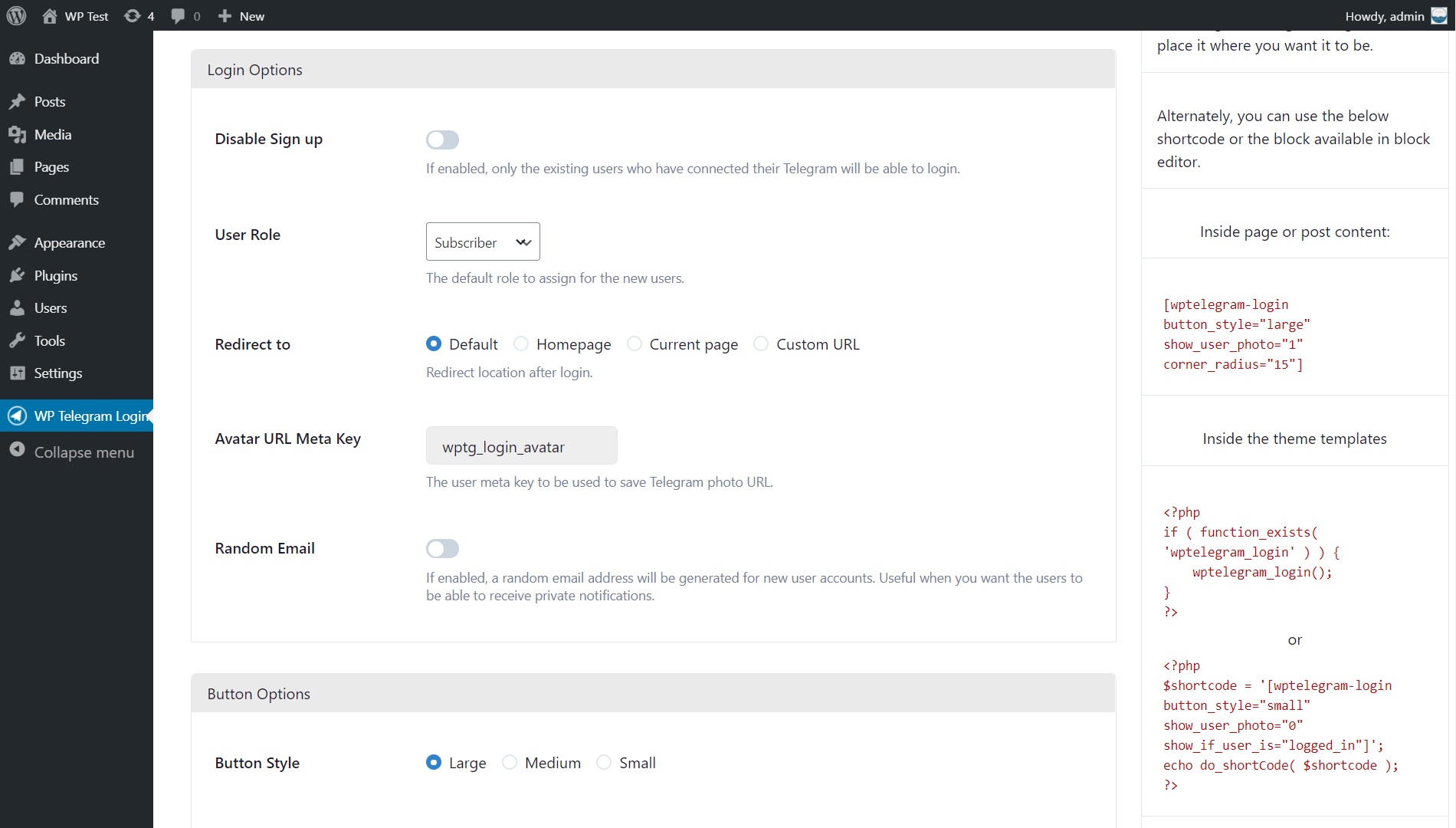

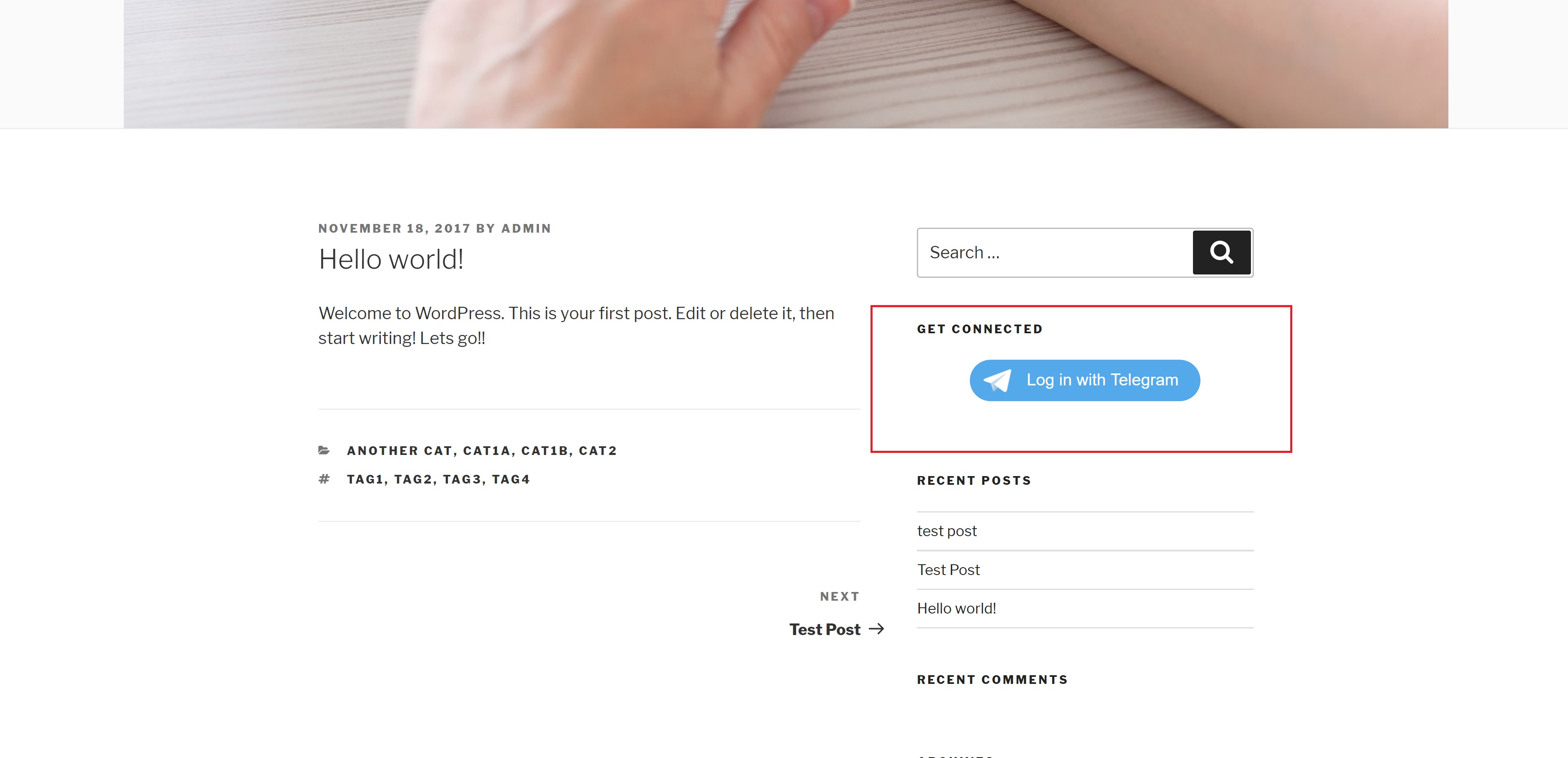

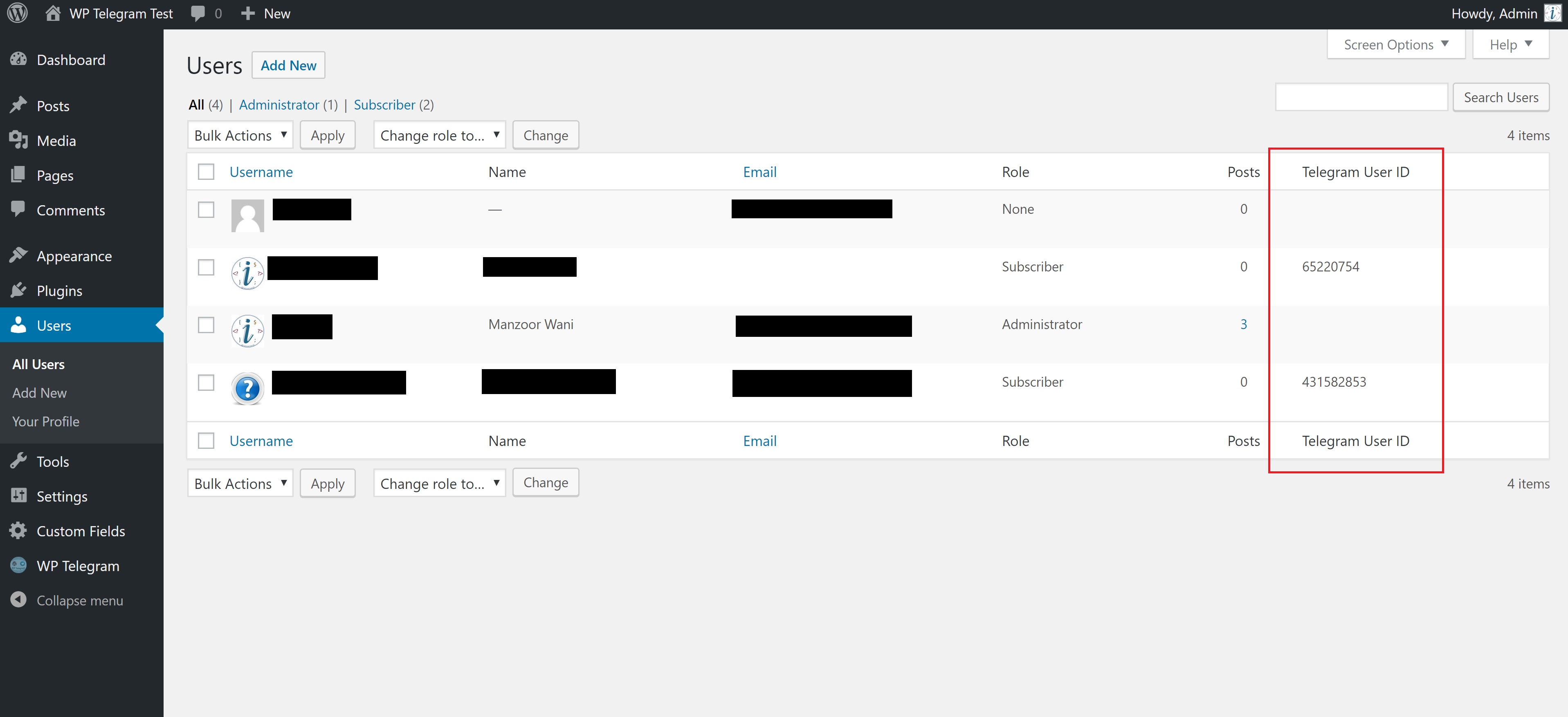
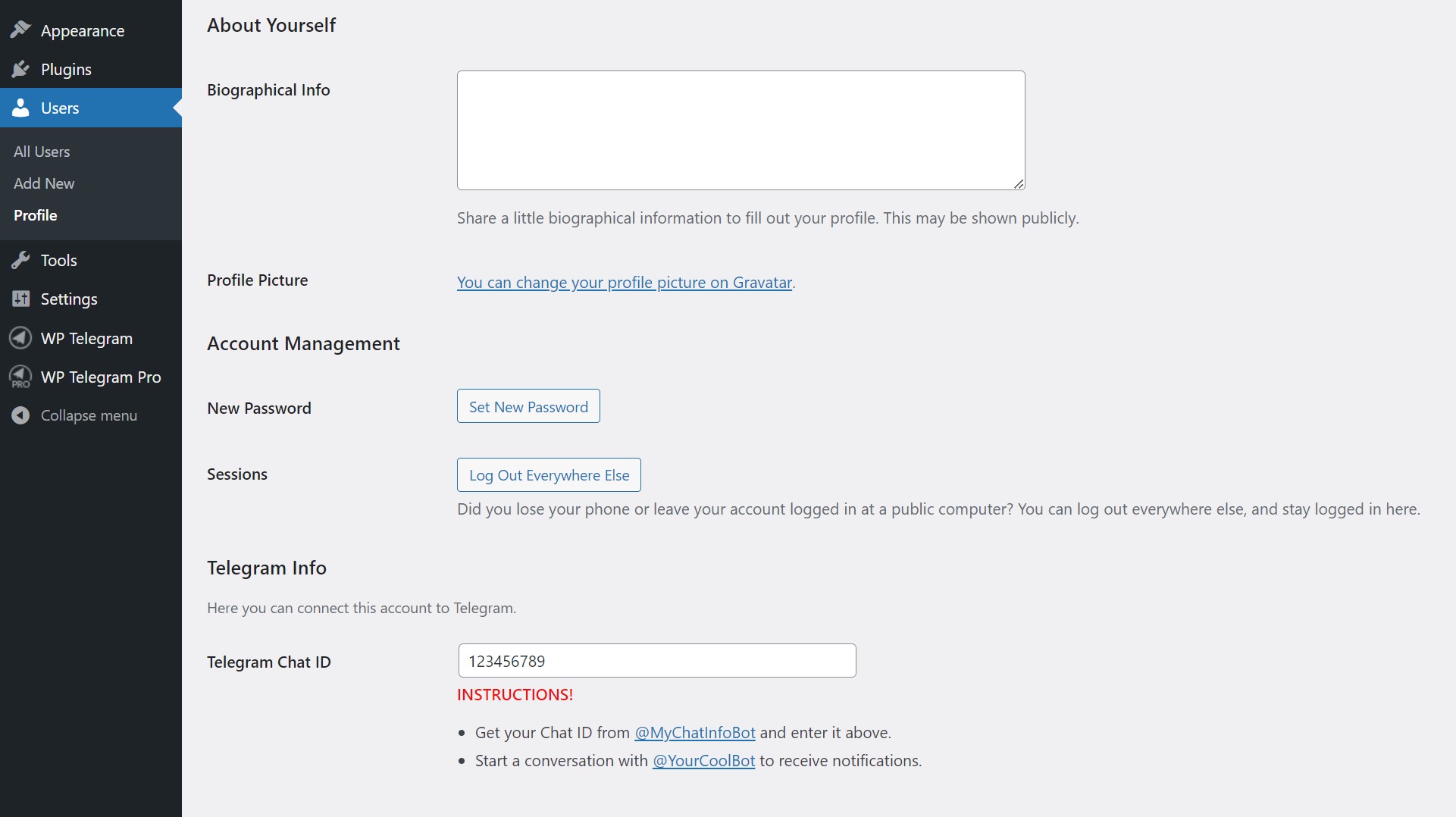
Let the users login to your website with their Telegram and make it simple for them to get connected and let them receive their email notifications on Telegram.
Why Telegram Login?
- Removes the lengthy registration forms
- Removes the need for captchas
- Removes the need for email verification
- No “forgot password?” stuff
- Provides enough information about the user
Features
- Safe, secure and easy login method
- Relies upon SHA-256 hashed data strings
- User data is trustworthy – verified by Telegram
- Can be used to prevent spam registrations
- Easy to install and set up for the admin
- Can be used to let new users sign up
- Existing users can connect their Telegram account
- Users can be given any desired role on the website
- Login button can be displayed anywhere
- Can be extended with custom code
Widget Info
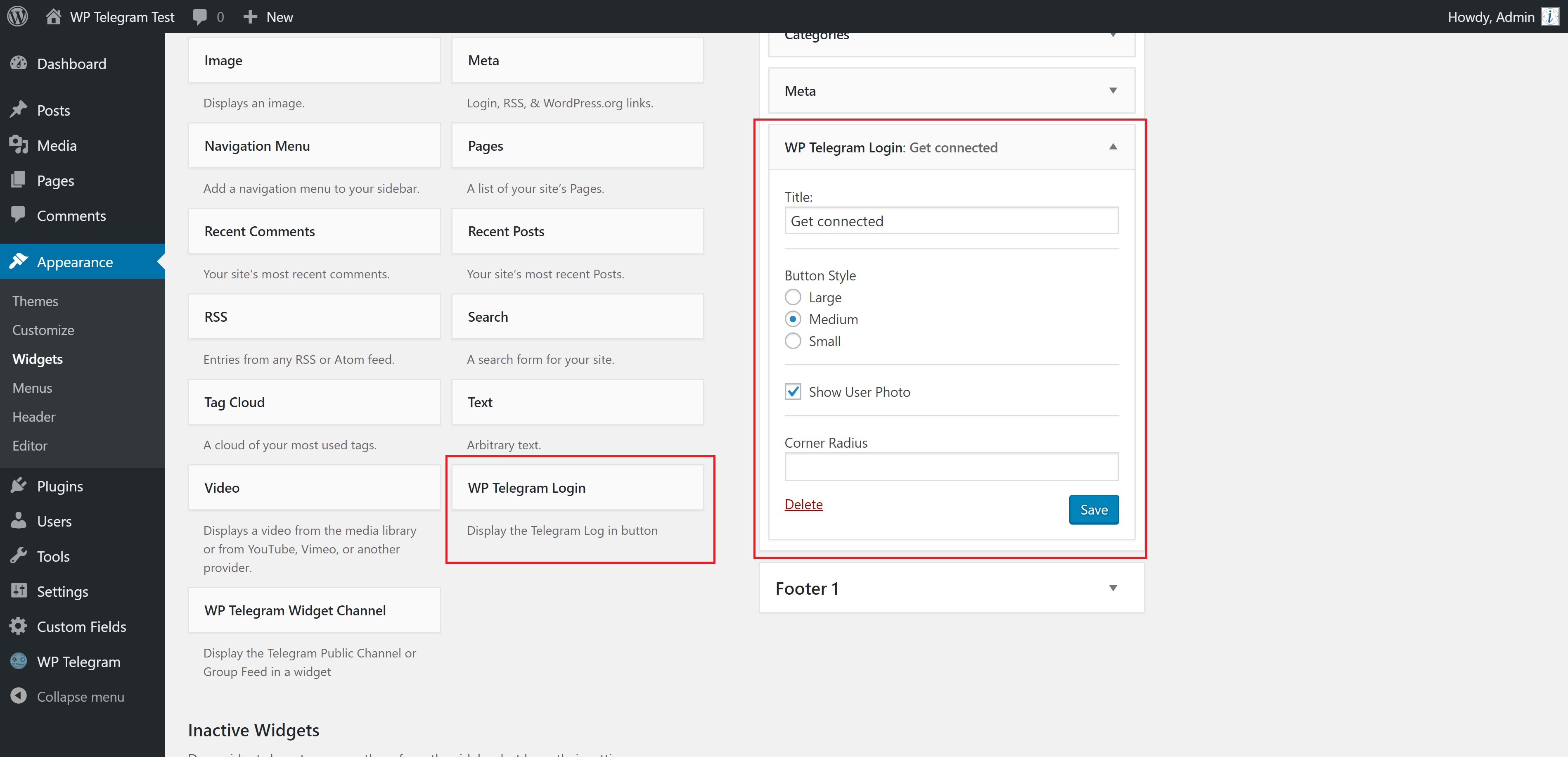
Goto Appearance > Widgets and click/drag WP Telegram Login and place it where you want it to be.
Alternatively, you can use the below shortcode.
Inside page or post content:
[wptelegram-login button_style="large" show_user_photo="1" corner_radius="15" show_if_user_is="logged_in"]
Inside the theme templates
<?php
if ( function_exists( 'wptelegram_login' ) ) {
    $args = array(
        // 'show_user_photo' => false,
        // 'corner_radius'   => 15,
        // 'button_style'    => 'large',
        // 'show_if_user_is' => 'logged_out',
    );

    wptelegram_login( $args );
}
?>
or
Telegram Web App data
The plugin can also handle the data sent by the Telegram Web App. Simply send window.Telegram.WebApp.initData query string to this URL:
http://<your-website.com>/?action=wptelegram_login&source=WebAppData
The final URL might look like this:
http://<your-website.com>/?action=wptelegram_login&source=WebAppData&query_id=XXXX&user=XXXX&auth_date=XXXX&hash=XXXX
The plugin will:
- Validate the data for you
- Create a user account for the user if it doesn’t exist
- Login the user to the website in the context of your Web App.
Note: You need to use the same bot token for both the plugin and the Web App.
Excellent Support
Join the Chat
We have a public group on Telegram to help set up the plugin and discuss issues, features, translations, etc. Join @WPTelegramChat
For rules, see the pinned message. No spam, please.
Get in touch
- Website wpsocio.com
- Telegram @WPTelegram
- Facebook @WPTelegram
- Twitter @WPTelegram
Contribution
Development takes place in our Github monorepo, and all contributions welcome.