

Backup and Staging by WP Time Capsule
v1.22.29revmakx · 2014年11月11日 上架
Backup and Staging by WP Time Capsule is an automated incremental backup plugin that backs up your website changes as per your schedule to Dropbox, Go …
- 正在使用
- 1 万+
- 评分
- 4.0 / 5
- 累计下载
- 154 万
- 最近更新
- 2026年10月23日
 Moh
 Amrit Anandh
 WPTimeCapsule
截图


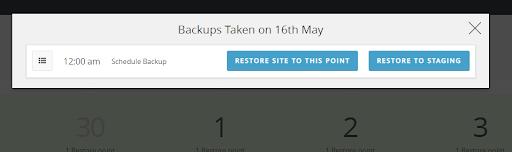
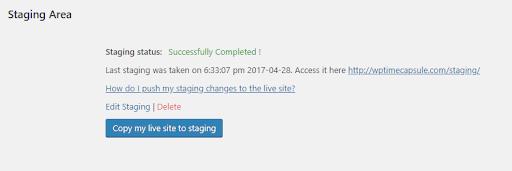
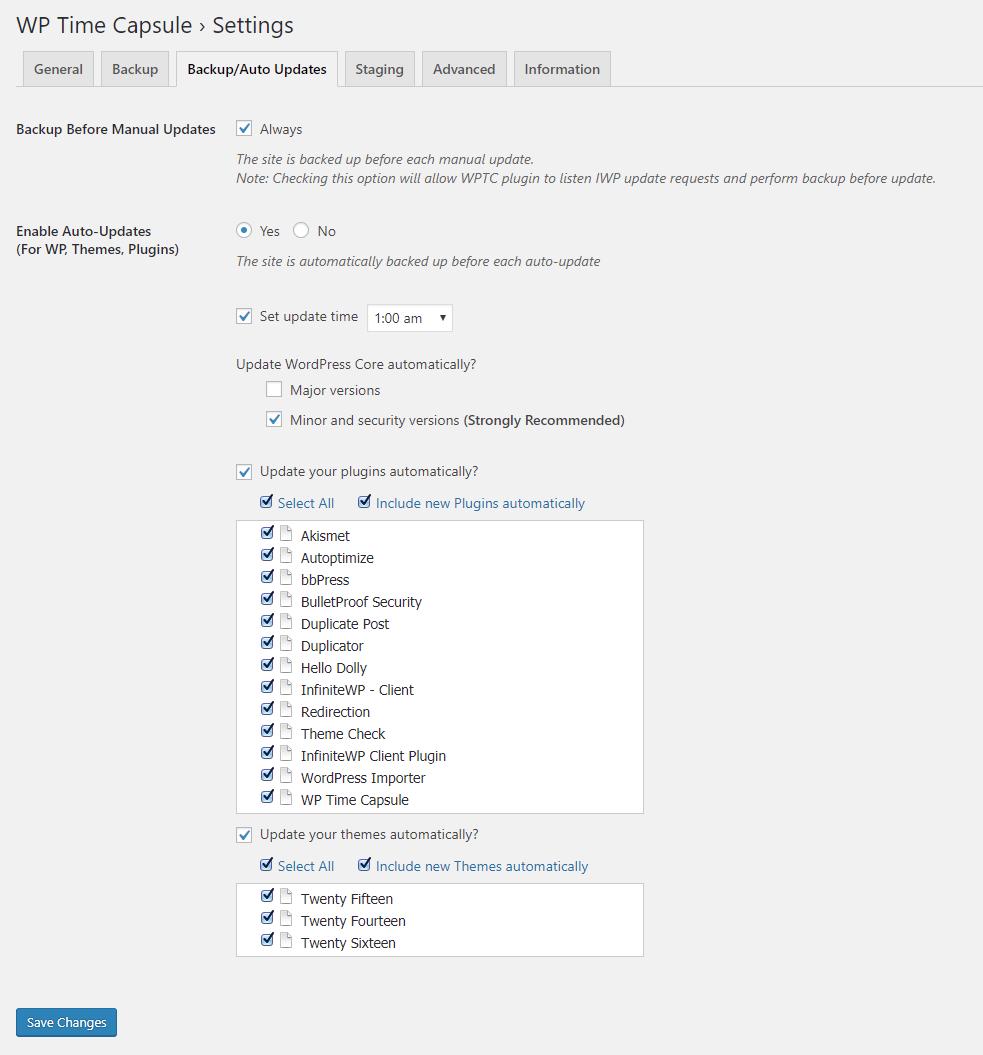

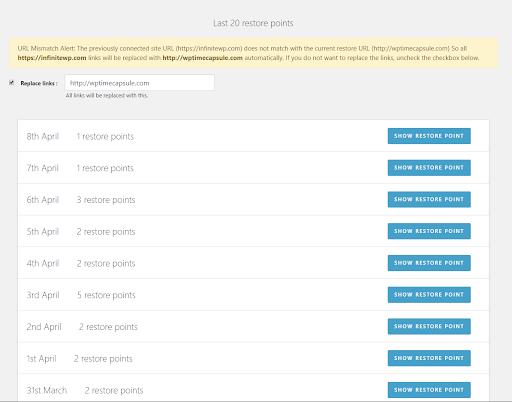
WP Time Capsule was created to ensure peace of mind with WP updates and put the fun back into WordPress. It uses the cloud apps’ native file versioning system to detect changes and backs up just the changed files and db entries to your account.
You need to sign up for an account on our website https://service.wptimecapsule.com to get a 30 days full featured trial.
With WP Time Capsule you can
Backup in real-time
You can backup your site in real-time which means you will now be able to revert your site to how it was just an hour ago. Also, you can change the backup interval to every 6 hours or 12 hours or daily.
Staging
With a single click staging it’s a breeze to test any change you are planning to do on your site. Test your updates on staging with a single click
Auto backup and update
We automatically backup before each update, if an update causes any undesired change. You are a click away from restoring.
Encrypted DB backups & GDPR Compatible
You can encrypt your DB backups to add an extra layer of security and makes your backup GDPR compatible.
Clone/Migrate
You can now use the WPTC backup to clone or migrate your site to a new location at ease.
How is WP Time Capsule different than other backup plugins?
WPTC is unique in 4 ways –
1. It backs up and restores only the changed files & DB and not the entire site every time.
2. The files & DB are stored in your cloud storage app – Amazon S3, Wasabi, Backblaze, Dropbox or Google Drive.
3. We have used the cloud apps’ native file versioning system to detect changes and maintain file versions. So backups and restores are as reliable as they get.
4. Most importantly, you can backup your site in real-time which means you will now be able to revert your site to how it was just an hour ago. Also, you can change the backup interval to every 6 hours or 12 hours or daily.
How does it work?
1. Sign up an account on our website https://wptimecapsule.com and you will get a 30 days full featured trial.
2. Install the plugin and login with your wptimecapsule.com account.
3. Next, connect the cloud app where you want to store the backup files. You can use Amazon S3, Wasabi, Dropbox or Google Drive.
4. Once you connect the cloud app, we will automatically begin backing up your complete website to your cloud app account.
After the first full backup is taken, you can schedule a time for WPTC to backup your websites. We will take care of your backups from here on.
This being done you will officially be disaster-ready. 🙂
Backup: Looks for files & DB changes since the last backup and uploads only the changes. The data is then stored securely in your cloud app account.
Restore: Checks revision history and displays the same. You can restore the site to any point in time or restore specific files & DB.
How is it better?
BACKUP METHOD
Traditionally – Backups are compressed and zipped. The Bad: Heavy server resource consumption.
WPTC – No zipping. Changed files are directly dropped into your cloud account. The Good: Uses considerably less server resources
BACKUP FILE
Traditionally – Multiple zip files are created every time you backup. The Bad: Precious storage space is wasted.
WPTC – Backs up incrementally. No multiple copies of files. The Good: Uses far less disk space
RESTORE
Traditionally – Unzip backup and restore the whole site. The Bad: Consumes time and server resource.
WPTC – Restores only selected files. The Good: Faster restore and you can restore even if you don’t have access to your site or plugin.
Check out our Knowledge Base
Visit us at wptimecapsule.com
Credits: Michael De Wildt for his WordPress Backup to Dropbox plugin based on which this plugin is being developed.