
WP Revisions Control
v1.4.4Erick Hitter · 2013年7月2日 上架
Control how many revisions are stored for each post type.
- 正在使用
- 4 万+
- 评分
- 4.7 / 5
- 累计下载
- 28 万
- 最近更新
- 2025年7月4日
贡献者
 Erick Hitter
截图
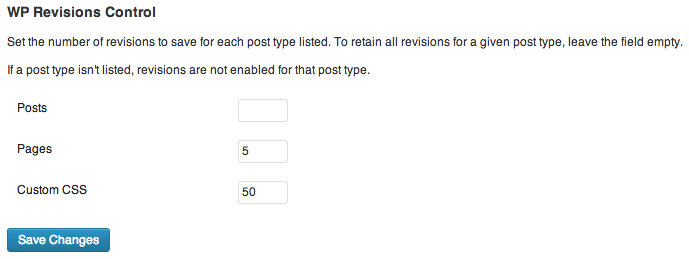

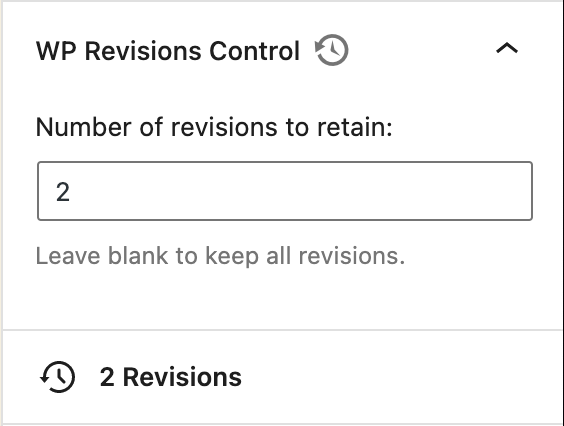
WordPress 3.6 allows users to control how many revisions are stored for each supported post type. No longer must you rely on the WP_POST_REVISIONS constant, which applied universally. This plugin provides an interface for this new functionality.
With this plugin enabled, simply visit Settings > Writing to specify the number of revisions retained for each post type.
Why is this helpful? Revisions are stored in the database, and if many are stored, can cause bloat. This bloat may lead to slower queries, which can have a noticeable performance impact. The value of these revisions also depends on what is being tracked. For example, I may want to store every revision of the posts I write, but only desire to keep the latest five versions of each page on my site. Starting in WordPress 3.6, this control is available. WordPress doesn’t provide a native interface to specify revisions quantities, so I wrote this quick plugin to do so.
Thanks to Maria Ramos at WebHostingHub, the plugin is also available in Spanish. Many thanks to her for her efforts!
Development is at https://git.ethitter.com/wp-plugins/wp-revisions-control.