
WP Login Attempts
v5.5Galaxy Weblinks · 2019年12月13日 上架
WP login attempts is a very lightweight plugin that lets you customize your WordPress admin login page easily and safely.
- 正在使用
- 200+
- 评分
- 4.0 / 5
- 累计下载
- 5,986
- 最近更新
- 2025年4月30日
贡献者
 Galaxy Weblinks
截图

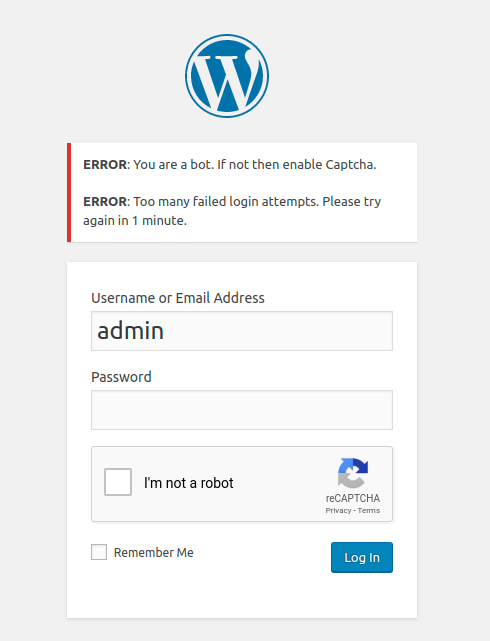


WP login attempts is a security plugin which can add Google reCAPTCHA to the WordPress login page, and protect the site from brute force attacks. Brute Force Attack tries usernames and passwords over and over again, until it gets in. WP Login Attempts limit rate of login attempts and blocks IP temporarily. It detects bots by captcha verification.
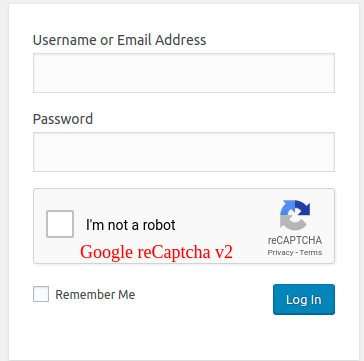
This plugin supports Google reCAPTCHA Version 2 and Version 3. Also, you can monitor failed login attempts and error logs.
WP login attempts plugin gives you the ability to change the URL of the login page to anything you want. This plugin restricts access to the wp-admin and wp-login.php page, so you can bookmark or remember the URL for future. Deactivating this plugin brings your site back exactly to the state it was before.
WP login attempts is a very lightweight plugin that lets you customize your WordPress admin login page easily and safely. This plugin allows you to change the background colour, background image, custom logo, logo Link, hide your password on the form and many more features through custom CSS.
Features
Allows the maximum number of attempts to the login page
Notify the user about remaining retries or lockout time on the login page
Monitor error Logs and email notifications
Disable the limit login feature without disabling the plugin
Google reCAPTCHA v2
Google reCAPTCHA v3
Hides wp-login.php, wp-admin directory and blocks access
Allows you to rename login URL
Custom Logo in the login form
Background Color and Background image on the login form page
Here’s a link to the documentation for the plugin. This will help you learn more about its features and how to use it.
Documentation
For any feedback or queries regarding this plugin, please contact our Support team.