

WP Image Borders
v2.02Ben Sibley · 2013年7月22日 上架
WP Image Borders makes it easy to add decorative image borders to pictures in your blog posts.
- 正在使用
- 2,000+
- 评分
- 4.2 / 5
- 累计下载
- 6.6 万
- 最近更新
- 2017年11月29日
贡献者
 Ben Sibley
截图
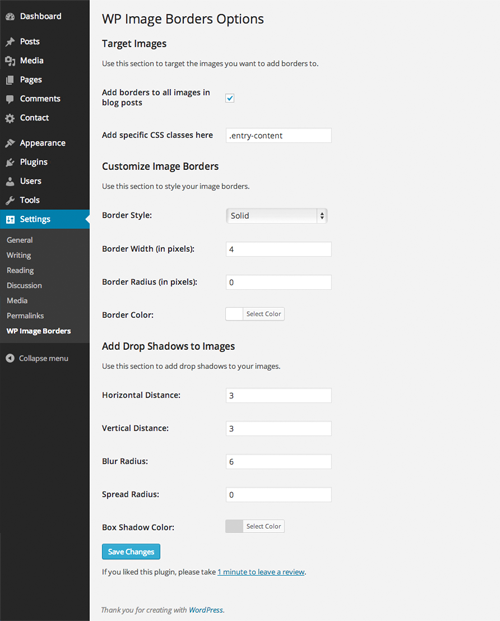
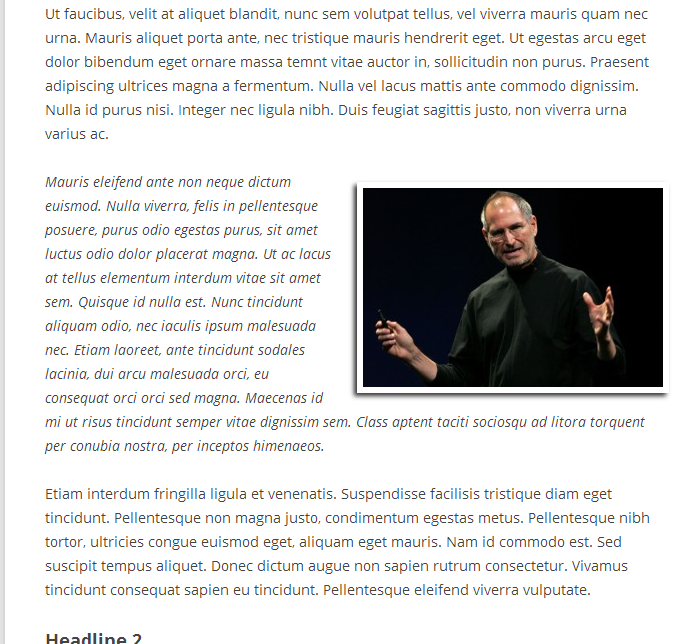
WP Image Borders makes it easy to:
- automatically add borders around images in posts
- selectively add borders around images in any part of your site
- change image border styles
- change image border colors
- change image border width
- add shadows to images in your posts
To add borders around images in your posts, simply check the checkbox in the settings titled “Add borders to all images in blog posts.” This will automatically add the borders you’ve created to all images in your blog posts.
To add borders around images in specific parts of your site, you can add a comma-delimited list of CSS classes of the image containers. You can use this to add borders to images in a certain part of your site, or in addition to adding borders to all images in your blog posts.
WP Image Borders comes with the following options for you to style your image borders with:
- 8 Border styles (solid, dotted, dashed, double, groove, ridge, inset, outset)
- Border width (in px)
- Border radius (in px)
- Border color (color picker)
- Drop shadows (distance, blur, spread, and color options)
Additionally, you can use this plugin to remove unwanted borders on images by leaving all border style options at their default values.