

WP Google Analytics Events – No-Code Custom Event Tracking for Google Analytics
v2.8.2yuvalo · 2013年6月5日 上架
Track Google Analytics Events on your website - Enables you to send an event when a user Scrolls or Click an element on your website.
- 正在使用
- 5,000+
- 评分
- 4.5 / 5
- 累计下载
- 34 万
- 最近更新
- 2024年4月2日
贡献者
 yuvalo
截图
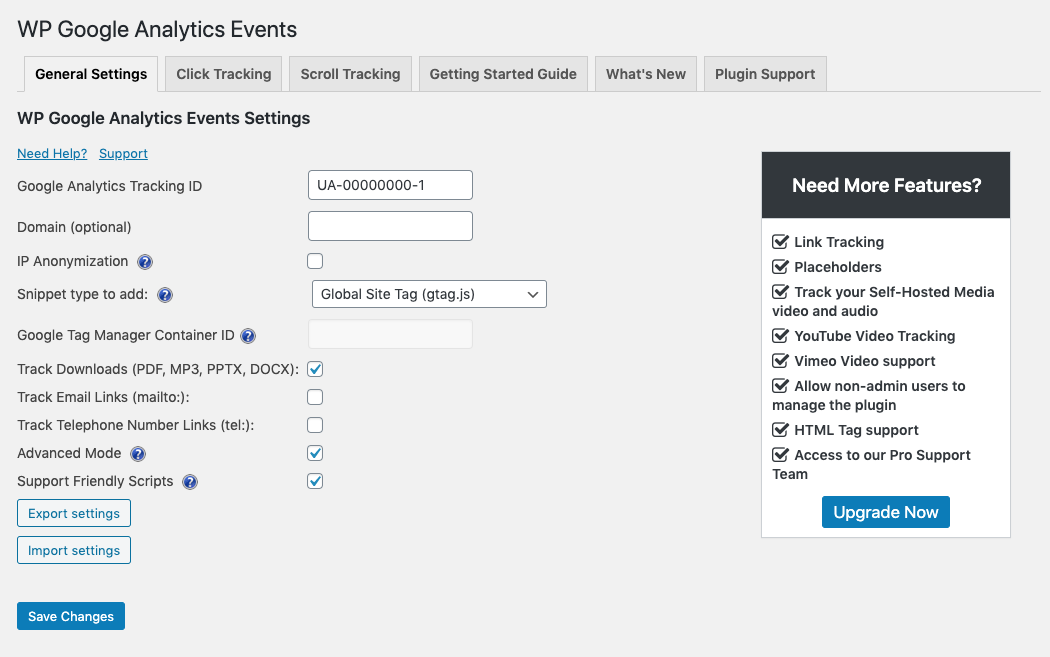


“Analytics is about tracking the metrics that are critical to your business” – Lean Analytics
Using Google Analytics GA4? Use our new plugin – Goal Tracker for Google Analytics GA4
⚠️ WP Google Analytics Events is not compatible with Google Analytics GA4.
Instead, You can use our new plugin for GA4 – Download Goal Tracker for Google Analytics GA4
With WP Google Analytics Events, you don’t have to write code to use Events in Google Analytics.
The plugin allows you to fire events whenever someone interacts or views elements on your website.
You can create a Google Analytics event when a visitor scrolls down and views your pricing table. Track video, banners, Call to Action buttons, email links, and more.
If you really want to know what people are doing on your website, the default options are limited when it comes to in-page tracking in Google Analytics.
Page tracking is not enough these days, and if you want to match measurable metrics for your KPIs, its necessary to use events.
Tracking events is usually done by writing JavaScript code, and that is not the WordPress way.
That’s why we created WP Google Analytics Events, so you don’t have to write elaborate code every time you want to learn something new about your visitors.
Become a Pro
WP Google Analytics Events Pro is the professional version of our plugin and adds more tracking capabilities:
- One-Click Link Tracking
- Placeholders to enrich your event data
- Track Self-Hosted Media audio and video
- YouTube and Vimeo support
- Plugin Management permissions for teams
- Access to our Pro support team
Check out the Pro version
Here are some of the things you can do with WP Google Analytics Events:
- Setting event-driven goals in Google Analytics
- Tracking in-page navigation
- Comparing call to action button performance
- Understanding what percentage of your visitors got to the end of an article
- Tracking contact form submissions
- Track Links
- We work along with Google Tag Manager and will allow you to do things it can’t do out of the box.