
WP Colorbox
v1.1.6Noor Alam · 2014年1月10日 上架
View image, video (YouTube, Vimeo), page, inline HTML, custom content in lightbox. Add jQuery Colorbox lightbox effect to your WordPress site.
- 正在使用
- 5,000+
- 评分
- 4.3 / 5
- 累计下载
- 16 万
- 最近更新
- 2025年8月16日
贡献者
 Noor Alam
截图
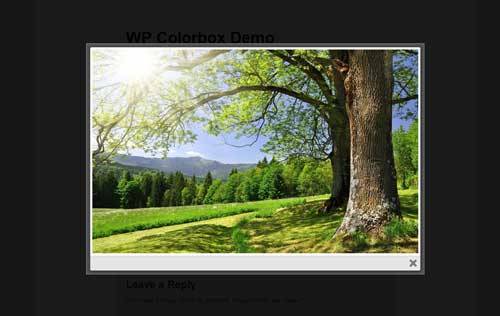


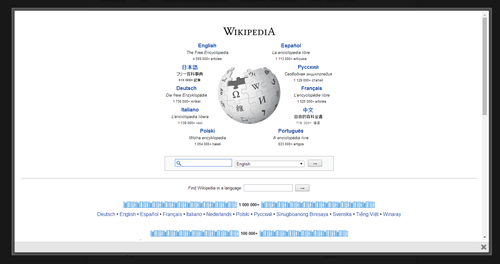
WP Colorbox plugin is a simple lightbox tool for WordPress. It allows users to pop up content in lightbox using the popular jQuery ColorBox library. They can also view the larger version of a particular media file without leaving the page.
Features
- Beautiful lightbox popup style
- Flexiblity of creating your own lightbox link
- Pop up custom/HTML content in lightbox
- Trigger lightbox from either a text/image link
- Add lightbox to a YouTube or Vimeo video link
- Enable lightbox functionality on your site which supports modern browsers
- Use a simple shortcode to pop up a media file in lightbox
- Apply lightbox effect on images inserted into WordPress post/page
- Open external page in lightbox using iframe
- Responsive lightbox popup which works on mobile devices. Also it fits perfectly on smaller screens.
How to Use WP Colorbox
Pop up image in lightbox
Create a new post/page and use the following shortcode to create a text/image link which will trigger lightbox once clicked:
[wp_colorbox_media url="https://example.com/wp-content/uploads/images/overlay.jpg" type="image" hyperlink="click here to pop up image"]
here, url is the link to the media file that you wish to open in lightbox and hyperlink is the anchor text/image.
[wp_colorbox_media url="https://example.com/wp-content/uploads/images/overlay.jpg" type="image" hyperlink="http://example.com/wp-content/uploads/images/thumb.jpg"]
Pop up YouTube video in lightbox
[wp_colorbox_media url="https://www.youtube.com/embed/nmp3Ra3Yj24" type="youtube" hyperlink="click here to pop up youtube video"]
Pop up Vimeo video in lightbox
[wp_colorbox_media url="https://www.youtube.com/embed/1284237" type="vimeo" hyperlink="click here to pop up vimeo video"]
Specify an Alternate Text for an Image
[wp_colorbox_media url="https://example.com/wp-content/uploads/images/overlay.jpg" title="overlay image" type="image" hyperlink="http://example.com/wp-content/uploads/images/thumb.jpg" alt="Thumbnail image description"]
Apply Custom CSS
You can specify your own CSS class in the shortcode to customize a text/image link.
[wp_colorbox_media url="https://www.youtube.com/embed/nmp3Ra3Yj24" type="youtube" hyperlink="click here to pop up youtube video" class="custom_class"]
Multiple CSS classes can be separated with a space. For example:
[wp_colorbox_media url="https://www.youtube.com/embed/nmp3Ra3Yj24" type="youtube" hyperlink="click here to pop up youtube video" class="custom_class custom_class2"]
For detailed documentation please visit the WordPress Colorbox plugin page