
WP Coder – Insert & Manage Code Snippets
v5.0.2Wow-Company · 2018年2月2日 上架
Add code snippets, header & footer scripts and custom HTML, CSS, JS & PHP — site-wide or by shortcode and block, no theme edits.
- 正在使用
- 1 万+
- 评分
- 4.9 / 5
- 累计下载
- 42 万
- 最近更新
- 2026年11月16日
32 条评价需要 WordPress 5.3+已测试到 7.1.5PHP 7.4+
贡献者
 Wow-Company
 DmtLo
截图


Tired of editing theme files to add custom scripts or styles?
WP Coder lets you insert custom HTML, CSS, JavaScript, and PHP snippets directly from your dashboard — no coding in theme files required. Gain full control and flexibility over your site.
Why WP Coder?
- Header & Footer Scripts: Add Google Analytics, Tag Manager, verification meta tags or any script to every page — in
<head>, right after<body>, before or after the post content, or before</body>. - Shortcodes & a Gutenberg Block: Place a snippet anywhere with
[wp_code id="X"](or by its title,[wp_code title="…"]) or the WP Coder block, with a live preview in the editor. - Reusable Snippets with Attributes: Define fields once — text, textarea, number, range, URL, image, color, date — and fill them per shortcode or block. Use them in your code as
{{name}}. - Images Done Right: An image attribute gives you its URL, alt text, size,
srcsetand a ready<img>tag with WordPress lazy loading and fetch priority applied. - 82 Ready-made Snippets: Turn on common tweaks for security, performance, the editor, media, comments and login with one switch — and find any of them with instant search.
- Safe by Design: Only administrators can add code. A PHP error in a snippet is caught and logged instead of breaking the page, a fatal one switches that snippet off automatically, and Safe Mode (
?wpcoder-safe-mode=1, for administrators) gets you back into the admin if Global PHP or an included PHP snippet ever locks you out.
Ideal For
- Developers: Test snippets, hooks and PHP quickly, with a code editor that feels like home.
- Marketers: Insert tracking pixels, analytics and ad scripts site-wide in a minute.
- Designers & Bloggers: Build reusable blocks, customize layouts and styles.
Key Features
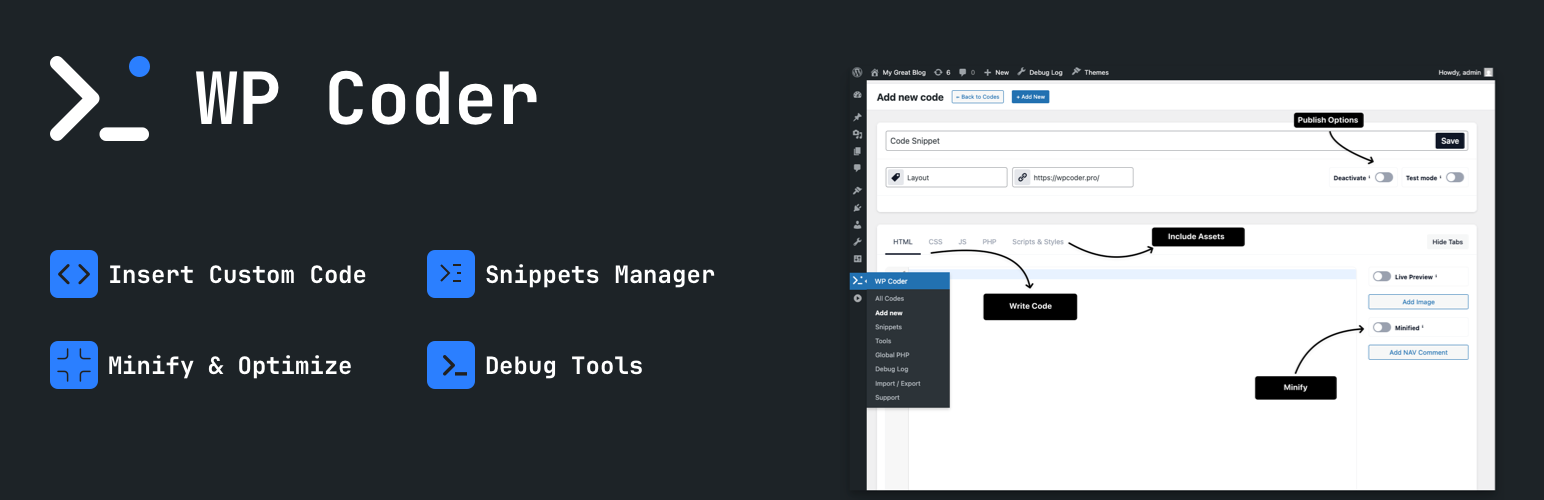
- Tabbed editor for HTML, CSS, JS and PHP with syntax highlighting, linting, autocomplete (
Ctrl+Space), auto-closing tags and brackets, code folding, find & replace, go to line, full screen andCtrl/Cmd+Sto save — and a warning before you leave with unsaved code. - Live Preview: See your HTML and CSS rendered as you type, right next to the editor. Load a CSS file for the preview only, if you need one.
- Smart PHP handling: run in admin, front end, everywhere, or only where the snippet is placed.
- PHP variables in HTML: set
$yearin the PHP tab and print it in the HTML as{{year}}(with Include PHP on “Run where inserted”, the default). - CSS and JS output inline or as a separate file, with
defer/asyncand an optional jQuery dependency. - Include external libraries (Google Fonts, CDN scripts & styles) with
async/defer. - Minify HTML, CSS and JS, or obfuscate JavaScript.
- Test Mode: Preview snippets as an administrator before visitors see them.
- Organize: Several tags per snippet, pin the ones you use most, add a private note and a reference link, duplicate a snippet, search by title or ID, filter by tag and bulk-edit the list.
- Import/Export snippets (all, selected or by tag) and your Snippets & Tools settings between sites.
- Customizable Interface: Hide unused editor tabs and add NAV comments to jump around long code.
- Lightweight — pages that do not use a snippet get no extra CSS or JavaScript.
Included Tools
Integrations
- Google Tag Manager (GTM) integration with user role controls.
- Google Analytics, Facebook Pixel, and Pinterest Pixel integration.
- Google AdSense integration with the option to disable ads for selected user roles.
Content & Templates
- Markdown Editor – Disables Gutenberg and TinyMCE, replacing them with a Markdown editor powered by CodeMirror.
Developer Tools
- Debug Log – Turn PHP error logging to
wp-content/debug.logon or off, read and clear the log, with an Admin Bar link while it has entries. - Show Page Debug Info – A Dev Info menu in the Admin Bar: template and its path, query type, database queries and the slowest ones, memory and render time, loaded scripts and styles, body classes, WordPress and server environment. Admins only.
- Theme Switcher – Quickly switch between installed themes directly from the admin bar.
Included Snippets (82)
Editor & Content
- Remove Gutenberg Block CSS
- Add Page Slug to Body Class
- Disable Widget Blocks
- Enable Shortcode Execution in Text Widgets
- Enable Excerpt for Pages
- Open External Links in New Tab
- Disable Block Patterns
- Unsynced Patterns by Default
- Change “Read More” Text for Excerpts
- Custom Excerpt Length by Post Type
- Change Autosave Interval
- Custom Editor Styles
- Disable Gutenberg Editor
Admin Interface
- Disable “Screen Options” Tab
- Disable Welcome Panel
- Duplicate Posts & Pages
- Enable Search by ID
- Show ID Column
- Show Featured Image Column
- Show Last Modified Column
- Collapse Admin Notices
- Disable The WP Admin Bar
Login & Users
- Disable Login Page Language Switcher
- Disable Login by Email
- Disable Admin Password Reset Emails
- Change Logo on Login Page
- Change URL for Logo on Login Page
- Change Redirect After Login
- Change Redirect After Logout
- Change “Remember Me” Duration
Media & Embeds
- Allow SVG Uploads
- Disable Big Image Scaling
- Disable Unused Image Sizes
- Auto Alt Text from Filename
- Default Image Link to None
- Enable Lowercase Filenames for Uploads
- Add Alt Text to Avatars
- Add Featured Image to RSS Feeds
- Disable Embeds
- Limit Maximum Upload Size
- Change oEmbed Max Width and Height
Comments & Feedback
- Disable Comments
- Remove Website URL Field
- Disable Self Pingbacks
- Disable Trackbacks & Pingbacks
- Disable HTML in Comments
- Limit Comment Length
Security
- Disable XML-RPC
- Disable Theme & Plugin File Editing
- Disable Plugin & Theme Installation
- Disable Author Archives
- Email on Administrator Login
- Disable User Enumeration
- Add Security Headers
- Disable Application Passwords
- Hide Login Error Details
- Remove WordPress Version Number
- Limit Login Attempts
- Disable WordPress REST API
Performance
- Load Block CSS Only When Used
- Remove Global Styles & SVG Filters
- Disable Gravatar
- Remove Query Strings from Assets
- Disable Heartbeat on Front End
- Remove jQuery Migrate
- Disable Dashicons on Front End
- Disable Emojis
- Remove Shortlink Tag
- Remove Windows Live Writer Tag
- Remove RSD Link & X-Pingback
- Resource Hints
- Image Lazy Loading (force or disable)
Core & System
- Disable Automatic Updates
- Disable Automatic Update Emails
- Disable Admin Email Verification
- Disable Automatic Trash Emptying
- Disable Search
- Disable RSS Feeds
- Disable Attachment Pages
- Redirect 404 to Homepage
- Custom Mail From Name & Address
- Limit Post Revisions
WP Coder Pro
Everything above stays free. WP Coder Pro adds:
- Conditions: show a snippet only on chosen posts, pages, post types and archives, for chosen user roles, devices, browsers and languages, or on a schedule.
- More attribute types: rich text, toggle, select, repeater, gradient, post and term pickers, icons and an image with preload, with labels, help text and live preview in the block.
- QuickCode and Loop Logic: live site data such as
{{post.title}}or{{user.name}}, and<If>/<Loop>blocks in snippet HTML. - Snippet management: revision history, Search & Replace across all snippets, filters by status and mode, and an edit lock.
- Faster pages: combined CSS/JS files, jQuery only when needed, dequeue unused files.
- More tools: WP Coder Debug Bar, Test Users, Plugin Switcher, Cron viewer, page templates, menus and sidebars, Maintenance Mode, Global Variables, login page CSS & JS, breadcrumbs, icon library and an AI Assistant.
WP Coder simplifies your WordPress development workflow and makes customization safe, fast, and flexible!
Quick Start Video
Plugin Demo
Support
Need help? Ask questions and get quick answers in our support center.