

WP Bulk Delete
v1.4.5Xylus Themes · 2016年10月24日 上架
Delete posts, pages, comments, users, taxonomy terms and meta fields in bulk with different powerful filters and conditions.
- 正在使用
- 9 万+
- 评分
- 4.6 / 5
- 累计下载
- 165 万
- 最近更新
- 2026年11月16日
131 条评价需要 WordPress 4.9+已测试到 7.1.5PHP 5.3+
 Xylus Themes
 Dharmesh Patel
 Rajat Patel
截图
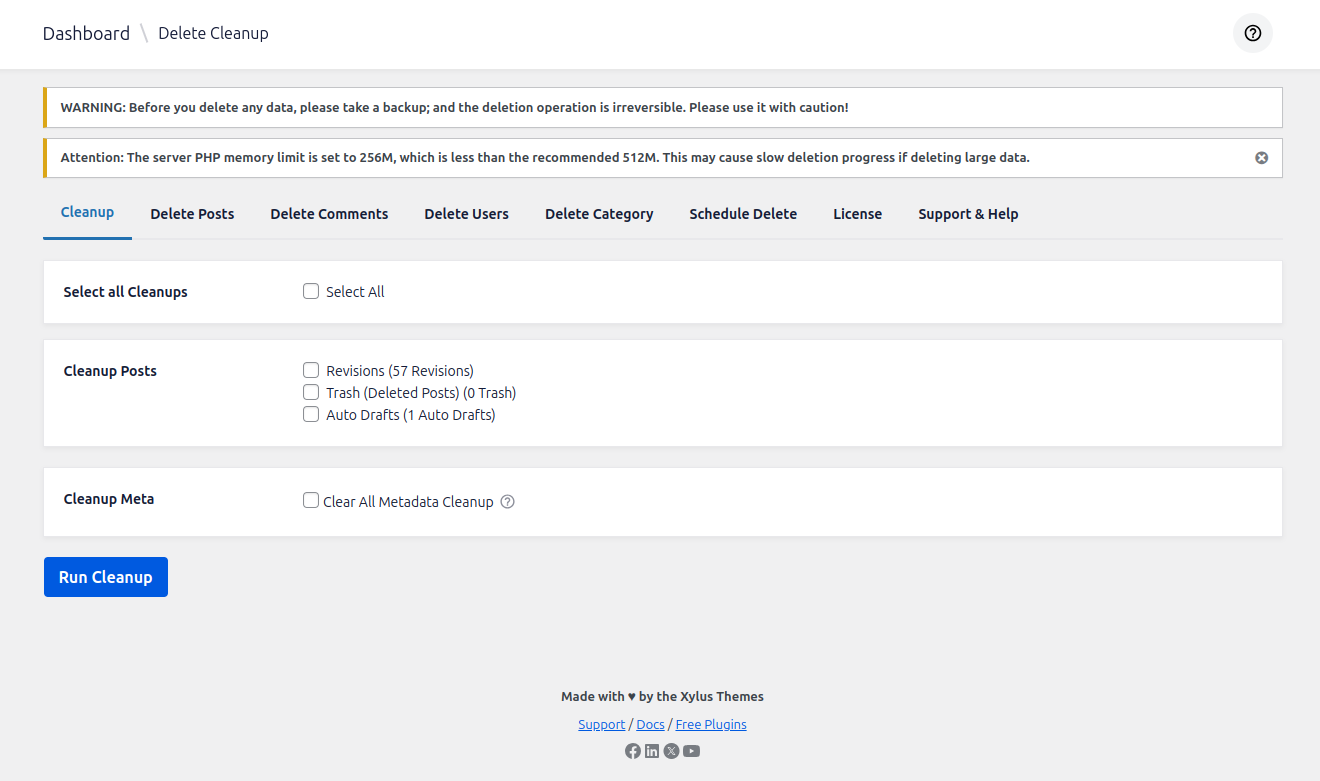
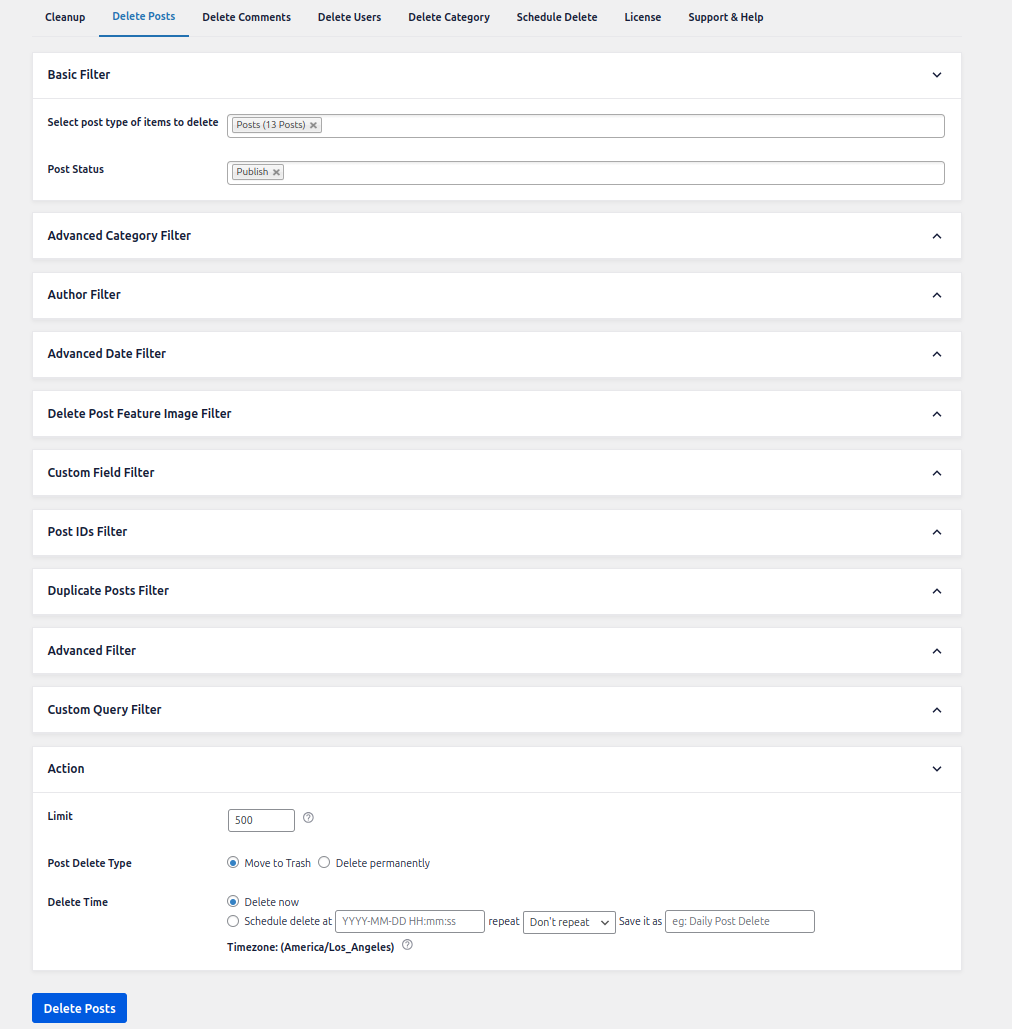
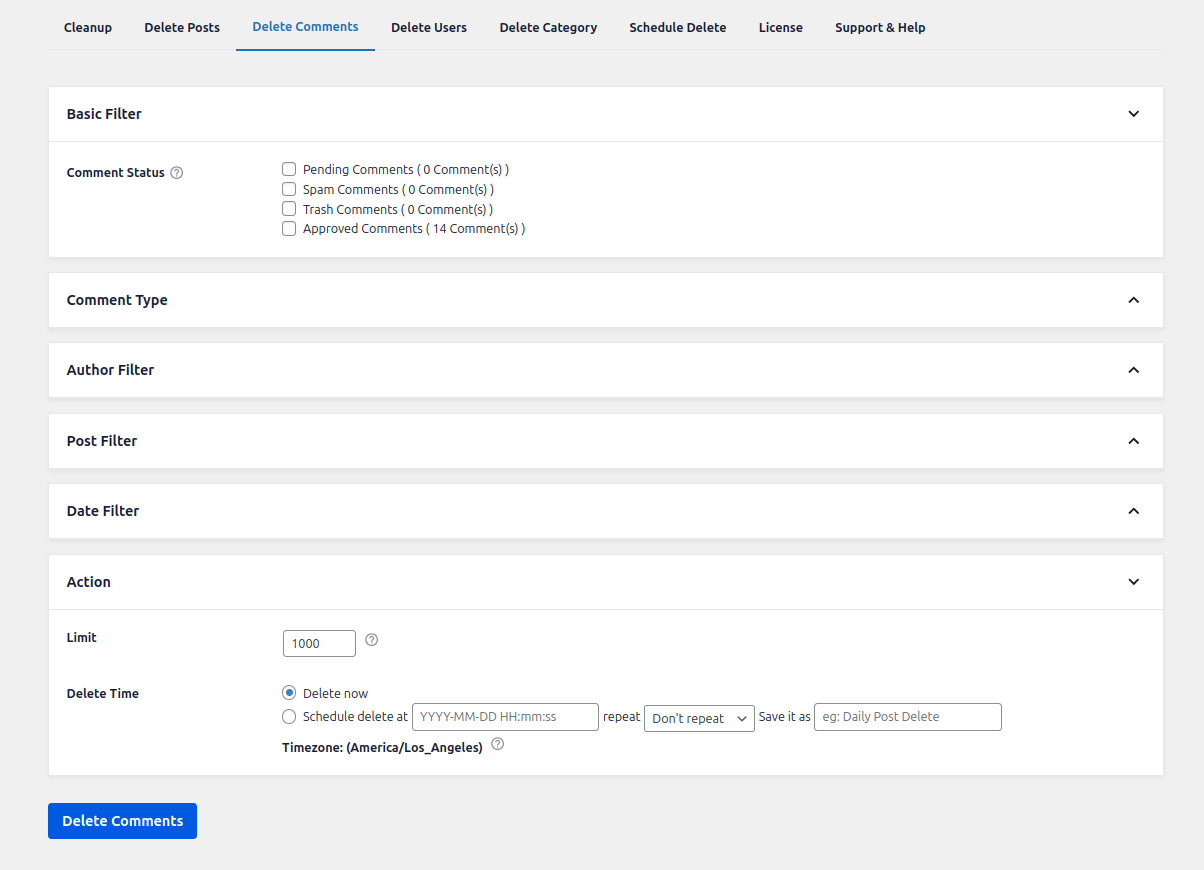
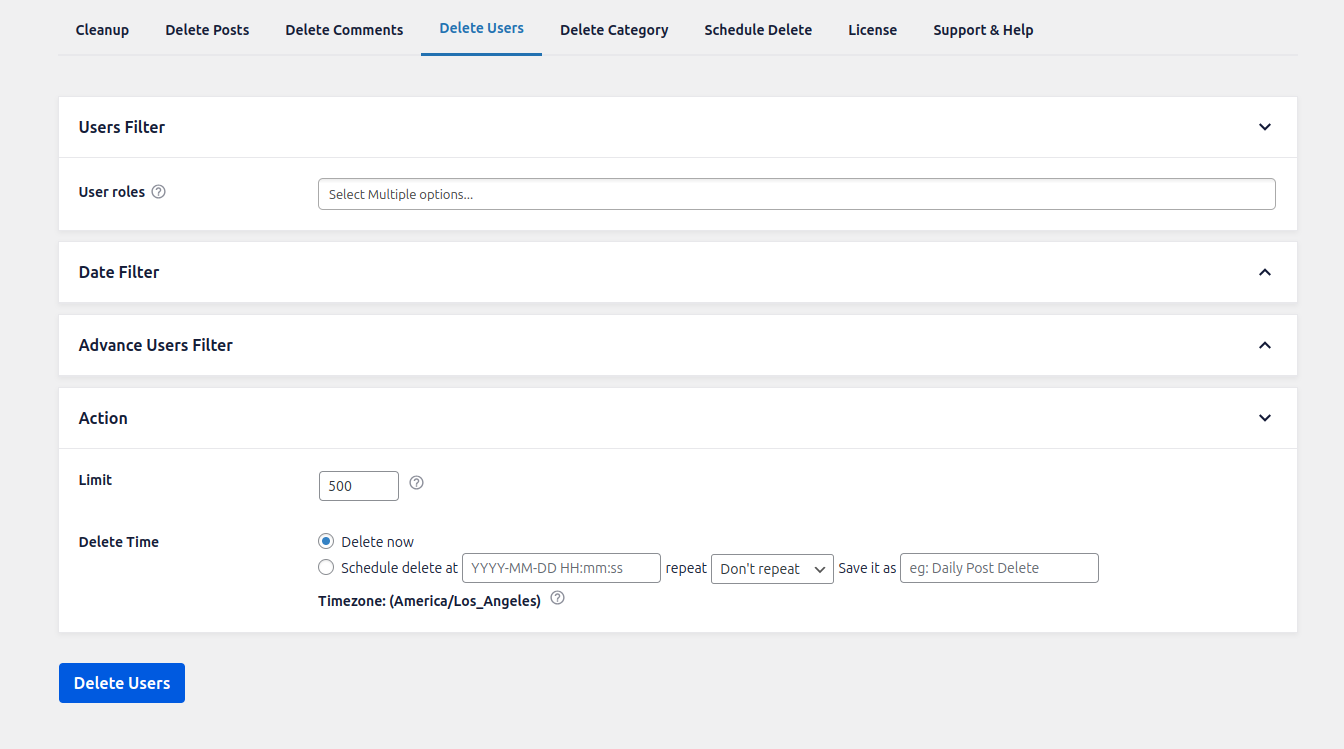
WP Bulk Delete is a powerful WordPress plugin designed to help you delete posts, pages, comments, users, taxonomy terms, and meta fields in bulk with flexible filters and conditions. It helps in managing unnecessary data, improving website performance, and reducing database load.
posts delete, delete all, mass delete, delete posts, delete comments, delete users, delete meta, delete taxonomy, delete revision, wp clean, clean trash, bulk user delete, clean spam, delete with condition, delete with filter, remove
🔒 Powerful Features
⚡ Background Deletion
- ✅ Delete in Background with live progress tracking (percentages, processed items, remaining items).
- ✅ Non-blocking AJAX batch processing prevents browser timeouts and server memory limit issues on large websites.
- ✅ Cancel button to safely stop the deletion process at any time.
💾 Export Before Deletion [PRO Version](https://xylusthemes.com/plugins/wp-bulk-delete/)
- ✅ Export filtered records to CSV or XML before deleting for safe backup.
- ✅ Live batch export progress indicator with automatic download.
- ✅ Supports Posts, Comments, Users, and WooCommerce data (Products, Orders, Customers).
💻 Database Cleanup
- ✅ Delete Auto Drafts, Trash Posts, and Revisions
- ✅ Advanced Cleanup: Clean up revisions, auto-drafts, and trash for specific separate post types (e.g., custom post types) PRO Version.
- ✅ Delete Orphaned and Duplicate Meta:
- 🗃️ Post Meta:
- Orphan Post Meta
- Duplicate Post Meta
- 💬 Comment Meta:
- Orphan Comment Meta
- Duplicate Comment Meta
- 👥 User Meta:
- Orphan User Meta
- Duplicate User Meta
- 🔖 Term Meta:
- Orphan Term Meta
- Duplicate Term Meta
- 🗃️ Post Meta:
📂 Deleting Posts
- ✅ Delete Posts by Post Type.
- ✅ Delete Posts by Status.
- ✅ Delete Posts by Category.
- ✅ Delete Posts by Tag.
- ✅ Delete Posts by Authors.
- ✅ Delete Posts by Post Registered Date.
- ✅ Delete Posts by Post Modified Date.
- ✅ Delete Images Along with Posts PRO Version.
- ✅ Delete Posts by Meta Fields PRO Version.
- ✅ Delete Posts by Ids. PRO Version.
- ✅ Delete Posts by Duplicate Post. PRO Version.
- ✅ Delete Posts by Title Contains PRO Version.
- ✅ Delete Posts by Content Contains PRO Version.
- ✅ Delete Posts by Post Link. PRO Version.
- ✅ Delete Posts by Content Character Count PRO Version.
- ✅ Delete Posts by Content Word Count PRO Version.
- ✅ Delete Posts by Custom Query.
- ✅ Delete Posts in Background with real-time progress bar.
- ✅ Export Posts to CSV or XML before deletion PRO Version.
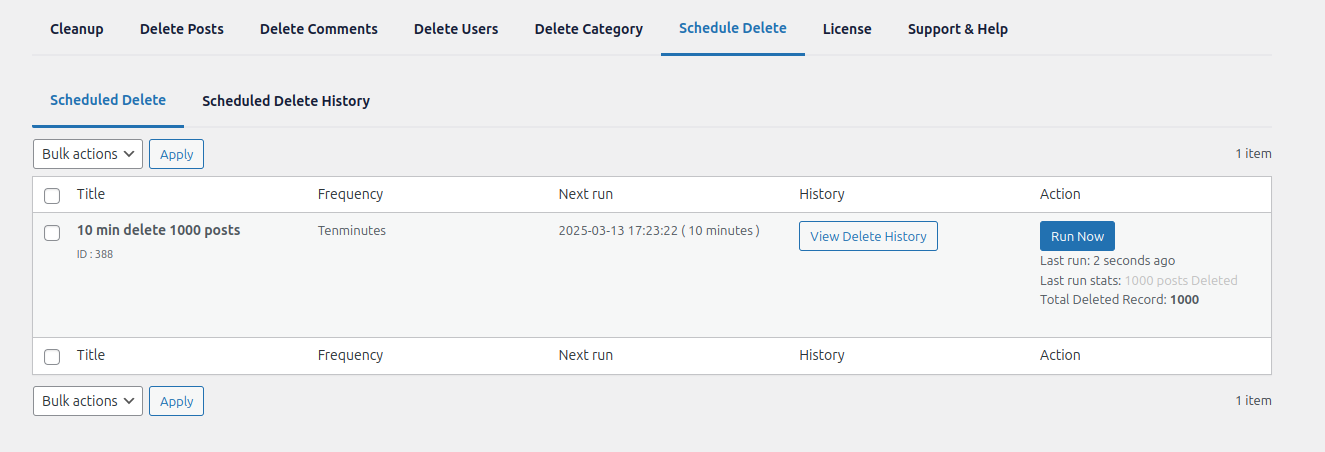
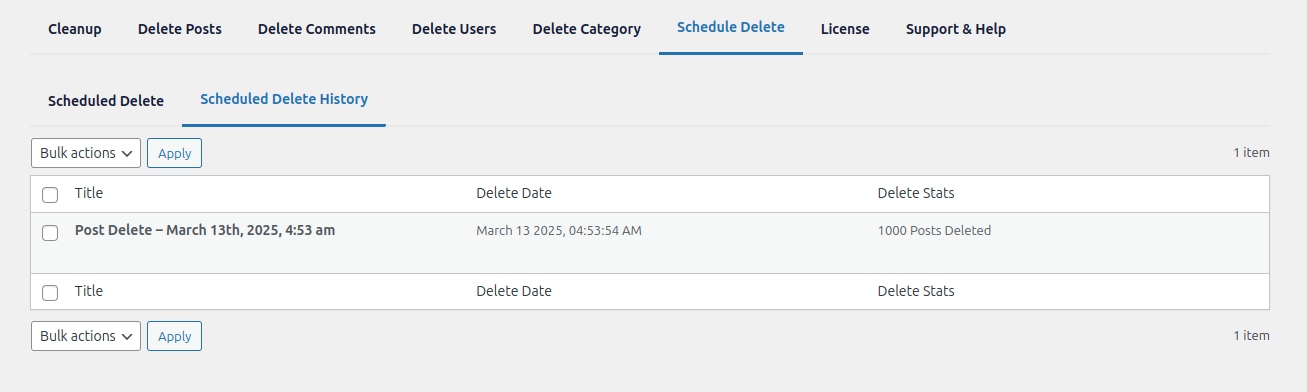
- ✅ Schedule Post Deletion PRO Version.
📝 Deleting Comments
- ✅ Delete Comments by Status.
- ✅ Delete Comments by Types. PRO Version.
- ✅ Delete Comments by Authors. PRO Version.
- ✅ Delete Comments by Authors Email. PRO Version.
- ✅ Delete Comments by Meta Fields PRO Version.
- ✅ Delete Comments by Post. PRO Version.
- ✅ Delete Comments by Registration Date.
- ✅ Schedule automatic comment deletion PRO Version.
👤 Deleting Users
- ✅ Delete Users by Roles.
- ✅ Delete Users by Registration Date.
- ✅ Assign deleted user data to another user PRO Version.
- ✅ Delete Users by User Meta. PRO Version.
- ✅ Delete Users by Email. PRO Version.
- ✅ Delete Users by Display Name. PRO Version.
- ✅ Delete Users by Nicename. PRO Version.
- ✅ Delete Users by Login. PRO Version.
- ✅ Delete Users in Background with real-time progress bar.
- ✅ Export Users to CSV or XML before deletion PRO Version.
- ✅ Schedule automatic user deletion PRO Version.
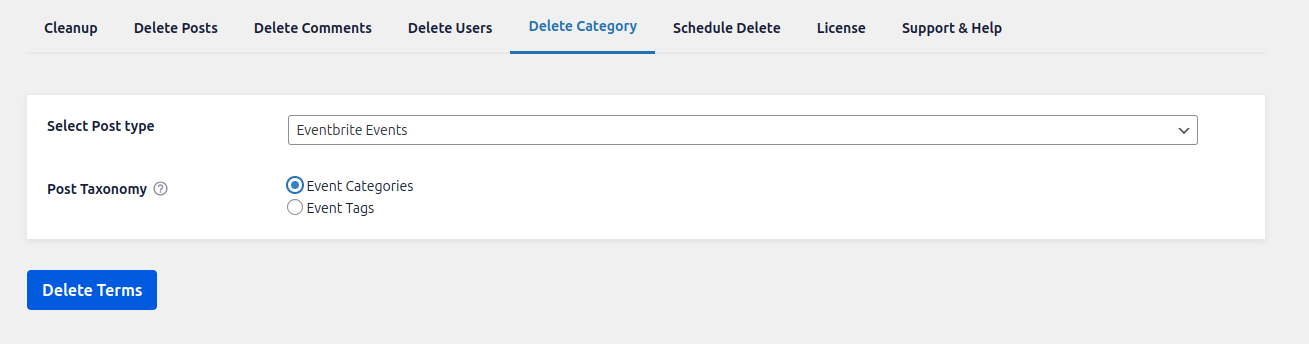
🗃️ Deleting Categories and Tags
- ✅ Delete Entire Categories or Tags for Any Post Type
- ✅ Select the post type (Posts, Pages, or Custom Post Types)
- Choose the taxonomy:
- ➡️ Categories
- ➡️ Tags
- Delete all terms in bulk with a single click
- Choose the taxonomy:
🛒 WooCommerce (PRO Version)
- ✅ Streamlined tab layout and menu navigation for Orders, Products, Users, and General filters.
- ✅ Export WooCommerce data (Orders, Products, Customers) to CSV or XML before deletion.
- ✅ Delete in Background with live progress tracking for high-volume stores.
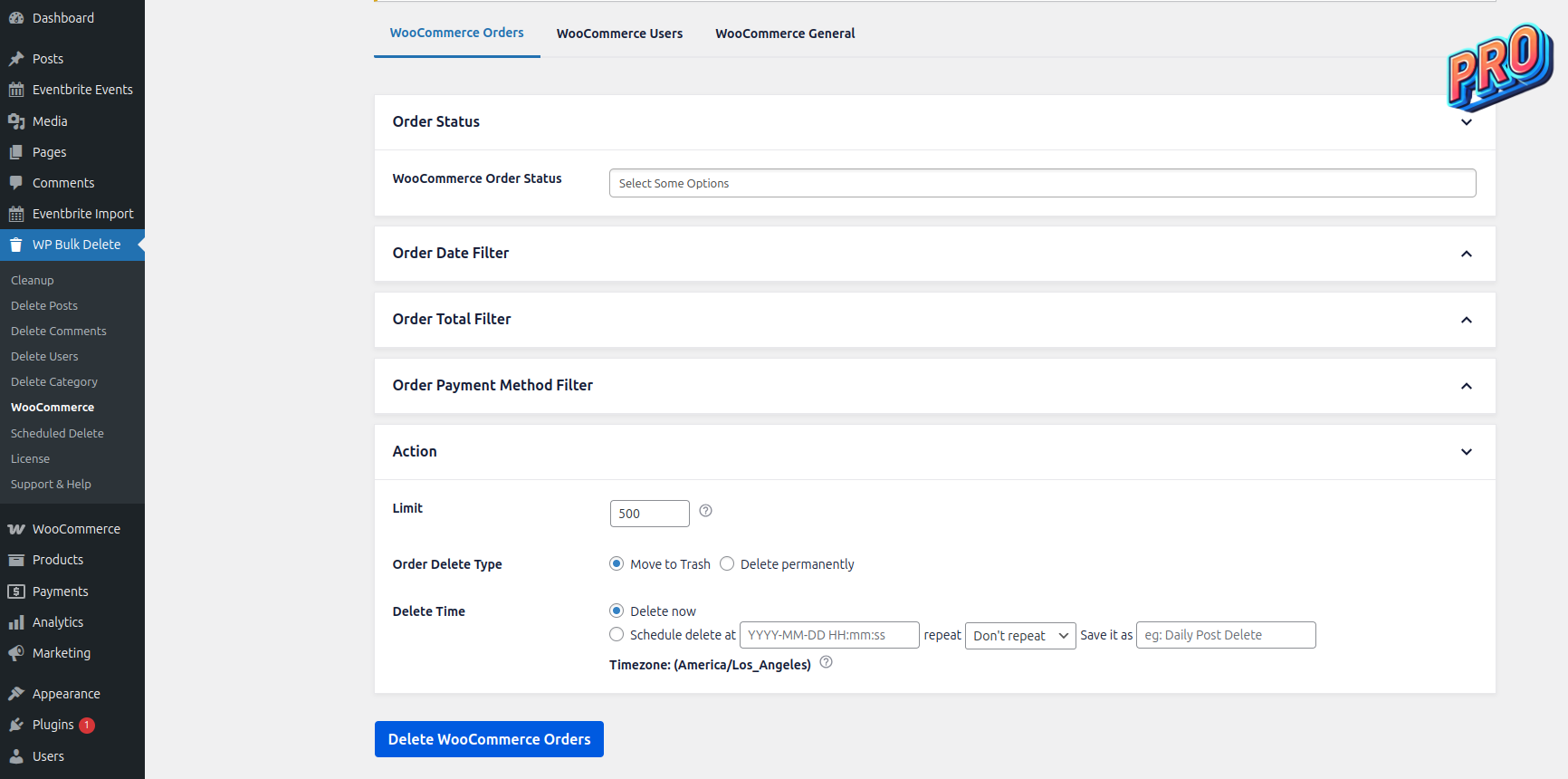
📦 Delete WooCommerce Orders
- ✅ Delete Order by Status.
- ✅ Delete Order by Order Date
- ✅ Delete Order by Total( min, max, equal ).
- ✅ Delete Order by Payment Method Filter
👥 WooCommerce Users
- ✅ Delete User by Roles
- ✅ Delete User by Registered Date.
- ✅ Delete User by User Meta.
- ✅ Delete User by Emails.
- ✅ Delete Users Who Have No Orders.
⚙️ WooCommerce General
- ✅ Delete Inactive Users.
- ✅ Delete User Who is Not Listed in WordPress but Exist in WooCommerce( who has no order )
Support
- 🔧 Found a bug or have a feature request? Open a Support Ticket.
- ⭐ Like the plugin? Leave a review on our WordPress plugin page.
- 💼 Explore more WordPress Plugins by XylusThemes.
Upgrade to the PRO Version for advanced features like:
- 🔄 Scheduled deletion of posts, comments, and users.
- 📂 Delete posts by Meta Fields.
- 🔗 Delete posts by IDs.
- 🔁 Delete duplicate posts/pages/CPTs.
- 🔍 Delete posts by Title Contains.
- ✍️ Delete posts by Content Contains.
- 🔗 Delete posts by Post Link.
- 🔢 Delete posts by Content Character Count.
- 🔠 Delete posts by Content Word Count.
- 📅 Schedule automatic comment deletion.
- 👥 Advanced user deletion filters.
- 👤 Delete users by Meta Fields.
- 📧 Delete users by Emails.
- 🔀 Assign deleted user data to another user.
- 🛒 Delete WooCommerce orders by:
- Status.
- Order Date.
- Order Total (min, max, equal).
- Payment Method.
- 👥 Delete WooCommerce users by:
- Roles.
- Registered Date.
- User Meta.
- Emails.
- Users with no orders.
- ⚙️ Delete inactive users.
- 🔍 Delete users not listed in WordPress but existing in WooCommerce.
- 🗃️ Delete images along with posts.
- 💾 Export filtered data to CSV / XML before deletion.
- ⚡ Asynchronous background deletion with real-time progress bar.
- 🛒 Enhanced WooCommerce bulk management (Orders, Products, Customers) with streamlined tabs.
- 🚀 And much more!