Hide admin notices – Admin Notification Center
v3.4.0roumi · 2020年4月8日 上架
Keep your dashboard clean by grouping all the WordPress notice and hide them in a notification center.
- 正在使用
- 7,000+
- 评分
- 5.0 / 5
- 累计下载
- 5.4 万
- 最近更新
- 2026年1月26日
贡献者
 roumi
截图
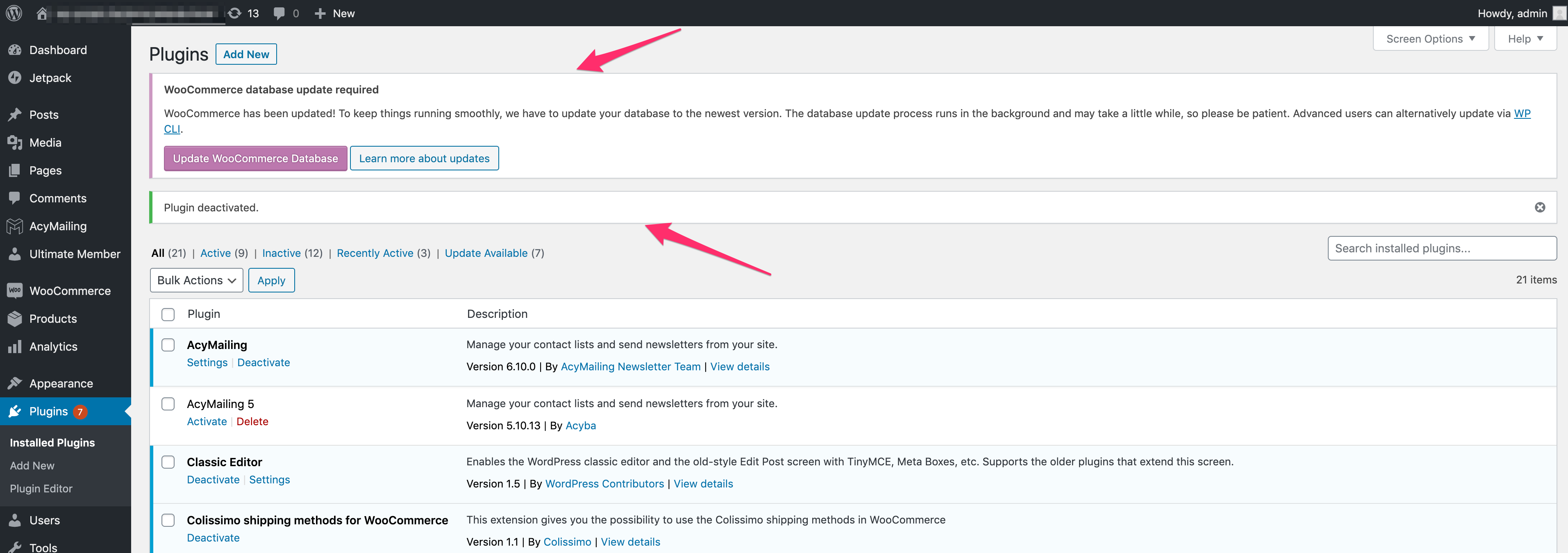
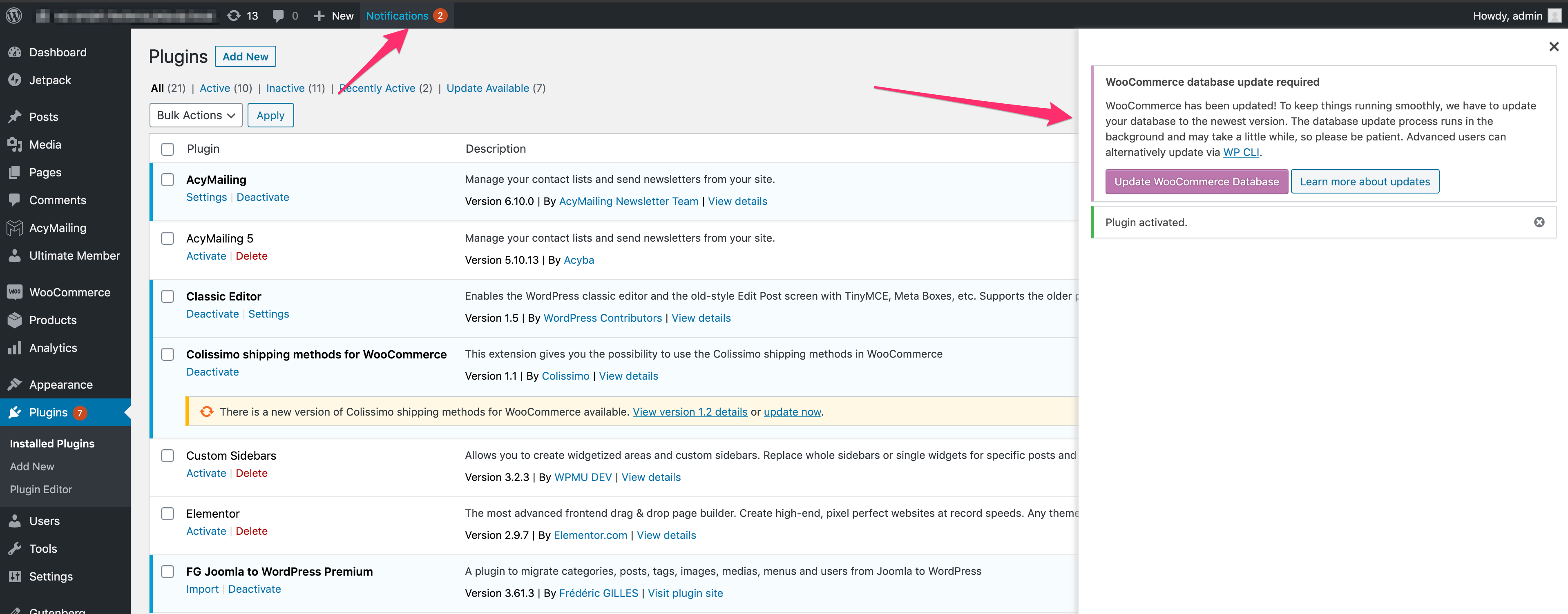
Tired of having the top of your screen full of notifications coming from all the plugins you’ve installed?
Here is what you will be able to:
* Display or not the notifications depending on users roles.
* Group all your notifications in a notification center located at the right of your page.
* Use the bouton on the top bar to display / hide this notification center.
* Be informed when a new notification is present (thanks to a badge displayed on your admin bar)
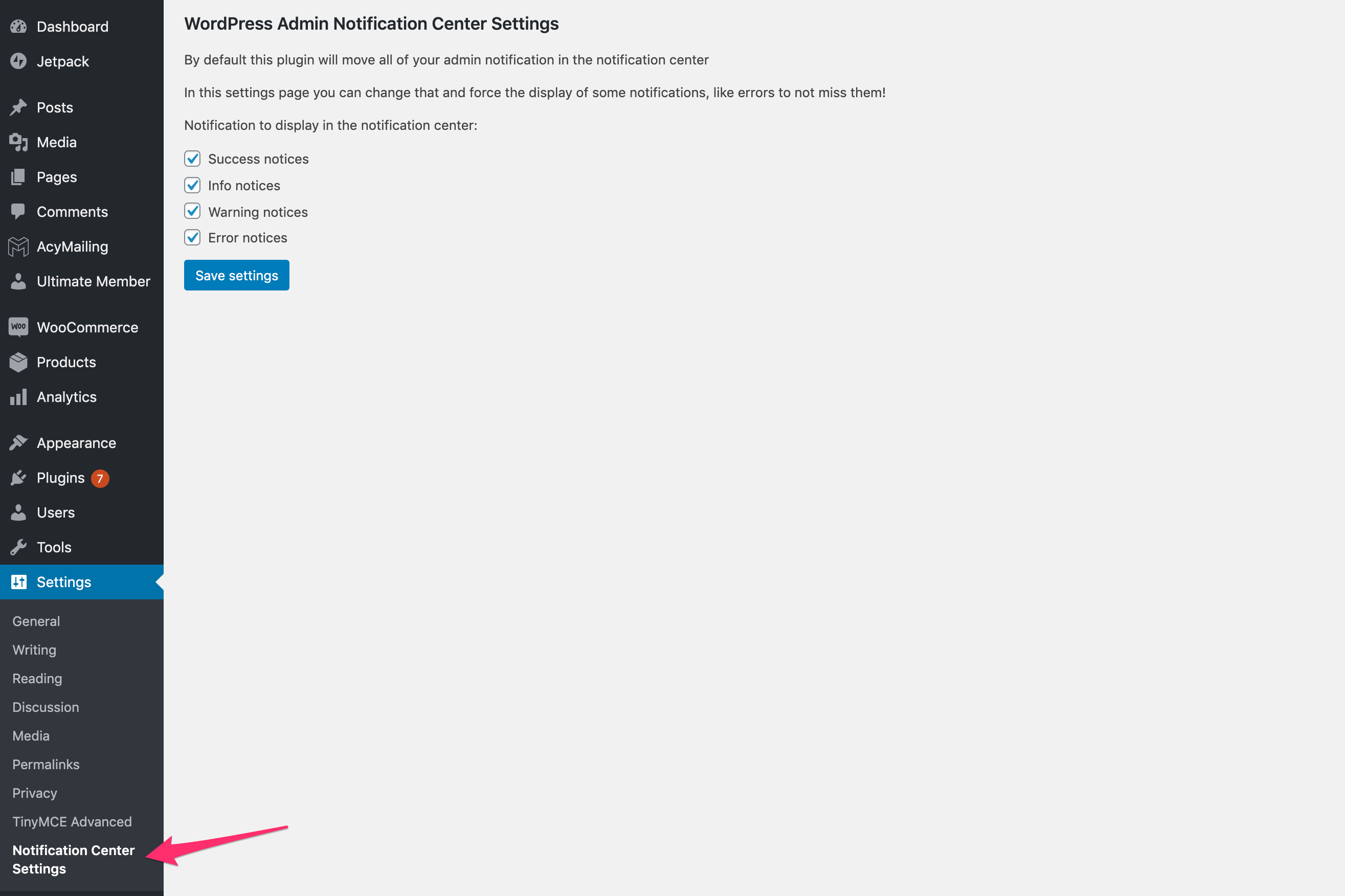
* Select the notification types (information/warning/error) you want to be displayed in the notification center. And the ones you would like to be displayed at the top of your screen
* Don’t display notification containing spam words set by the user