
WooPayments: Integrated WooCommerce Payments
v11.3.0WooCommerce · 2020年4月8日 上架
Securely accept credit and debit cards on your WooCommerce store. Manage payments without leaving your WordPress dashboard. Only with WooPayments.
- 正在使用
- 80 万+
- 评分
- 3.5 / 5
- 累计下载
- 4.7 千万
- 最近更新
- 2026年11月11日
 WooCommerce
 Automattic
截图
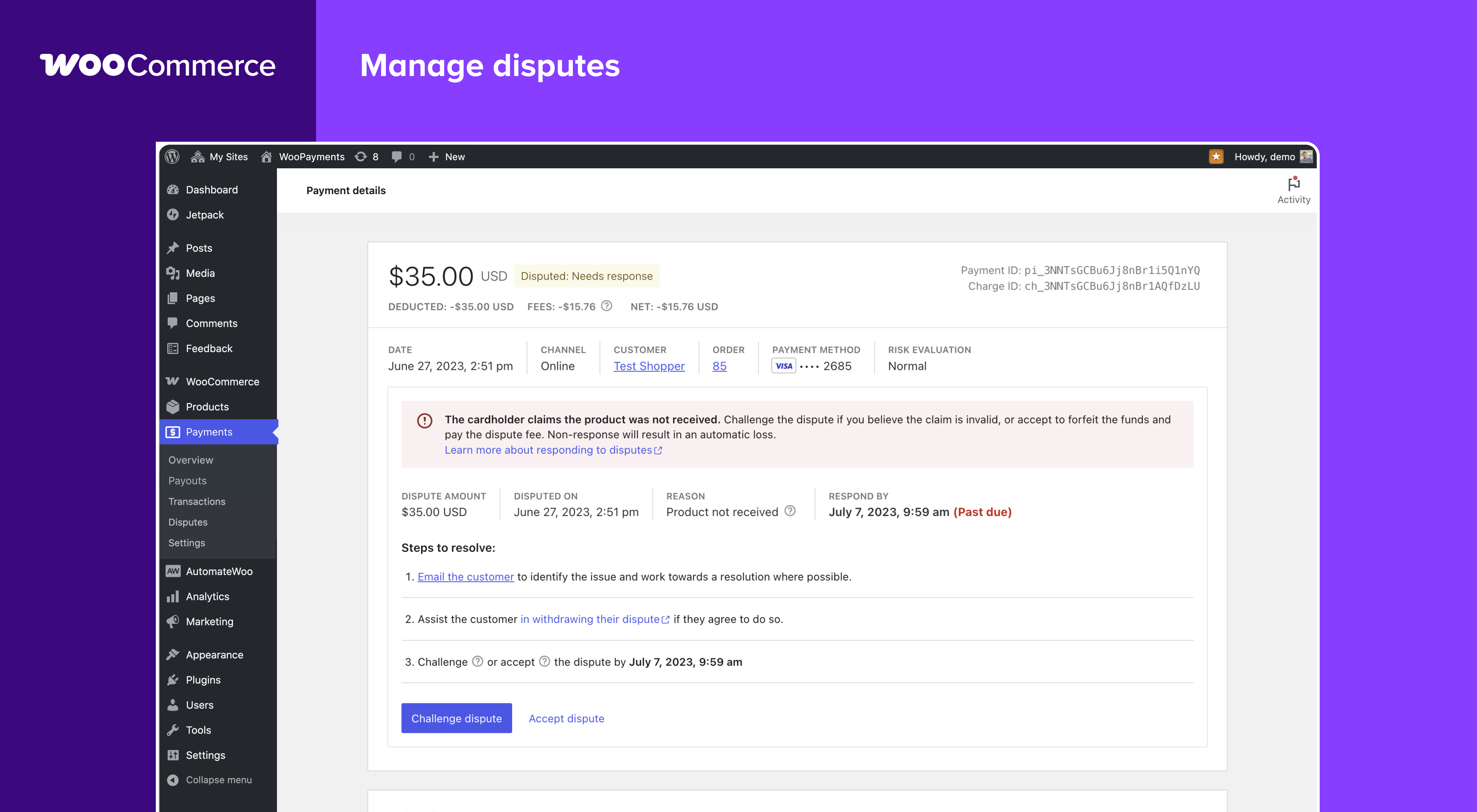
Payments made simple, with no monthly fees – designed exclusively for WooCommerce stores.
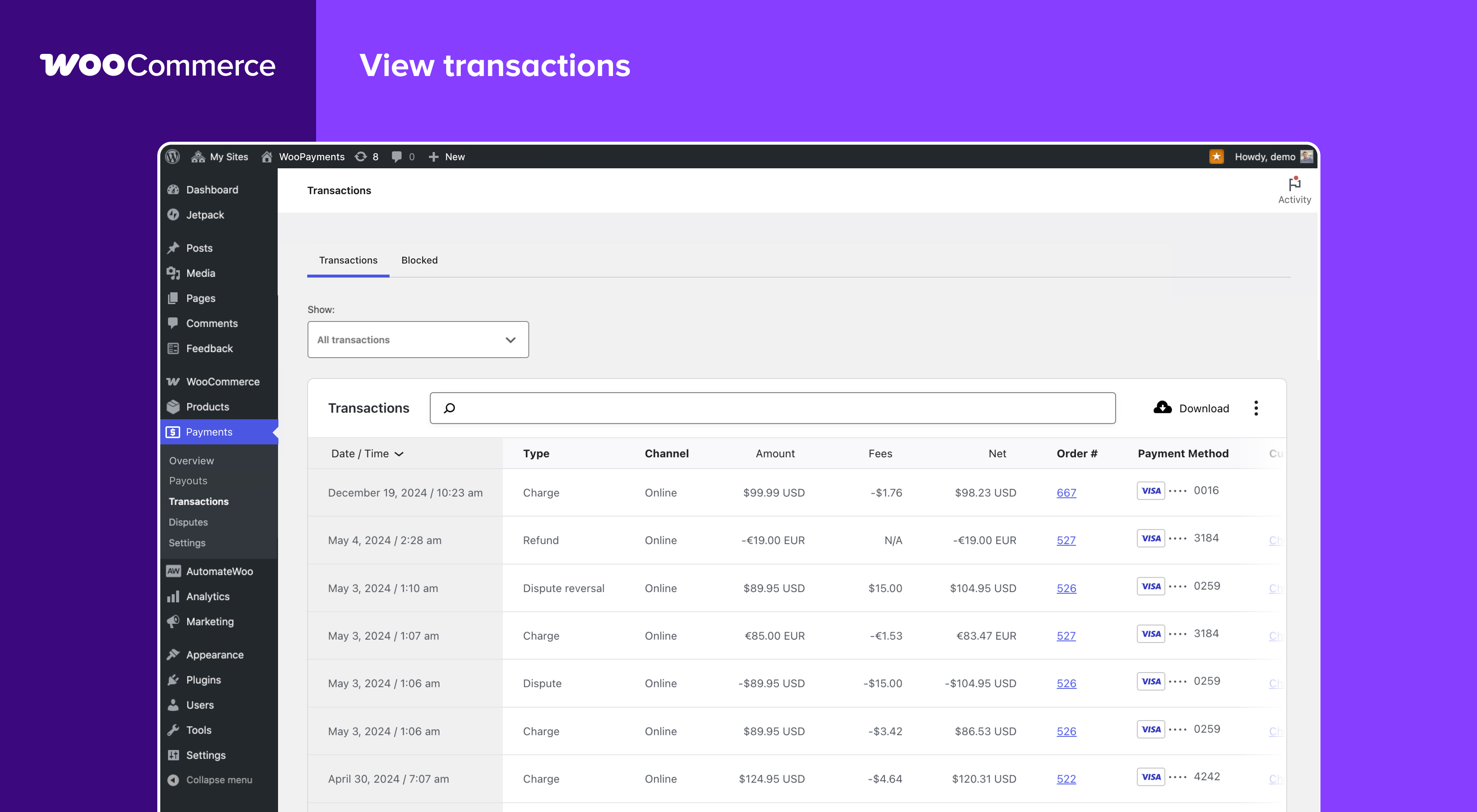
Securely accept major credit and debit cards, and allow customers to pay you directly without leaving your WooCommerce store. View and manage transactions from one convenient place – your WordPress dashboard.
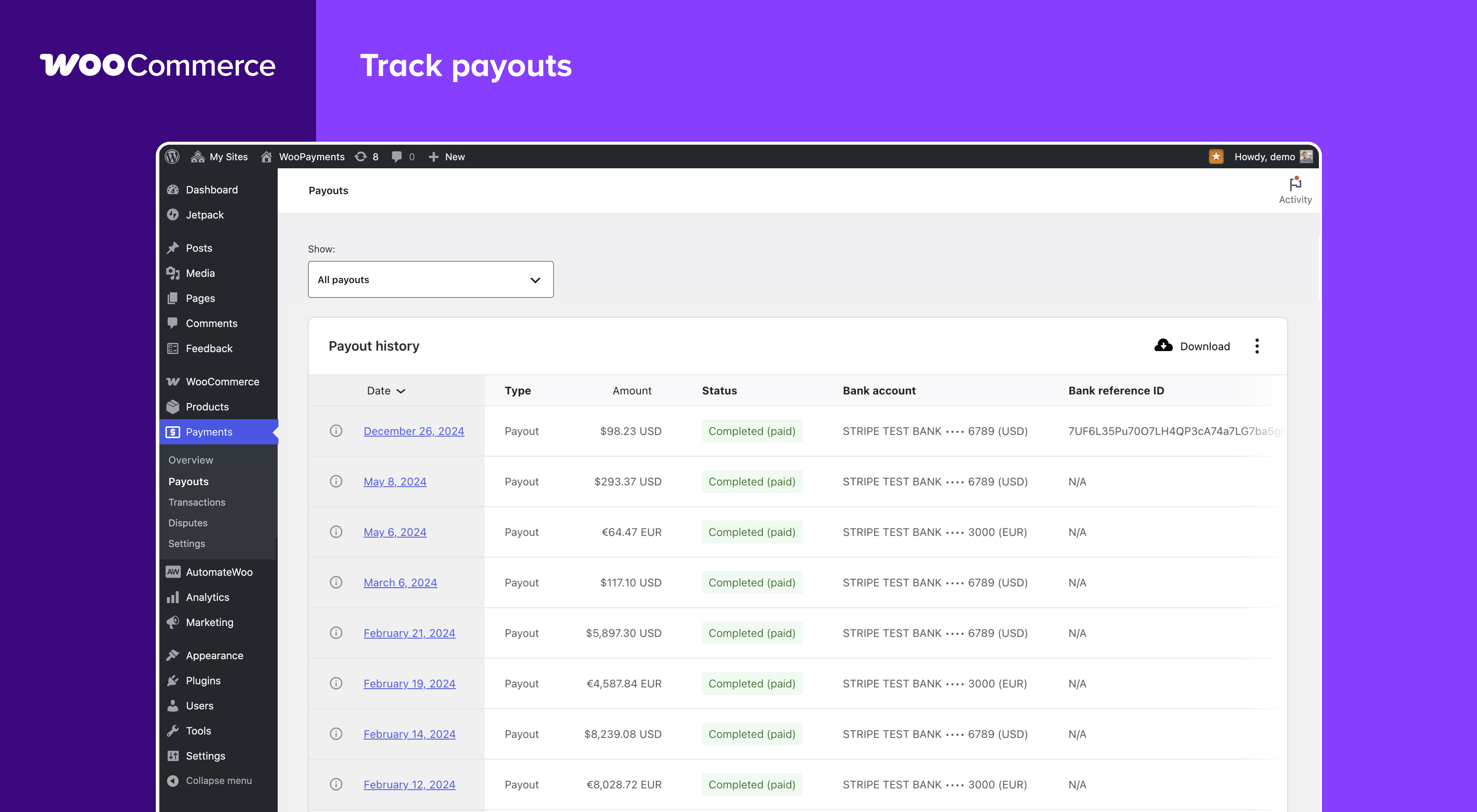
See payments, track cash flow into your bank account, manage refunds, and stay on top of disputes without the hassle of having to log into a separate payment processor.
Manage transactions from the comfort of your store
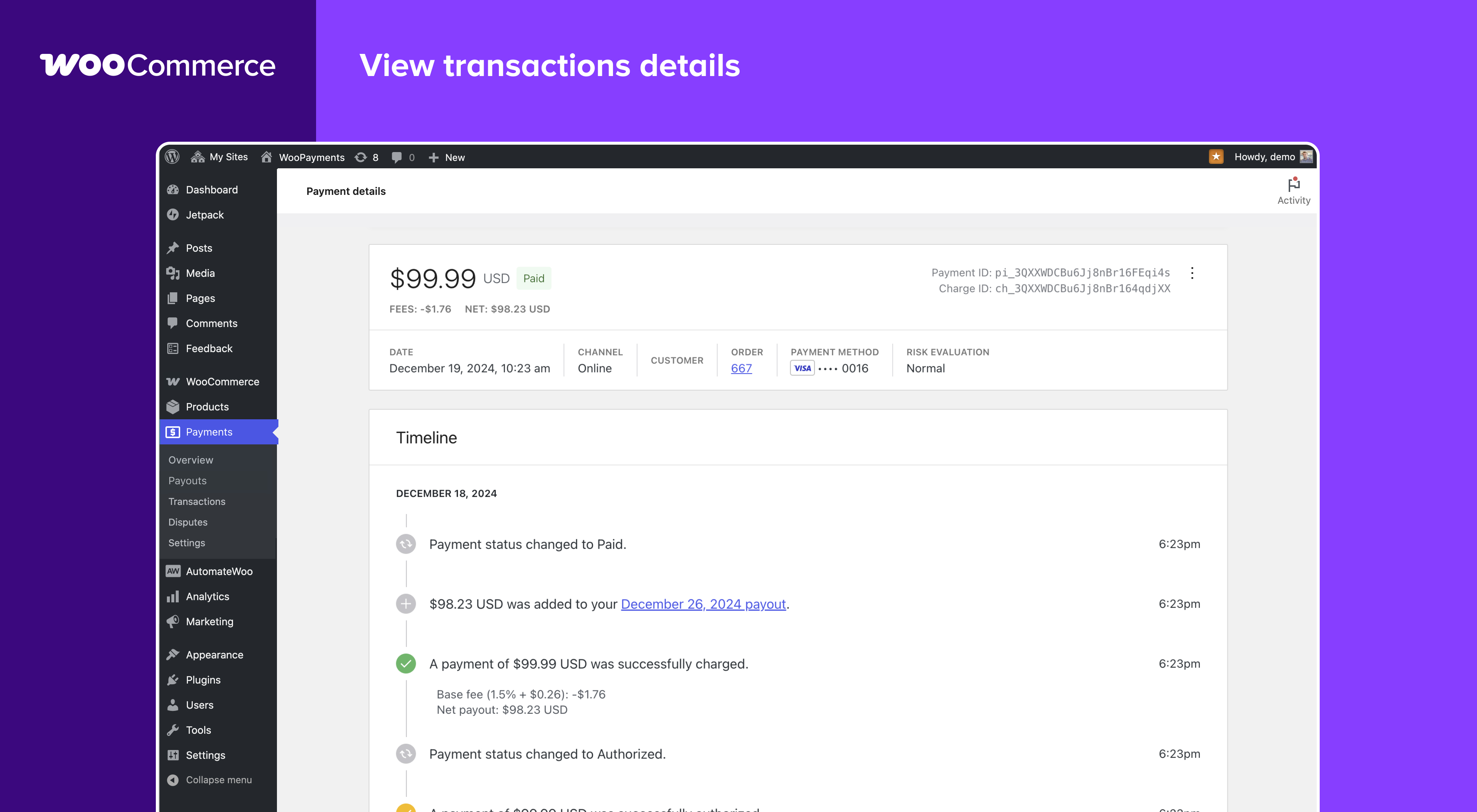
Features previously only available on your payment provider’s website are now part of your store’s integrated payments dashboard. This enables you to:
- View the details of payments, refunds, and other transactions.
- View and respond to disputes and chargebacks.
- Track payouts into your bank account or debit card.
Sell in person
Take payments in person with WooCommerce POS, built into the free WooCommerce mobile app. Use Tap to Pay on iPhone or Android, or a card reader, and see in-person and online payments together in your WooPayments dashboard. Read the in-person payments documentation for supported countries and hardware.
Pay as you go
WooPayments is free to install, with no setup fees or monthly fees. Our pay-as-you-go pricing model means we’re incentivized to help you succeed! Read more about transaction fees.
Supported by the WooCommerce team
Our global support team is available to answer questions you may have about WooPayments installation, setup, or use. For assistance, open a ticket on woocommerce.com.
Getting Started
Requirements
- WordPress 6.0 or newer.
- WooCommerce 7.6 or newer.
- PHP 7.3 or newer.
Try it now
To try WooPayments (previously WooCommerce Payments) on your store, simply install it and follow the prompts. Please see our Startup Guide for a full walkthrough of the process.