

Extra Product Sorting Options for WooCommerce
v2.11.0SkyVerge · 2014年7月29日 上架
Rename the default product sorting option, add up to 5 new sorting options including alphabetical and on-sale sorting, or remove core sorting options.
- 正在使用
- 1 万+
- 评分
- 4.6 / 5
- 累计下载
- 24 万
- 最近更新
- 2026年3月2日
 SkyVerge
 Beka Rice
 tamarazuk
截图
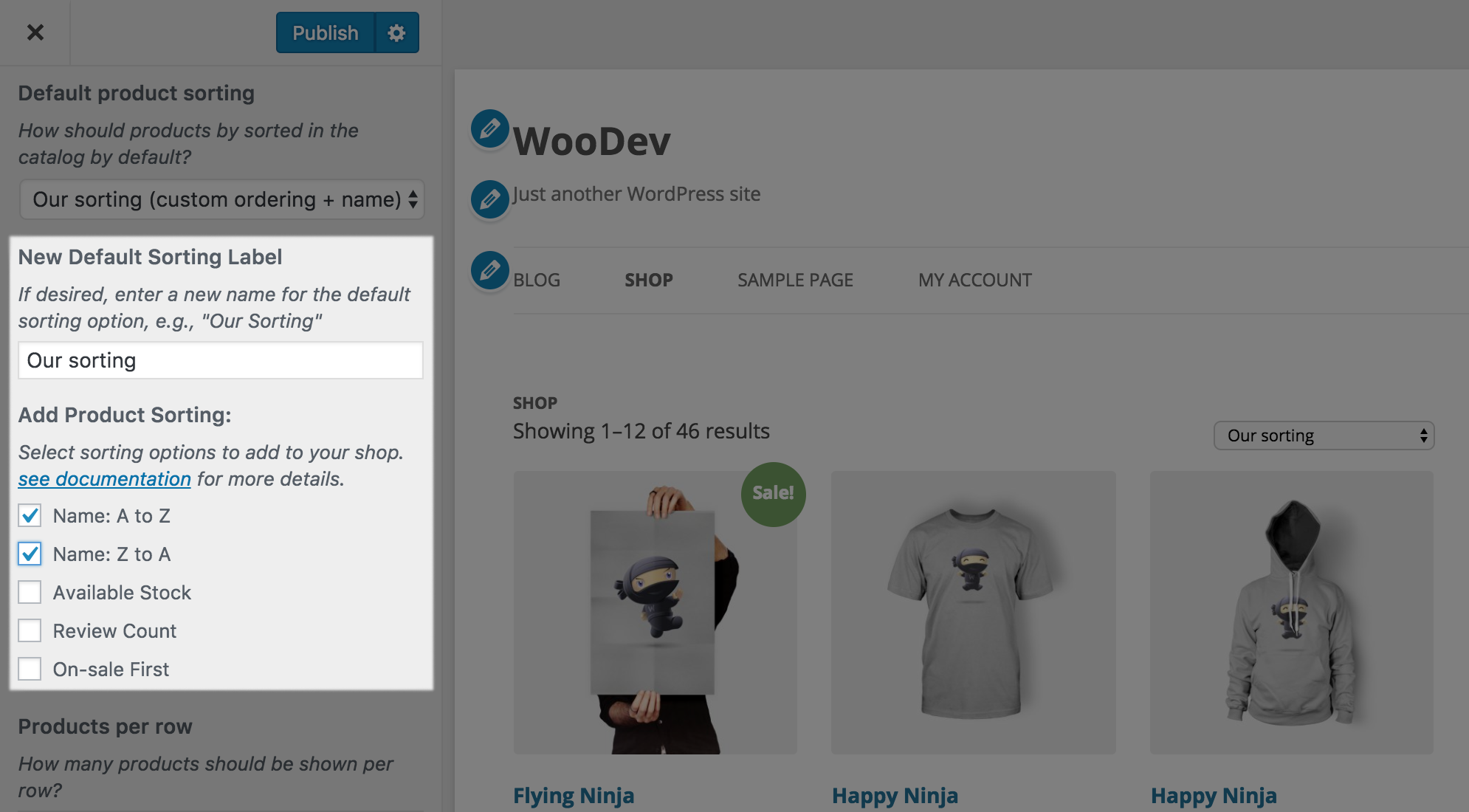
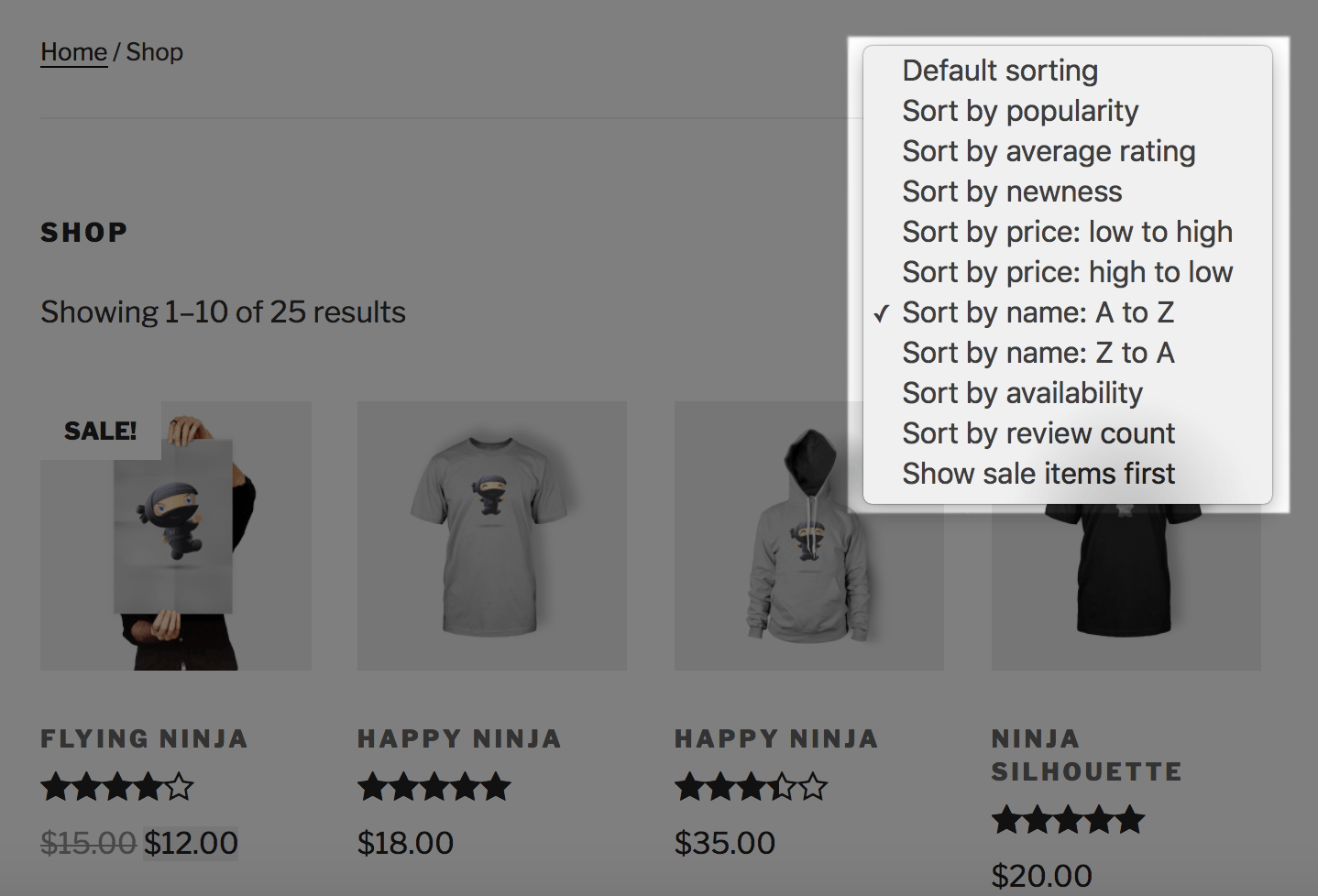
Extra Product Sorting Options for WooCommerce provides options that extend the default WooCommerce orderby options on the shop page. You can optionally set a new name for the default sorting (helpful if you’ve used this to create a custom sorting order), and can enable up to 5 new sorting options: alphabetical, reverse alphabetical, on sale, review count, and availability product sorting. You can also remove core sorting options, or remove the sorting dropdown completely.
Requires: PHP 7.4, WooCommerce 3.9+ and WordPress 5.6+
Features
Includes options to:
- rename default product sorting (i.e., change to “Our Sorting”)
- enable alphabetical product sorting
- enable reverse alphabetical sorting
- enable on sale sorting (note: works only for simple products)
- enable sorting by inventory / availability
- enable sorting by review count (most reviews to least)
- remove core sorting options
Rename Default Sorting
You can customize your product sorting order on your shop pages – here’s a handy tutorial to do so. However, many shop admins like to then rename this from “Default Sorting” to something more descriptive, such as “Our Sorting” or “Our Selection”. You can optionally enter a new name for this sorting order if desired.
Adding Sorting Options
When you create a customized sorting order, you lose the ability to sort products alphabetically. This plugin gives you the ability to add new sorting options to list products by title A to Z or in reverse order (Z to A).
Want to show items with the highest stock first? You can enable sorting by availability, which will enable sorting from high stock to low stock (See FAQ for more details). You can also sort by the number of product reviews.
You can add the option to sort items by sale status – there’s a sorting option to show “On Sale” items first in the shop catalog. Please note that only simple products can be sorted by sale status, and variable products will display mixed with non-sale products.
Remove Sorting Options
You can remove the core sorting options as well! If all sorting options have been removed, the sorting dropdown will become hidden on shop pages.
Translations
The plugin text domain is: woocommerce-extra-product-sorting-options
More Details
- View more of SkyVerge’s free WooCommerce extensions
- View all SkyVerge WooCommerce extensions
- View the FAQ for some tips.