
Extended Coupon Features for WooCommerce FREE
v3.4.2Soft79 · 2014年7月5日 上架
Additional functionality for WooCommerce Coupons: Allow discounts to be automatically applied, applying coupons via url, etc...
- 正在使用
- 1 万+
- 评分
- 5.0 / 5
- 累计下载
- 54 万
- 最近更新
- 2026年2月15日
贡献者
 Soft79
截图
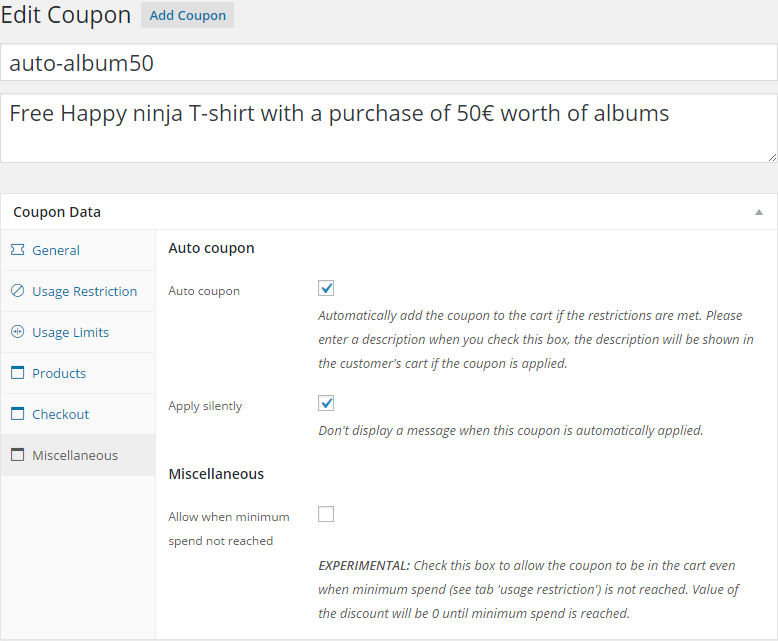
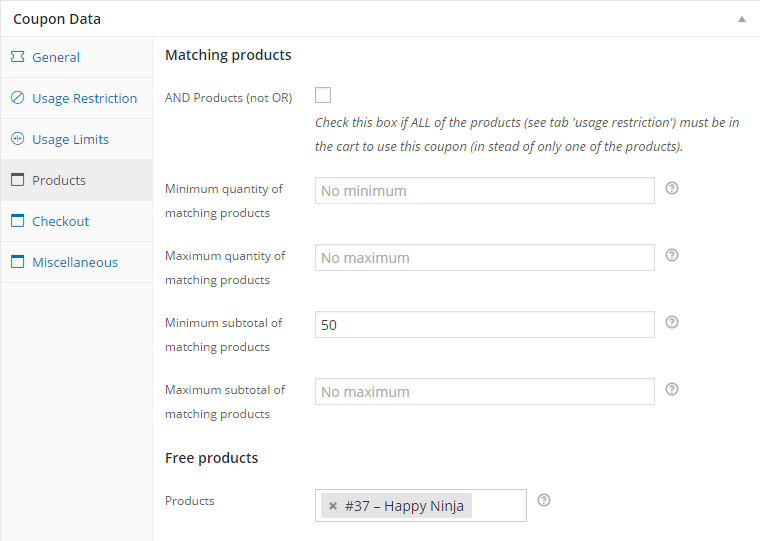
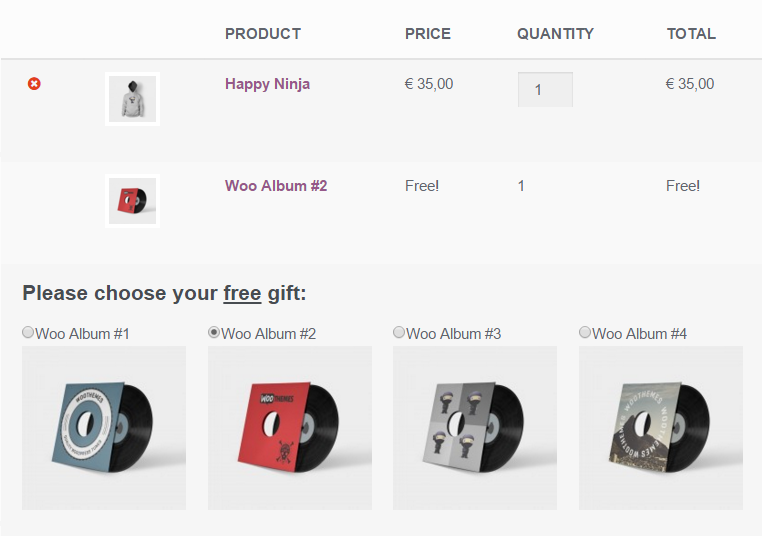
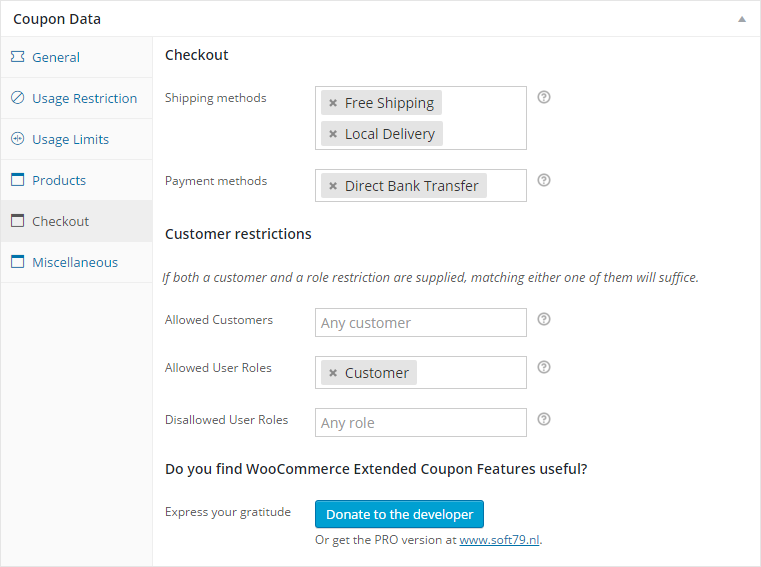
“Extended Coupon Features for WooCommerce” adds functionality to the WooCommerce coupons and allows for automatic discount rules.
Very easy to use, the functionality is conveniently integrated to the WooCommerce Edit Coupon panel.
Requires:
* WordPress 5.0 or newer (6.8+ recommended)
* WooCommerce 5.0 or newer (9.0+ recommended)
* PHP 7.0 or newer (8.2+ recommended)
Full documentation is available at www.soft79.nl.
- Auto coupons: Allow coupons to be automatically added to the users cart if its restrictions are met,
- Apply coupon via an url,
- Restrict coupon by shipping method,
- Restrict coupon by payment method,
- Restrict coupon by a combination of products
- Restrict coupon to certain customer roles
- (PRO) Add free products to the customer’s cart based on coupon rules
- (PRO) Allow a cart discount to be applied based on quantity / subtotal of matching products
- (PRO) Set Auto Coupon priorities (Useful for ‘Individual Use Only’-coupons)
- (PRO) Restrict coupon by shipping zone
- (PRO) Allow coupon for first purchase only
- (PRO) API to allow developers to use functions of this plugin
For more information or the PRO version please visit www.soft79.nl
Example: Auto coupon
Let the customer have a discount of $ 5.00 when the cart reaches $ 50.00.
- Create a coupon, let’s name it auto_50bucks and enter a short description e.g. $ 50.00 order discount
- On the General tab: Select discount type Cart discount, and set the coupon amount to $ 5.00
- On the Usage restrictions tab: Set minimum spend to $ 50.00 and check the Auto coupon-box
Voila! The discount will be applied when the customer reaches $ 50.00 and a descriptive message will be shown.
If the restrictions are no longer met, it will silently be removed from the cart.
Example: Apply coupon via an URL
Apply coupon through an url like this:
- Use the url www.example.com/url-to-shop?apply_coupon=my_coupon&fill_cart=123
Voila! Any coupon can be applied this way. Please note that an empty cart can not contain any coupons. Download the free Cart Links for WooCommerce-plugin to handle the ‘fill_cart’-part of the url.
This plugin has been tested in combination with WP-Multilang.