跳到内容

Woo Tracking for The Courier Guy

v1.0.6

francdore · 2017年8月14日 上架

This is a simple plugin to display tracking information for The Courier Guy on your WooCommerce orders page.

正在使用
60+
评分
2.0 / 5
累计下载
4,645
最近更新
2017年12月6日
4 条评价需要 WordPress 3.0.1+已测试到 4.9.36

贡献者

截图

Enter tracking number on relevant order and save it. There is also a link which will open The Courier Guy website tracking page using the waybill number.
We have also added a tracking button on the orders listing page if a tracking number has been saved for an order. It will open The Courier Guy's tracking page with that waybill number.
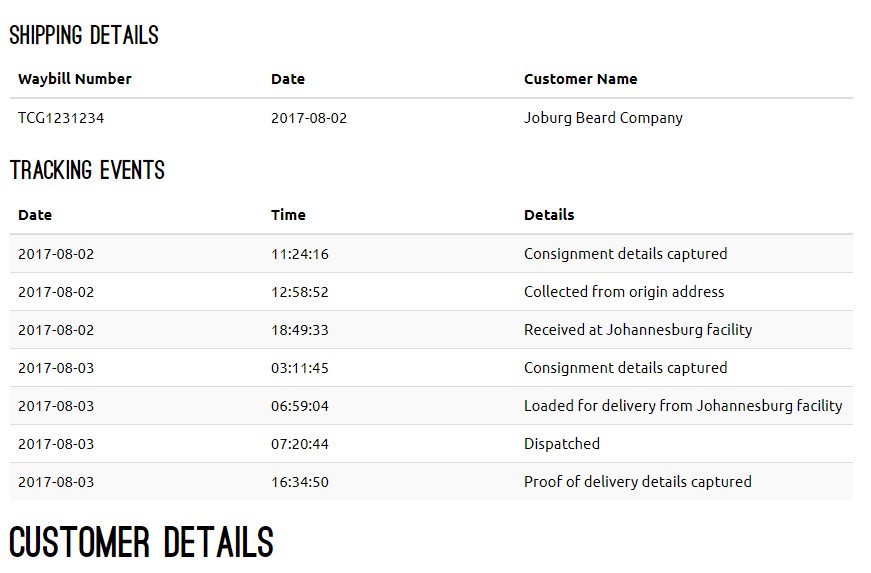
On the order page, customers will be able to see tracking for the order that they are viewing. It's displayed in a table and there is a div around it with a class that developers can use the style it.

This plugin adds a meta box on WooCommerce admin order pages where you can add waybill numbers on orders.

It then display a tracking action button on the admin order listing page and a customer can then view their orders on the orders page with tracking which will list the waybill number, recipient name and tracking events.

Plums

按场景查找 WordPress 插件。安装量、评分和兼容版本来自官方目录。

导航

说明

WordPress 是 WordPress Foundation 的商标。本站与 WordPress Foundation、Automattic 没有隶属关系。这里不托管插件文件,下载和安装以 WordPress.org 上的页面为准。

© 2026 Plums