
Free Trial Coupon for WooCommerce Subscriptions
v3.0.0Md Jahidul Islam · 2019年10月25日 上架
Create free trial coupons for WooCommerce Subscriptions. Show trial periods, today’s payment, and recurring prices in classic and block checkout.
- 正在使用
- 200+
- 评分
- 5.0 / 5
- 累计下载
- 6,694
- 最近更新
- 2026年11月2日
贡献者
 Md Jahidul Islam
截图

Free Trial Coupon for WooCommerce Subscriptions lets you offer a different free-trial period through a coupon code. Create a “Subscription Trial” coupon, choose the trial length and period, and let customers apply it when signing up for a subscription.
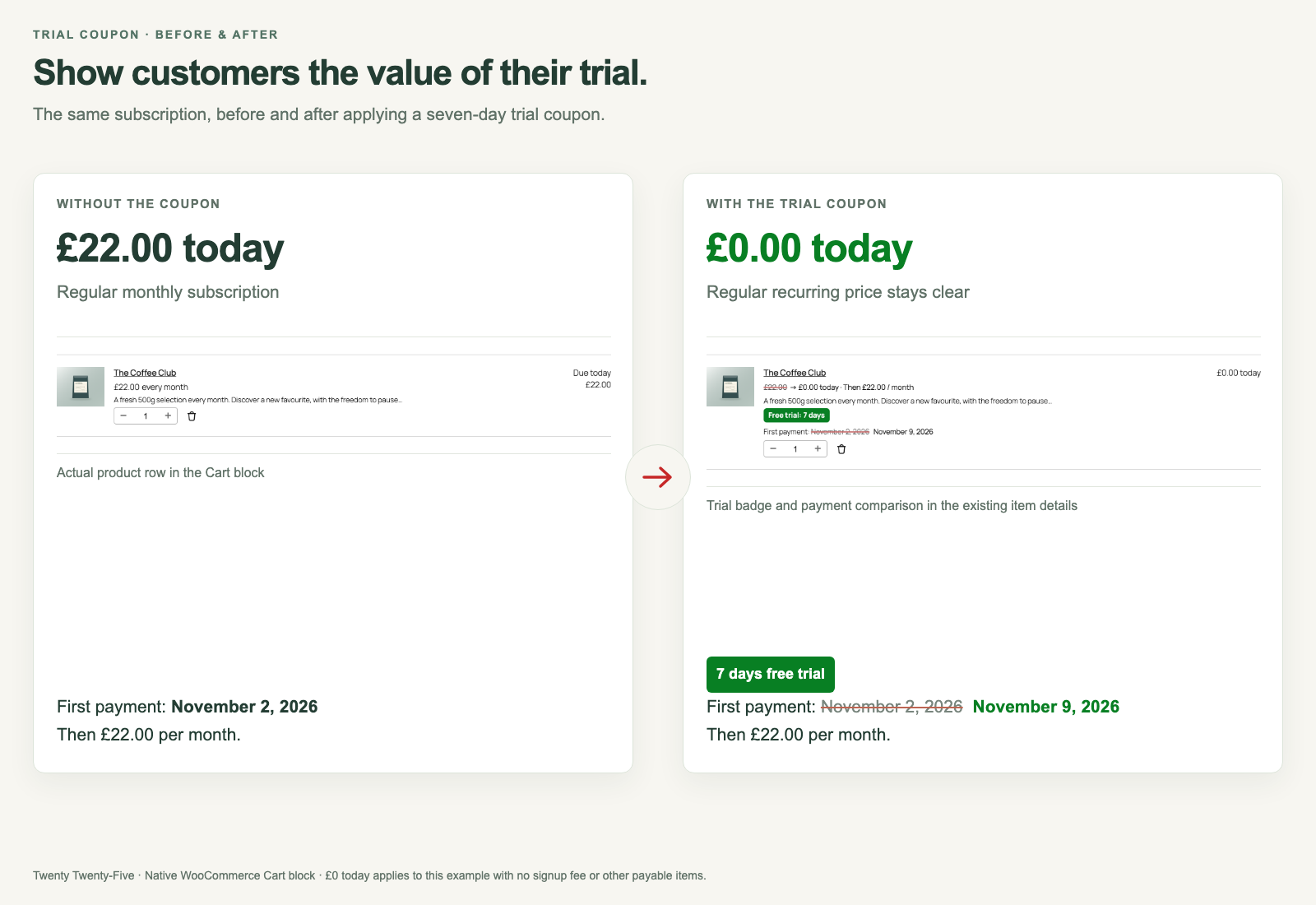
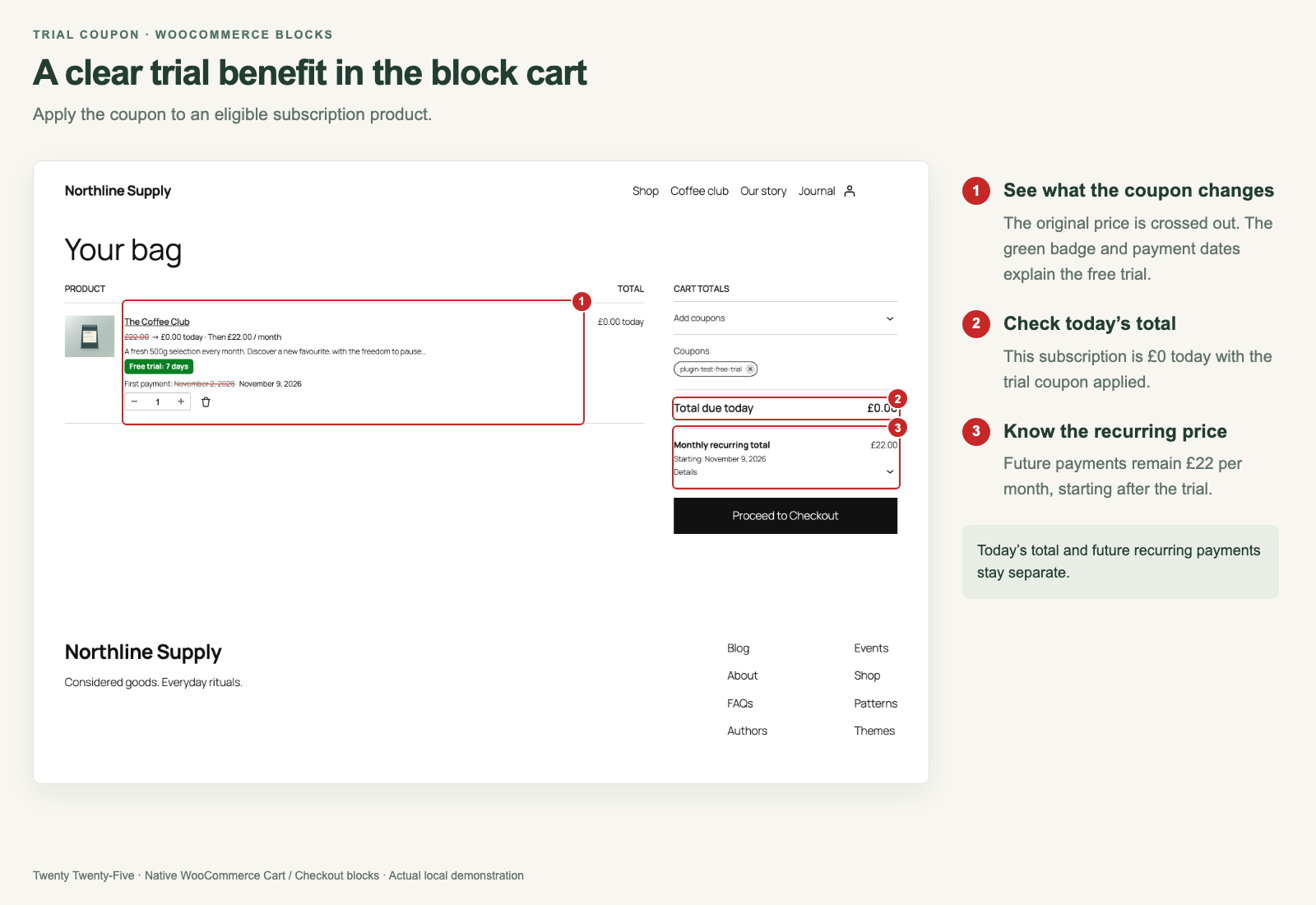
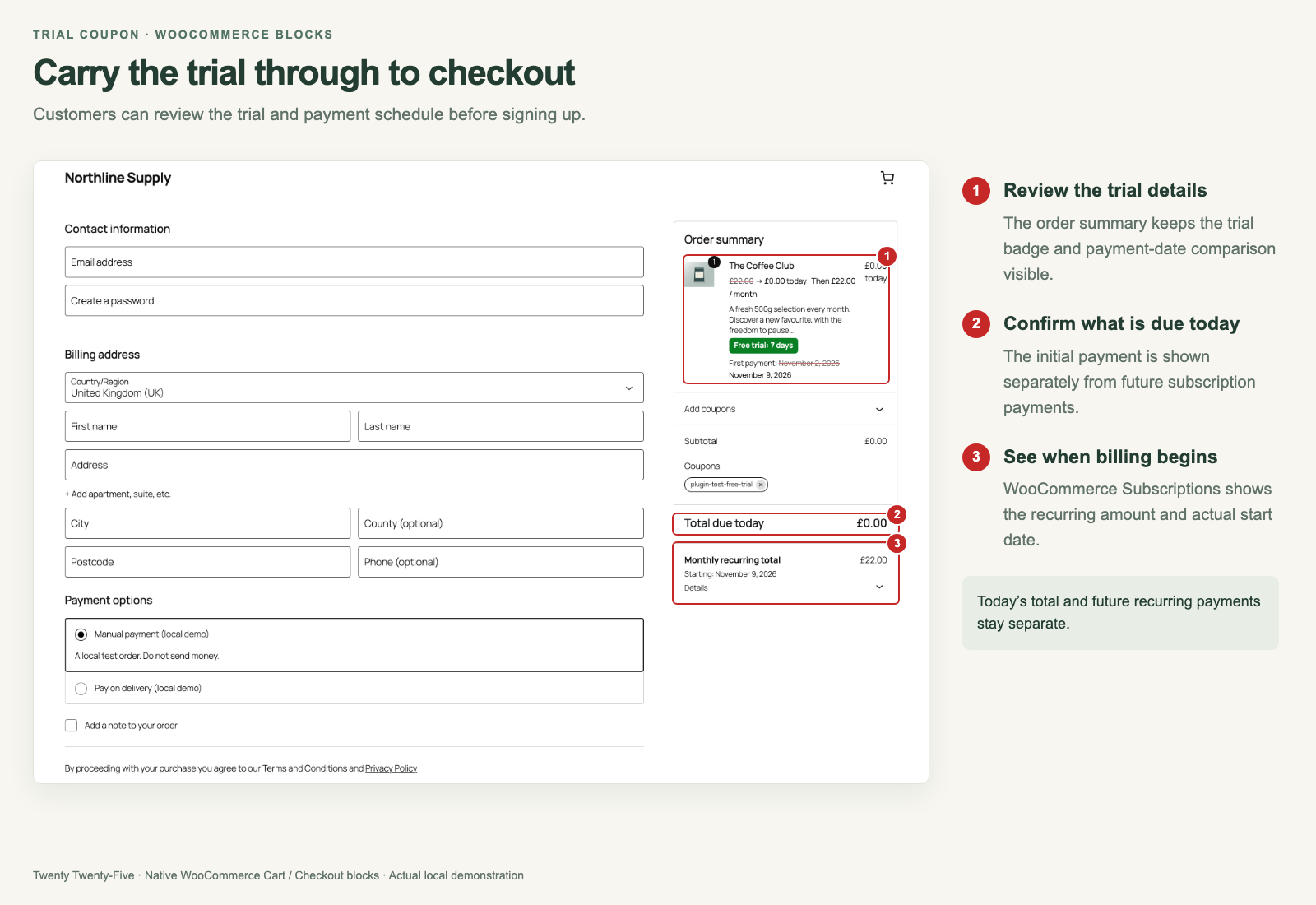
Help customers understand their subscription offer before they place an order. For supported trial coupons, the cart and checkout show the trial period, what is due today, the recurring price, and the first payment date. Works with classic cart and checkout pages and the WooCommerce Cart and Checkout blocks.
Use trial coupons for subscription promotions, introductory offers, and extended trials. You can also add a trial period to WooCommerce Subscriptions’ fixed or percentage sign-up fee discount coupons.
Features
- A dedicated “Subscription Trial” coupon type.
- Set the free-trial length in days, weeks, months, or years.
- Add trial settings to “Sign-Up Fee Discount” and “Sign-Up Fee % Discount” coupons.
- Trial handling for simple subscriptions and subscription variations.
- Show the trial period with a clear green badge for supported trial coupons.
- Display today’s subscription payment alongside the recurring price.
- Compare first payment dates before and after the trial coupon.
- Support WooCommerce Cart and Checkout blocks as well as classic pages.
- Reject trial-only coupons when the cart contains no subscription products.
Trial-only coupons do not discount sign-up fees. This plugin does not add renewal-payment discounts.
Requirements
Install and activate both:
- WooCommerce 6.5 or greater.
- WooCommerce Subscriptions 6.7 or greater (paid extension, purchased separately).
Compatibility and community testing
Version 3.0.0 was checked with WooCommerce 11.2.1, WooCommerce Subscriptions 7.7.0, and PHP 8.3.32, using WordPress 7.1.3 for classic pages and WordPress 7.1.4 for Cart and Checkout blocks. Checks covered applying and removing a seven-day trial coupon, quantity changes, mixed carts, mobile checkout, and a local manual subscription checkout.
The enhanced price and date comparisons apply to a single Subscription Trial coupon on subscriptions without a sign-up fee or synchronized billing. Other combinations keep the standard WooCommerce Subscriptions display. A free trial does not necessarily make the entire order free: sign-up fees, other products, shipping, or taxes may still be payable.
Our available WooCommerce Subscriptions test copy is 7.7.0. If you have a newer version, please test on staging and share your versions, steps, and results on GitHub. Please do not upload paid plugin files, license keys, or customer data.
Testing details and known coverage limits are maintained in the development repository. Automatic payment gateways, actual renewal charges, subscription variations, and sign-up fee coupon combinations have not been verified in the 3.0.0 checks.
Getting started
- Go to Marketing > Coupons and add a coupon.
- Choose Subscription Trial as the discount type.
- Enter the Free trial length and select its period.
- Set any coupon restrictions and publish the coupon.
- Add a subscription product to the cart and apply the code. Review the trial and recurring totals before placing an order.
Demo
Explore the demo store for example trial offers. Create and test your own coupon codes on your store.
Other plugins by CoderPlus
Data Privacy Manager for WooCommerce (Premium)
Data Privacy Manager is a WooCommerce GDPR plugin that helps you process personal data requests and manage customer permissions and privacy choices. Review requests, manage approvals, follow up with customers, and track outcomes with permission records and staff access controls.
View on WooCommerce.com
Role-Based Analytics for WooCommerce (Premium)
Filter WooCommerce Analytics by WordPress user role. Compare customer groups across sales, orders, products, coupon usage, and downloads, with role reports and leaderboards.
View on WooCommerce.com
X Scroll To Top – Responsive
Add a lightweight, customizable scroll-to-top button to your site.
View on WordPress.org
Logo Switcher for Divi
Set a separate logo for Divi’s fixed navigation header when visitors scroll.
View on WordPress.org