Related Products for WooCommerce
v3.3.17peachpay · 2015年9月15日 上架
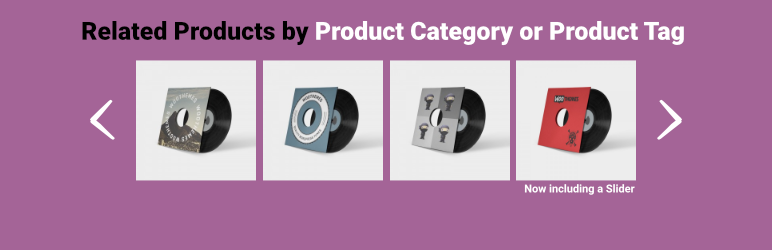
Display random related products in a slider based on product category, tag, or attribute on every product page.
- 正在使用
- 3,000+
- 评分
- 4.9 / 5
- 累计下载
- 18 万
- 最近更新
- 2025年10月2日
 peachpay
 Vagelis
Display fresh, random WooCommerce related products on every single product page load (in a slider or not) based on the current product’s category, tags, or attributes.
Related products can be configured to display in posts, pages, and sidebar widgets, and can be configured to exclude categories.
Use the shortcode [woo-related] for product pages or [woo-related id='XX'] / [woo-related product-id='XX' show-title='no'] for posts, pages, and widgets.
Exclude taxonomies using the the option field in the settings page.
The shortcode accepts id, title and number.
Shortcode examples
[woo-related id='15']
will display related products based on product ID 15.
[woo-related id='15' title='no']
is the same as above but will hide Related Products title. For sidebars, etc. you can use the widget title.
[woo-related id='15' title='no' number='1']
is the same as above but will return only 1 product.
[woo-related]
will use current product’s ID. This should be used on product pages only.
Related Products for WooCommerce can help you:
- Display real related products (using a slider or not)
- Set the related product’s heading text (you can use HTML)
- Set the number of related products you want to display or disable them
- Set category or tag based related products
- Display related products using Flexslider
- Translate related products heading text
- Exclude taxonomies from your related products
- Use a shortcode to add related products to posts/pages and widgets
Related Products block position
Move related products
Related Products for WooCommerce uses WordPress hooks to display related products on product pages. If you need to move the related products block you can remove the action and add it again using a different hook or priority. This is extremly helpful if you code your own theme or child theme.
To remove related products block you can use
remove_action( 'woocommerce_after_single_product', 'wrprrdisplay' );
in your theme’s functions.php file.
If you want to add it again you can do something like this
add_action( 'woocommerce_after_single_product', 'wrprrdisplay', 55 );
or
add_action( 'ANY-OTHER-HOOK', 'wrprrdisplay', PRIORITY );
Check GitHub for all single product page actions.
Demo
You can see a demo of the plugin here.
Requirements
Plugin setup
- Install the plugin—visit the installation tab for more info
- Use the plugin’s option page, located in the WooCommerce menu, to set up the plugin
Support
- Feel free to use the support forum, and we will get back to you as soon as possible.
Want even better related products?
We recommend trying the Related Products feature that is built-in to PeachPay, an all-in-one checkout and product recommendation solution engineered to increase sales.