跳到内容

Gkash Payment

v1.3.0

gkashdev · 2019年3月29日 上架

Gkash Payment for WooCommerce.

正在使用
80+
评分
暂无
累计下载
3,731
最近更新
2026年8月10日
需要 WordPress 5.1.0+已测试到 7.0.9PHP 5.6+

贡献者

截图

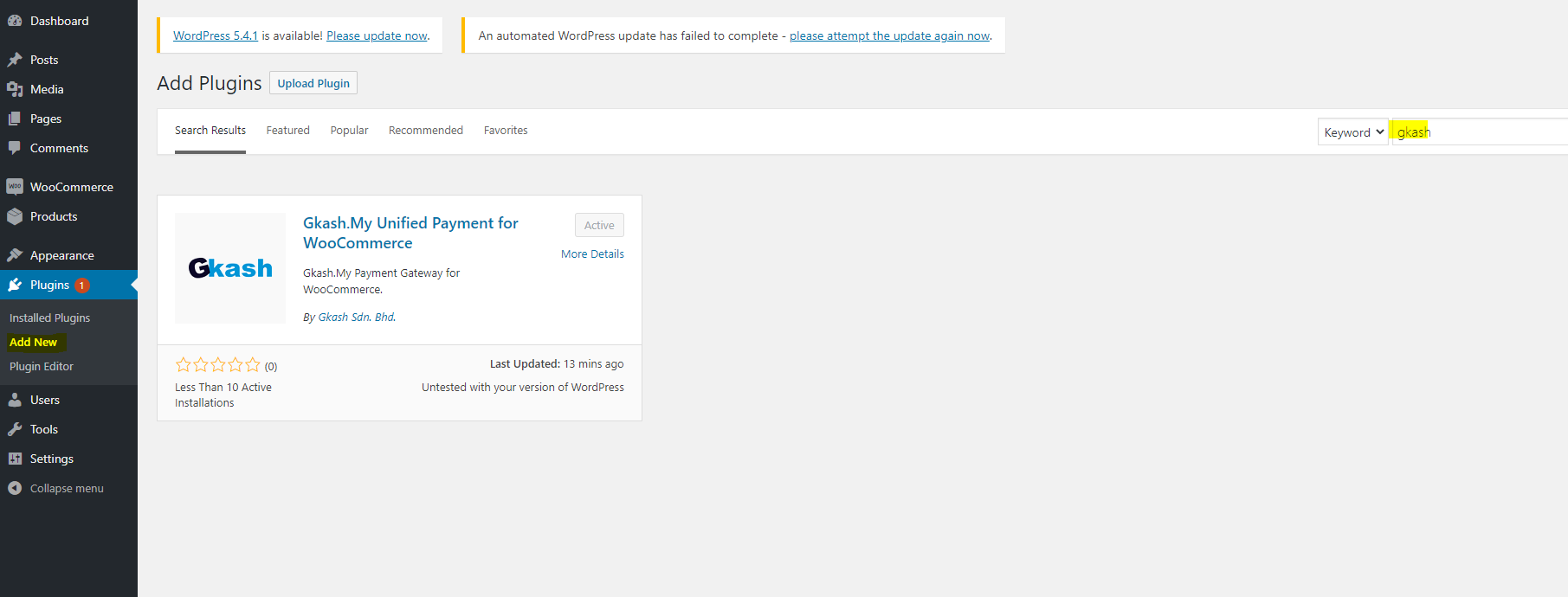
On the side bar of your dashboard, click Plugins and select "Add New", search for Gkash Payment and install the plugin.
Gkash.My Unified Payment for WooCommerce -Avtivate on the sidebar under WooCommerce => Settings => Payments => Gkash Payment
Enter your User ID and Signature Key, register an account as a merchant with us at https://www.gkash.my
Select the Gkash.My Unified payment method to make payment and click "Place Order"
Select your preferred payment method and make payment.

Gkash Payment for WooCommerce.
Gkash Payment gateway Checkout allows you to securely sell your products and subscriptions online using In-Context Checkout to help you meet security requirements without causing your theme to suffer.
In-Context Checkout uses a modal window, hosted on Gkash.My’s servers, that overlays the checkout form and provides a secure means for your customers to enter their account information.

Also, with Integrated Gkash.My Setup (Easy Setup), connecting to Gkash.My is as simple as clicking a button , no complicated API keys to cut and paste, you just need to sign up as a Merchant with us at https://www.gkash.my

Plums

按场景查找 WordPress 插件。安装量、评分和兼容版本来自官方目录。

导航

说明

WordPress 是 WordPress Foundation 的商标。本站与 WordPress Foundation、Automattic 没有隶属关系。这里不托管插件文件,下载和安装以 WordPress.org 上的页面为准。

© 2026 Plums