
Free Shipping Per Product for WooCommerce
v1.3.5Waseem Senjer · 2018年3月12日 上架
A simple way to set free shipping for certain products.
- 正在使用
- 2,000+
- 评分
- 4.0 / 5
- 累计下载
- 5 万
- 最近更新
- 2026年8月20日
33 条评价需要 WordPress 4.0+已测试到 7.1.5PHP 7.4+
贡献者
 Waseem Senjer
 WPRuby
截图
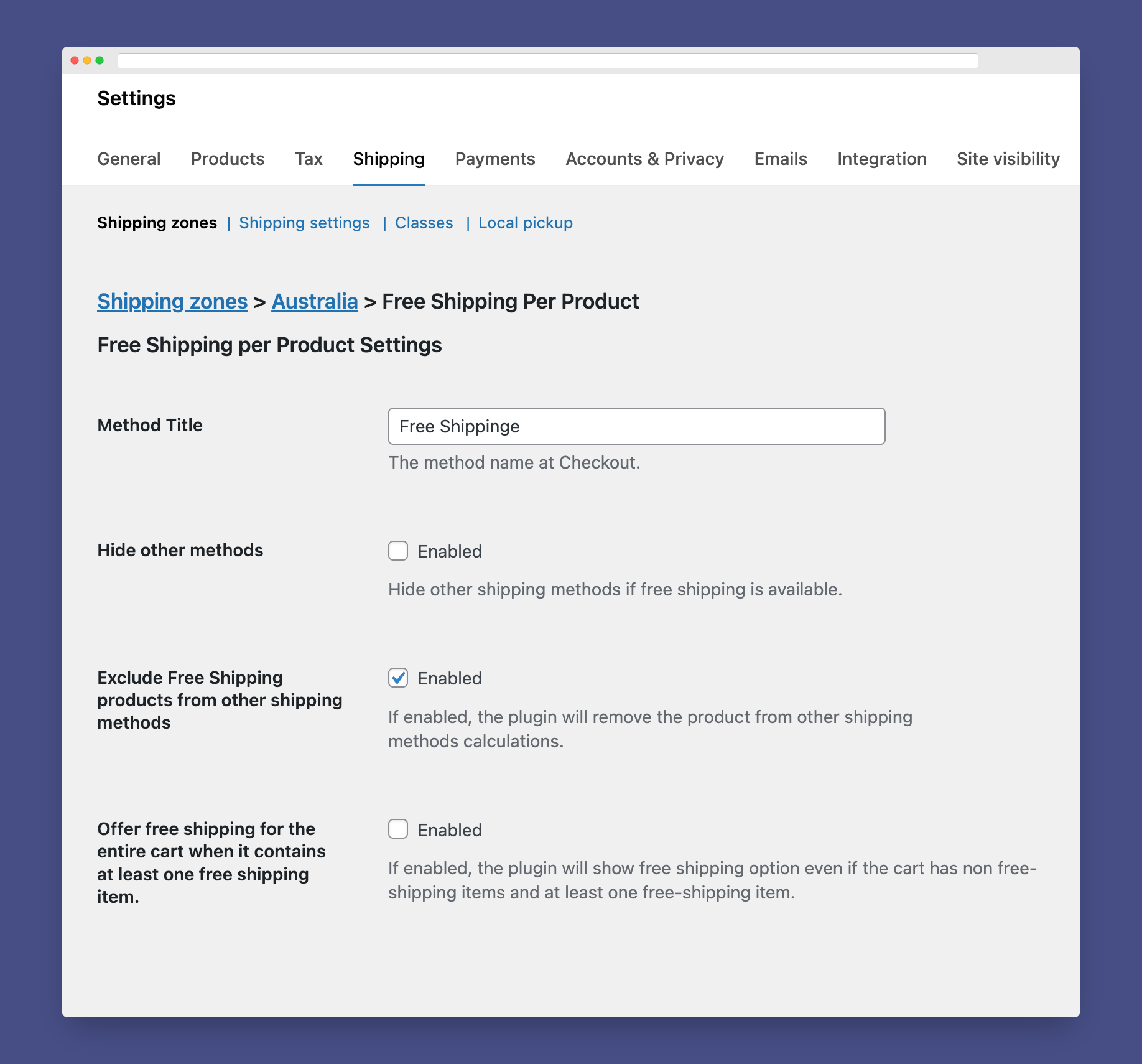
The plugin acts as a regular WooCommerce shipping method. For setting up the plugin, please follow the instructions:
- Install and activate the plugin.
- Go to WooCommerce => Settings ⇒ Shipping ⇒ Shipping Zones.
- Assign Free Shipping Per Product to one or more of the shipping zones.
- At the method’s settings, you can choose if you want to hide other shipping methods at Checkout if the free shipping was available.
- To make a product eligible for free shipping, you can create a shipping class and name it free-shipping then, assign the class to any product you need.