
Change Product Author for WooCommerce
v1.0.0Ollie Murphy · 2015年10月22日 上架
This makes it easy to change the author assigned to a WooCommerce product post type.
- 正在使用
- 100+
- 评分
- 5.0 / 5
- 累计下载
- 9,163
- 最近更新
- 2015年12月24日
贡献者
 Ollie Murphy
截图


WooCommerce requires at least: 2.2
WooCommerce tested up to: 2.4.12
While working on a project there was a situation where I needed to change the author assigned to a WooCommerce product. The product author was receiving unwanted notifications when reviews for the product were being left. We did not want to turn the notifications off; we just wanted them to go to a different author or user. Changing the author is easily possible with posts and pages, but the option isn’t available by default for WooCommerce products.
Adding the functionality is very simple – it involves adding author support to the product post type which can be accomplished by adding the following to your theme’s functions.php file:
if ( post_type_exists( 'product' ) ) {
    add_post_type_support( 'product', 'author' );
}
However, for users who don’t want to touch the functions.php file, or would prefer a solution that is not restricted to a theme, I created this simple plugin. Just activate the plugin with WooCommerce also installed and you will be able to change the author of a product as if it were a standard post or page.
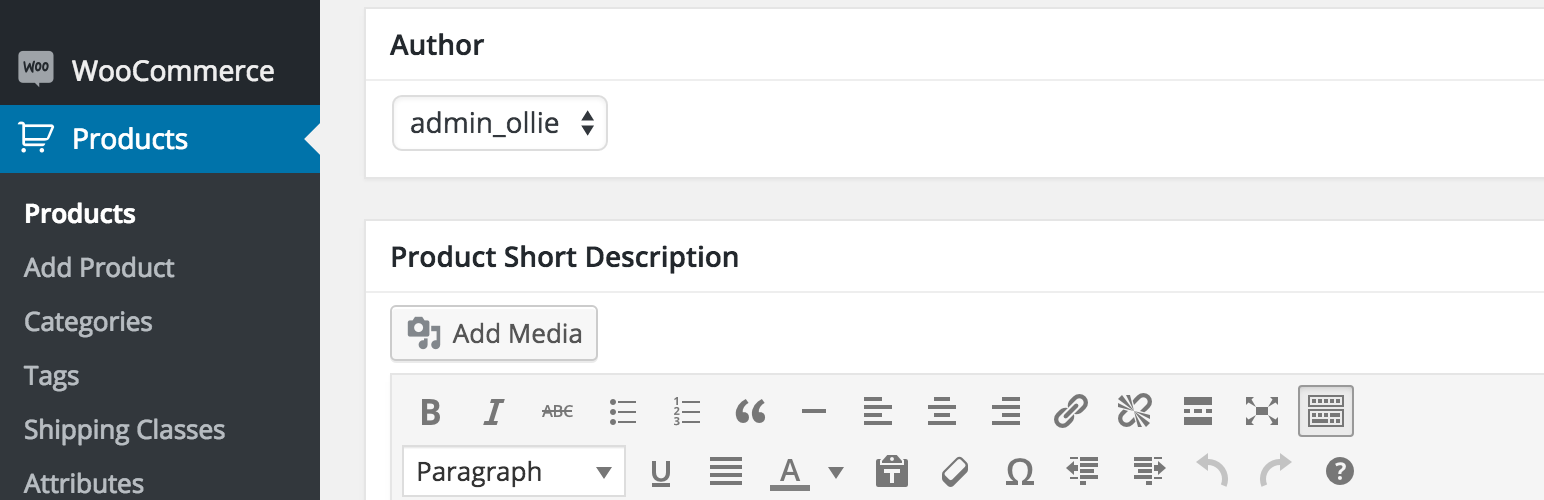
After activating the plugin you will be able to change the author assigned to a WooCommerce product by editing the product in the WP dashboard. See screenshot for details.
If you do not see a place to change the author, check the screen options and make sure that ‘Author’ is checked. See screenshot for details.