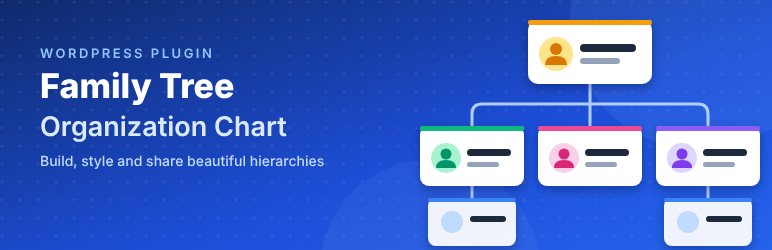

Family Tree – Organization Chart
v1.2wpmart · 2026年10月18日 上架
Build family trees and organization charts with member profiles, a visual tree builder, templates, a style customizer and profile popups.
- 正在使用
- 10 以下
- 评分
- 暂无
- 累计下载
- 477
- 最近更新
- 2026年11月17日
贡献者
 wpmart
截图


Video: Family Tree – Organization Chart
Family Tree – Organization Chart lets you show a family tree, a company org chart, a team structure or any other hierarchy on your site. Add your members once, build as many charts as you need, style them live and place them with a shortcode.
Features
Members
- Name, designation, short details, full profile (WordPress block editor), picture and social icons.
- 17 social networks: Facebook, X / Twitter, LinkedIn, Instagram, YouTube, TikTok, Pinterest, GitHub, WhatsApp, Telegram, Behance, Dribbble, Medium, Reddit, Twitch, Spotify and Website.
- Members are shared: add a person once and use them in as many charts as you like.
- The member list shows each member’s picture, designation and the charts they are used in.
- Password-protected members keep their profile hidden until the visitor enters the password.
Video: How to Customize the Family Tree – Organization Chart Plugin (WordPress Tutorial)
Charts and the tree builder
- Visual tree builder on each chart. Drag and drop to add, move, nest or remove members, add a member under another one, or create and edit a member (name, designation, short details, picture) without leaving the page.
- Unlimited charts. Create, duplicate and delete charts on the Templates & Shortcodes page. Each chart has its own tree, template and style.
- 6 templates: Classic Card (free), Circle Avatar, Modern Header, Compact Horizontal, Minimal and Photo Profile (Pro). Pick one and get a ready shortcode:
[ftree_6310_tree id="123"].
Design
- Live customizer with an instant preview, grouped in tabs: Display, Card & Lines, Title (Name), Designation, Short Details, Skills & Contacts, Profile Button and Profile Popup.
- Show or hide the chart title, picture, designation, short details, social icons, skills, contacts and profile button per chart.
- Accent color, card background, border, radius, width and padding; picture size and shape (circle, rounded, square); connector line color and width; space between members and levels.
- Font size, weight, color, margin, alignment, line height and text transform for the name, designation and short details.
- Profile button text, size, colors and radius.
On the front end
- Profile popup with the member’s picture, details, social icons, contacts, skills and full profile.
- Profile popup styles. Classic centered popup (free), plus side panel, full screen and bottom sheet (Pro), chosen per chart.
- Expand and collapse branches, with a count of the members under each one (Pro).
- Zoom in, zoom out, reset zoom and full screen buttons, which you can turn on or off per chart (Pro).
- Settings page (Pro) for the popup close button (position, content, shape, size, colors, close on outside click / Esc) and the loading indicator shown while a profile opens (spinner, dots, pulse or bar, with color, size, text and page dimming).
- Mobile responsive. On small screens the chart becomes an easy-to-read indented list.
- Accessible. Keyboard friendly buttons, Esc to close the popup and screen reader labels.
Search, SEO and AI
- Search & AI ready. Each chart adds schema.org structured data (JSON-LD) listing its people with name, job title, description, picture and social profiles, so Google and AI search tools (ChatGPT, Perplexity, Gemini, Copilot) can understand who is on the page. You can turn it off per chart.
- Found by site search. WordPress search (and Relevanssi) finds the pages that show a chart when visitors search for a member’s name, job title or short details. Pages that only hold a chart also get an automatic excerpt listing its members.
Tools
- Export / Import. Export members (with picture links), charts and settings to a .json file; import it on another site, optionally downloading the pictures (import is Pro). Imports always add new items and never overwrite existing ones.
- Demo data. Import 7 sample members with pictures, contacts, skills and social icons, a ready shortcode and (optionally) a draft page from the notice shown after activation. Remove it all again with one click.
- Theme overrides. Copy any file from
templates/intoyour-theme/family-tree/to change the markup. - Translation ready and compatible with WPML, Polylang and other multilingual plugins (see below). RTL languages are supported.
Multilingual (WPML, Polylang)
- Members are translatable posts. Translate a member in WPML or Polylang as you would a page.
- You build a chart once. It shows each member’s translation in the visitor’s language and falls back to the original when a translation is missing.
- The chart title and button text are translatable strings. Use WPML String Translation or Polylang Languages Translations, group “Family Tree – Organization Chart”.
- A
wpml-config.xmlfile is included, so WPML knows which member fields to translate and which to copy.
Pro
A Pro license unlocks:
- Templates 02 to 06 (the free version includes template 01).
- Contacts on each member: mobile, phone, WhatsApp, email, website, Telegram, Skype, address or custom rows.
- Skills with percentage bars.
- Unlimited social icons per member (the free version shows one).
- Expand / collapse toggles on each branch.
- Zoom in, zoom out, reset zoom and full screen buttons on the front end.
- Profile popup styles 2–4: side panel, full screen and bottom sheet (style 1, the classic centered popup, is free).
- Settings page: customize the popup close button (position, content, shape, size, colors, close on outside click / Esc) and the loading indicator (spinner, dots, pulse or bar, color, size, text).
- Import of members, charts and settings from an export file (export is free).
You can try every Pro feature with a free demo key: click Get a free demo key on the Family Tree License page. It has no time limit on a local site and works for 10 days on a live site.
External services
This plugin connects to wpmart servers only for Pro licenses and demo keys. Nothing is sent unless you enter a license key or click Get a free demo key on the Family Tree License page.
Pro license server
- Service:
https://demo.tcsesoft.com/handle-license/pro-license.php - When: when you activate, deactivate or refresh a license, and once a day while a license is active.
- Data sent: the license key, the site URL, the product name and the plugin version.
Demo key server
- Service:
https://demo.tcsesoft.com/handle-license/demo-license.php - When: when you click Get a free demo key, when you activate or refresh a demo key, and once a day while a demo key is active.
- Data sent: the demo key (if any), the site URL, the plugin identifier and the plugin version. The server also sees your server’s IP address, which it uses to limit how many demo keys can be requested.
Provider for both: wpmart. Terms of use and privacy policy: https://www.wpmart.org/
Credits
Bundles Font Awesome Free 6.7.2 (icons CC BY 4.0, fonts SIL OFL 1.1, code MIT): https://fontawesome.com/license/free