

Widgets in Menu for WordPress
v1.0.0Saurabh · 2014年10月21日 上架
Allows you to add Widgets in WordPress Navigation Menus
- 正在使用
- 7,000+
- 评分
- 4.8 / 5
- 累计下载
- 11 万
- 最近更新
- 2018年6月27日
贡献者
 Saurabh
截图
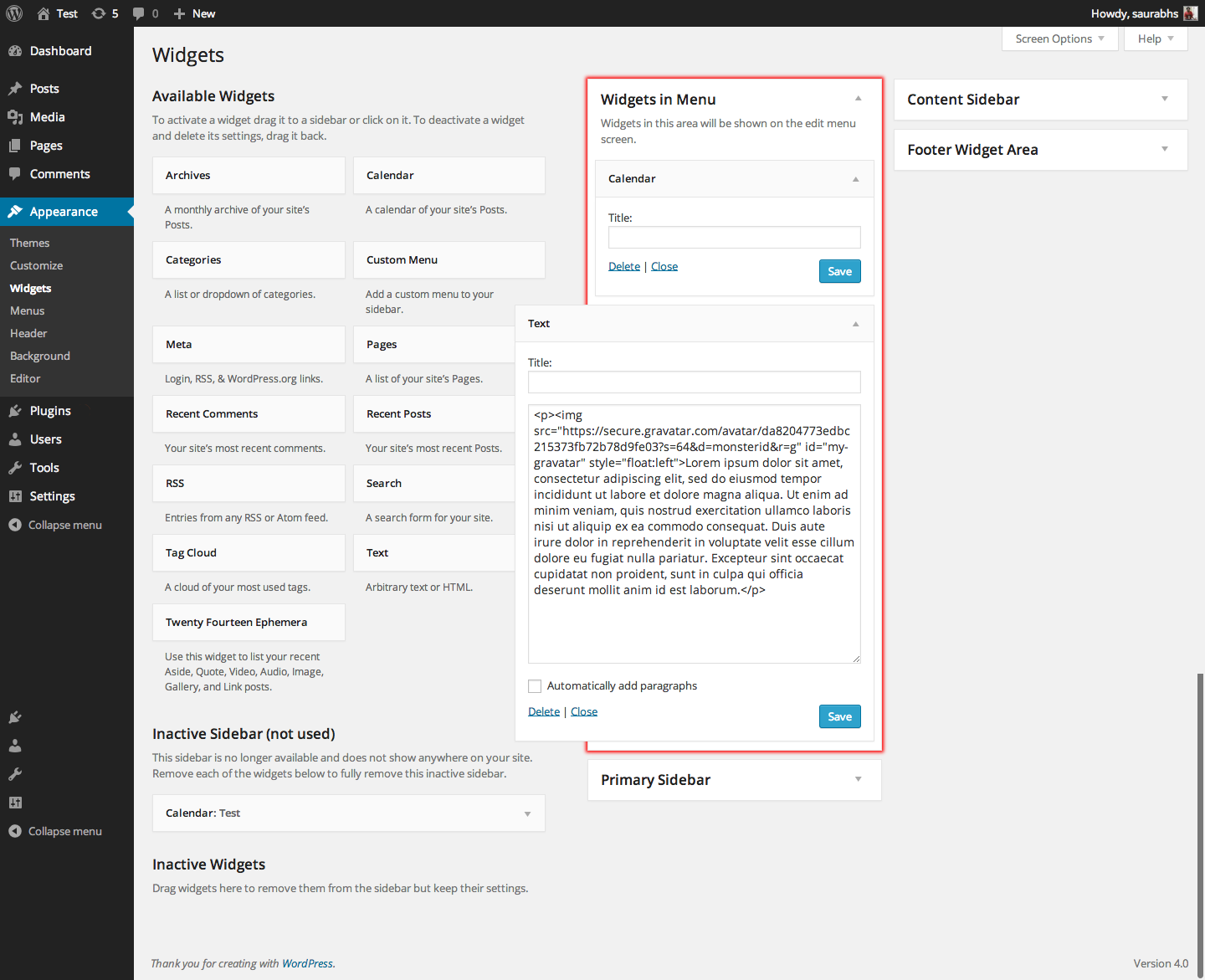
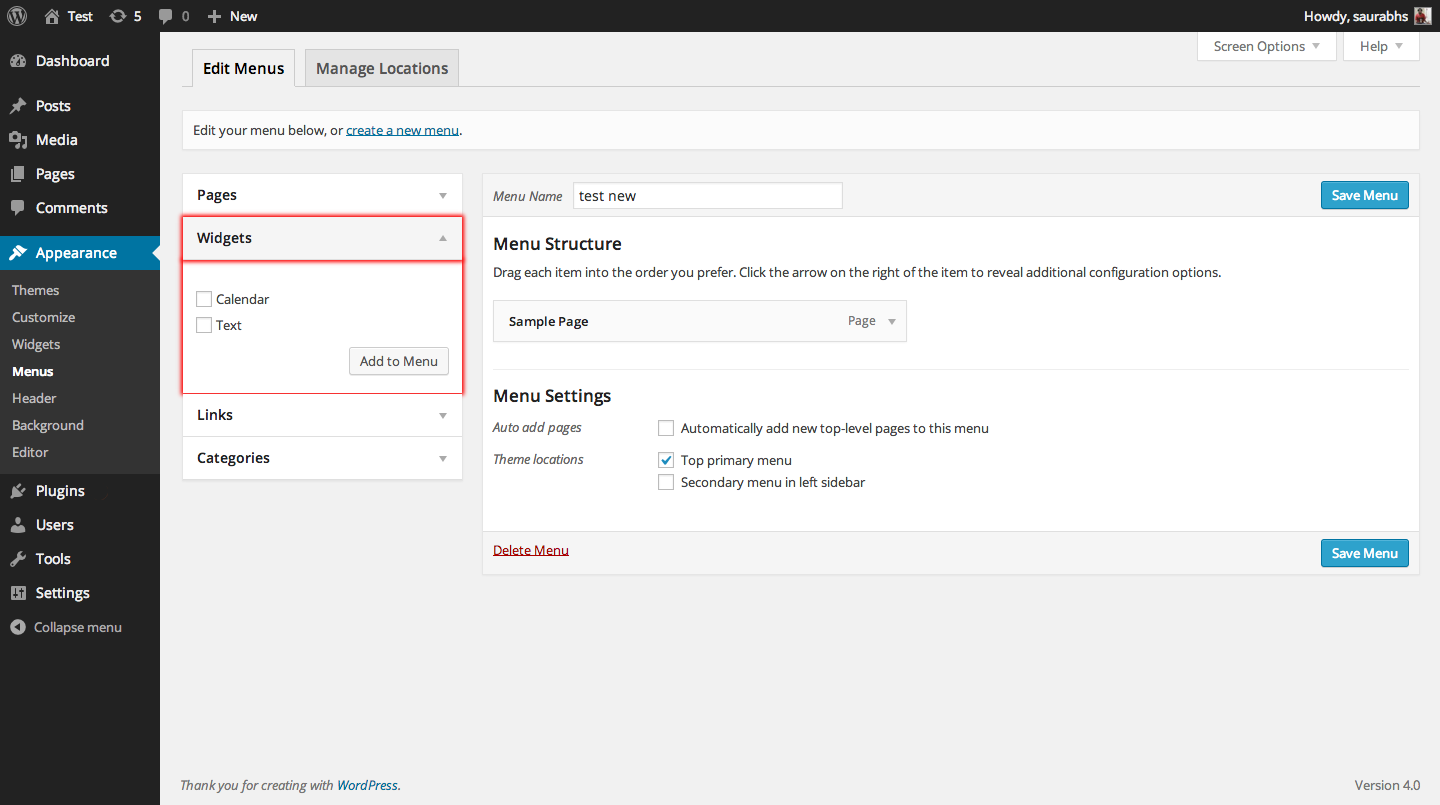


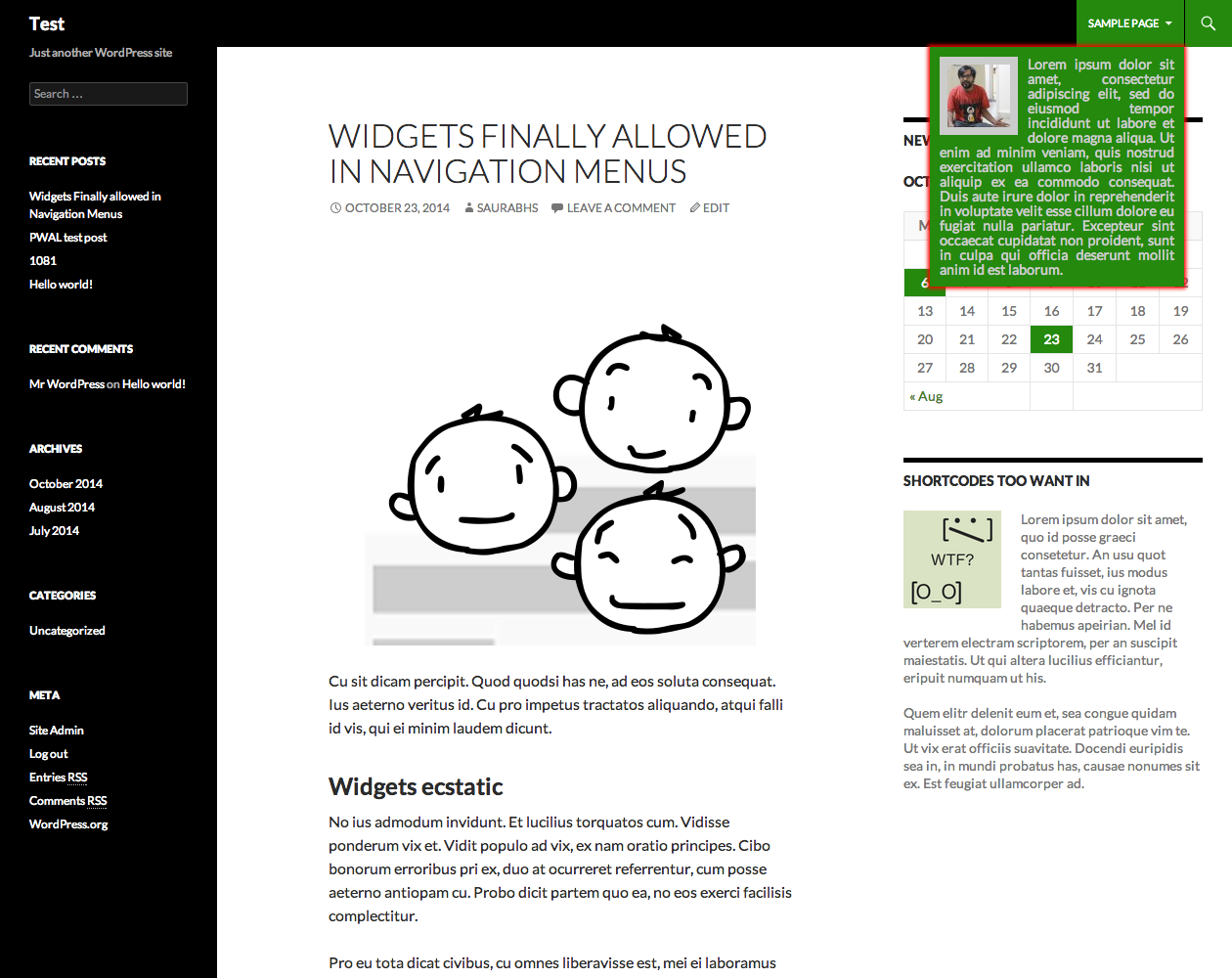
Allows you to add Widgets in WordPress Navigation Menus via a custom widget area and an extra box in menu edit screen.
Warning
You will need to have some CSS skills for the widgets to display properly in nav menus.
Usage
View the screenshots for usage instructions.
Source code and Contributions
Contributions are always welcome
Documentation
- Most documentation is inline.
- The hooks (actions and filters) are documented in the Other Notes.
- Some useful stuff is in the FAQ section.
Hooks
Actions
yawp_wim_pre_callback
Fires before a widget’s display callback is called. Similar to ‘dynamic_sidebar’ action.
Parameters
- $yawp_wim_widget array An associative array of widget arguments.
- string $name Name of the widget.
- string $id Widget ID.
- array|callback $callback When the hook is fired on the front-end, $callback is an array containing the widget object. Fired on the back-end, $callback is ‘wp_widget_control’, see $_callback.
- array $params An associative array of multi-widget arguments.
- string $classname CSS class applied to the widget container.
- string $description The widget description.
- array $_callback When the hook is fired on the back-end, $_callback is populated with an array containing the widget object, see $callback.
Filters
yawp_wim_attribute_prefix
Filters the prefix used in class/id attributes in html display.
Parameters
- $default_prefix string The default prefix: ‘yawp_wim’
yawp_wim_widget_params
Filter the parameters passed to the widget’s display callback. Similar to ‘dynamic_sidebar_params’ filter
Parameters
- $params array
- array $args An array of widget display arguments.
- string $name Name of the sidebar the widget is assigned to.
- string $id ID of the sidebar the widget is assigned to.
- string $description The sidebar description.
- string $class CSS class applied to the sidebar container.
- string $before_widget HTML markup to prepend to each widget in the sidebar.
- string $after_widget HTML markup to append to each widget in the sidebar.
- string $before_title HTML markup to prepend to the widget title when displayed.
- string $after_title HTML markup to append to the widget title when displayed.
- string $widget_id ID of the widget.
- string $widget_name Name of the widget. }
- array $widget_args An array of multi-widget arguments.
- int $number Number increment used for multiples of the same widget.
- array $args An array of widget display arguments.
yawp_wim_no_widgets_message
Filters the html displayed if no widgets are present in the sidebar.
Parameters
- $no_widgets_output array The default output