

MediaMan – Where is this Image Used?
v1.0.2Chris Burns · 2025年5月8日 上架
Improve the default Media Library to see where your images are being used across your WordPress site.
- 正在使用
- 500+
- 评分
- 3.7 / 5
- 累计下载
- 2,889
- 最近更新
- 2025年6月16日
贡献者
 Chris Burns
截图
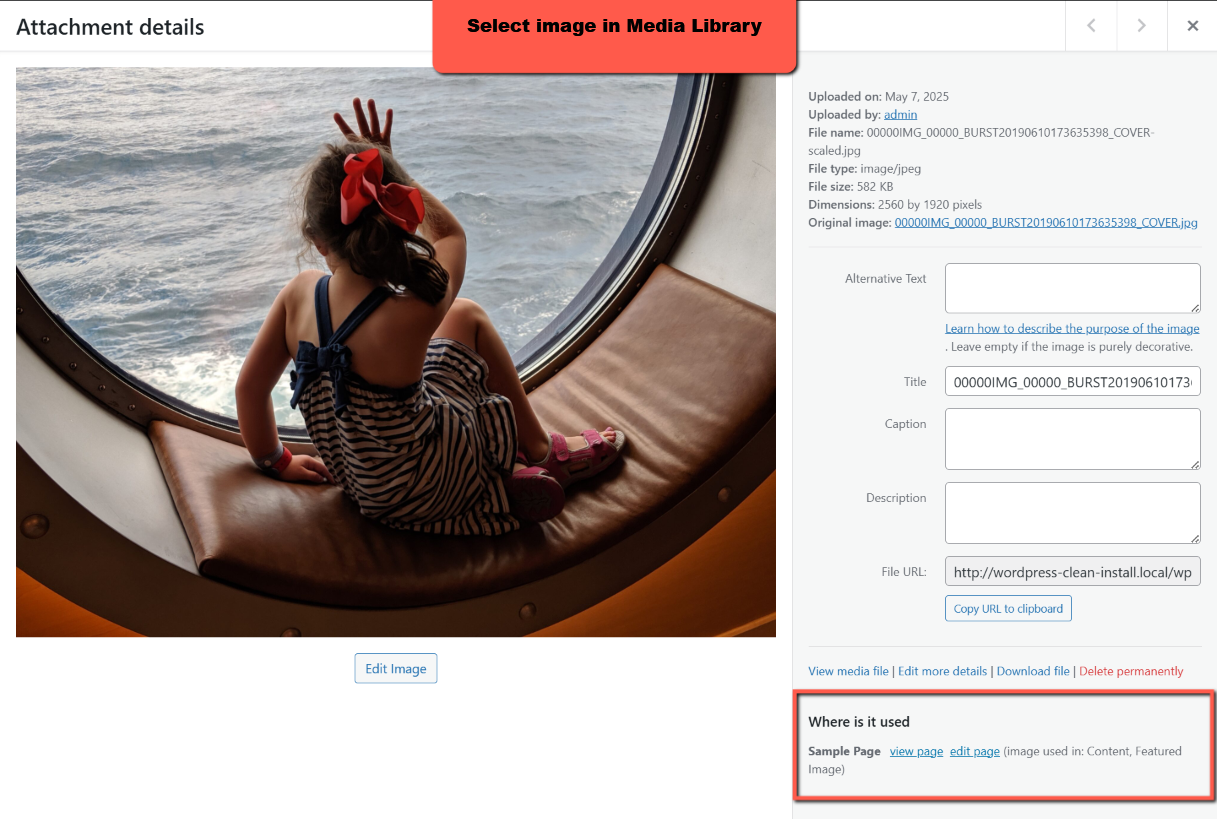
Wondering if this image is even used on your site? Can it safely be deleted?
Or you need to update an image, but not sure which pages will be affected?
You’re curious if you’ve used this image too many times…
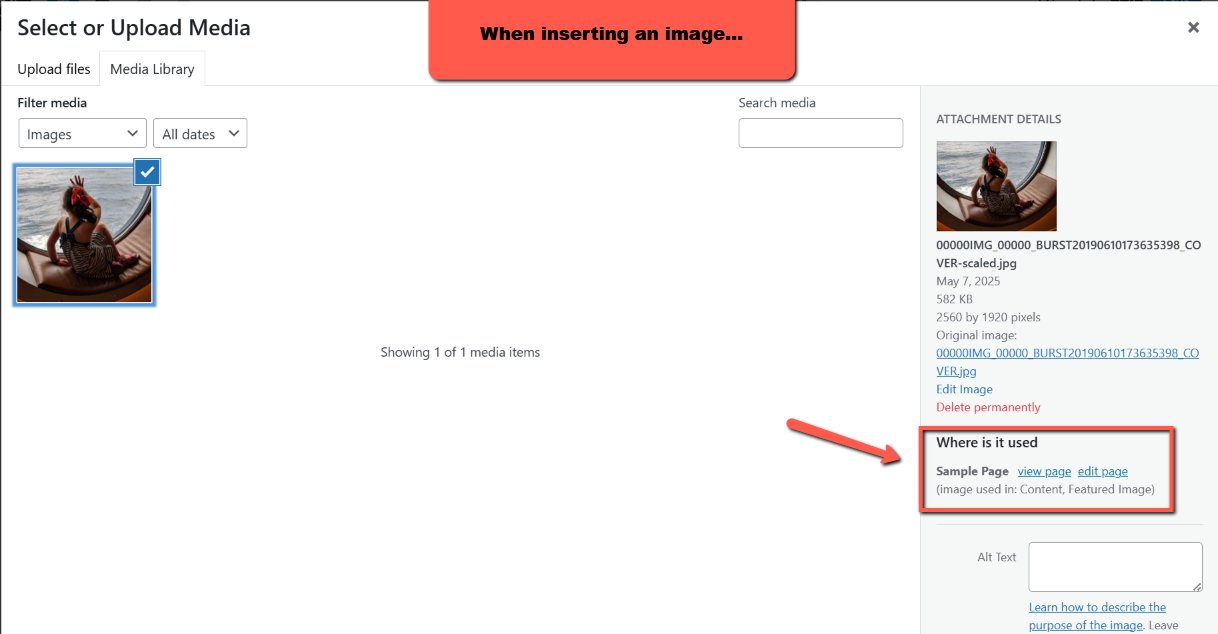
With this plugin, when choosing an image in the Media Library, you’ll see a section “Where is it used” in the image details on the right.
Limitations
This plugin scans the database for the image — that means it will find the image when you’ve inserted it using the WordPress admin, such as:
- Content inside a Page/Post/Custom Post type
- Featured images
- ACF fields
- Site Icon (favicon)
That also means it WON’T find places where the image is used outside of the admin, such as:
* Code (PHP, HTML, CSS that you wrote that links directly to the image)
* Other websites that link to it
* The image used in your email signature
Tested plugins that are compatible
- ACF
- WooCommerce
Do you use a plugin that manages images on your site but this plugin doesn’t see them? Let me know and I can figure out how to include those images in the search.
Features
- View where any image is used across your WordPress site
- Notes on where to look for the image so it’s easier to find on the edit screen (Feature image? Page content? ACF field?)
- Quick links to edit and view the page contianing the image
- No configuration needed – just install and activate
Use Cases
- Find unused images that can be safely deleted
- Audit duplicate images so you can decide which one to keep
- Locate where specific images are being used
- Notice images that are over-used (pick a different image for some more variety)
- Identify orphaned images
- Track featured image usage
How It Works
- Open the WordPress Media Library
- Click on any image to view its details
- Look for the “Where is it used” section in the image details sidebar (on bottom right)
- See a list of all places where the image is used, with links to edit those pages
Privacy Policy
Where Image Used does not collect any personal data. It only scans your WordPress content to find where images are used within your site.