

Business Hours & Holiday Schedule Manager
v1.0.4webtendhq · 2026年10月4日 上架
Show opening hours, a live Open/Closed badge, holiday hours and Schema.org markup with a block, widget, shortcode or Elementor widget.
- 正在使用
- 100+
- 评分
- 4.0 / 5
- 累计下载
- 2,711
- 最近更新
- 2026年11月10日
 webtendhq
 WebTend
截图


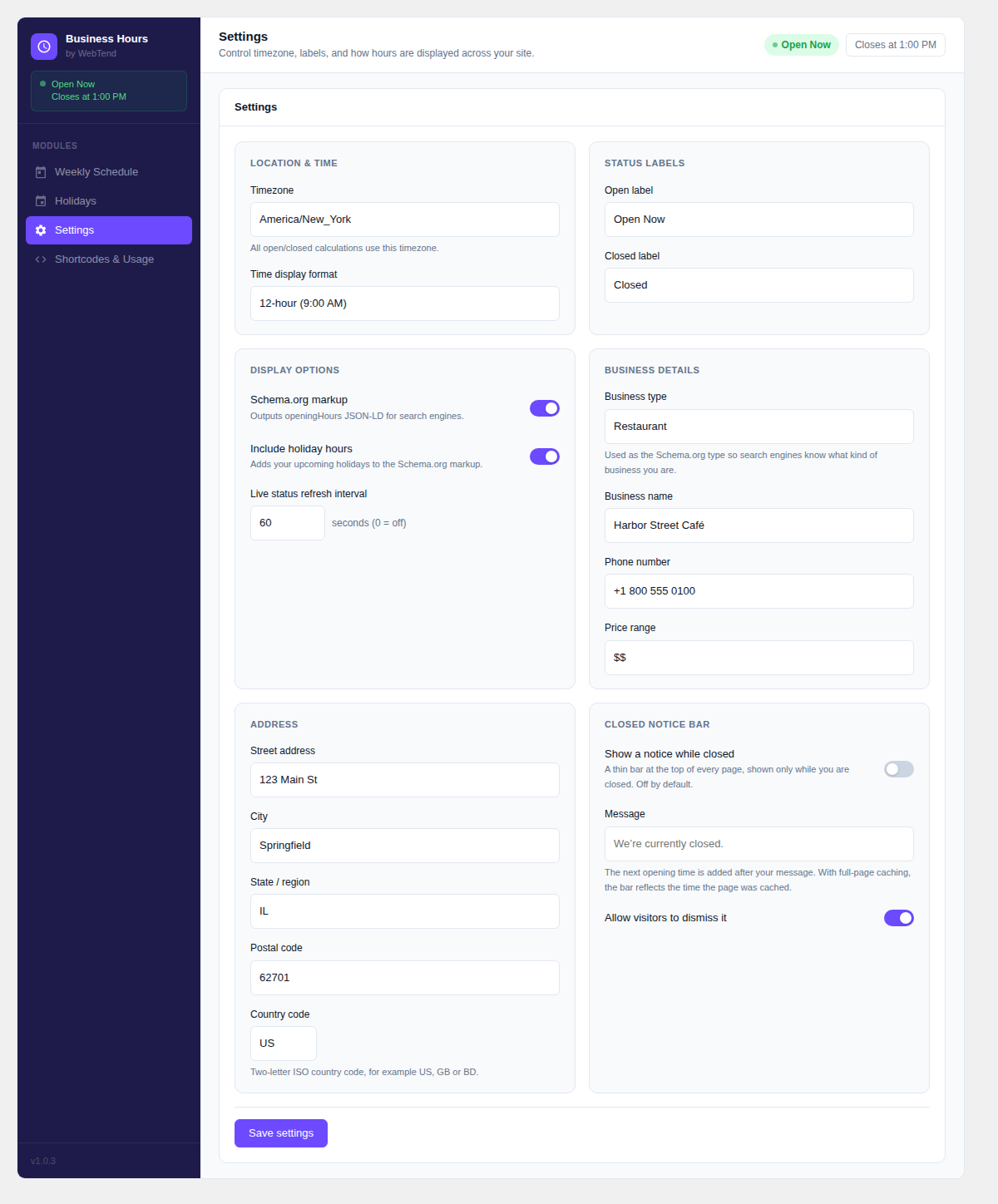


Business Hours & Holiday Schedule Manager is a business hours plugin for WordPress that shows your customers exactly when you are open. Set your weekly opening hours, add holiday and special-date hours, and display a live Open Now / Closed badge on any page. It also adds Schema.org opening hours markup so search engines can read your hours.
It suits local shops, restaurants, cafés, clinics, salons, agencies and any other business with set opening times. No coding is needed, and the plugin makes no external requests.
🎥 See Business Hours in Action:
📖 View Documentation | 🌐 WebTend
What you can do with it
- Build a weekly opening hours schedule with a switch for each day
- Add up to 4 time slots per day for lunch breaks and split shifts
- Show a live open now / closed status badge that refreshes without reloading the page
- Set holiday hours and special dates: closed all day, or custom hours, for one day, a date range, or every year
- Use your own timezone, so the status never depends on the server clock
- Output JSON-LD (business type, address, phone,
openingHoursand holiday hours) for search engines - Place your hours with a Gutenberg block, a classic widget, a shortcode or an Elementor widget
- Choose a full weekly table, a one-line today’s hours view, or just the status badge
- Optionally show a closed notice bar across your site while you are closed
- Close right now with one click from the admin bar (temporary closure), without touching your schedule
- Show content only while you are open or closed with
[webtend_if_open]and[webtend_if_closed] - Rename the Open and Closed labels and choose 12-hour or 24-hour time
Weekly schedule builder
Toggle each day on or off and set its opening and closing times. Quick-fill presets (Mon–Fri 9–5, Mon–Sat 10–6, 7 days 9–9) set up a standard week in one click, and “Apply to all days” or “Copy to Mon–Fri” saves retyping when several days share the same hours.
Live open/closed status badge
Visitors see whether you are open right now and when that changes next, for example “Closes at 5:00 PM”. The badge is rendered on the server and refreshed with a lightweight AJAX request. The refresh interval is 60 seconds by default and can be turned off in Settings.
Holiday and special dates manager
Holidays always override the weekly schedule. Mark a date as closed, or give it reduced hours such as Christmas Eve 10:00–14:00. Add an end date for a multi-day closure such as a winter break, and switch on “Repeat every year” so you only enter Christmas once. Search the list, filter by month and page through large lists.
Schema.org opening hours markup
The plugin prints a single JSON-LD block with your business name, type, URL, phone number, address, price range, logo and openingHours, built from your weekly schedule. Upcoming holidays are added as special opening hours. Fill in Settings Business Details and the markup is ready, with no code. Search engines may use structured data like this to understand your business. You can also change the type with a filter, or turn the markup off.
Closed notice bar
Turn it on under Settings Closed Notice Bar to show a thin bar at the top of every page while you are closed, for example “We’re currently closed. Opens tomorrow at 9:00 AM”. It prints nothing while you are open, is off by default, and can be dismissed by the visitor for the rest of their browser session.
Temporary closure
Power cut, bad weather, someone off sick? Use the Business Hours menu in the admin bar (or Settings Temporary Closure) and choose Close for the rest of today or Close until I reopen. Your site shows as closed straight away, with an optional message, and your weekly schedule and holidays stay exactly as they are. Click Reopen now to go back to normal. Only administrators can use it.
Show content only when open or closed
Wrap anything in [webtend_if_open] or [webtend_if_closed]:
[webtend_if_open]Call us now on 555-0100[/webtend_if_open]
[webtend_if_closed]We are closed right now. Leave a message and we will reply tomorrow.[/webtend_if_closed]
The content is decided on the server when the page is built, so with full-page caching it reflects the moment the page was cached.
Ways to display your hours
- Gutenberg block: “Business Hours”, with a live preview in the editor
- Classic widget: add it from Appearance Widgets
- Shortcode:
[webtend_business_hours],[webtend_business_hours display="today"]or[webtend_business_hours display="status"] - Elementor widget: appears automatically when Elementor 3.5 or later is active
Works with block themes, classic themes and page builders. Front-end styles and scripts only load on pages that show your hours.
Built for speed, accessibility and privacy
- No jQuery: plain JavaScript only
- No external requests, tracking, or third-party services
- Accessible markup: the status badge is announced to screen readers, hours tables use proper row headers, and admin controls have visible keyboard focus
- Translation-ready with a
.potfile included - Removes its options and database table when you delete the plugin
For developers
webtend_bh_output_schema: returnfalseto skip the JSON-LD block, for example on specific pageswebtend_bh_schema_type: changeLocalBusinessto another Schema.org type such asRestaurantwebtend_bh_schema_data: add or change properties such as address, telephone or geowebtend_bh_show_notice_bar: returnfalseto hide the closed-notice bar on specific pageswebtend_bh_is_open: change the open/closed decision used by[webtend_if_open]and[webtend_if_closed]- Front-end CSS custom properties (
--wbh-today-color,--wbh-font-size,--wbh-radius,--wbh-row-padding,--wbh-badge-radius) for theming without overrides