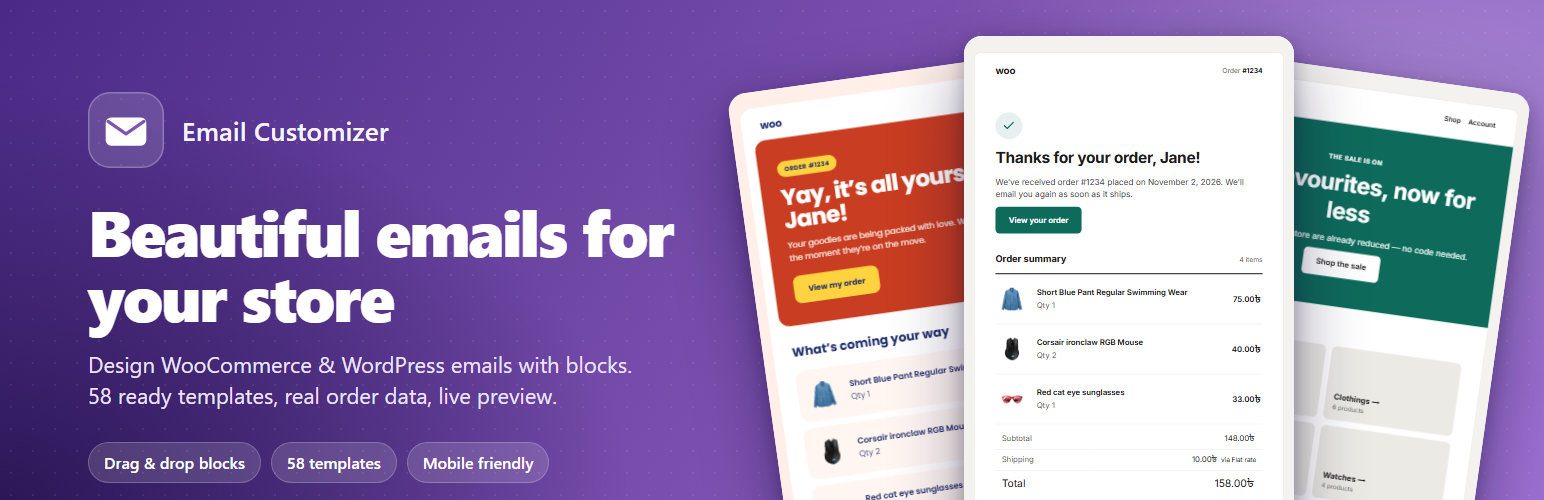

Email Customizer – Email Template Builder for WooCommerce & WordPress
v1.1.0webangon · 2026年11月2日 上架
Customize WooCommerce and WordPress emails with a drag-and-drop block editor. 58 email templates, live preview, SMTP and an email log.
- 正在使用
- 10 以下
- 评分
- 暂无
- 累计下载
- 469
- 最近更新
- 2026年11月20日
贡献者
 webangon
截图
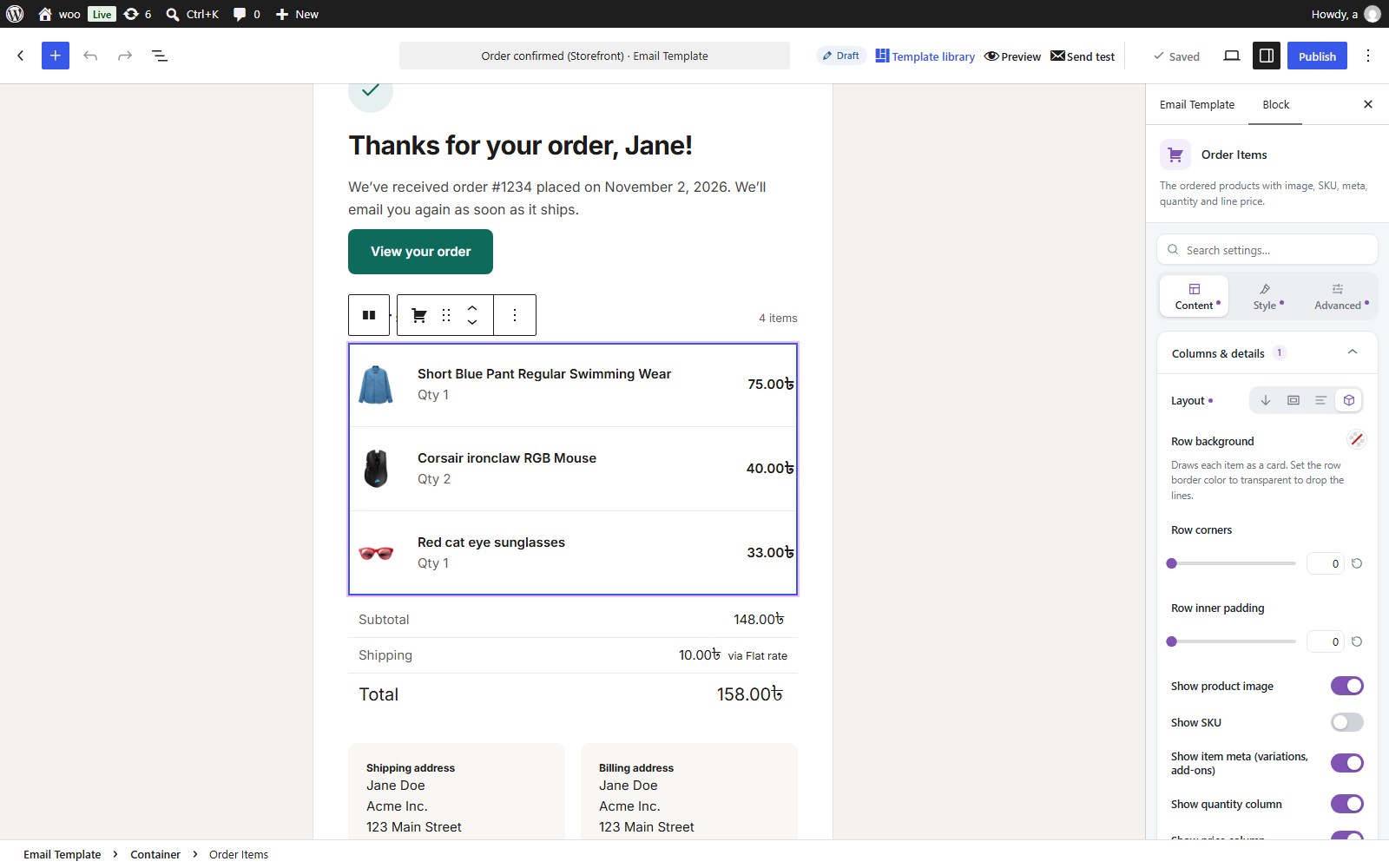
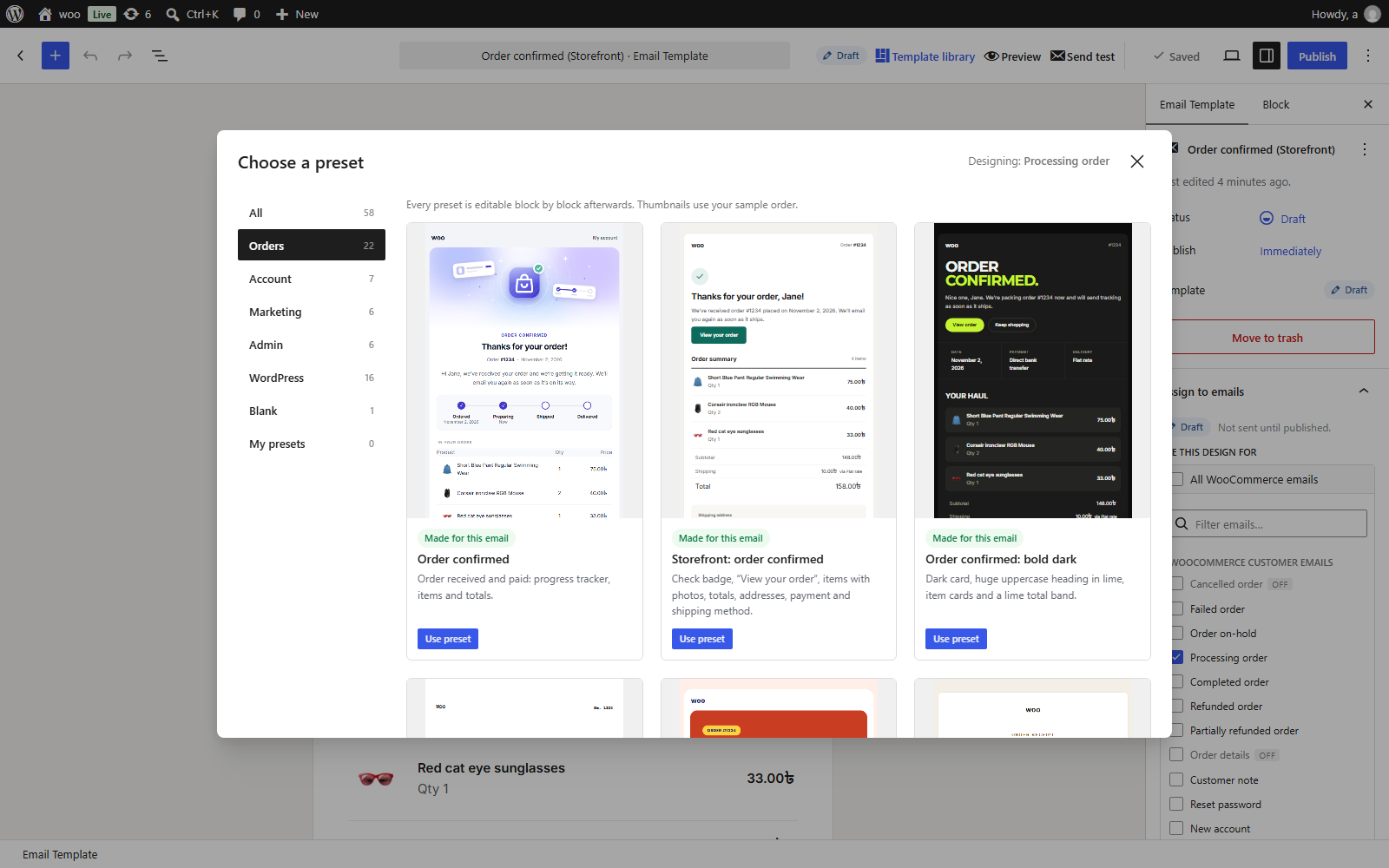

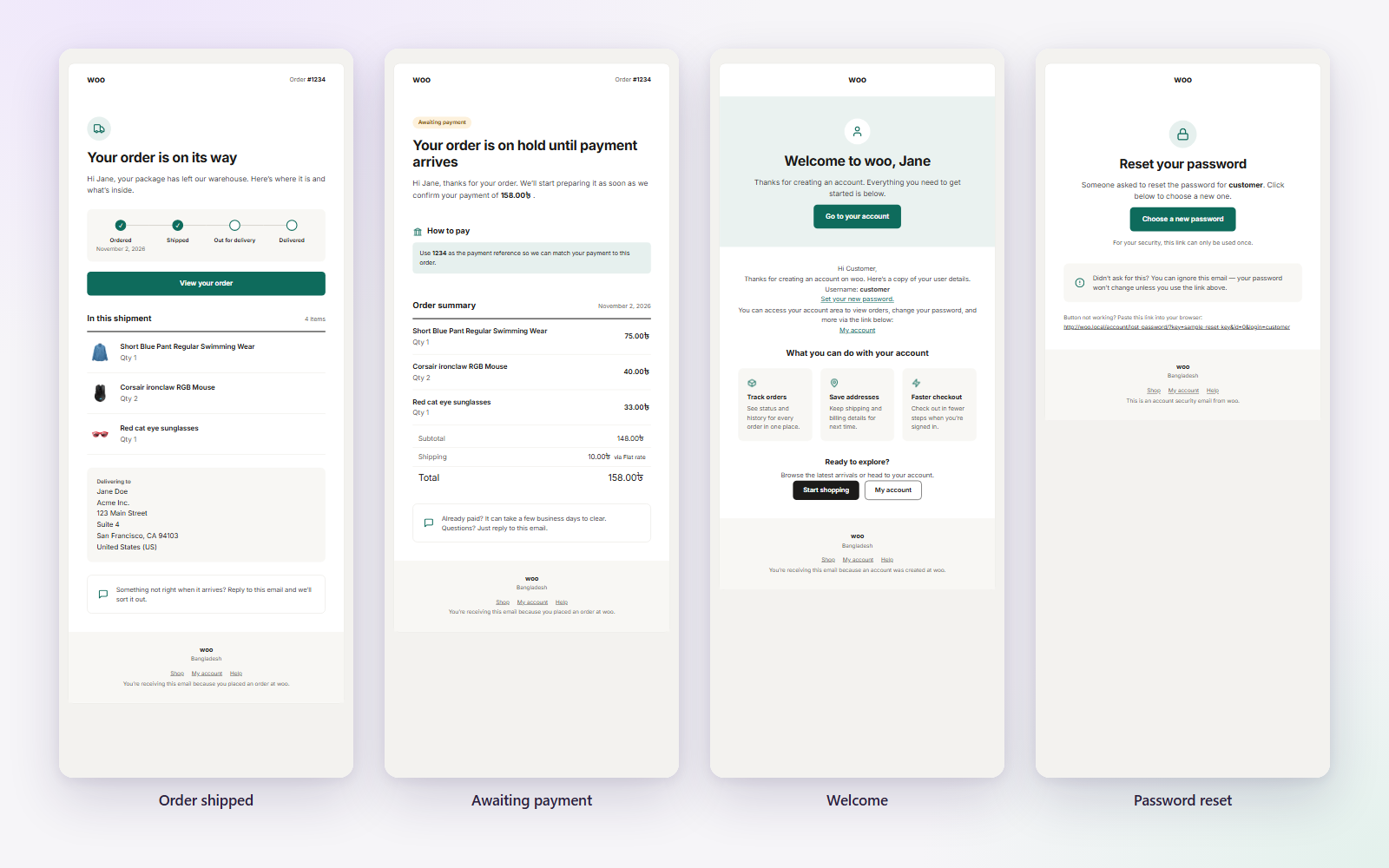

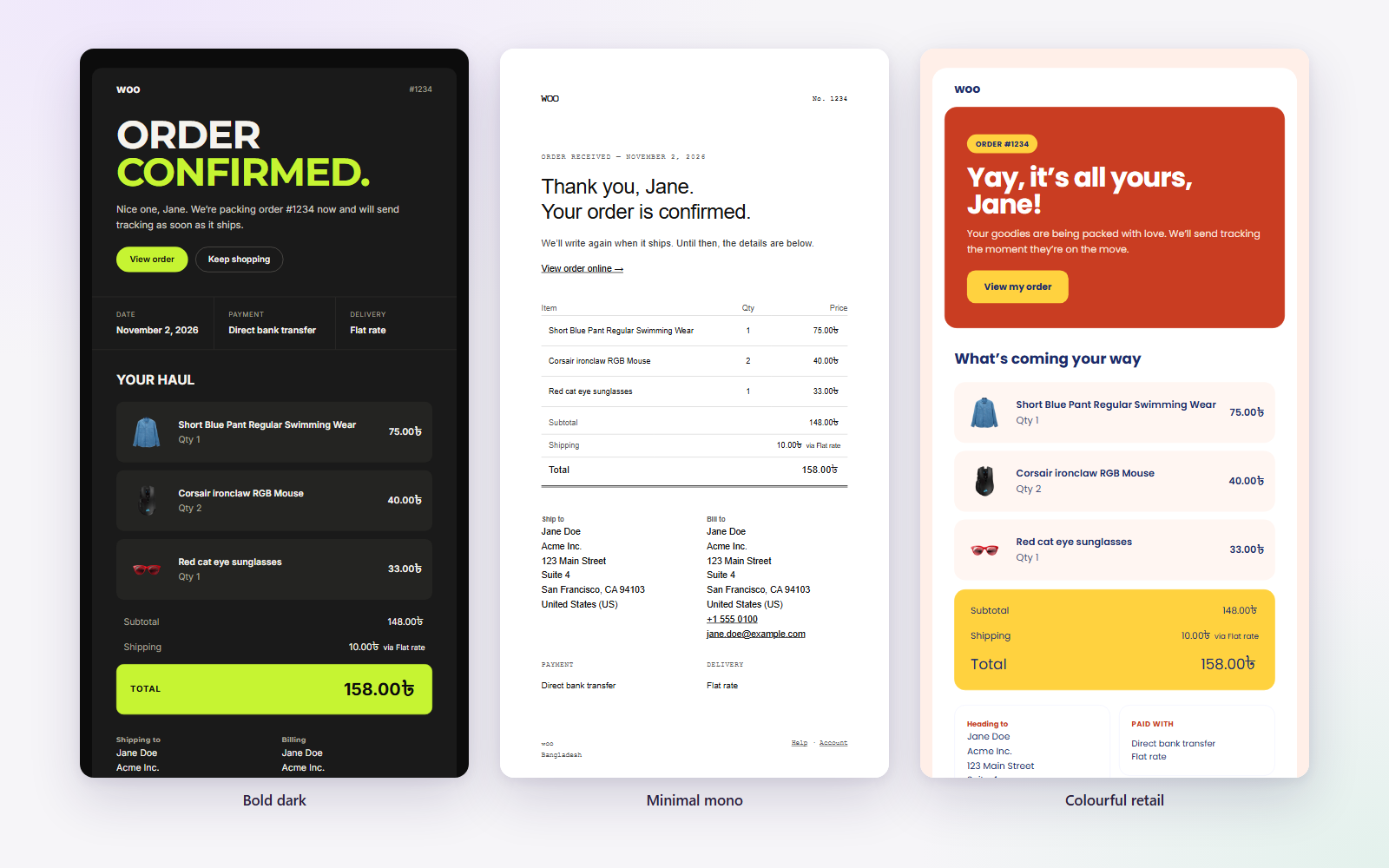
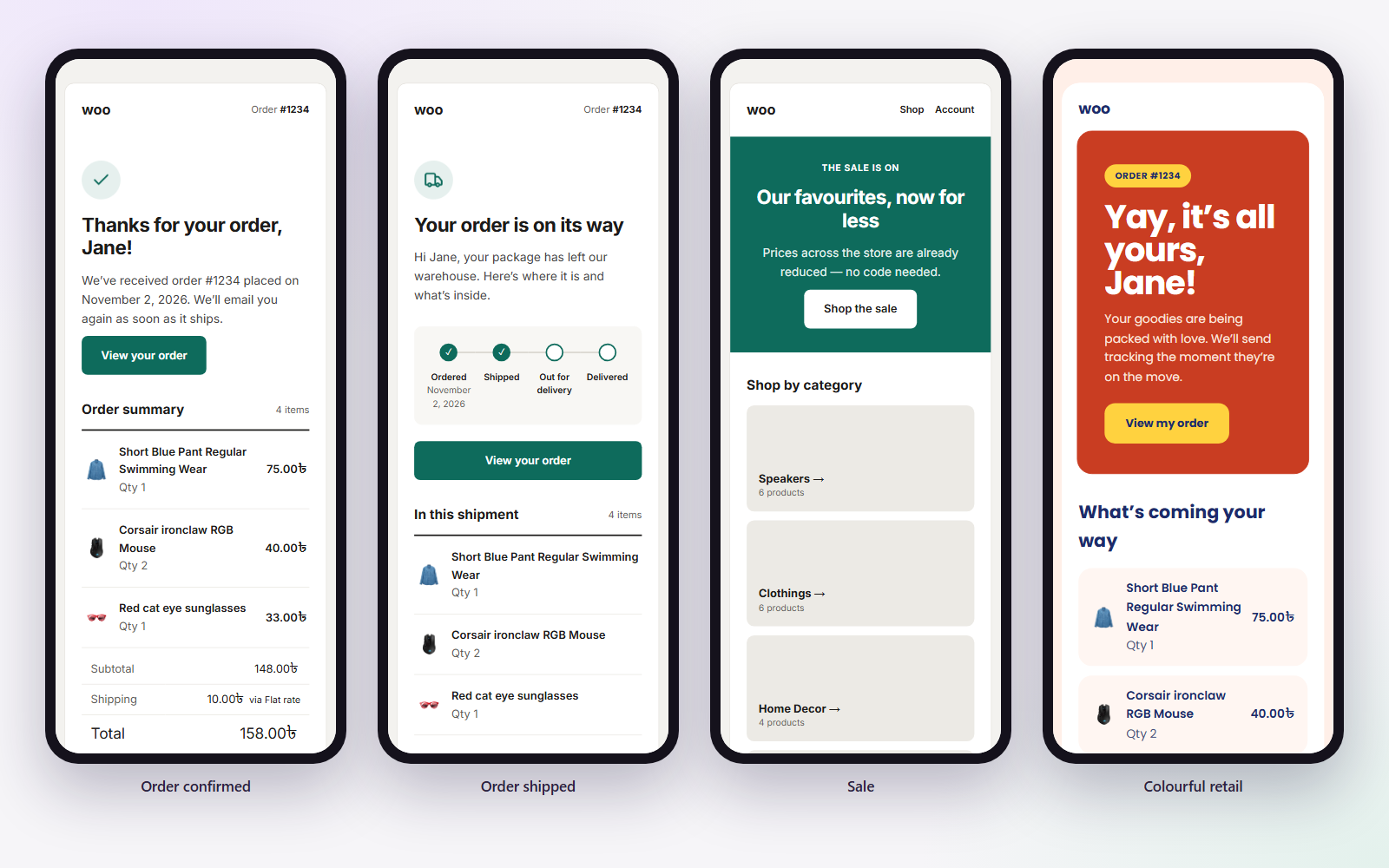
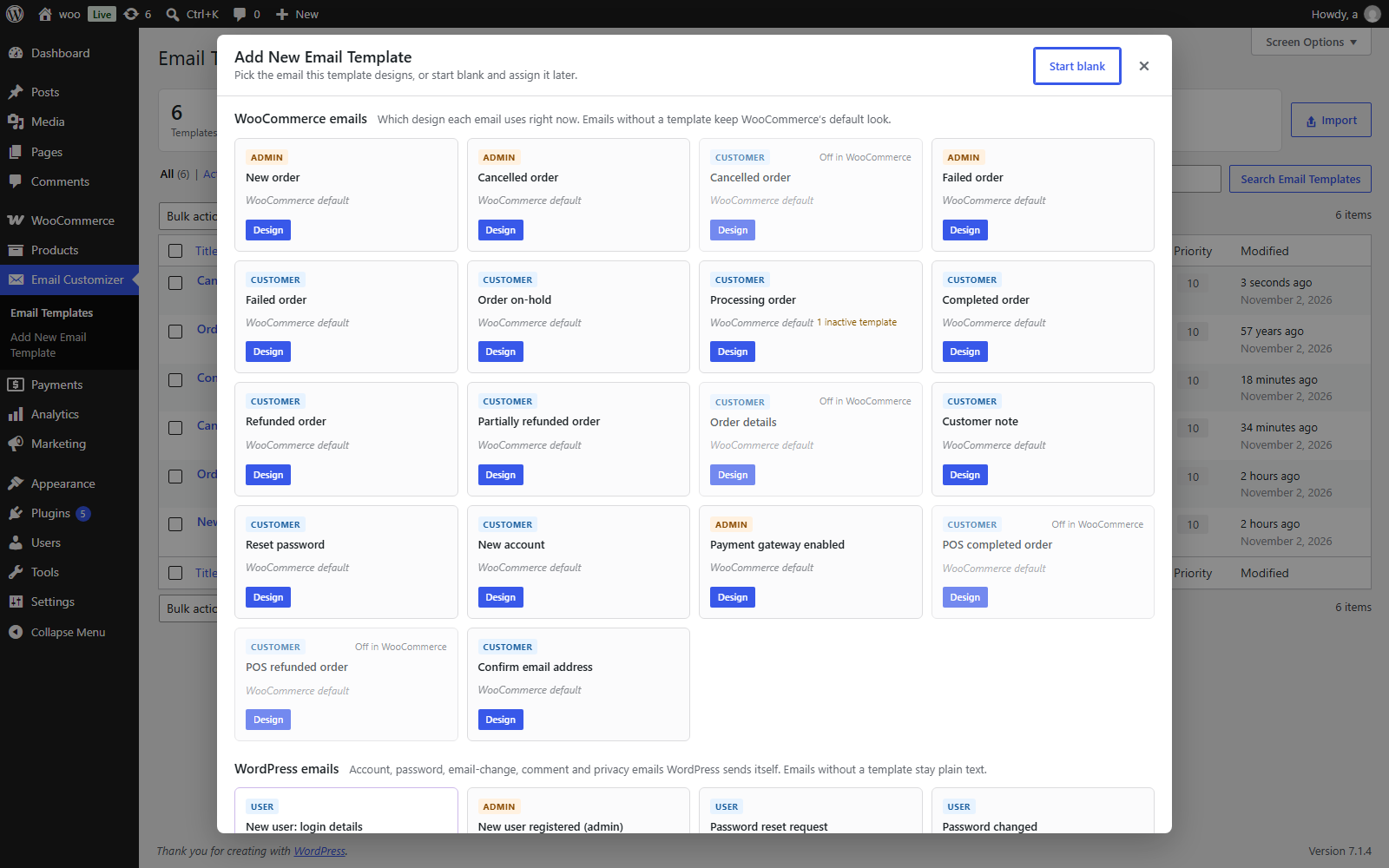
Email Customizer turns the plain emails your store sends into branded, mobile-friendly emails – without code. Design WooCommerce order emails and the account, password, comment and privacy emails WordPress sends, in the block editor you already know.
Pick a ready-made design from the template library, change the colours, fonts and text, preview it with a real order, send yourself a test, and publish. From then on every matching email goes out in your design. Emails you have not designed keep going out exactly as before, so you can switch one email at a time.
It also makes sure those emails arrive: send them through your email service with the built-in SMTP settings, and see every email your site sent – or failed to send – in the email log.
Email Customizer is 100% free. Every template, block, condition, SMTP provider and the email log are included, with no Pro version and no licence key.
👉 See every feature, template and email on the Email Customizer page
Why store owners choose Email Customizer
- Visual email builder – edit emails with blocks, see the result as you type, no HTML.
- 58 ready email templates – a design for every WooCommerce and WordPress email, plus a modern “Storefront” collection and marketing designs.
- Real store data, no placeholders – order items with product photos, totals, addresses, product recommendations and categories come from your shop.
- Works with or without WooCommerce – without WooCommerce it designs the 16 emails WordPress sends itself.
- Mobile-friendly and email-client safe – table-based HTML with inline styles that looks right in Gmail, Outlook, Apple Mail and on phones.
- Live preview and test emails – preview any order on desktop and mobile, then send a test to any address.
- SMTP built in – send every site email through Gmail, Microsoft 365, Amazon SES, SendGrid, Mailgun, Brevo, Postmark and 9 more, or any SMTP server, so emails stay out of spam.
- Email log – every email your site sends, sent or failed, with the error, the content and one-click resend.
- Free, with nothing locked – all 58 templates, 25+ blocks, smart conditions, merge tags, SMTP and the email log are in this one plugin.
Customize every WooCommerce email
18 designs for customers and store admins: processing order, completed order, on-hold order, refunded and partially refunded order, cancelled and failed order, order details and invoice, customer note, new account, password reset, email address confirmation, in-store receipt and refund, and the admin new order, cancelled order, failed order and payment-method-enabled emails. Each one has its own ready design.
Customize WordPress emails too
16 designs for the emails WordPress sends itself, no WooCommerce needed: new user login details, password reset and password changed, email change request and email address changed, comment notification and moderation, recovery mode, new user registered, site email change, privacy request confirmation, data export and erasure, and automatic update reports – normally plain text, now branded HTML.
Email blocks made for email
25+ blocks built for email clients:
- Layout: container with columns, spacer, divider, conditional content
- Content: heading, text, button, image, logo, social icons, numbered list, custom HTML
- Order: order items (list, cards or rows with product photos), order summary, order totals, order progress tracker, customer details, billing and shipping addresses, downloads, payment instructions and tracking details from your plugins
- Marketing: product grid (related, cross-sells, upsells, best sellers, on sale, newest, abandoned cart, previously bought), product spotlight, category grid and coupon
- WordPress: comment card and account details
Every block has easy settings for typography, colours, spacing, borders, backgrounds and alignment, with separate values for mobile.
Template library
Open the Template library from the editor toolbar and start from a professional design:
- One design for every WooCommerce and WordPress email
- Storefront collection: order confirmed, shipped, welcome, awaiting payment, refund, payment failed, password reset, order note and admin new order
- Alternate order confirmation styles: bold dark, minimal mono and colourful retail
- Marketing emails: abandoned cart reminder, review request, back in stock, sale announcement and win-back
- Save your own designs as presets and reuse them
Smart conditions
Send a different design depending on the email, the recipient, order status, payment or shipping method, products or categories in the order, customer role, country, order total, item count, currency, coupon used, first order or language. When several templates match, the one with the highest priority wins. A Conditional block can also show or hide part of an email.
Dynamic merge tags
Insert the customer’s name, order number, order total, payment method, order and account links, store name, store address and more with a click. Merge tags work in text, headings, buttons, links, the subject line and the preheader.
Subject line and preheader
Set your own subject line and inbox preview text for every template, with merge tags.
SMTP: get your emails delivered
By default WordPress sends email from your web server, which many hosts limit and many email providers send to spam. Turn on SMTP in Email Customizer SMTP to send every email from your site – WooCommerce, password resets and other plugins – through a real email service:
- Ready settings for 16 services: Gmail / Google Workspace, Microsoft 365 / Outlook, Amazon SES, SendGrid, Mailgun, Brevo, Postmark, SparkPost, Mailjet, Zoho Mail, SMTP2GO, Elastic Email, Resend, Mailtrap, Yahoo Mail and Other SMTP
- Pick a service and the server, port and encryption fill in, with regions for services that have them
- Force your own From address and name, and send bounces back to you
- Send a test email with the values on screen, before you save – with a plain-language hint and the SMTP conversation when it fails
- The password is stored encrypted, or keep it in wp-config.php
- Already use another SMTP plugin? Email Customizer notices it and leaves sending to it
Email log
Email Customizer Email Log lists every email your site sends, newest first:
- Sent or failed, with the exact error for failed emails
- Which WooCommerce email it was (Processing order, New order, Order details…)
- View the email as it was sent, and resend or retry it in one click
- Search, filter by sent or failed, delete entries
- Old entries are deleted automatically after 7 to 365 days (30 by default)
- Works with or without SMTP, and with other SMTP plugins
Learn more
- Email Customizer plugin page – features, all 34 emails, template previews and FAQ
- More plugins from Webangon
External services
Email Customizer connects to an outside service only when you turn on SMTP. It then sends your site’s emails (recipients, subject, content and attachments) to the SMTP server you enter in Email Customizer SMTP, such as your email provider’s server, signing in with the username and password you give it. Which company that is, and its terms and privacy policy, depend on the provider you choose (for example Google, Microsoft, Amazon SES, SendGrid, Mailgun, Brevo or Postmark). With SMTP off, the plugin sends nothing to any outside service.