
Web357 SMTP Connect for Gmail
v1.0.2Web357 · 2026年9月11日 上架
Send WordPress emails through Gmail or Google Workspace using secure OAuth 2.0, with a built-in test email tool and PRO mail logging.
- 正在使用
- 10 以下
- 评分
- 暂无
- 累计下载
- 482
- 最近更新
- 2026年11月7日
 Web357
 Yiannis Christodoulou
截图
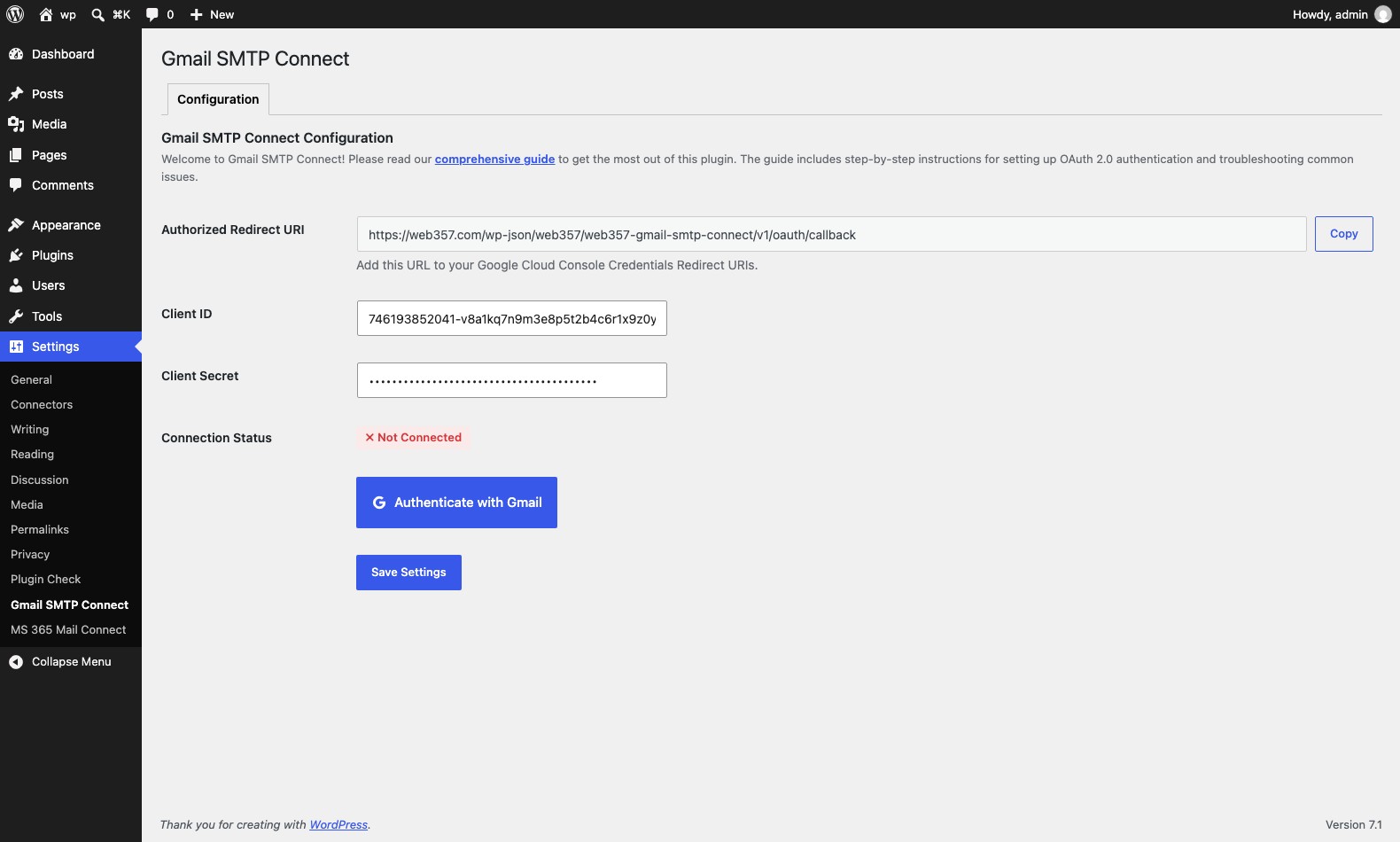
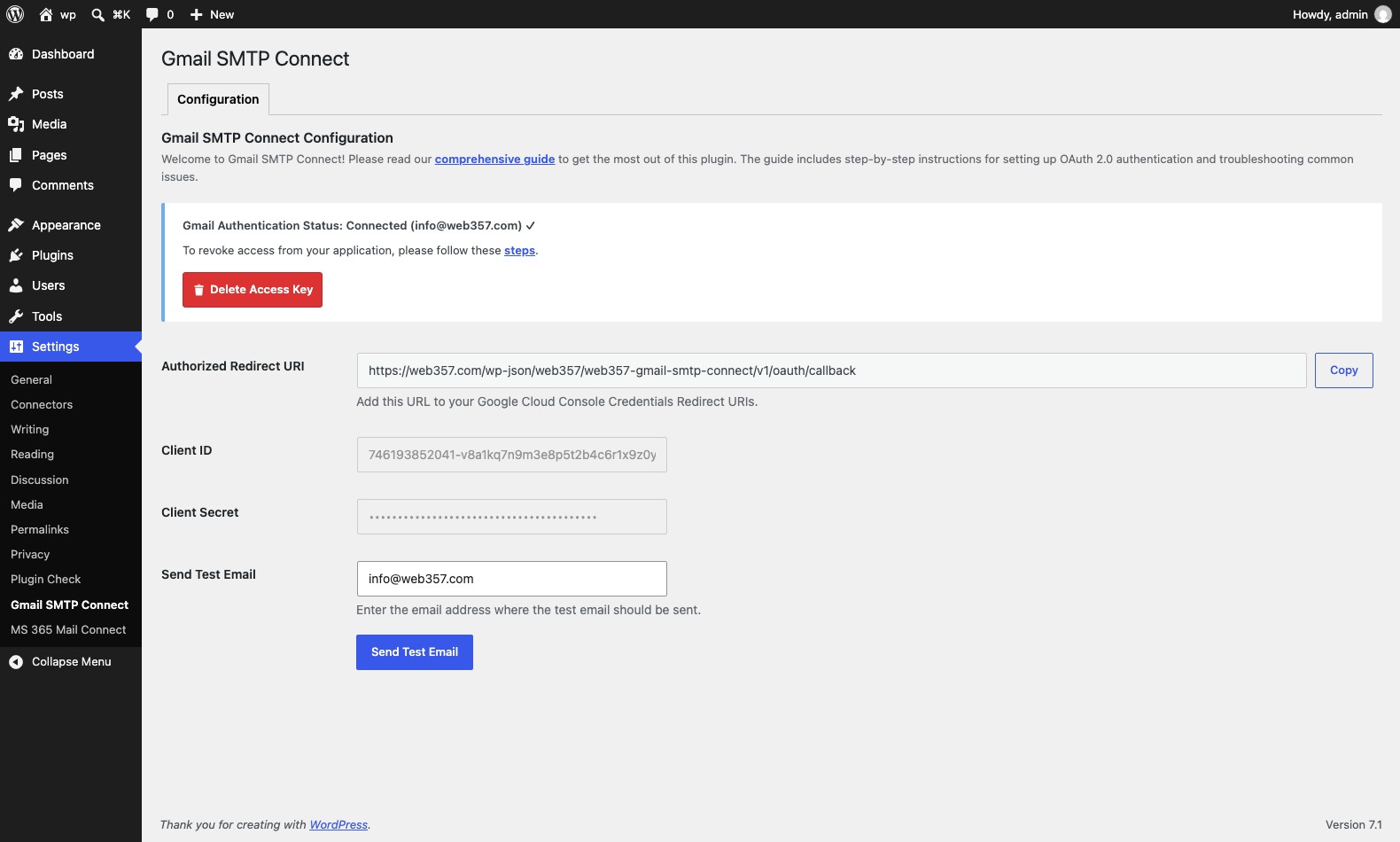


The Web357’s SMTP Connect for Gmail WordPress plugin lets you send all your WordPress emails (WooCommerce notifications, Contact Form 7 / WPForms / Fluent Forms / Gravity Forms submissions, password resets, and any wp_mail() call) through your Gmail or Google Workspace mailbox, using secure OAuth 2.0 authentication. No stored SMTP passwords, no fragile app-password workarounds. Just connect your Google account once and your transactional emails will be sent reliably from your real mailbox, dramatically improving deliverability compared to your host’s default PHP mail() function. If you want a simple, secure way to fix WordPress email delivery using Gmail or Google Workspace, Web357 SMTP Connect for Gmail is for you.
Full setup, Google Cloud OAuth registration, and troubleshooting steps are in the official documentation.
How it works
- Open Settings > SMTP Connect for Gmail and paste the Client ID and Client Secret of your Google Cloud OAuth app.
- Click Save Settings, then Authenticate with Gmail, and approve access on Google’s consent screen.
- Send a test email from the Configuration tab. From then on, every email WordPress sends goes out through your Gmail mailbox.
Creating the Google Cloud OAuth app is covered step by step in the configuration guide.
External services
This plugin connects to Google’s identity and mail services so it can send WordPress emails through your Gmail or Google Workspace mailbox using OAuth 2.0. It requires a Google Cloud project and OAuth Client ID/Secret that you create and control.
Google’s identity platform (accounts.google.com, oauth2.googleapis.com) is used to authorize the plugin against your Google account and to exchange/refresh the resulting access token. When you click “Authenticate with Gmail” in the Configuration tab, and again automatically whenever a stored access token is near expiry, the plugin sends your app’s Client ID, Client Secret, redirect URI, and the OAuth authorization code or refresh token, and receives back an access token and refresh token in return. Right after you authorize, it also calls Google’s https://www.googleapis.com/oauth2/v3/userinfo endpoint once to read the connected account’s email address.
Terms of use: https://policies.google.com/terms. Privacy statement: https://policies.google.com/privacy
Gmail’s SMTP server (smtp.gmail.com) is used to actually send every outgoing email (the message subject, body, recipient addresses, headers, and attachments), authenticated via OAuth 2.0 (XOAUTH2), not a stored password. This happens every time WordPress (or any plugin using wp_mail()) sends an email, and when you use the built-in Test Email tool.
Sending mail over Gmail’s SMTP with OAuth requires Google’s full-account mail scope (https://mail.google.com/) rather than a narrower “send only” scope; this is a constraint of Gmail’s SMTP+XOAUTH2 authentication itself, not a plugin choice. The plugin only ever uses this access to send the emails WordPress generates; it does not read, modify, or delete anything in your mailbox.
No data is sent to Google until you complete the OAuth connection yourself.
Free features
- OAuth 2.0 authentication via Google: connect your Gmail or Google Workspace account in one click, no app passwords required.
- Reroute every wp_mail() call through Gmail’s SMTP server for reliable delivery and improved inbox placement.
- Test Email tool: send a real test email from the WordPress admin to verify your setup before going live.
- One-click delete: delete the stored access key whenever you want.
- Compatible with WooCommerce, Contact Form 7, WPForms, Fluent Forms, Gravity Forms, MemberPress, LearnDash, and any plugin that uses
wp_mail(). - Translation-ready and works on any modern WordPress theme.
PRO Features
Upgrade to the PRO version for a mail log and more control over what leaves your site. Plans cover 1, 3, 5 or unlimited sites and include 1 year of updates and support, with a 30-day money-back guarantee.
- Mail Log: view every sent, failed, and staged email with full headers, content preview, status, and timestamps. See the Mail Log documentation.
- Mail Staging Mode: log emails to the database instead of sending them, perfect for staging and development environments.
- Mail Throttle: limit how many emails per minute leave your site to avoid hitting Gmail’s sending limits.
- Send BCC: automatically send a blind copy of every outgoing email to an internal address (great for record-keeping and compliance).
- Default Reply-To: set a global reply-to address for all outgoing emails when one isn’t already specified by the form or plugin.
- Extended SMTP configuration: custom From Name, encryption type, SMTP port, and an option to disable SSL verification for non-standard setups.
- 1 year of updates and support from the Web357 team.
Staging, throttle, BCC, and Reply-To are covered in the Advanced Configuration documentation.