Weather Widget WP
v1.0.0ajdethemes · 2022年11月8日 上架
Display weather information for a specific location.
- 正在使用
- 300+
- 评分
- 4.5 / 5
- 累计下载
- 6,059
- 最近更新
- 2022年11月8日
贡献者
 ajdethemes
截图
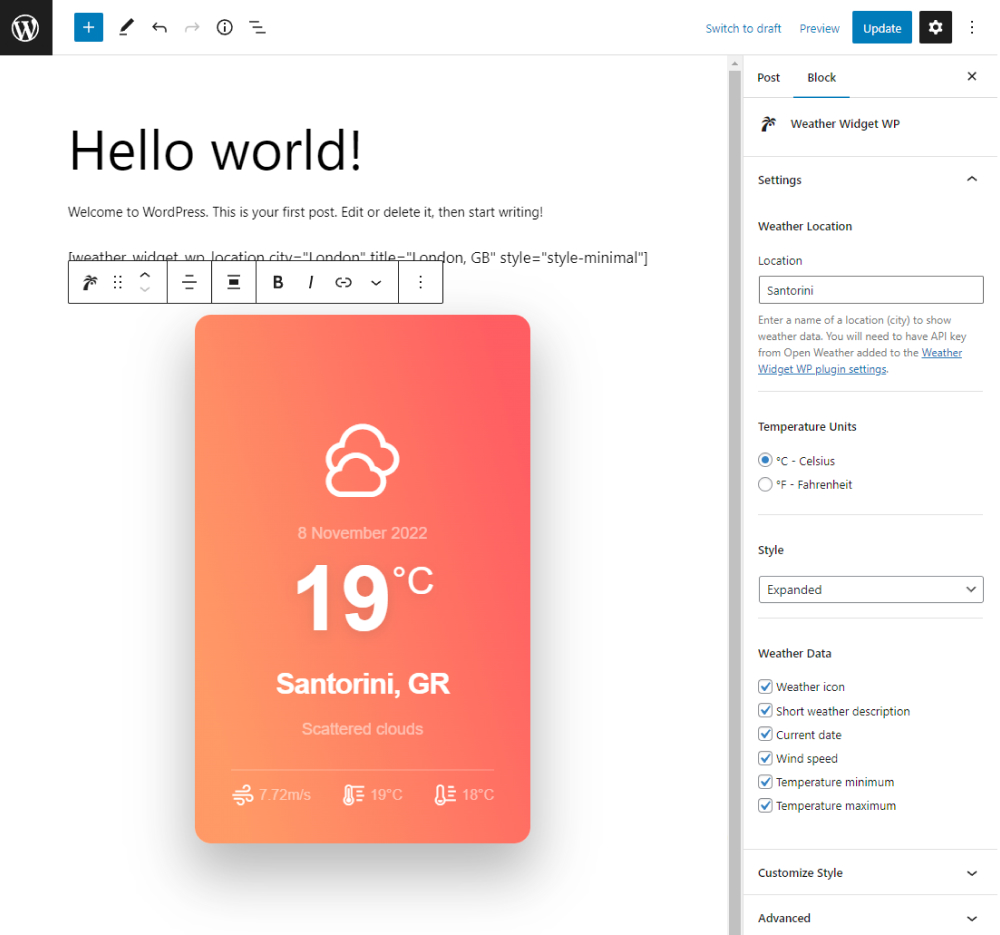


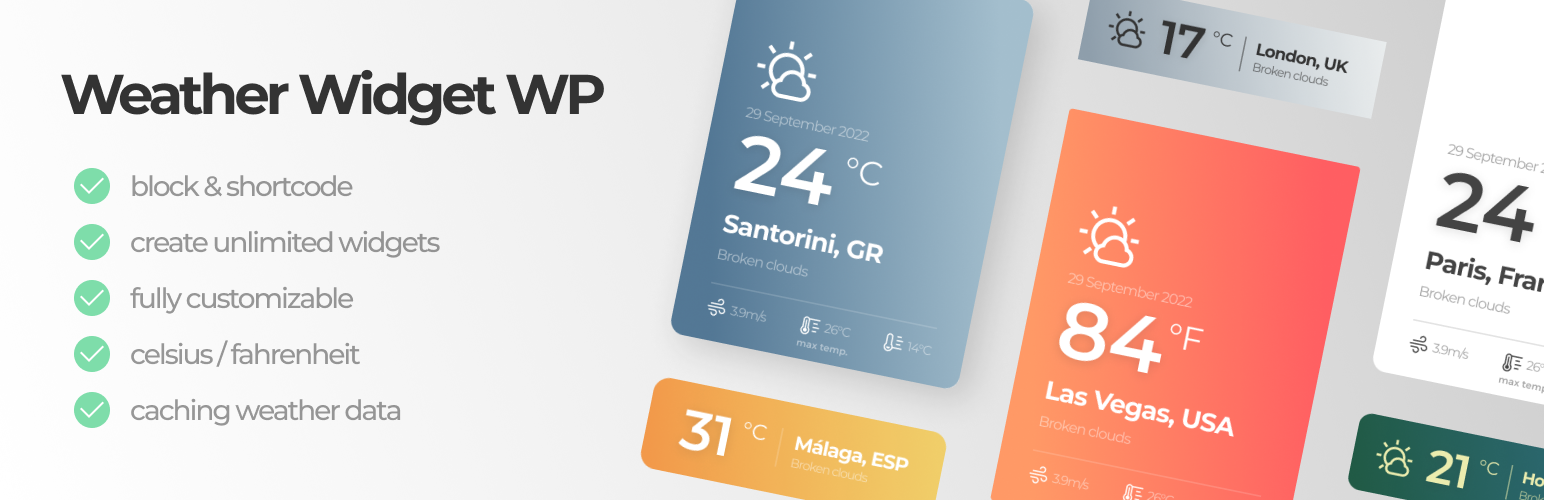
This plugin allows you to show the current weather info for any location. You can show the temperature in Celsius or Fahrenheit units, show wind speed, max & min temperature, weather description, date and weather icon.
You can use this plugin as a block (with a name “Weather Widget WP”) in the WordPress block editor in a page, post or as a widget in a sidebar, or as a shortcode – example [weather_widget_wp_location city="London" title="London, UK"].
Customization
You can customize the weather widget however you like. The widget have two styles: minimal & expanded that show different amount of data.
When using the custom block, click the gear icon (top right) to show the settings, under Customize Style there numerous settings to style the widget in order to match your website style.
API Key
The plugin gets the weather data from Open Weather API, so you will need to have account & API key to use it. If you don’t have an account follow the instructions in the plugin settings page to setup an account.
Also, keep in mind that newly created API keys will need ~ 15 min to be activated and show data, so you might see an API error in meantime.
Caching
You can utilize the caching feature from the plugin settings page, to save (cache) the weather data for number of hours, so you don’t exceed the you API free tier rate too fast.
This is enable by default, so the weather data on the front-end might not match the back-end editor (this is because of the caching).
Setting the cache setting to 0 will disable the caching – not recommended.
Shortcode [weather_widget_wp_location]
Recommended use of this plugin is as a block via the WordPress block editor – for ease of use, but you can use the plugin also as a shortcode, bellow are all the shortcode attributes explained.
Example: [weather_widget_wp_location city="Santorini" title="Santorini, Greece" style="style-minimal" units="F" desc=1 icon=0]
style– two options: ‘style-expanded’ or ‘style-minimal’, e.g.style="style-minimal";city– location for which the weather data will be shown e.gcity="london";title– the title inside the widget e.g.title="London, UK";units– temperature units, two options Celsius or Fahrenheit, e.g.units="C";desc– show short weather description (1 – enable, 0 – disable), e.g.desc=0;icon– show weather icon (1 – enable, 0 – disable), e.g. icon=0;date– show the current date (1 – enable, 0 – disable), e.g.date=0;wind– show the wind speed (1 – enable, 0 – disable), e.g.wind=0;max– show the max. temperature prediction (1 – enable, 0 – disable), e.g.max=0;min– show the min. temperature prediction (1 – enable, 0 – disable), e.g.min=0;block_align– alignment of the widget (left, right, center, wide, full);css_class– add custom css class;css_style– add custom inline style;
Errors (API Errors)
- Most common error is the “new API key” – does not show any weather data and it says “Weather API Error” each new API key created will need (around) 15 minutes to be active and show data so please be patient and check again after 15 min.;
- Typo in the location input field, make sure your location is correctly written;
- It is (rare) possibility that the Open Weather API currently down;
- You have exceeded the free tier of you Open Weather account and they are rate limiting you – this is possible if you have a huge amount of visitors to your website,
so make sure you are utilizing the caching feature in the plugin settings page.