
WDOnline Invoice Payment for WooCommerce
v0.6.32wdonlinedk · 2026年9月19日 上架
Customer-specific invoice payment terms and credit controls for WooCommerce B2B stores.
- 正在使用
- 10 以下
- 评分
- 暂无
- 累计下载
- 331
- 最近更新
- 2026年10月25日
需要 WordPress 6.5+已测试到 7.1.5PHP 7.4+
贡献者
 wdonlinedk
截图


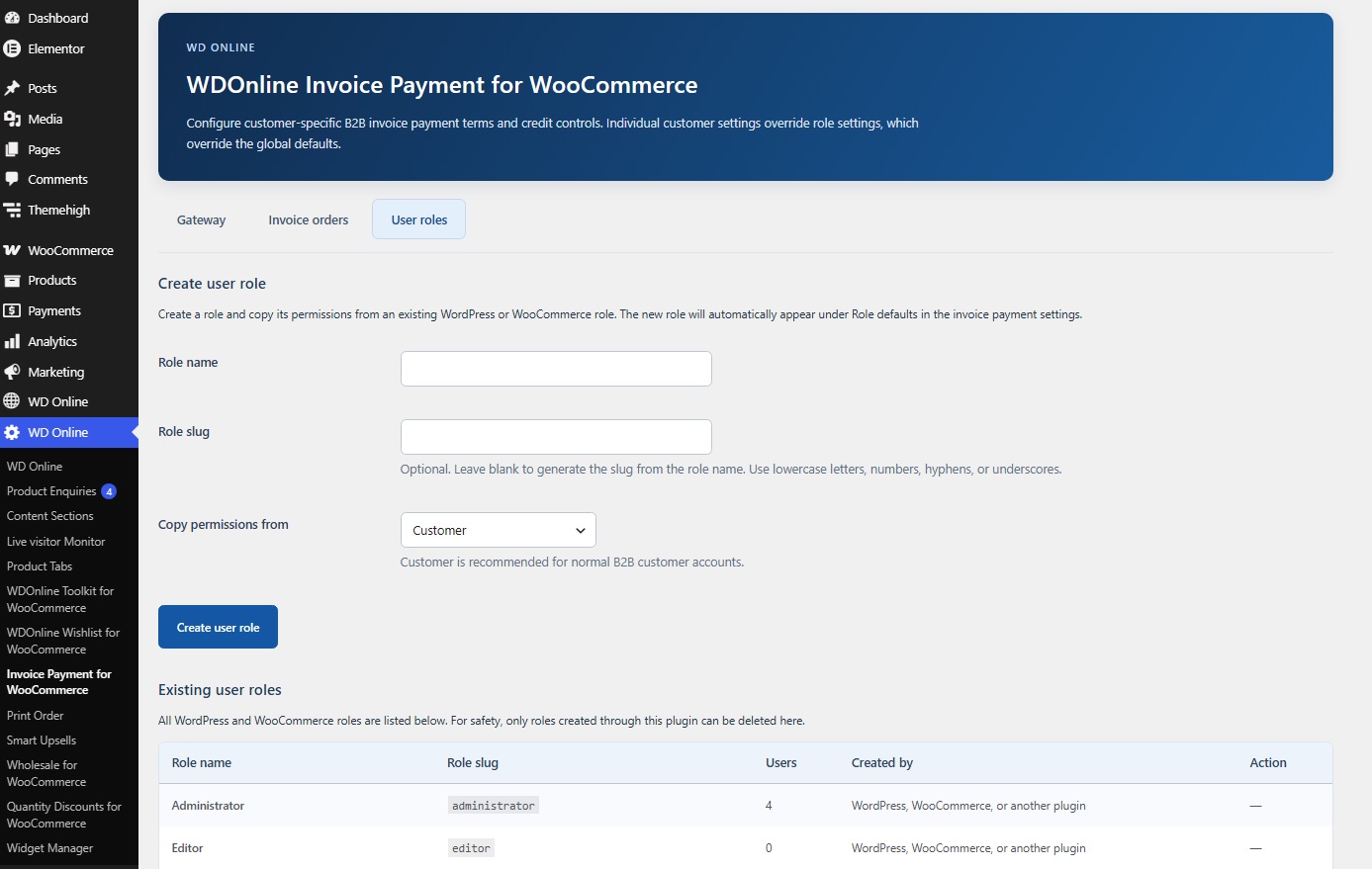

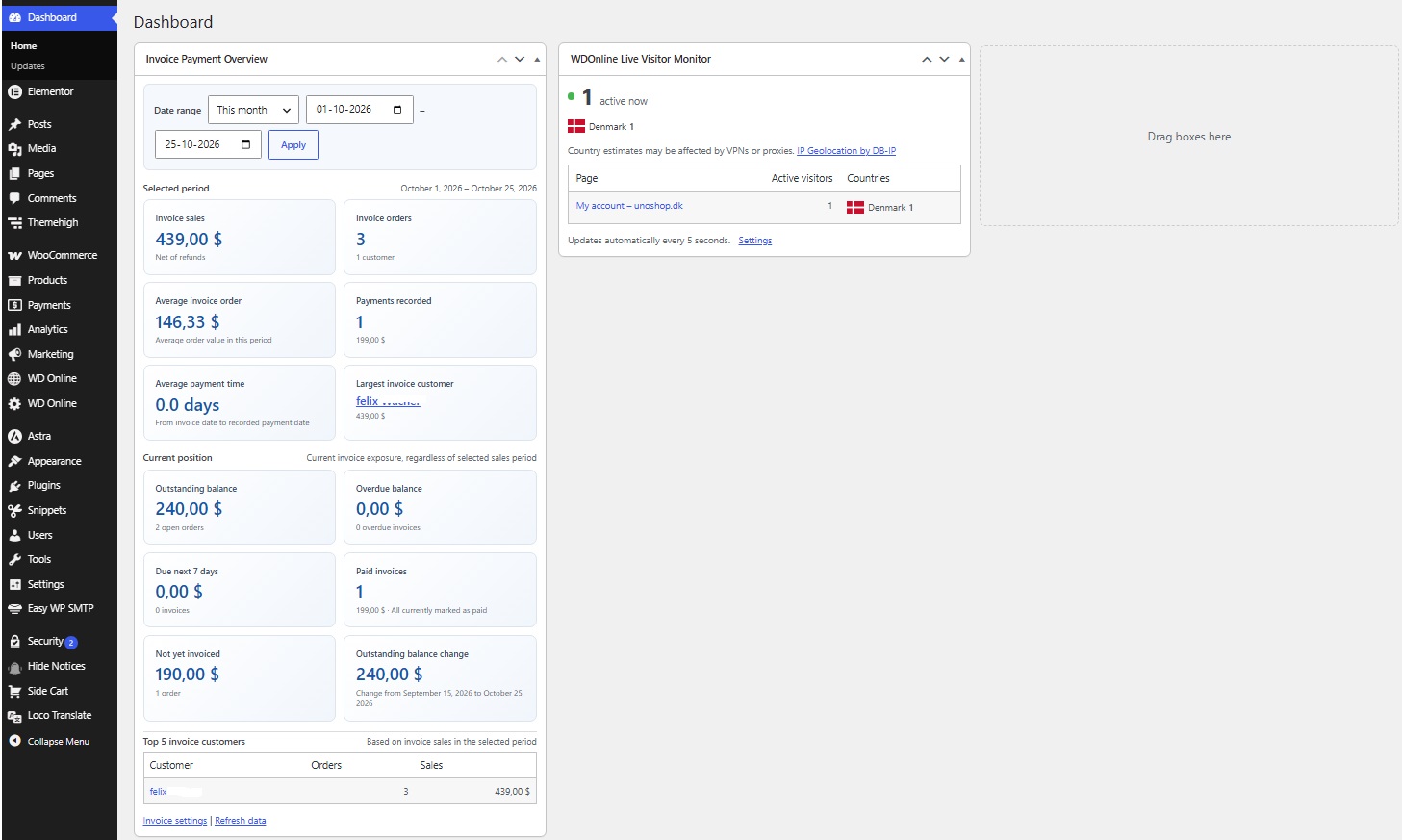
WDOnline Invoice Payment for WooCommerce adds a B2B-friendly invoice payment gateway where payment terms belong to the customer rather than the order date.
Core behavior:
- Enable or disable invoice payment globally.
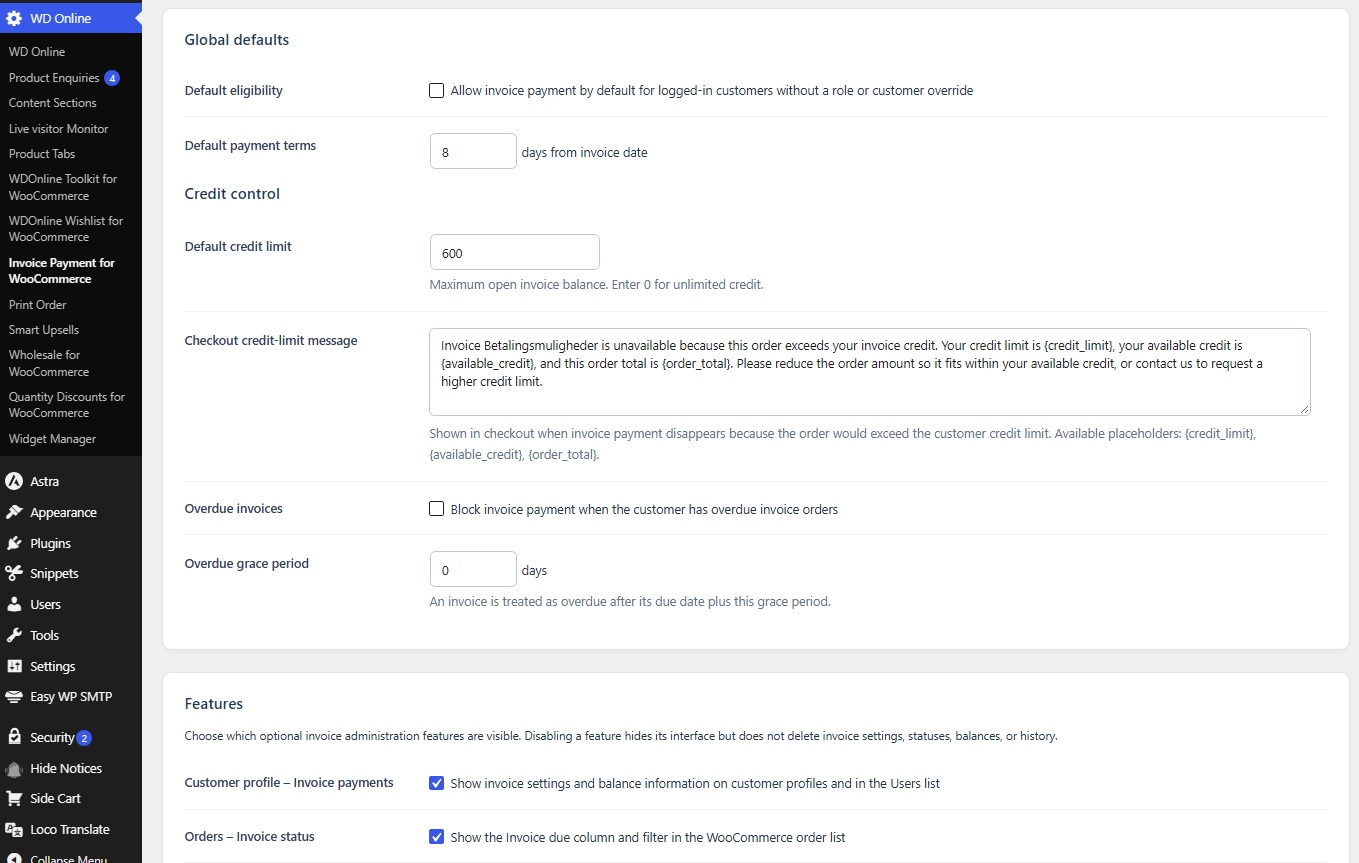
- Configure a global default payment term.
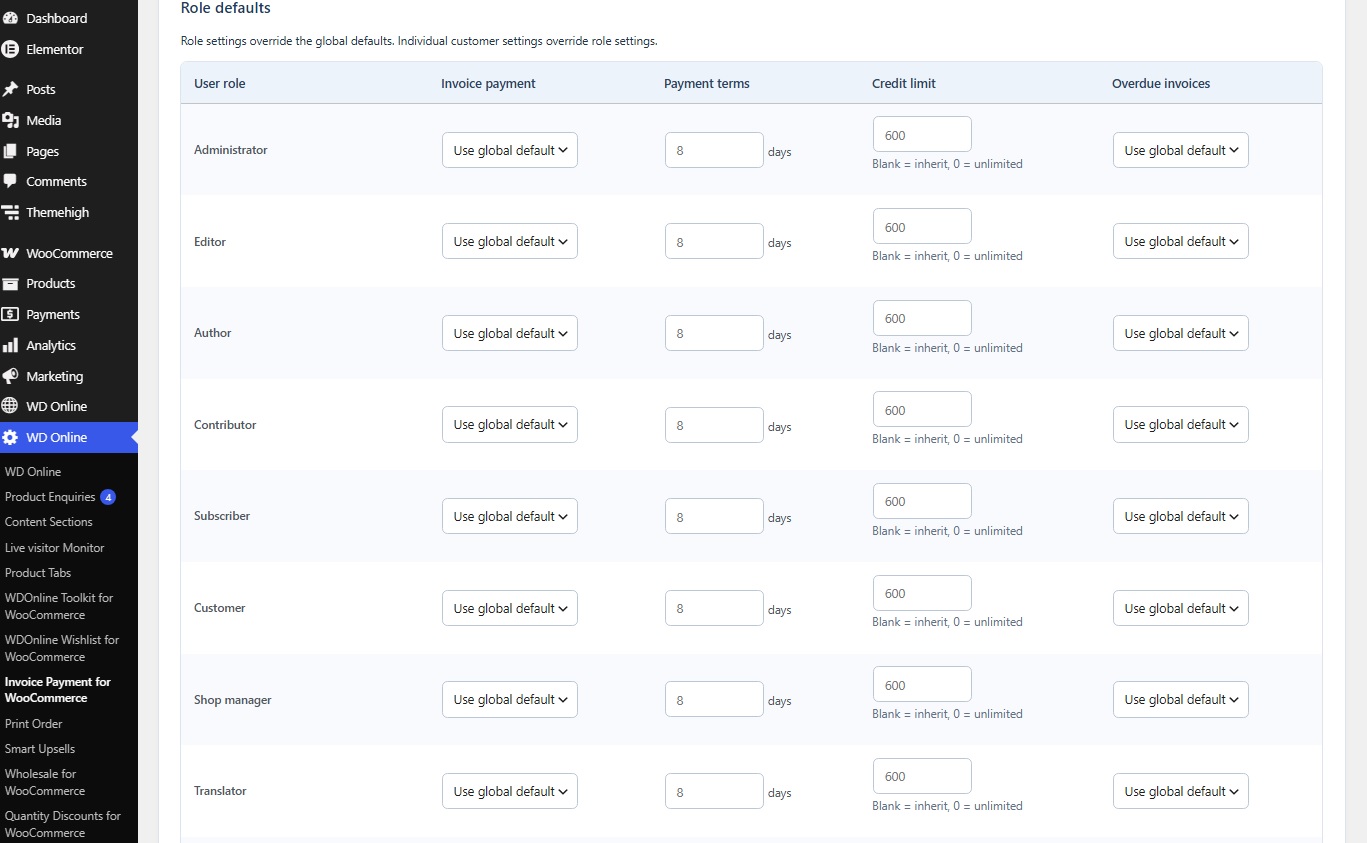
- Configure invoice eligibility and payment terms by WordPress user role.
- Create new user roles from the User roles tab by safely copying permissions from an existing role.
- Review all user roles and safely delete unused roles created through this plugin.
- Override invoice eligibility and payment terms for individual customers.
- Show a dynamic checkout title such as “Invoice – 30 days”.
- Save the customer’s payment terms on the order at checkout.
- Keep invoice date and due date separate from the order date.
- Calculate the due date only after an invoice date has been entered or the order has been marked as invoiced.
- Store an optional invoice number on the order.
- Upload an externally generated PDF invoice to an order and make it available through a protected customer download.
- Keep invoice PDFs outside the WordPress Media Library under random internal filenames with server access-deny rules.
- Mark invoices as paid or unpaid independently of the WooCommerce order status.
- Display payment terms, invoice date and due date in order emails and My Account.
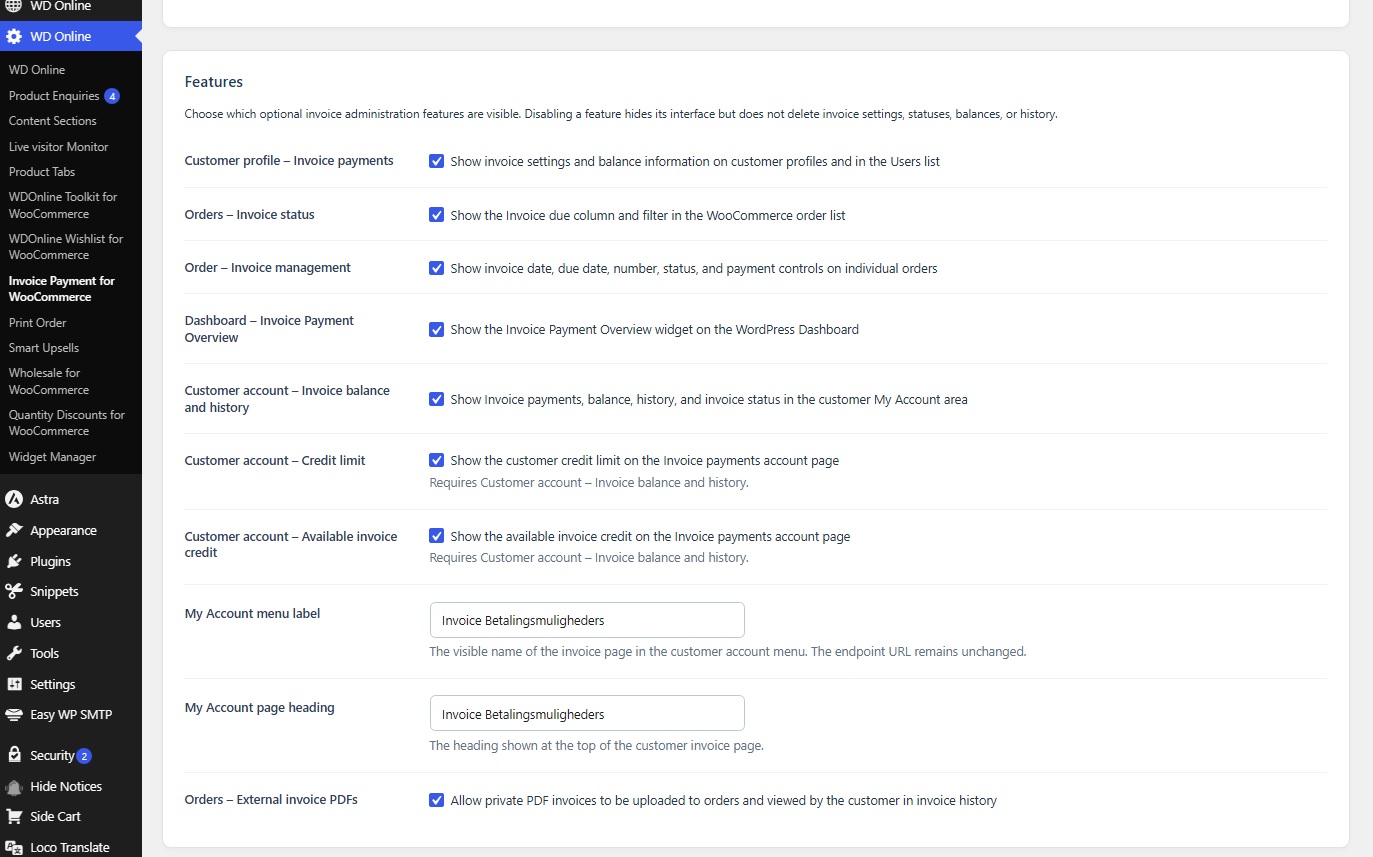
- Display invoice due information in the WooCommerce order list.
- Supports WooCommerce HPOS and Checkout Blocks.
- Set global, role-based, or individual customer credit limits.
- Treat a credit limit of 0 as unlimited credit.
- Track each customer’s open invoice balance, available credit, and overdue balance.
- Include not-yet-invoiced invoice orders in credit exposure to prevent customers from exceeding their limit before invoicing.
- Optionally block invoice payment when overdue invoices exist.
- Configure an overdue grace period and override overdue blocking by role or individual customer.
- Show a clear checkout notice when invoice payment is unavailable because the credit limit is exceeded or overdue invoices block new invoice orders.
- Let the store customize the credit-limit checkout message with credit limit, available credit, and order total placeholders.
- Show invoice payment status directly in the customer My Account order list.
- Show paid, due, and overdue messages on individual order pages.
- Add a dedicated My Account > Invoice payments page with credit summary, overdue balance, and invoice order history.
- Optionally hide the customer’s credit-limit and available-credit values independently from the My Account invoice summary without changing credit enforcement.
- Customize the customer My Account menu label and invoice-page heading without changing the endpoint URL.
- Review invoice-payment orders from the dedicated, paginated Invoice orders tab with WooCommerce order-status filtering.
- Fully translatable with standard WordPress gettext translation files and Loco Translate.
- Includes a translation template in the plugin languages folder.
- Add a WordPress Dashboard widget with key invoice-payment KPIs for store managers.
- Filter dashboard sales statistics by Today, Yesterday, week, month, year, all time, or a custom date range.
- Show invoice sales, order count, customer count, average invoice order value, paid invoices, and largest customer for the selected period.
- Show Top 5 invoice customers for the selected period.
- Track payment dates for newly marked paid invoices and calculate average payment time.
- Show current outstanding balance, overdue balance, and invoices due within the next 7 days.
- Store daily balance snapshots and show outstanding-balance development when enough history is available.
- Cache dashboard statistics for performance and automatically refresh them when WooCommerce orders change.
- Optional integration with WD Online Support Diagnostics for read-only health checks and temporary privacy-safe error logging.
The due date is intentionally not calculated when the customer places the order. For example, an order placed on September 1 with 30-day terms and invoiced on September 5 will be due on October 5.
Developer Notes
Available filters:
wdonline_ipw_customer_eligiblewdonline_ipw_terms_dayswdonline_ipw_due_datewdonline_ipw_credit_limitwdonline_ipw_block_overduewdonline_ipw_account_summarywdonline_ipw_credit_decisionwdonline_ipw_dashboard_stats