

Order Tracker for WooCommerce – Track Customer Order
v1.2.9bPlugins · 2020年8月14日 上架
Let WooCommerce customers look up their own orders by order number and phone number, with real-time status updates powered by Ajax.
- 正在使用
- 900+
- 评分
- 4.3 / 5
- 累计下载
- 1.5 万
- 最近更新
- 2026年10月13日
 Abu Hayat
 bPlugins
 shehabulislam
截图
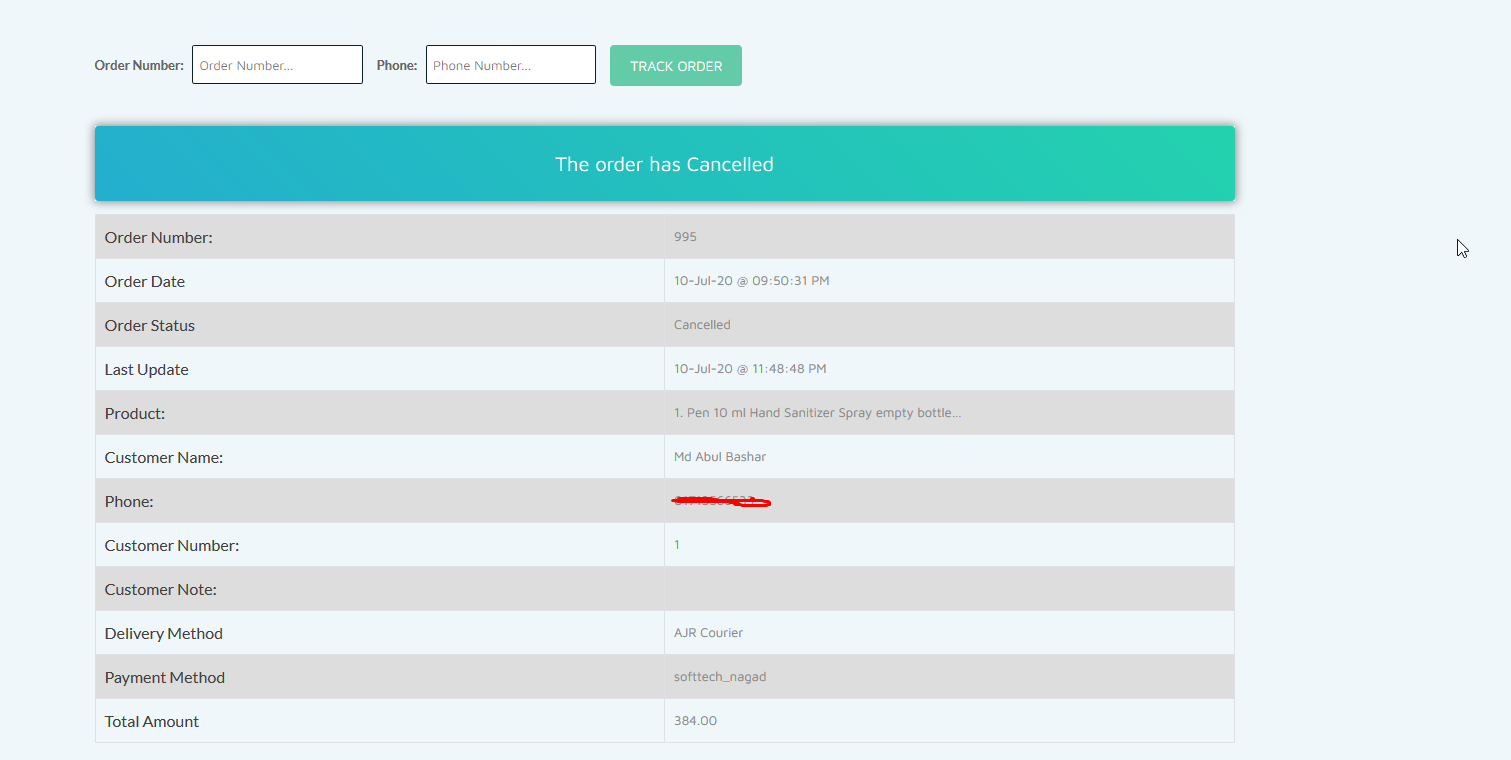


Order Tracker for WooCommerce gives your customers a self-service way to check the status of their orders without contacting support. Customers enter their order number and the phone number used at checkout, and the plugin returns the current order status, a visual progress bar, and key order details — all without a page reload.
Key features
- Self-service order lookup by order number and billing/shipping phone number.
- Ajax-powered results — no page reload required.
- Visual progress bar with stages: Pending, On Hold, Processing, Shipped, Completed.
- Built-in support for cancelled, refunded, and failed orders.
- Adds a custom “Shipped” order status to WooCommerce, including a quick action button in the admin orders list.
- Use as a page template or via the
[cbwct-order-tracker]shortcode anywhere on your site. - Developer-friendly: filter hooks for customizing labels, messages, and progress percentages.
- Fully translation-ready (text domain:
wc-order-tracker).
For more information, visit the plugin homepage. Contributions are welcome on GitHub.
Filter hooks
The following filters let developers customize the tracker output:
cbwct_order_tracking_heading— Heading shown above the tracking form.cbwct_field_text_order_number— Label for the order number field.cbwct_field_text_phone_number— Label for the phone number field.cbwct_submit_button_text— Submit button text.cbwct_order_number_phone_number_required— Message shown when either field is empty.cbwct_order_is_not_found— Message shown when the entered order number doesn’t exist.cbwct_phone_mismatch— Message shown when the phone number doesn’t match the order.cbwct_product_title_trim_words— Number of words shown in product titles on the result table (default: 8).cbwct_pending_progress_percent— Progress bar percentage for Pending orders (default: 23).cbwct_on_hold_progress_percent— Progress bar percentage for On hold orders (default: 42).cbwct_processing_progress_percent— Progress bar percentage for Processing orders (default: 61).cbwct_shipped_progress_percent— Progress bar percentage for Shipped orders (default: 80).cbwct_completed_progress_percent— Progress bar percentage for Completed orders (default: 100).
The legacy misspelled filter names (cbwct_*_prograss_percent) from earlier versions are still supported for backward compatibility, but new code should use the names listed above.
Demo videos
Support
For questions, support, or feature requests, contact the team at support@bplugins.com or visit bPlugins.com.