No Shipping Message for WooCommerce
v2.2.9Dan (weight based shipping) · 2015年10月29日 上架
Allows you to customize the messages WooCommerce displays on the cart and checkout pages when no shipping methods are available.
- 正在使用
- 3,000+
- 评分
- 5.0 / 5
- 累计下载
- 16 万
- 最近更新
- 2026年11月23日
 Dan (weight based shipping)
截图


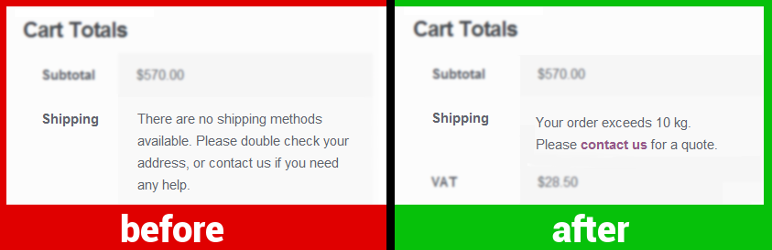
The plugin allows quickly customizing the messages WooCommerce displays to the customer when shipping is not available:
1. “No shipping options were found” on the cart page (screenshot)
2. “There are no shipping options available” on the checkout page (screenshot)
3. “No shipping method has been selected” notice appearing after a checkout attempt (screenshot)


Customers see a no-shipping-options message when there are no delivery options configured for their order because they choose a destination you don’t ship to, or have too many items in the cart, or meet another edge condition. Providing a custom message may be useful to explain why shipping is not available and what to do next. You can also provide an actual link to your contact page.
Message examples:
- “Your order exceeds 10 kg. Please contact us to get a quote.”
- “Shipping to the selected country for orders under $100 is not available. Please add more items to your order or contact us.”
- “[Product] is not available for shipping to the selected destination.”
- “Unfortunately, we can’t deliver your order. Please contact us for details.”